SatMe-PC — the station in a browser
October 2026. The Android app stays the reference; the PC does what it does, and what is made on the PC comes to the phone too. The PC pages are in French for now.
SatMe runs on a PC (Linux, Windows, Raspberry Pi) and is driven from a browser. Its core is the same code as on the phone: Doppler loop, rotator tracking, pass journal, SSTV, METEOR, APRS, FT8, QO-100, DATV and the log all come from the shared :moteur module.
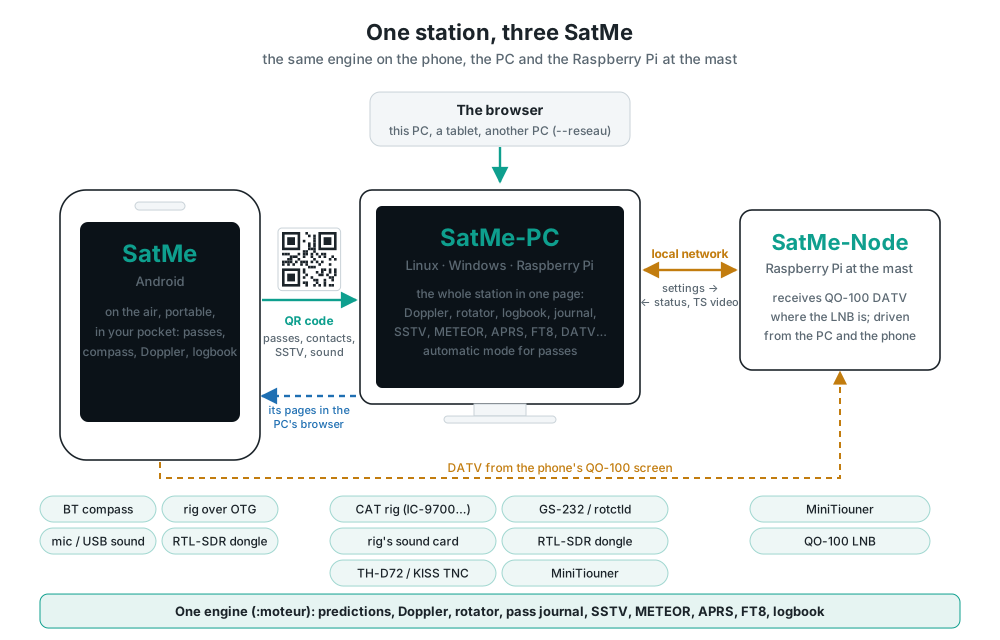
Installing it#
- Linux: Installing SatMe-PC — download
satme-pc.tar, unpack, start, then open http://localhost:8090/. - Windows: Installing SatMe-PC on Windows — all in one:
satme-pc-windows.msi, double-click, the page opens. - The MiniTiouner by the antenna: Installing SatMe-Node on a Raspberry Pi.
- Portable (a USB stick): a
donneesfolder beside the program — besideSatMe-PC.exeinsatme-pc-windows.zip(Java and ffmpeg inside), or besidebinandlibon Linux (Java needed) — keeps all the settings and files, startup options included; nothing is written elsewhere on the PC. Portable mode is for the ZIP (a USB stick), not the installer: installed bysatme-pc-windows.msi, SatMe-PC keeps its data in%APPDATA%\SatMe, which an update leaves alone, never in the program's folder, which the installer replaces. Adonneesfolder found there is copied out at start (to%APPDATA%\SatMe-portable-<date>when%APPDATA%\SatMeis already in use) and used from there; the original is kept. Réglages › Démarrage refuses a data folder inside the program's folder.
| Option | Effect |
|---|---|
--port 8090 | the page's port |
--reseau | page open to the other machines of the network (a station at the foot of the mast, driven from the house); without it, this PC only |
--dossier DIR | where settings, log, journal and recordings are kept (~/.satme, %APPDATA%\SatMe on Windows) |
--noeud | SatMe-Node: the DATV receiver only, driven over the network |
--bureau · --console | open the page in the browser, an icon by the clock (the default on Windows); or not |
--local | this PC only, even when the startup file says otherwise |
--demo · --demo-reset | a demonstration station, made-up data and virtual hardware (see Demonstration); made new |
--port, --reseau and --dossier can also be set from the page (Réglages › Démarrage, kept in ~/.config/satme/satme-pc.properties, %APPDATA%\SatMe\satme-pc.properties on Windows); the command line wins (see Start-up, updates and deployment).
The page on the network's other machines (a tablet, the living-room PC): start satme --reseau, then open http://<the PC's address>:8090/ (hostname -I gives it). On Linux with ufw, open the port to the local network once, in a terminal: sudo ufw allow from 192.168.0.0/24 to any port 8090 proto tcp (adapt the range to your router). A password is then asked of the other machines (this PC itself gets in without one): drawn at the first start with --reseau (four words, written in SatMe-PC's log and shown in Réglages › Accès à distance), to be replaced with your own (see Remote access). Without HTTPS everything goes in clear: home network only, never opened to the internet. 🔈 Écouter ici, at the top, plays SatMe-PC's sound (SDR or sound card) in that browser.
Optional tools, only for the features that use them (Linux):
| Package | For |
|---|---|
ffmpeg | DATV pictures and sound, DATV transmission, subtitles (bundled on Windows) |
tesseract-ocr | callsigns read in the DATV picture |
hackrf | the HackRF One test transmitter |
bladerf | the bladeRF 2.0 |
python3-venv | voice to text (the engine is installed from Réglages) |
The tabs at a glance#
| Tab | What it does |
|---|---|
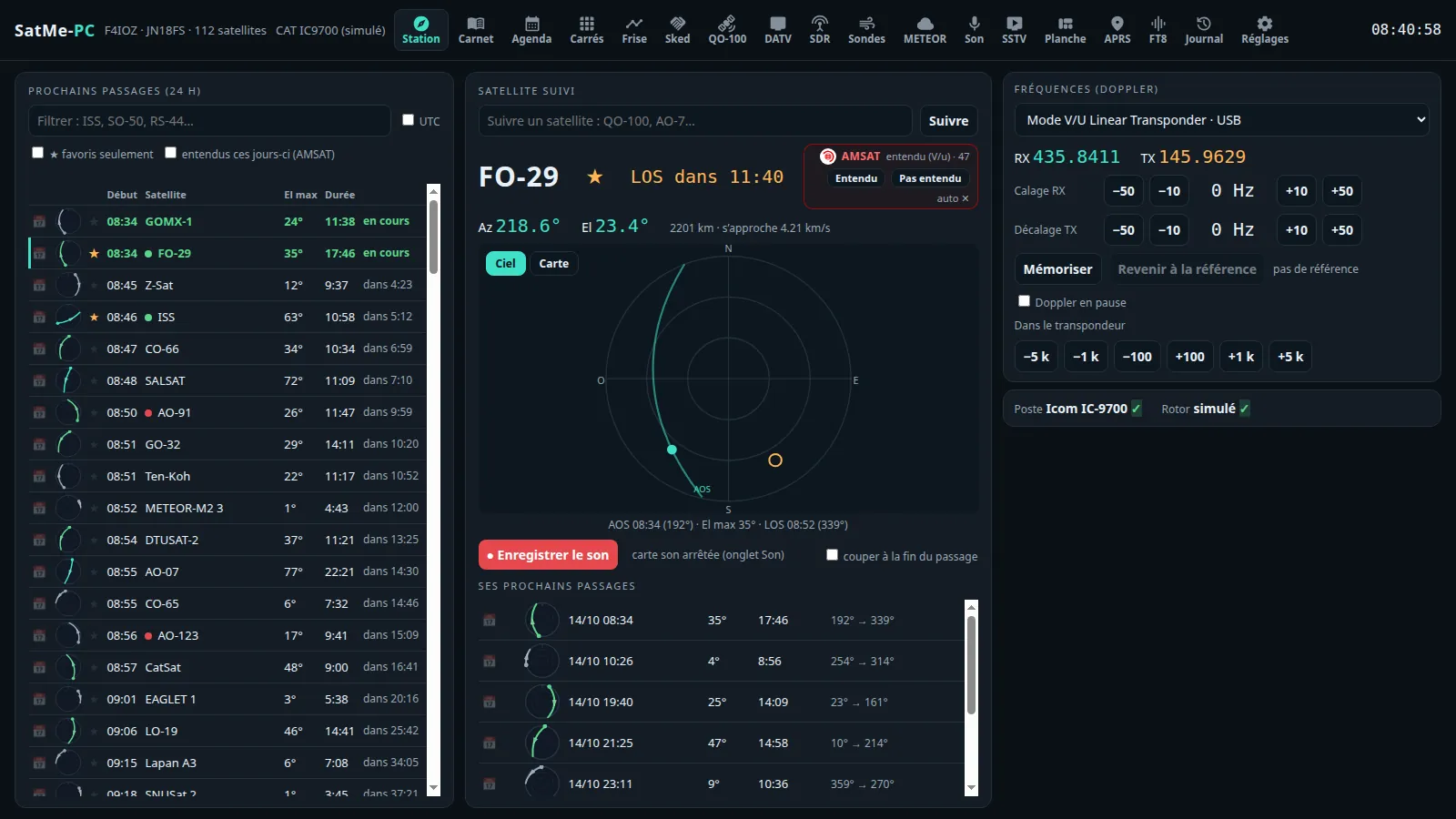
| Suivi | the next 24 h passes, the satellite followed on the sky or the map, the AMSAT box, Doppler-corrected frequencies, the rig and rotator by name with a green tick |
| Carnet | the log: entry with callsign prediction and QRZ, the station live beside it, the CW decoder window, voice to text |
| Agenda · Frise · Locators | appointments and the automatic mode, SSTV campaigns and their auto-pilot, Activités à venir (upcoming activities, with one-click Activer l'auto-pilote), Diplômes (awards); the passes on a timeline; worked locators on a map |
| Sked | the windows when you and another station both see a satellite, replayed on the map or on the globe, and made into an MP4 video (16:9 or 9:16) — see Sked |
| QO-100 | the narrow band cockpit: one-click reception, named signals, click-to-tune with the right decoder |
| DATV | QO-100's wide band: reception (MiniTiouner, node, Pluto or bladeRF), Pointage (pointing), quality and history, subtitles and spoken translation, transmission (free slots, encoder test) |
| Montage | the station diagram, what each SatMe function holds, the receive profiles |
| SDR | the receiver: RTL-SDR, ADALM-PLUTO, bladeRF 2.0, the IC-9700's IF, I/Q file, test generator; waterfall and its satellite scale, vernier, magnifier, memories, scanning, sound cleaning, measurements |
| Carte · Avions · Navires | the shared map (satellites, APRS, sondes, aircraft, ships, DATV, locators, aurora); ADS-B on 1090 MHz and aircraft scatter; AIS on 162 MHz |
| Orbites | the Earth in 3D with the satellites on their orbits and their footprints, six looks, the 2D map, a pass live or played fast, the view from the satellite, 📺 ISS en direct (ISS live), the full-screen ⛶ Tableau (Vitrine for a stand); all worked out in the browser |
| Météo spatiale | Kp index, solar flux, X-rays, solar wind, aurora, alerts (downloaded only when ticked) |
| Télémesure | FSK / GMSK packets from 1200 to 9600 bit/s, SSDV pictures (completed over several passes), FUNcube, the QO-100 beacon |
| Sondes · METEOR | radiosondes; METEOR-M LRPT pictures |
| Son | the sound card, recording |
| SSTV | live decoding, the pictures, the test card, transmission |
| Planche | the SSTV sheet: pictures on a template — all its boxes, or fewer, laid out as large as they can be —, a background (stars, gradients, NASA pictures or your own) and up to three patches dragged with the mouse, their surround removed if need be; downloaded full size. Export the template… gives it as one .satme-planche file (layout, texts, background, patches already cut out — no received picture; the callsign and name stay fields the importer fills, unless « keep my callsign written in » is ticked); Import a template… (or the file dropped on the page) takes an ARISS picture or such a file as a new template, never over another one; Renommer, the sheet's event, Remplir par diapo, the event's Rapport — see Pictures by slide; + Affiche ISS, Titres stylés, each text's font and effect, the picture frame — see The stylish sheet there |
| APRS · FT8/FT4 | APRS (KISS radio too) and its game; FT8 / FT4 receiving and transmitting through the IC-9700 (Émission FT8/FT4 card), on one page |
| Journal | the passes replayed with their sound (sky, map or globe), made into a picture, video or GIF; several passes of a satellite animated one after another (🌍 Session) |
| Réglages | by category: Ma station, Poste et rotor, Satellites, Interfaces, Annonces, Services en ligne, Phonie → texte, Téléphone, Accord fin, Émission, Accès à distance, Sauvegarde |
The QO-100, DATV and SSTV tabs fit one screen (1920×970 down to 1366×700): the main view stays in sight, the secondary cards are sub-tabs with icons, the last one opened kept.
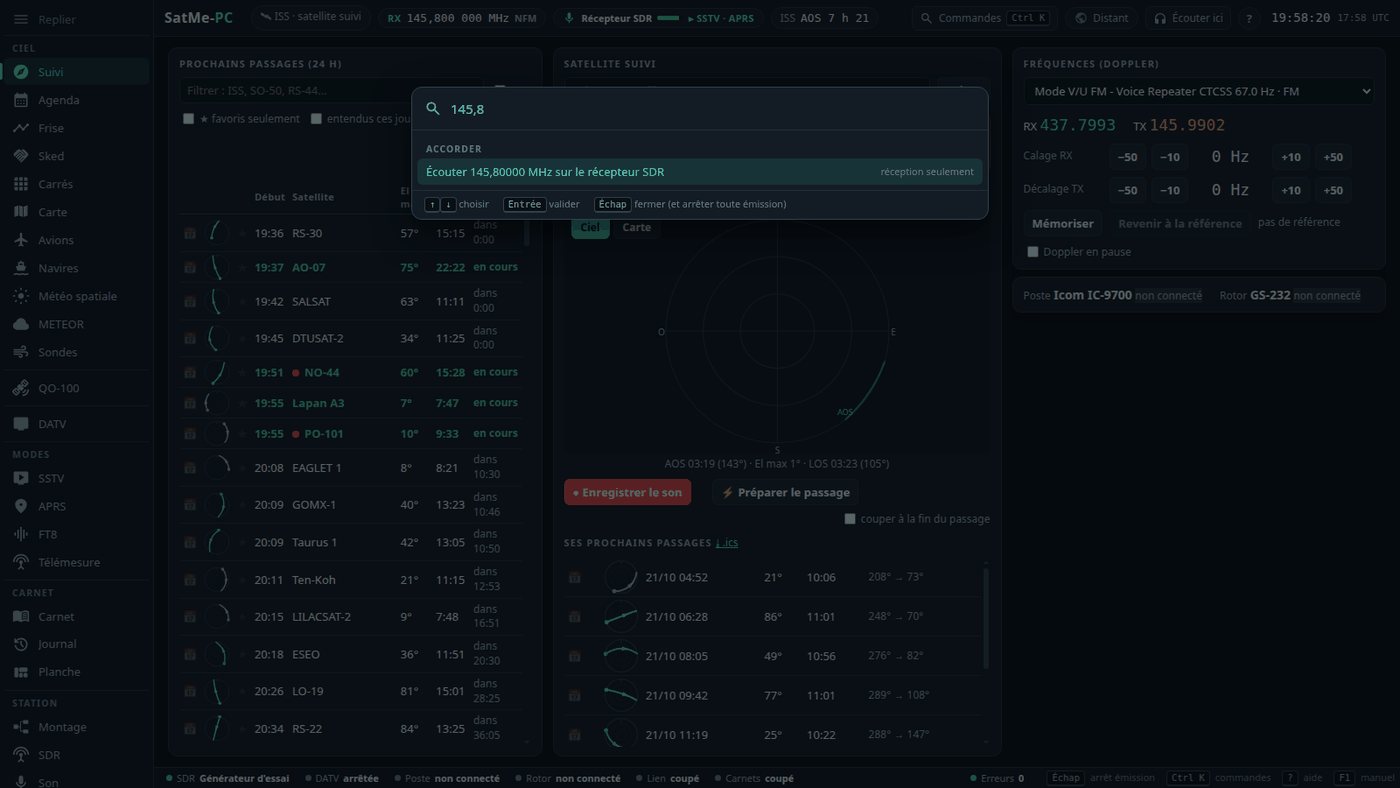
- Workspaces, in the left rail (keys 1 to 6, each reopened at its last tab; [ folds or unfolds it): Ciel (Suivi, Agenda, Frise, Sked, Locators, Carte, Orbites, Avions, Navires, Météo spatiale, METEOR, Sondes), QO-100, DATV, Modes (SSTV, APRS, FT8/FT4, Télémesure), Carnet (Carnet, Journal, Planche), Station (Montage, SDR, Son, Réglages). On a phone the rail becomes a bar at the bottom. A module unticked leaves the rail (see Modules); Avions, Navires and Sondes are unticked at first.
- Ctrl+K: the command palette — tabs and sub-tabs, settings categories, actions (« Arrêter toute émission »…), a satellite, or a typed frequency (« 145,8 ») for the SDR receiver to listen to.
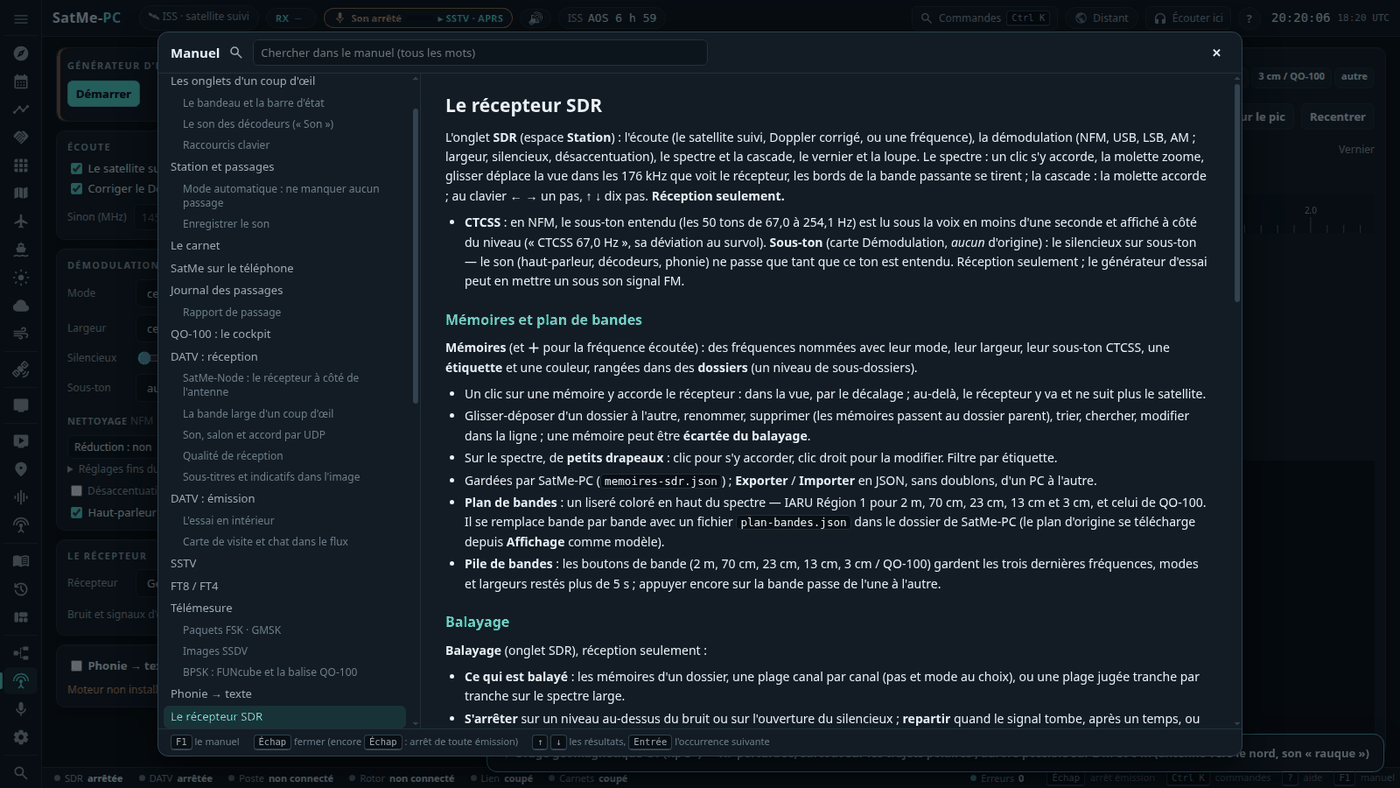
- The built-in manual: F1 opens it at the current tab's chapter; it can be searched; its chapters are those of the French guide. Esc closes it — a second Esc stops transmissions, as always. The « ? » beside the cards' titles give the short explanation, with « En savoir plus » leading to the manual. ⤓ Télécharger le manuel (PDF), at the top of the manual, downloads this guide laid out for printing (
SatMe-manuel-fr.pdf;SatMe-manuel-en.pdfin English, attached to each release on GitHub).
The header strip and the status bar#
- The header (top): callsign and locator, what is followed (a satellite, the QO-100 cockpit), the active receiver's frequency and mode (the rig over CAT, else the SDR), the Son chip, the next pass counted down, local time and UTC, Distant (see Remote mode), 🔈 Écouter ici. During a transmission (DATV, SSTV, FT8 / FT4, the IC-9700's PTT, I/Q calibration) a red-orange TX light: one click stops everything.
- The status bar (bottom): SDR, DATV receiver, rig, rotator, recording, satellite link, rigctld clients, errors (the page's and the server's) — each one click from its tab. A click on Poste opens a small Connect / Disconnect menu sending exactly the model and port shown.
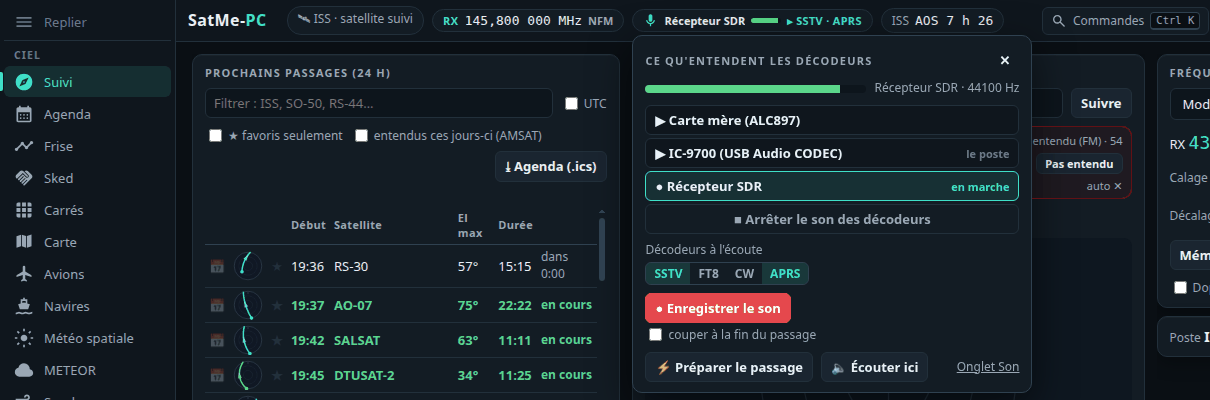
The decoders' sound (« Son »)#
The header's Son chip (key S) says what SSTV, FT8, CW, APRS and voice to text hear, with a small level meter. Its menu: the sources (sound cards by name — « IC-9700 (USB Audio CODEC) », « Carte mère (ALC897) » —, the SDR receiver, the IC-9700 over the network), start or stop, the decoders listening, ● Record the sound, Prepare the pass, Écouter ici. A decoder that hears nothing offers the gesture that fixes it.
- Switching a decoder on, or asking for a recording, starts the card it needs: the one chosen for the satellite, the last one used, the rig's own — never a guessed card. Receive only.
- Sound cards are recognised and named from the system (
/proc/asound, sysfs; no port opened): a codec on the same USB hub as the rig on CAT becomes « IC-9700 (USB Audio CODEC) ».
Keyboard shortcuts#
| Key | Effect |
|---|---|
| Esc | stop every transmission (DATV, SSTV, FT8 / FT4, the IC-9700's PTT, I/Q calibration, test card); only stops, never starts anything |
| Ctrl+K | the command palette |
| 1 … 6 | the workspaces |
| ? | the shortcuts help · F1 the manual · [ the rail |
| S | the decoders' sound |
| E | record the sound, or stop the recording |
| P | prepare the followed satellite's pass |
| N | log a contact (the log, cursor on the callsign) |
| ← → ↑ ↓ | QO-100: tune by 100 Hz / 1 kHz |
| + − 0 · E · V | Montage: zoom in, out, the whole drawing · edit · full or simplified view |
Station and passes#
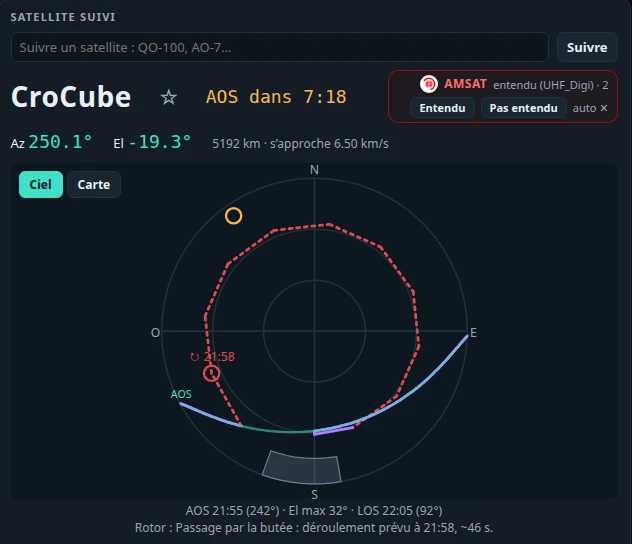
Suivi (workspace Ciel) lists the passes of the next 24 hours (favourites, heard on AMSAT these days, agenda), the satellite followed on the sky or the map, the AMSAT box to the right of its name (what stations hear, "Heard" / "Not heard" in one click), Doppler-corrected frequencies with the RX/TX offsets (Fréquences (Doppler) card: Mémoriser, Revenir à la référence, Aligner… — see Converters, transverters and calibration), ● Record the sound, and the rig and the rotator by name, a green tick ✓ when connected — one click leads to their settings.
- ⤓ Agenda (.ics): the passes of the list (its filters kept), or those of the followed satellite, in a calendar file (RFC 5545, UTC; satellite, max elevation, AOS/LOS azimuths) for any calendar application.
- ⚡ Préparer le passage (key P): for the followed satellite, the sound source, its transmitter's decoders (SSTV, APRS, FT8, CW…) and the recording armed for AOS. Receive only.
- The rig follows at once: changing the followed satellite retunes the rig on CAT immediately, to the middle of a linear transponder's passband. Régler le poste même quand le satellite n'est pas visible (Réglages › Poste et rotor, unticked by default): the rig is ready before AOS, or for a bench test — tuning only, never transmission.
- The transmitters (Fréquences (Doppler) card): every active transmitter of the satellite (SatNOGS DB), whatever its mode (« SSDV », « GENESIS FSK »…), each with its frequency and the mode the rig takes; slow FSK (under 1200 bit/s), SSDV and SO-127's « GENESIS FSK » put the IC-9700 in USB-D (USB in data mode), no longer FM. Autre fréquence… (another frequency), at the bottom of the list: a downlink in MHz, an optional uplink (SatMe never transmits by itself) and the rig's mode (USB, USB-D, LSB, LSB-D, FM, FM-D, CW); corrected for Doppler like the others and kept for that satellite, Oublier (forget) removes it. The PC's page on the phone does the same.
- Horizon mask (Réglages › Ma station): the obstacles' height per azimuth sector (8 × 45° or 12 × 30°), drawn from above. Passes then start and end when the satellite clears them (the geometric AOS/LOS shown under ✱); passes hidden all along are left out. All at 0 changes nothing. Same setting on the phone.
- The rotator's plan: before AOS, SatMe plans the whole pass — which side of the end stop, upright or flipped (a rotator that goes to 180° elevation follows over the zenith: az + 180°, 180° − el, no turn), and if needed the one moment the rotator changes (a flip, or an unwind: one turn, ~1 min without reception), played at the rotator's measured speed and placed where the satellite is low or hidden. The plan is drawn on the Suivi sky — violet: upright; amber: flipped; dashed red: the change, with its time — and said in one sentence below. Tracking takes the plan's branch from the clock: no more hesitating at the end stop. Settings: The rig and the rotator.
- The layout your way (mouse, or finger on a tablet): each panel folds to its title (▾); the handle between two columns widens them, the one under the sky / map / globe makes it taller (double-click: the original size; arrow keys too). ⤢ on the followed satellite's screen hides the other columns (again: they come back). ▭ turns Fréquences (Doppler) compact: the transmitter, RX and TX, nothing else. ⊞ Disposition (bottom right): the columns shown, the panels unfolded, Rétablir (reset). Kept in this browser.
Automatic mode: miss no pass#
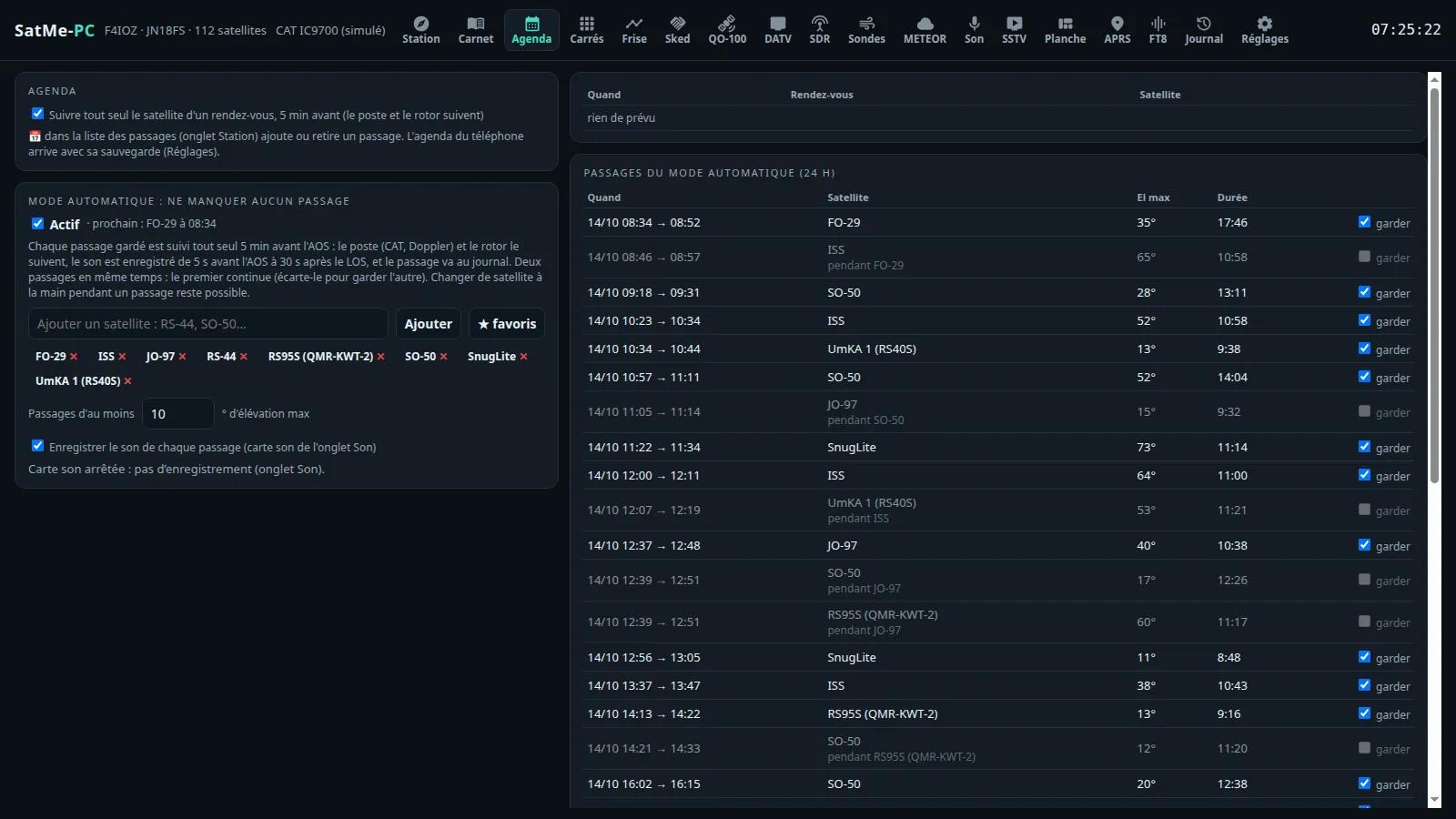
Agenda tab. Choose your satellites (one by one, or every ★ at once) and a minimum elevation; SatMe-PC lists their passes over the next 24 hours. Any of them can be set aside with a tick.
- 5 minutes before AOS, the pass's satellite becomes the one followed: the rig (CAT, Doppler) and the rotator follow it — the rotator goes and waits at the rise azimuth.
- The sound is recorded from 5 s before AOS to 30 s after LOS (the Son tab's sound card), and the pass lands in the journal, replayable with its sound.
- Two passes at once: the first goes on, the other is marked "during …"; setting the first aside keeps the second.
- Changing satellite by hand during a pass is still possible: the automatic mode does not take over again before the next pass.
- The card says what is missing: rig not connected, rotator without "Suivre" (follow), sound card stopped.
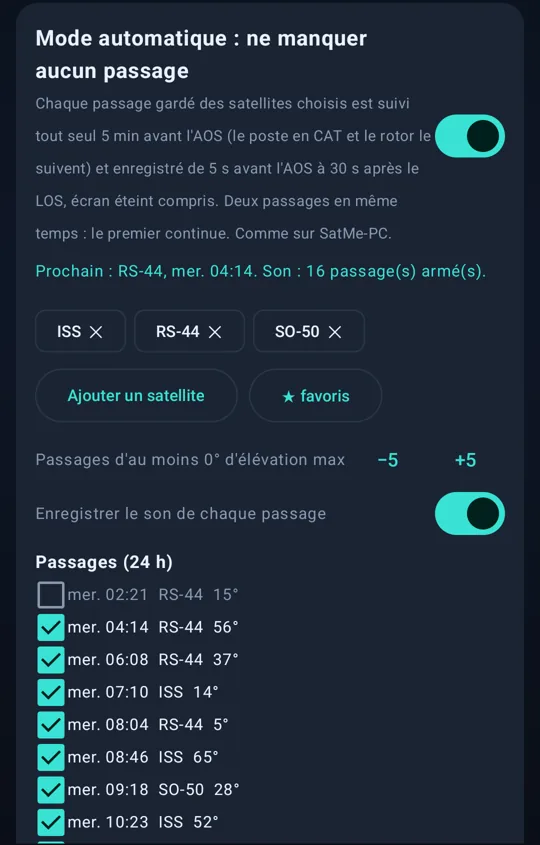
The same mode is on the phone (Settings → Recording / SSTV & NOAA → Automatic mode), screen off included.
SSTV campaigns: the auto-pilot#
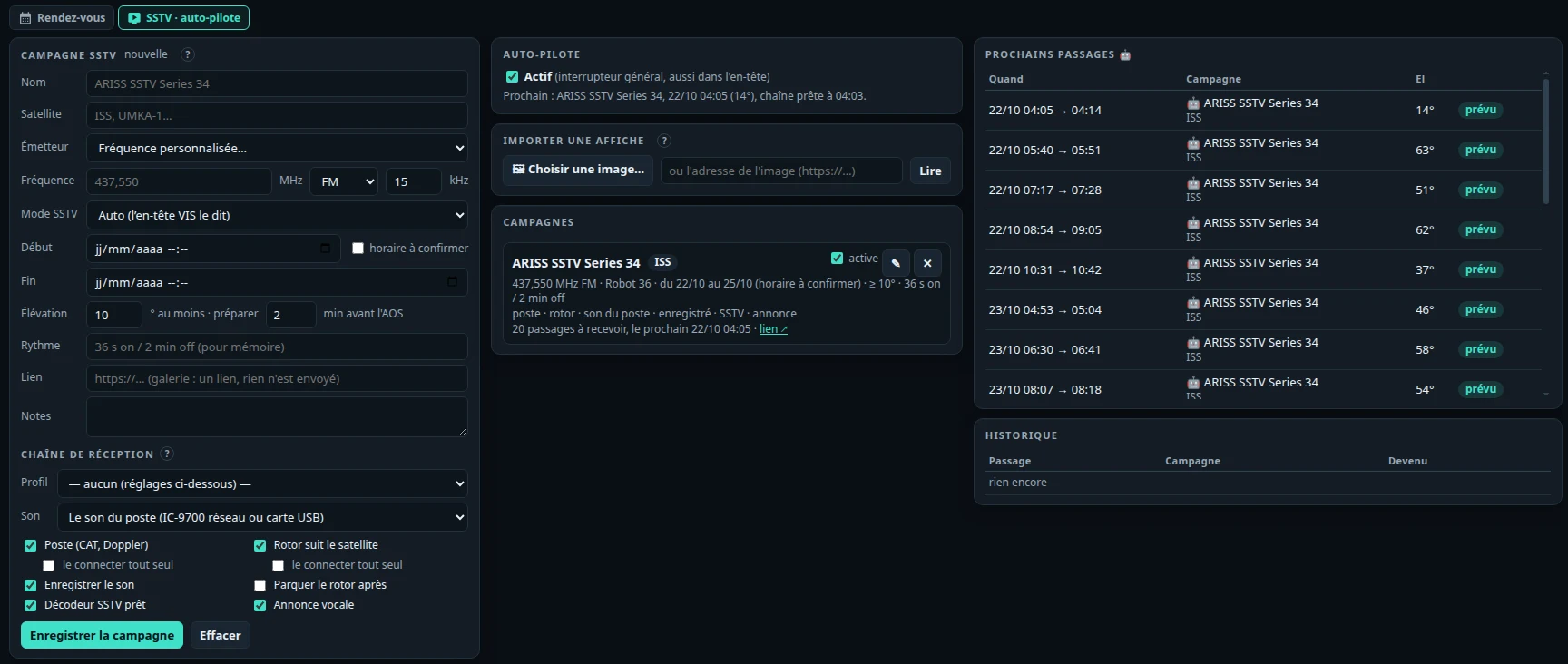
Agenda › SSTV · auto-pilote tab. An SSTV event — an ARISS series, a satellite sending pictures for a few days — is entered like an appointment: the satellite, its transmitter or a frequency of its own (FM or SSB, width), the SSTV mode (or Auto: the VIS header says it), the period (« horaire à confirmer »: whole days), the minimum elevation, the rhythm (« 36 s on / 2 min off », as a reminder), the link and notes.
- Importer une affiche (import a flyer): the announcement's picture (JPEG, PNG), or its address, is read on this PC by tesseract (
sudo apt install tesseract-ocr); frequency, mode, dates, satellite, rhythm and link fill the form, to check before saving. Nothing is sent; an address is fetched only if you give one. - The campaign's receive chain: a Montage profile, or box by box — the rig (CAT, Doppler), the rotator following the satellite, the sound (the rig's, IC-9700 over the network or USB card; a sound card; the SDR receiver; or leave it alone), the recording, the SSTV decoder held on the mode, the spoken announcement, the rotator parked after LOS. Le connecter tout seul (connect it by itself): the rig only over the IC-9700's network link or the Icom's own USB port, the rotator only through rotctld.
- The auto-pilot (master switch, off by default, also in the header): a few minutes before the AOS of each pass high enough it prepares the chain; it records from AOS to after LOS, attaches the pictures received to the campaign, then puts the reception back as it was. During the pass, a banner with ■ STOP.
- Receive only: it never transmits and touches no transmit setting. A transmission under way, DATV holding the receiver, or another campaign at the same time: the pass is set aside and the reason noted in the history.
- The 🤖 passes in the tab's list, in Suivi and on the timeline (Frise); the campaign in the Ctrl+K palette. Campaigns are kept on the PC (
sstv-campagnes.json) and re-armed after a restart. - The 🤖 mark wherever passes are listed: next to the time in Station's passes list, the followed satellite's name and its next passes, the header's next pass, the Agenda's appointments and automatic mode's plan, and in Orbites (the satellite list, the « prochains passages » of the Passage view and its banner, the dashboard's next passes; not on the Vitrine). Tooltip: the campaign and the status; pulsing while the pass is received, dimmed when the pass will be lost (another pass, a conflict: the reason in the tooltip) or the auto-pilot is off.
Upcoming activities: the online sources#
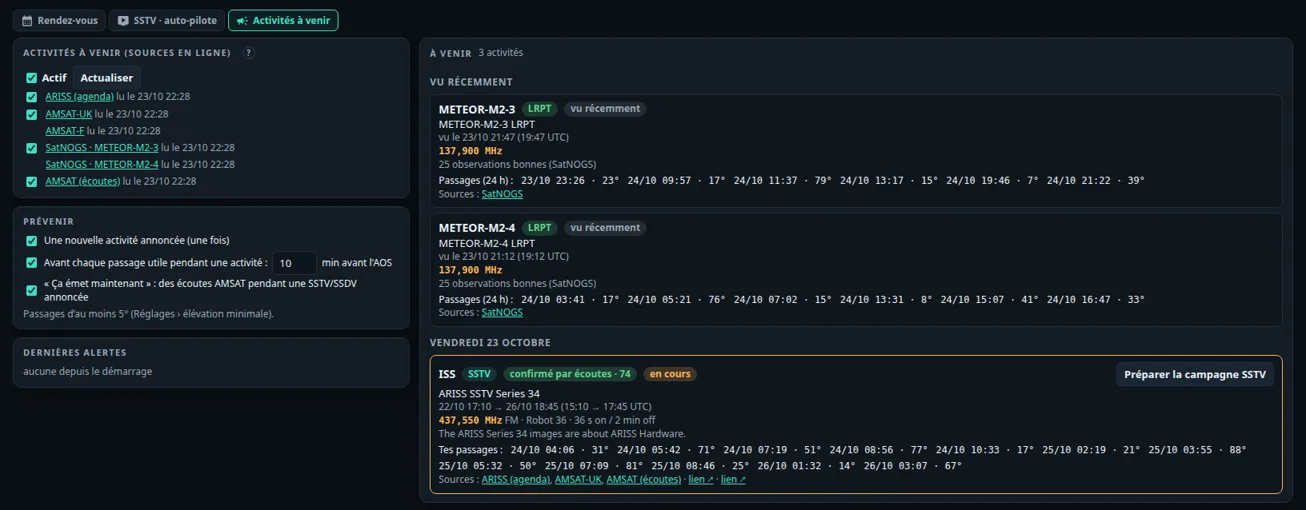
Agenda › Activités à venir tab. What satellites are about to send that SatMe decodes, from public sources: ISS SSTV (and other satellites), ARISS school contacts (FM voice), SSDV, METEOR LRPT pictures. Satellites only; never NOAA APT (all retired in 2025).
- The sources, each at its own pace: the ARISS calendar (public Google Calendar, every 6 h at most), AMSAT-UK and AMSAT-F news (RSS, every 6 h at most), SatNOGS for METEOR-M2-3 and M2-4 (twice a day: "seen recently on 137.900 MHz", an indication), AMSAT reports (every 30 min, only during an announced SSTV/SSDV). On by default; one master switch and one per source. A failing source says so quietly, with its last successful read; everything is kept on the PC (
activites-cache.json) and the list stays available offline. - The list, by day: satellite, type, period (local time and UTC), frequency, mode, rhythm, sources and links, and your passes during the activity with their maximum elevation (at least the minimum elevation from Settings). Two sources saying the same thing (15:10 here, 15:30 there) make one activity: the earliest start, the latest end, every source. Announced, confirmed by reports (AMSAT reports during the period) or seen recently (SatNOGS).
- Notify: a new activity (once; an ARISS contact only when it passes over here), before each useful pass (10 min before AOS by default) and "on the air now" when AMSAT reports come in; each one can be turned off. A banner at the bottom of the page and a count on the sub-tab.
- Préparer la campagne SSTV opens Agenda › SSTV with the form filled (satellite, frequency, mode, period, rhythm, link); nothing is saved before "Enregistrer la campagne".
- Activer l'auto-pilote (every SSTV activity): a confirmation shows the satellite, the frequency (none announced: the satellite's SSTV transmitter), the mode, the period (whole days 00:00 to 23:59 when the times are to be confirmed; "dates non annoncées" for a mere news item), the useful passes with the Élévation minimale they are counted from (by default the rotator's lowest elevation or the station's minimum elevation, the higher; editable, the list follows), and the form's default chain (no profile, the rig's sound, rig and rotator followed, recorded, decoded, announced). Receive only: nothing is transmitted. Confirming creates the campaign, switches it on and turns the auto-pilot on if it was off (the confirmation says so); Modifier avant… opens the filled form instead. A second click makes no duplicate (it only takes the elevation confirmed). The card then shows Auto-pilote actif ✓, the next pass to be received, Suspendre (pause) and Voir la campagne. If the activity's dates change at a later read, the campaign follows — unless its period was edited by hand in Agenda › SSTV (an activity without dates is never moved). A satellite named without its number ("UMKA-1" = "UmKA 1 (RS40S)", "ERMINAZ-2U becomes AO-129") is looked up in the catalogue; otherwise the confirmation asks for it (most likely first) and the choice is remembered (
activites-satellites.json). SSDV, ARISS contacts and METEOR have no auto-pilot.
Awards: the ones within reach#
Agenda › Diplômes tab. The awards the station can claim, and how far it is from each — nothing is ever sent: SatMe prepares, you fill in the issuer's form yourself.
- Where they come from: the standing awards counted from the log (AMSAT Satellite Communicators Club, Oscar Achievement / Sexagesimal / Century, W4AMI, SA AMSAT, VUCC/r; ARRL VUCC Satellite, DXCC Satellite, WAS Satellite — rules read on amsat.org and arrl.org, links on each card); the ARISS SSTV award of each session, read on its page (ariss.pzk.org.pl/sstv, every 12 h at most), or derived from the ARISS calendar and your SSTV campaigns; the certificates announced in the AMSAT News Service, AMSAT-UK and AMSAT-F feeds (a sentence promising an award to whoever receives a picture). Kept on the PC (
diplomes-cache.json,diplomes.json): the list stays offline. AMSAT-F and the REF have no standing satellite award (checked 27/10/2026). In the demonstration: made-up awards only, nothing read online. - Ajouter depuis une affiche…: a flyer's picture (read by tesseract on this PC, colours inverted and enlarged: white letters on a coloured band read better) or an announcement's pasted text. The issuer and its callsign, the event (« ARISS SSTV Series 34 »), its dates (English, French, Spanish, Portuguese), the deadline (« Request deadline: October 30, 2026 », or « 48 hours after the end »), the form's link (a bit.ly printed on the flyer; a QR code's is not read). Everything is checked in the form before Ajouter le diplôme.
- Matched with what the station has: for an event award, the gallery's pictures received during the period (the right satellite, two hours' margin, corrected and fused ones left out), best marked first; an ARISS session's period widens to the ARISS calendar or the campaign overlapping it (two days at most). For the log: grids, DXCC entities, states (Alaska and Hawaii by prefix, else the town noted « Dallas, TX »), stations or contacts by satellite — worked, not confirmed: the issuer checks the QSLs / LoTW.
- Each one's state: « Obtenable — à demander avant le 30/10 », « En cours : 37/100 locators », upcoming, event on, asked, received, expired, no picture received during the event. Marquer demandé, Marquer reçu, Joindre le diplôme reçu… (its picture, kept in
diplomes/), Masquer; Retirer for those added by hand. With Web publishing ready, Envoyer le diplôme reçu (send the award received) sends its picture (or its PDF) to your site, only on that click. - Notices (as the activities': a toast, « Dernières alertes », a count on the sub-tab): an award becomes obtainable, its deadline is N days away (3 by default), a new event award is announced online; each once, each can be turned off.
- Préparer la demande: everything the form asks, to copy field by field or at once — callsign and locator (settings), name and e-mail (the Pour les demandes card: never guessed, « à remplir » otherwise), the world region, the chosen pictures (the best ticked) with their date, UTC time, frequency, mode and pass; for the log the list of grids or entities. Ouvrir le formulaire ↗, Télécharger le pack (the originals and their QSL, as the SSTV options' ARISS pack), Marquer demandé. Filling in other sites' forms automatically will come later, and only with your explicit consent.
Sked: a common window, on the map or the globe#
Sked tab (workspace Ciel). The other station's locator (IN80, FN31…), the satellite, the elevation above which it sees it, Chercher (search): the windows of the next 48 h when you both see the satellite (one minute at least), with the highest elevation on each side. ▶ replays one, with both skies (Moi, Lui); the slider and ⏸ drive it.
- Carte or Globe: the window replayed on the map (the default) or on the Orbites tab's globe — both stations named, the satellite's track with the part you both see in green, its footprint. Drag to turn, wheel to zoom, double-click to frame it again. The choice is kept.
- Réglages du globe (globe settings): the look (the Orbites tab's six), the camera (les deux stations — both stations, poursuite du satellite — chase, depuis ma station — from my station, vue du satellite: the Earth seen straight below the satellite), details, cities and their names, landmarks (their size and families) and Traces.
- Vidéo: an MP4 of the window as shown, in the format chosen beside the button — 16:9 (1920×1080), 16:9 · 720p or 9:16 (phone upright) —, on the map or on the globe with its look, camera and settings: both stations named (you in amber with callsign · locator, the other with its locator), the satellite and its footprint, the track with the common window in green, the line to each station that sees it, both skies and a band (satellite, date and UTC times, highest elevations, « vous le voyez tous deux », SatMe). The still globe (both stations, from my station) takes about ten seconds on a PC, one to two minutes on a Raspberry Pi 4; a moving camera draws the Earth again for each frame: 30 s to 1 min 30 on a PC, 5 to 15 min on a Pi (Carte ancienne the slowest). It needs ffmpeg.
- Globe animé (comme à l'écran) (animated globe, as on screen; on the globe): the browser films the video from the page's real globe — relief, clouds, landmarks, the cartoon's animated scenery, the look and camera of Réglages du globe: 24 s of the pass then 3 s of the window, with the same band and both skies. A panel shows the picture and the progress (Annuler cancels); keep the tab visible (≈ 30 s), else the browser pauses the recording. SatMe-PC then makes it an MP4 (H.264) kept with the others; should that fail, the video as recorded (WebM or MP4) can be downloaded. It needs a recent browser (Chrome, Edge, Firefox) with WebGL; otherwise the box is greyed out and Vidéo makes SatMe's own.
Recording the sound#
- ● Record the sound in Suivi, Carnet and Son: a WAV named after the satellite (
SatMe_RS-44_20261013_203051Z.wav), as on the phone. - Stop at the end of the pass (option): even started by hand, the recording stops 30 s after the LOS of the pass it caught.
- Every pass of the satellite followed (option in the Son tab), or those of the automatic mode.
- A recording stopped by hand does not start again by itself before the next pass.
- A sound card being recorded keeps its decoders when the SDR receiver starts: QO-100 switched on to listen is only heard, never recorded in its place (at the wrong rate). Otherwise the SDR gives back, when it stops, the sound card it borrowed: the IC-9700's sound no longer stays silent.
Orbites: the Earth in 3D#
Orbites (workspace Ciel): the Earth in 3D with your favourite satellites (or those ticked in Tous (filtre), all) going round on their orbits, their footprint on the ground and a line to the station when they are up. Drag to turn, wheel to come closer. All worked out in the browser, without the Internet (SGP4 from the station's orbital elements; the Earth, the relief and the cities bundled with SatMe-PC).
- On the left, the list: tick to show; a click on a name chooses it (the globe follows it); Suivre le satellite choisi (follow the chosen satellite) makes it Suivi's satellite. The list's help unfolds under a small ?, leaving room for the satellites.
- Fiche (card) of the chosen satellite, under the list (folds on its title): a real photo and facts to tell (country, operator, launch, mission, orbit, a story), its amateur frequencies known to SatMe and the start of its Wikipedia article, for about twenty well-known satellites (ISS, Chinese station, SO-50, AO-91, AO-27, RS-44, AO-7, FO-29, QO-100, IO-117, NOAA 15/18/19, Meteor-M, Hubble, AO-73, PO-101, JO-97). The photo and summary are asked once from Wikipedia and Wikimedia Commons by SatMe-PC, then kept in the data folder (
fiches-sat): only freely licensed photos (public domain, CC0, CC BY, CC BY-SA) are taken, their author and licence shown under them. Without the Internet, or without a free photo, the card keeps its facts and a SatMe drawing. Untick Photo and nothing more is sent. - Six looks: Réaliste (realistic), *Dessin animé* (cartoon, the default), Hologramme, Globe à points (dotted globe), Radar rétro, Carte ancienne (old map). The satellite chosen stands out: a ring turning round it, its name marked with a ★, a thick orbit, a clearer footprint; the others stay in the background.
- Détails (details: simples, normaux, riches): cities; the shaded relief and, on the cartoon, mountains on the real summits (NOAA's ETOPO1 relief), boats, and in rich, whales, forests and penguins — seen by coming closer with the wheel.
- Villes (cities): toutes (all), capitales, aucune (none); Noms (names): the name, the country's flag, or both. Contacts: the log's contacts as points (dots), points et indicatifs (dots and callsigns) or locators.
- Monuments (landmarks): aucun (none), the principaux (main ones, about sixty, the default) or tous (all, nearly 250, one to a few per country); Types ▾ picks the families — towers and lighthouses, bridges, castles and palaces, temples and churches, ancient sites, statues, natural wonders, modern architecture, space centres and observatories. Each has its small drawing (the Eiffel Tower, the Statue of Liberty, the pyramids… have their own); their names show when coming closer. Taille (size): petite, normale, grande, très grande (readable from afar), on the globe and the map, kept in this browser.
- Traces (a slider): how marked the satellites' tracks are, from discreet (left: a thin line, as before) to very marked (right: thicker, more opaque, outlined — dark on the light looks, light on the dark ones). It applies to the orbits on the globe, the ground track seen from the satellite, the 2D map's tracks (ahead still vivid, behind paler), the pass's sky track, and the Sked's globe and map (also in its Réglages du globe); kept in this browser, shared with the Journal's globe.
- Time: ⏸, from ×1 réel (real time) to ×1200, Maintenant (now). Opening the tab (and opening the dashboard) is always at the present time, ×1: no pause left on, no pass being replayed; leaving the Passage view during a replay also goes back to the present.
- Carte 2D (2D map): the same satellites flat, their footprints, the ground track past and to come, day and night with the grey line shaded (dawn and dusk), the landmarks.
- Passage: the chosen satellite's passes of the next 36 hours, live (« ● En direct »): the pass under way followed in real time, else the next one with its countdown (« AOS dans 2 h 15 »), the following one coming by itself at the end. ▶ Rejouer en accéléré (replay faster; or a click on another pass of the list) animates it fast (×10 to ×80), ● En direct or Maintenant comes back; the animation shows the countdown to AOS, the culmination, LOS, the station's sky, the elevation profile, azimuth, elevation, distance, altitude and Doppler. Four cameras (Poursuite, chase; Depuis la station, from the station; Vue d'ensemble, overview; Vue du satellite, seen from the satellite) and the Hauteur (height; or the wheel) to see more of the Earth. Vue du satellite: the Earth seen from above, straight below the satellite — its footprint (the radio horizon), your station (and the other station of a sked, the log's contacts when shown), the day / night line, its ground track (ahead bright, behind faint, up the screen), the cities and landmarks chosen; beside it: altitude, footprint radius, day or night below it, your station inside the footprint or how far from its edge (and its elevation). The camera draws back just enough to show the whole footprint (the Hauteur or the wheel bring it nearer, down to the satellite itself); drag to look around, it comes back by itself after a few seconds or on a double-click. Also in the Sked's and the Journal's globe; in Vitrine, the globe goes there 30 s every 90 s.
- 📺 ISS en direct (top bar): a window with the live video of the International Space Station (NASA's public stream, via YouTube, muted; needs the Internet, else a clear message and the rest of the tab works as before) and, below it, what SatMe works out: over which sea or near which country, latitude, longitude, altitude, speed, day or night under the ISS (night: a black picture is normal); a blue or grey screen or a still picture is NASA's loss of signal (between relay satellites), not SatMe. 🌍 Voir sur le globe chooses the ISS and switches to Passage › Vue du satellite, to compare the real Earth with the globe's side by side. Drag it by its bar, resize it by its corner, fold it (▁, the video stops); it stays where you left it. ⚙: another source (a YouTube watch / live / youtu.be / embed link, a channel's live, an .mp4 video) and Rétablir la source NASA: by default the NASA source is automatic (SatMe-PC looks up today's live on NASA's channel, at most once an hour; else the channel's live, then the last ID known — ↻ Autre source NASA tries the next one). On a phone it docks at the bottom. In Tableau, Informations ▾ › Vidéo de l'ISS en tuile dans un coin (per theme, handy in Vitrine).
- ⛶ Tableau: the globe (or the 2D map) full screen, like the radio amateurs' station clocks. A Thème (look) to choose, each with its globe or map (Globe 3D / Carte 2D kept per look):
- *Dessin animé* (cartoon, the default): the cartoon globe turning slowly by itself (12 s after the last touch), round colourful panels floating;
- *Classique radioamateur* (classic ham): a band of dense monospace panels over the flat map with the grey line, the Sun and the Moon;
- *Nuit (sobre)* (night, plain): dark, big soft-red figures, for a dark room;
- *Rétro*: the old map and parchment cartouches;
- *Vitrine (stand, forum)* (shop window): an animated poster to draw people to a stand (club fair, open day) — the globe turning by itself and, over it, big cards one after another every 12 s: the next pass over the stand (« RS-44 passe au-dessus de nous à 15:29 (dans 12 min) », every other card when one comes within 3 h; « venez écouter ! », come and listen, only when Réception sur le stand is ticked), a satellite to discover (photo and story), « what is amateur radio? », come and see us (club name, callsign, message and the link as a QR code, set in Informations ▾), a « Le savais-tu ? », the Earth live; the time and the club at the top, the ticker at the bottom. The globe stands beside the card (above it on a portrait screen); in Informations ▾, the card's size (petite, moyenne, grande) and its side (gauche, droite), the text shrinking to fit. Nothing to touch: the bar and the cursor vanish after a few seconds;
- *Pédagogique* (teaching): for beginners, children or a club demo — bubbles point at the satellite and its orbit, the area that can hear the satellite (the footprint), the day/night line and your station, one at a time (each a few seconds, then it fades and the next one comes); a card changes every 15 s (AOS and LOS, why the track shifts, the inclination, altitude and speed with comparisons, the Doppler effect, with the chosen satellite's figures); a « Le savais-tu ? » (did you know?) every 12 s.Informations ▾ picks, per look, the panels: the time UTC and local; the station with the next sunrise and sunset (and civil dawn and dusk in Classique and Rétro); the Sun and the Moon (height at the station, the Moon's phase, also placed on the globe and the map); the next passes (countdowns, highest elevation, those under way in green); the chosen satellite (elevation, azimuth, range, altitude, Doppler); the satellites' photo and card, in turn the chosen one and those of the next passes (never cut off: a corner too full is made a little smaller, the photo shown whole, the story under the photo; the card is left out only as a last resort); the space weather already read by the Météo spatiale tab (Kp and its bars, flux, X-rays, solar wind, aurora); a scrolling ticker with the satellite of the moment (what it flies over), the next passes, the Moon. The landmarks (and their size), the Wikipedia photos, in Vitrine the club and, in Pédagogique, each explanation are set there too. Le globe › Le déplacer (move the globe): dragging moves it on the screen (unticked: Shift + drag, or two fingers), the wheel (or the fingers' spread) changes its size, double-click or Remettre le globe à sa place puts it back; kept per look. In Classique, the ticker has its own row under the map: nothing hides the bottom of the screen any more. All worked out in the browser (the Sun, the Moon, sunrises and sunsets: nothing goes to the Internet). The time goes back to the present at ×1. The SatMe logo and name sit top left (bottom left in Classique). Esc or ✕ Quitter to leave and find the tab as it was; the bar fades when the mouse is still.
- In Suivi: a Globe button beside Ciel and Carte shows the satellite followed, its orbit and footprint, the favourites around, in the look of your choice.
The log (Carnet)#
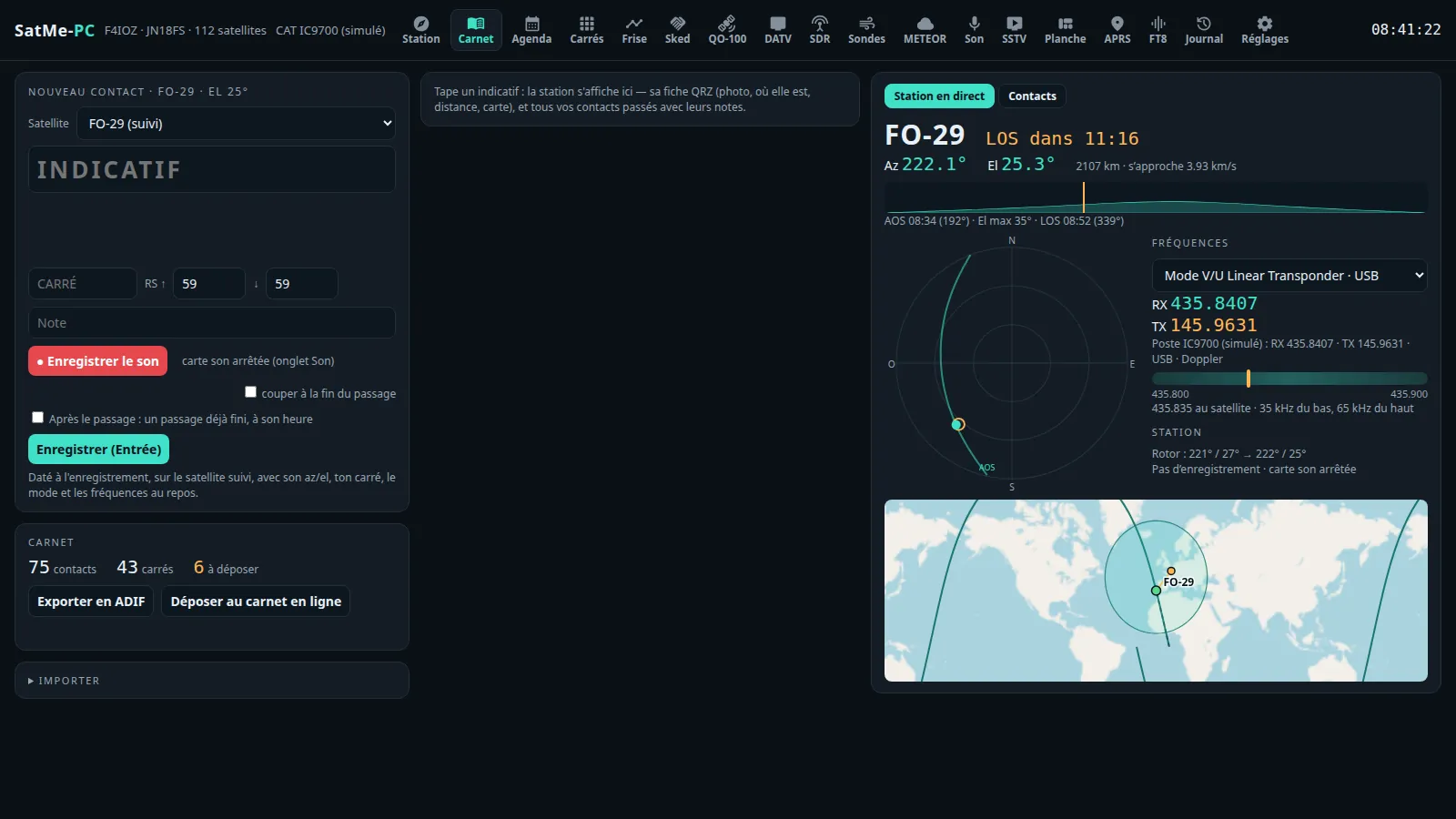
A contact is typed with the callsign predicted from your log and QRZ (Tab goes through the predictions, Enter confirms). Next to it, the station live: the satellite, its frequencies, the polar plot, the rotator, whether you are in the passband, the recording. The callsign's card: every past contact and its notes, the QRZ.com sheet (photo, distance, map). A forgotten contact is added after the pass, at its time. Records by satellite: the farthest contact of all, of each satellite, mode, continent and country, WAC.
- CW decoder (off unless ticked): the tone found by itself, the speed followed, the Doppler followed; callsigns, locators and reports lit, a callsign into the entry with a click.
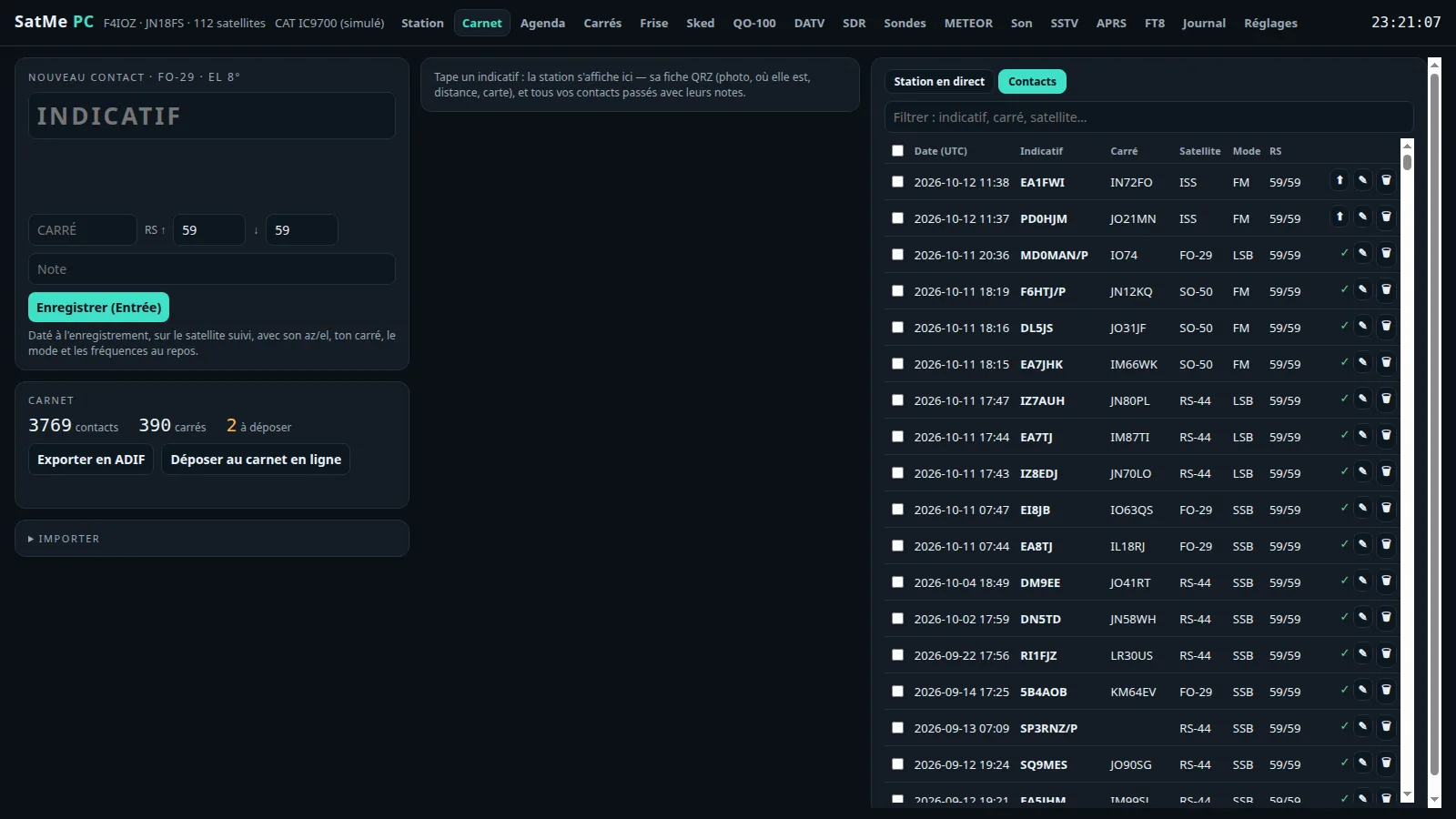
- Delete a contact from its row (🗑), or tick several and delete them at once.
- Wavelog's station locations: "Read the profiles" shows where you are (your locator, or both on a grid line) and the profile it goes to — chosen in the list, or created when Wavelog has none for it (DXCC, CQ and ITU zones asked). Each contact goes to the profile of where it was made from; a profile chosen by hand for another locator is flagged.
- Each new contact sent to Wavelog / Cloudlog by itself, after a delay to choose (30 s to 30 min): the time to fix it or hold it back (⏸, countdown in the log). A contact the server refuses is held back with the reason. The phone has the same delay choice.
- ADIF export, and the deposit by hand (⬆).
- Which satellite: a contact is logged on the satellite chosen in the entry, else the rig's (the followed satellite, Doppler by CAT), QO-100 when the rig is on it or the contact is typed in the cockpit. A receiver listening to QO-100 in the background no longer switches the log. The entry says where it logs and why, with a one-click switch.
- Correcting a contact: the satellite (the list, QO-100, a free name, terrestrial), the date and UTC time (local time beside it, « maintenant »; not in the future, not before 1961). Azimuth, elevation, frequencies and the log's order follow; a duplicate (same call, same satellite, 10 min) is reported. The phone does the same.
- Compound callsigns (
EA3/M5JFS,DL1ABC/P,F/ON4ABC/P): the country is the operating prefix's (EA3/M5JFS = M5JFS operating from Spain), with its flag in the list, the entry, the card and the editor. When QRZ has no record for the compound form, the card is the operator's, identity only (no locator, position or address). A locator taken from a record belongs to the callsign as typed (« F4IOZ/P » does not take « F4IOZ »'s locator). The map follows the entry live: the locator typed (an invalid locator: no point), else the country's centre, fainter; a contact's editor has its own map. - ⌖ on a contact's row: its pass on the sky and the rotator's path as it went, taken from the journal (cyan: the satellite, yellow: the moment of the contact). The phone serves the same view.
SatMe on the phone#
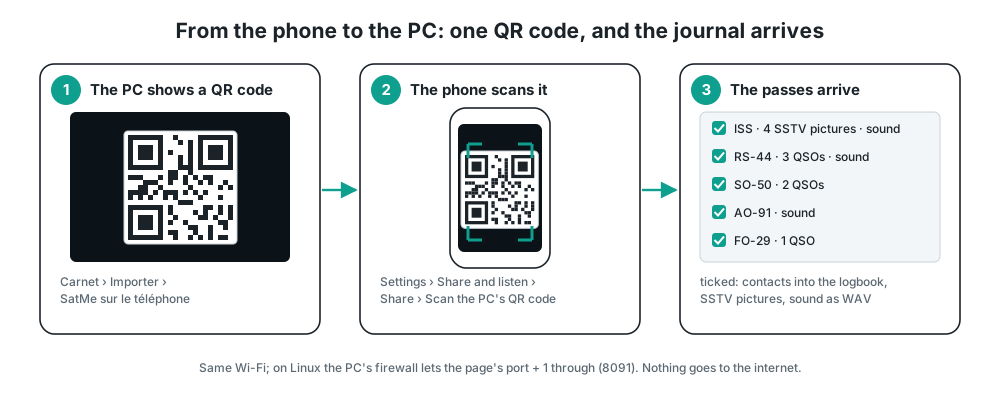
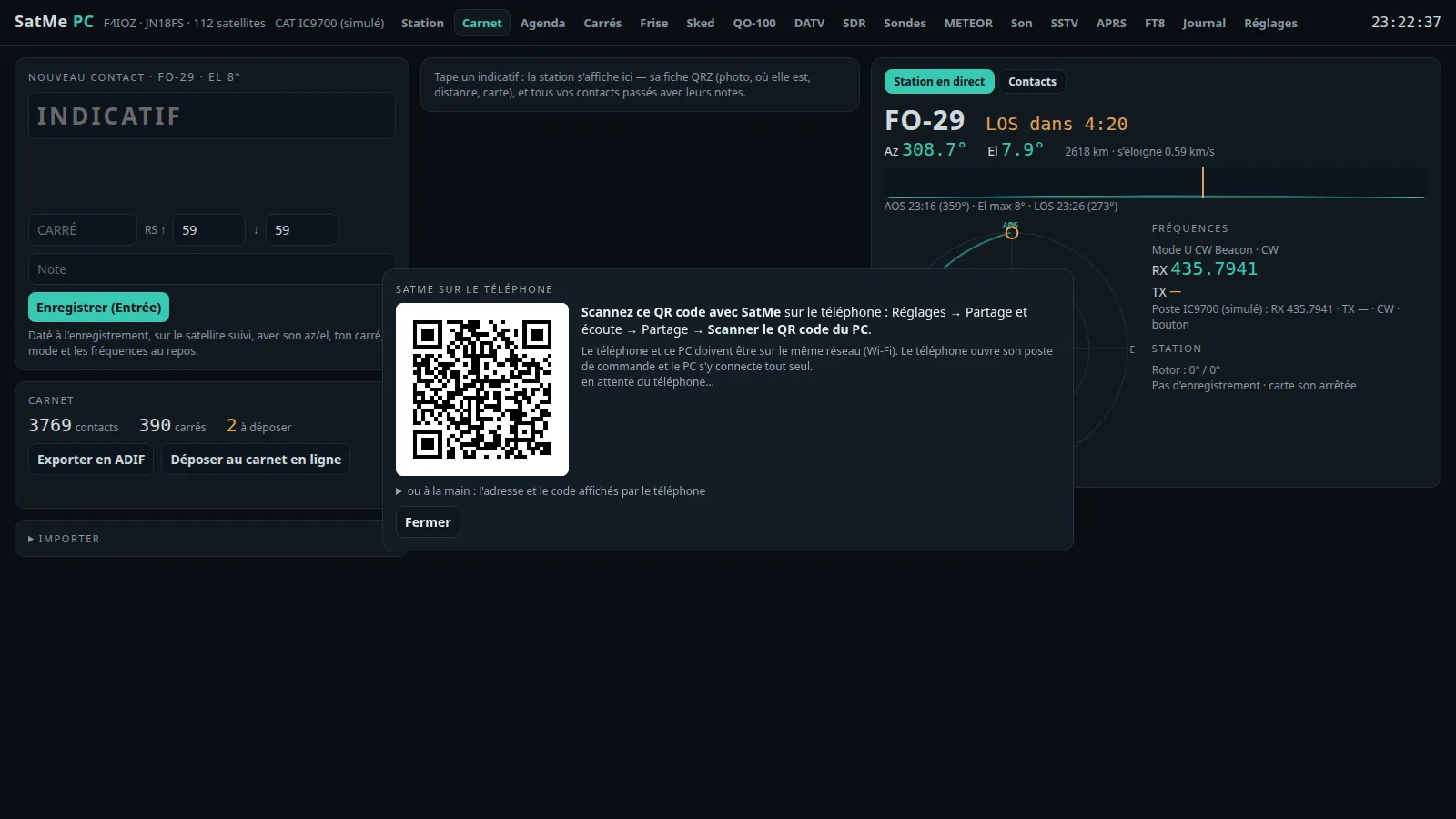
The log's Import → SatMe sur le téléphone:
- By QR code: the PC shows one; on the phone, Settings → Share and listen → Share → Scan the PC's QR code. The phone opens its control desk and the PC joins it by itself (same Wi-Fi). On Linux, the PC's firewall must let the page's port + 1 through (
8091by default), for examplesudo ufw allow from 192.168.0.0/16 to any port 8091 proto tcp. - Or by hand, with the address and code the phone shows.
- The phone's passes are listed; those ticked come over with their SSTV pictures, their recordings (made WAV, the spoken header cut) and their contacts (added to the log unless already there).
- A pass file (.zip) made on the phone can also be dropped on the page.
Pass journal#
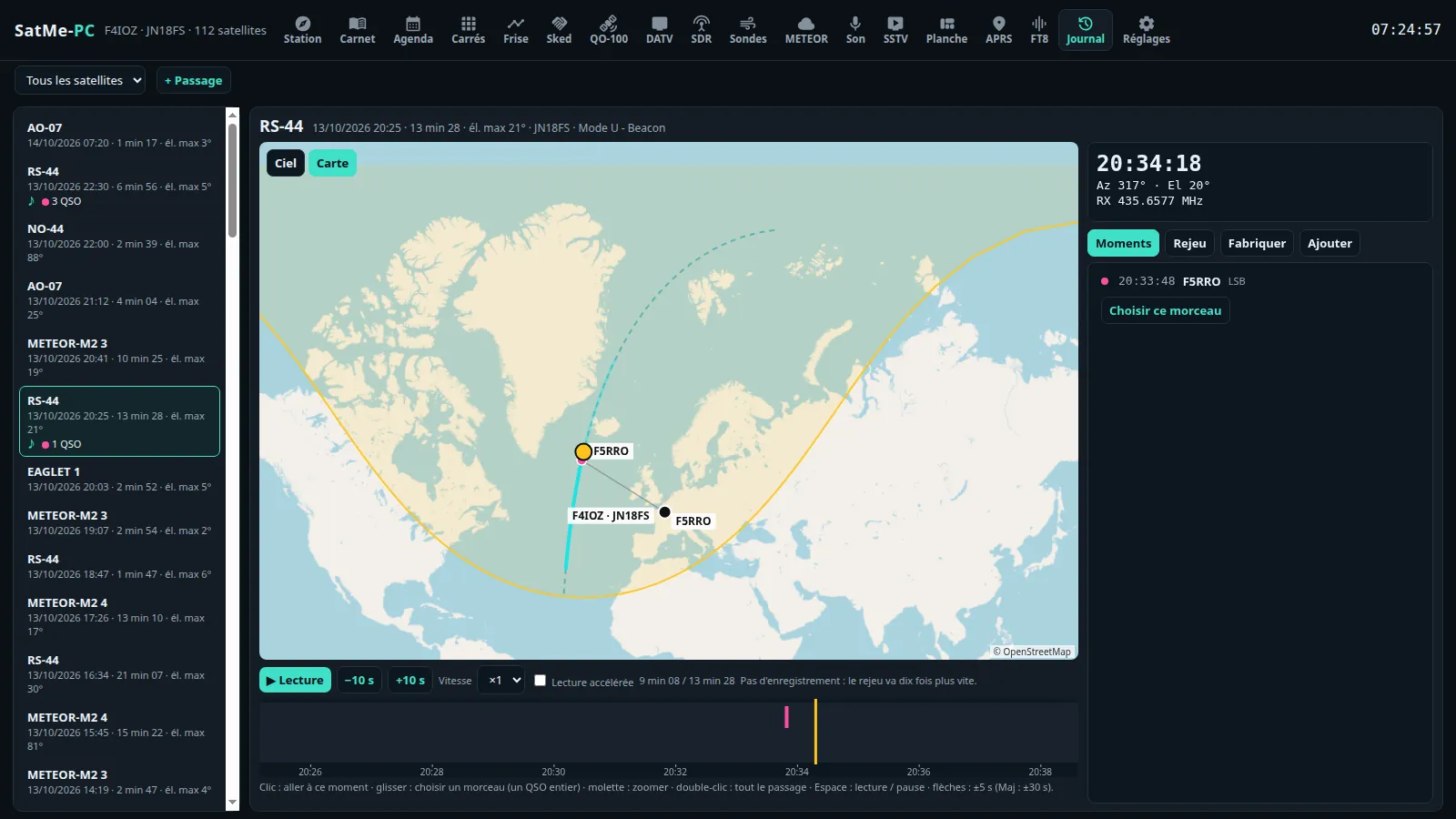
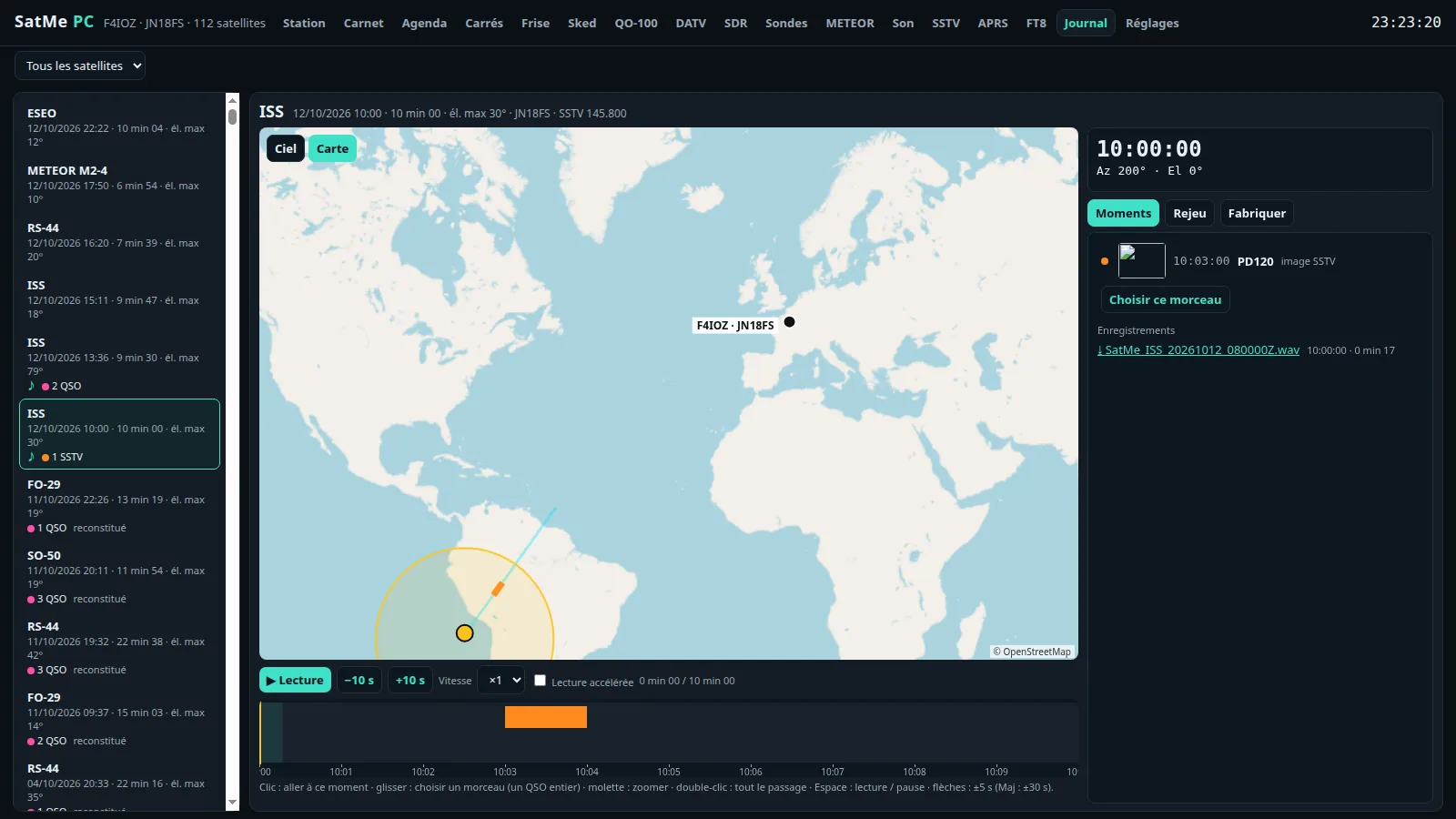
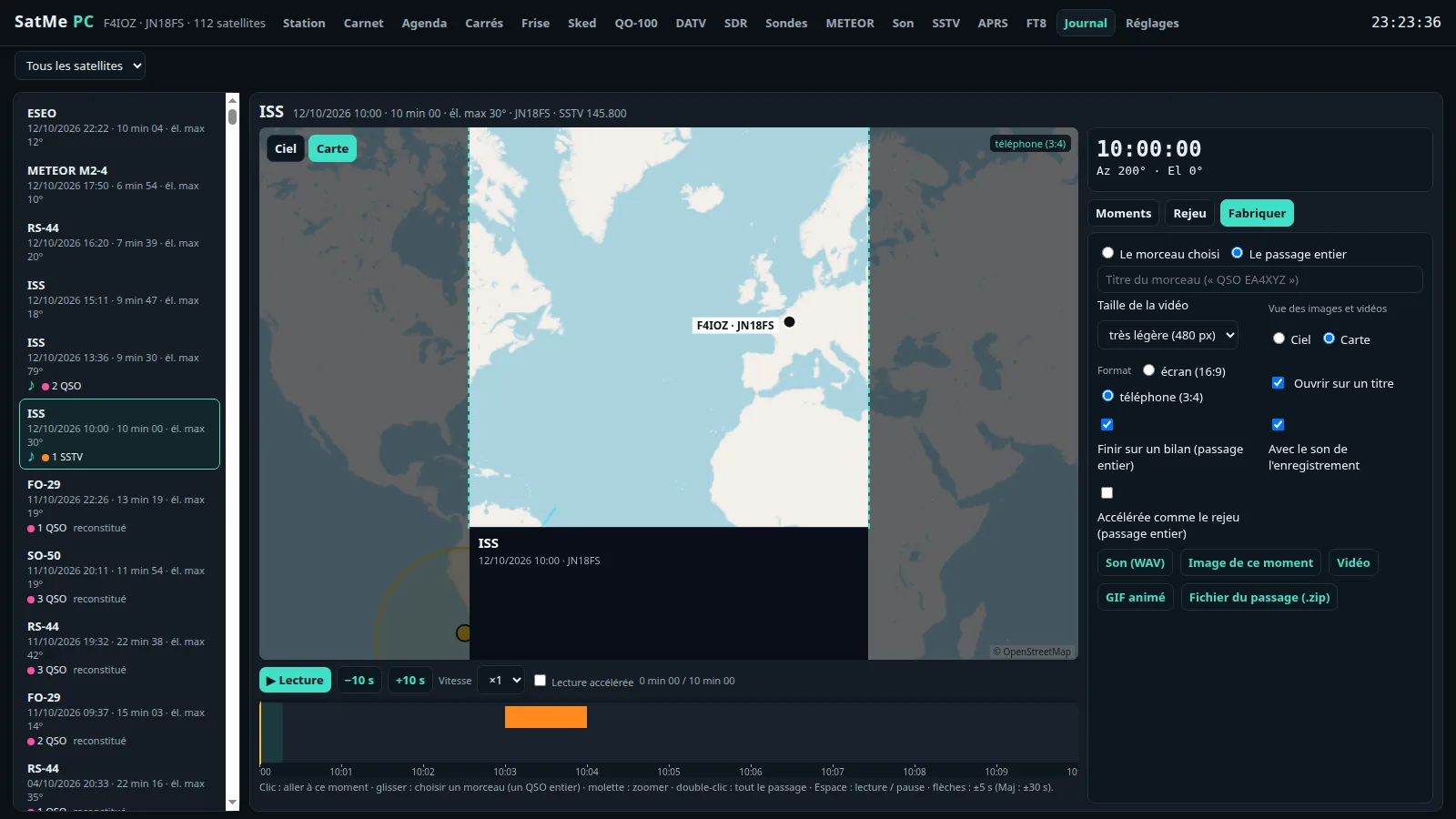
The phone's journal page, under the PC's tabs: passes listed (♪ when there is sound), replayed on the sky or the map with the S-meter, the frequency, the contacts and the pictures in their place. "Make": sound, picture, video, GIF or pass file. The file's frame is drawn over the replay (screen 16:9 or phone 9:16; the phone itself makes its files in 3:4): what is inside the frame is what the file shows.
- The whole pass on the map: the predicted track dashed, the part followed solid — even when SatMe-PC was started mid-pass.
- Each contact in its place, as in the video: a dot on the track at the QSO's moment, with the callsign, and the station at its locator, linked to it.
- The video's SSTV picture, with the mouse: on the replay, drag it to move it, pull its corner (or use the wheel) to size it (4:3, 15 to 90 % of the width); a dashed frame shows it on hover even when no picture is arriving. Kept by the station and used as is by the picture, the GIF and the video, in 16:9 as in 9:16. Auto puts it back in its original place: at the top, in the corner away from the satellite.
- The S-meter read through CAT (IC-9700, IC-9100, IC-910H, TS-2000), receiving only.
- Add a contact during the replay: paused, the time is the sound's; callsign predicted and QRZ, the satellite's mode and frequencies, RST (59 / 59 by default) and a comment; Enter confirms.
- + Passage: a pass made from nothing — the satellite and its times, contacts, a sound, pictures.
- The pass's Doppler / CAT log (when kept, see Réglages) is linked from it.
- FT4 / FT8 decodes on the replay: when the pass has some, Options › Décodages FT4/FT8 shows them in a panel laid over the view — the messages received up to the replay's time (the slot's UTC time, dB, message, the country's flag), CQs in green, your callsign in red, the stations worked during the pass in pink. Drag it to place it, its corner (or the wheel) for its size, the text follows; Visibilité (visibility) 0 to 100 %; newest at the bottom (as WSJT-X) or at the top. Kept with the pass (with each pass of a session), used as is by the picture, the GIF and the video, in 16:9 as in 9:16, with the same flags as the page. What the FT8 tab decodes is noted as it comes (
ft8-journal/, with the satellite followed) and kept beside the pass when it ends (journal/<pass>.ft); for an older pass, the test bench's slots (ft8-tranches/, when their recording is on) count too. Redécoder depuis l'enregistrement (re-decode from the recording, FT8 or FT4) reads the pass's sound again slot by slot with SatMe's decoder (no Doppler correction) and adds what it finds. In the demonstration, RS-44's last pass has made-up FT4 decodes.
One pass or several: the same editor#
Opening a pass from the list is the editor on that pass; 🌍 Session (or 🌍 Plusieurs passages at the top of a pass: its satellite, the day before to the day after) opens it on several. The same editor either way — the same preview, the same tabs (Moments, Options, Fabriquer, Ajouter), the same settings kept in this browser, the same files:
- The preview is the file. The sky and the map show the passes one after the other, the globe all of them; above the shown pass's timeline, a strip with all the passes end to end (click to go there). The moment, the moments, the sound, the SSTV versions and the report's elements are the shown pass's; Ouvrir seul (open alone) opens one pass on its own.
- Before and after the pass: Commencer avant l'AOS (start before the AOS) and Finir après le LOS (end after the LOS), 0 to 30 min, 30 s by default. With a few minutes you see the satellite coming on the globe (its position from its orbit), then leaving. On the page as in the video, the GIF and the picture.
- Speeds (Options), named for where they apply: Hors passage (outside the pass) — before the AOS and after the LOS (the margins, even for a single pass) and, in continuous time, between two passes; the pace climbs quickly there (×20 to ×1000 in about a hundred seconds): a few minutes of margin no longer make the video longer. Pendant le passage (during the pass) — from the AOS to the LOS; at ×1, real time with the normal sound; the slowing stays gentle there, nothing is skipped. Image ou contact — slowed during an SSTV picture or a contact. Enchaînement: passes in a row, with a pause, or continuous time (with a single pass the page says it only matters with several). The Vitesse (speed) under the preview (×1, ×2, ×4) multiplies them all; above ×1 nothing runs in real time.
- The video follows the preview exactly: the preview plays on the video's own timeline — speeds, « Vitesse », margins, skipped silences and the globe's camera (Poursuite, Depuis la station, Vue du satellite, Vue d'ensemble) go into the file as they are. The video's length is announced before making it (title and summary cards included).
- Son (sound, in Options): Avec le son de l'enregistrement (with the recording's sound) — where time runs in real time (×1), the recording is heard normally, on the page as in the video. Son accéléré (jusqu'à ×4) (sped-up sound, SatMe-PC, ticked by default) — from the AOS to the LOS, where the recording has something heard (with 2 s around it), the pass runs at ×4 at most and the sound is played sped up with its pitch kept; elsewhere the chosen speeds apply, without sound; in the margins Hors passage wins; faster than ×4, no sound. The announced length takes it into account. Sauter les silences (skip the silences) — what has no QSO, no picture and no sound heard runs at the Silences speed, silent; round a QSO, a picture or a sound heard, real time with the sound (without a recording, the Image ou contact speed) — never again a silent pass played at ×1; the margins keep Hors passage. On the timeline: hatched, the skipped silences; green line, real time with sound; light green, sped-up sound.
- Globe: the two zooms, outside the pass (from afar) and pass (near) — the camera comes near around the AOS and goes away after the LOS —, the extra satellites; Afficher (SSTV picture, record, S-meter, frequency, locator, thumbnails) and the texts' size.
- Fabriquer: the format — screen (16:9) or phone (9:16), a phone's whole screen upright —, its frame drawn over the preview (the sky and the globe inside it, as in the file); the SSTV picture and the report's overlays are placed there with the mouse or a finger (drag, the corner or the wheel for the size), and the video, the GIF and the picture keep them in the same place, in both formats. Video, GIF, picture of the moment, sound (the passes' recordings end to end, a second between two), pass file (with several: one per pass, in a ZIP); the whole or the stretch chosen on the timeline (in real time, with its sound).
- The closing summary: the video (and the preview, the same) ends on a summary card — the satellite (or the title given), the date and times, the station; the pass's or session's figures (passes, duration, max elevation, SSTV pictures, contacts, stations heard, locators, FT8/FT4 decodes, distances); the track in the sky; the pictures in a grid, with a thin frame and their caption (time, mode, slide number). SSTV pictures stay near their own size: never enlarged more than 1.5×, never stretched. Durée du bilan (summary length; Fabriquer, 3 to 30 s, 7 s by default), counted in the announced length. In 16:9 as in 9:16.
The globe view#
Globe, beside Ciel and Carte: the pass replayed round the Earth (the globe of the Orbites tab). The contacts light up at their time with a line station → satellite → correspondent; the SSTV pictures received land beside the station.
- Its choices, at the top right: the look, the camera (Vue d'ensemble, Poursuite, Depuis la station), the cities (toutes, capitales, aucune), their name, their flag or both (the picture, the GIF and the video draw the page's very flags), the details.
- Drag moves the globe on the screen (room for the SSTV picture), double-click puts it back in the centre, the wheel sets the height. The picture, the GIF and the video (Fabriquer › Vue: Globe) show it where it is.
- The videos' caption: Taille des textes de la vidéo (text size; a slider, ×0.6 to ×2.5); the pass's AOS, TCA and LOS and the time relative to it (« AOS + 4:02 »); local time or UTC, like the journal. In 16:9 the caption sits in three columns on a low band (about 19 % of the picture, 28 % at most with the largest texts, leaving out the least useful if needed); in 9:16, in rows under the view.
Session: several passes animated#
🌍 Session (at the top, beside + Passage): a satellite and two dates (seulement les passages avec des images SSTV, only the passes with SSTV pictures, ticked by default), ▶ Animer la session: all its passes in the editor, animated one after another (on the globe, or on the sky or the map one after the other), with the session's timeline (the passes end to end, the pictures in orange, a click goes there) and the SSTV pictures arriving one by one.
- Passages enchaînés (passes in a row: a short pause between two, the globe turning to the next) or Temps continu (continuous time: time runs without stopping).
- Three speeds: Hors passage (outside the passes: the margins and, in continuous time, between two passes; ×1000 by default, reached quickly), Pendant le passage (from the AOS to the LOS; ×20), Image ou contact (on a picture or a contact; ×3); it goes from one to the next smoothly. With passes in a row, Pause entre passages (pause between passes; 0.5 to 6 s, 1.6 s by default).
- l'image SSTV qui arrive (the SSTV picture coming in): drawn as it is received, where it was placed with the mouse (else at the top, away from the satellite); vignettes des images (thumbnails): the pictures received under the timeline.
- Beside it, the moment as for one pass: the day and time, « Passage 2 / 4 · 5 images reçues », AOS, TCA and LOS, « AOS dans 1:40 », the frequency, the S-meter, the contact's record.
- ▶ Animer la session de l'événement (play the event's session; Fabriquer › Éléments du rapport of a pass that has an SSTV event): the session of its satellite and days, played at once.
- Two zooms: Zoom hors passage (outside the passes, from afar, ×0.9 by default) and Zoom passage (in a pass, near, ×1.8); the camera eases from one to the other before the AOS and after the LOS (passes in a row: it goes away during the pause and comes back). The wheel on the globe sets the one of the moment.
- Satellites en plus (more satellites): your favourites, ticked, go round the globe too, quieter than the session's (a light and their name, leurs taches au sol, their footprints, as an option), on the page and in the files. Their positions come from today's orbits.
- The session is a small video editor: what is set on the page (globe style, cities, names, details, framing, speeds, zooms, more satellites, SSTV picture, texts) is what the file shows. With ffmpeg:
- 🎬 Vidéo de la session (MP4): the same options as a pass's video (resolution, screen 16:9 or phone 9:16 format, opening, summary, SSTV picture, card, S-meter, frequency, locator, text size); an opening card, the passes on the globe (turning to the next between two), the summary card at the end (see The closing summary); it follows the session's three speeds and two zooms.
- Avec le son de l'enregistrement (with the recording's sound): a contact heard plays in real time (on the page too) and the video has its sound; with Son accéléré, what is heard from the AOS to the LOS plays at ×4 at most, the sound sped up with its pitch kept; the rest is silent.
- GIF animé (the session in fewer frames, looping), Image de ce moment (PNG of the moment shown) and Son (WAV) (the passes' recordings end to end).
SSTV pictures and report elements#
In Make, under the buttons, what is chosen for the pass — kept with it, used by the picture, the GIF, the video and the replay:
- The pass's SSTV pictures: the pass's default version — Raw (as received) at first (older videos do not change), Auto (best mark), Corrected, Fused — then picture by picture (« as the pass », or a version that exists, each with its mark). A version chosen that has gone shows Auto, and says so (« missing: Auto shown »). Make the fusion when the slide has several copies and no fusion yet. Mark corrected/fused (unticked at first, as on the sheet) writes « corrected » or « N copies fused » on the processed picture.
- Report elements of the pass's SSTV event (the sheet's, found the same way): Receive montage (the plan that draws the pass's reception best, or the one chosen in Montage plan), Slide grid (this pass's slides framed), Pass sky plot (the pictures on the track), Elevation profile (the slides' slots), SSTV figures (slides this pass received/expected, best mark, slides of the series, pictures), Event's sheet, SatMe logo. Each an overlay (on the replay, placed with the mouse as the SSTV picture: drag, its corner or the wheel to size it, Auto for its own place) and/or a card (a frame of its own in the video and the GIF: the montage after the title, the others at the end). All unticked at first. Without an event, the grid, the figures and the sheet are not offered; the sky and the profile then come from the pass's own track.
- The pass's Report shows its SSTV pictures in the version chosen too.
Pass report#
Rapport, in a journal pass: the pass's observation report on one page.
- The header: AOS, TCA, LOS, maximum elevation, the station as drawn in the Montage, the Kp index of the moment.
- The Doppler-followed waterfall: from the pass's SigMF I/Q recording, or from the Journal détaillé (Réglages › Poste et rotor › Journal Doppler / CAT, off by default: the spectrum around the downlink kept during followed passes).
- The level and elevation timeline with decodes and contacts marked; the decodes (SSTV, APRS, telemetry, voice), the contacts, the sounds to play, a quality score.
- Save as one HTML file, or as a ZIP with its files; Partager only makes a local file. Nothing is uploaded.
QO-100: the cockpit#
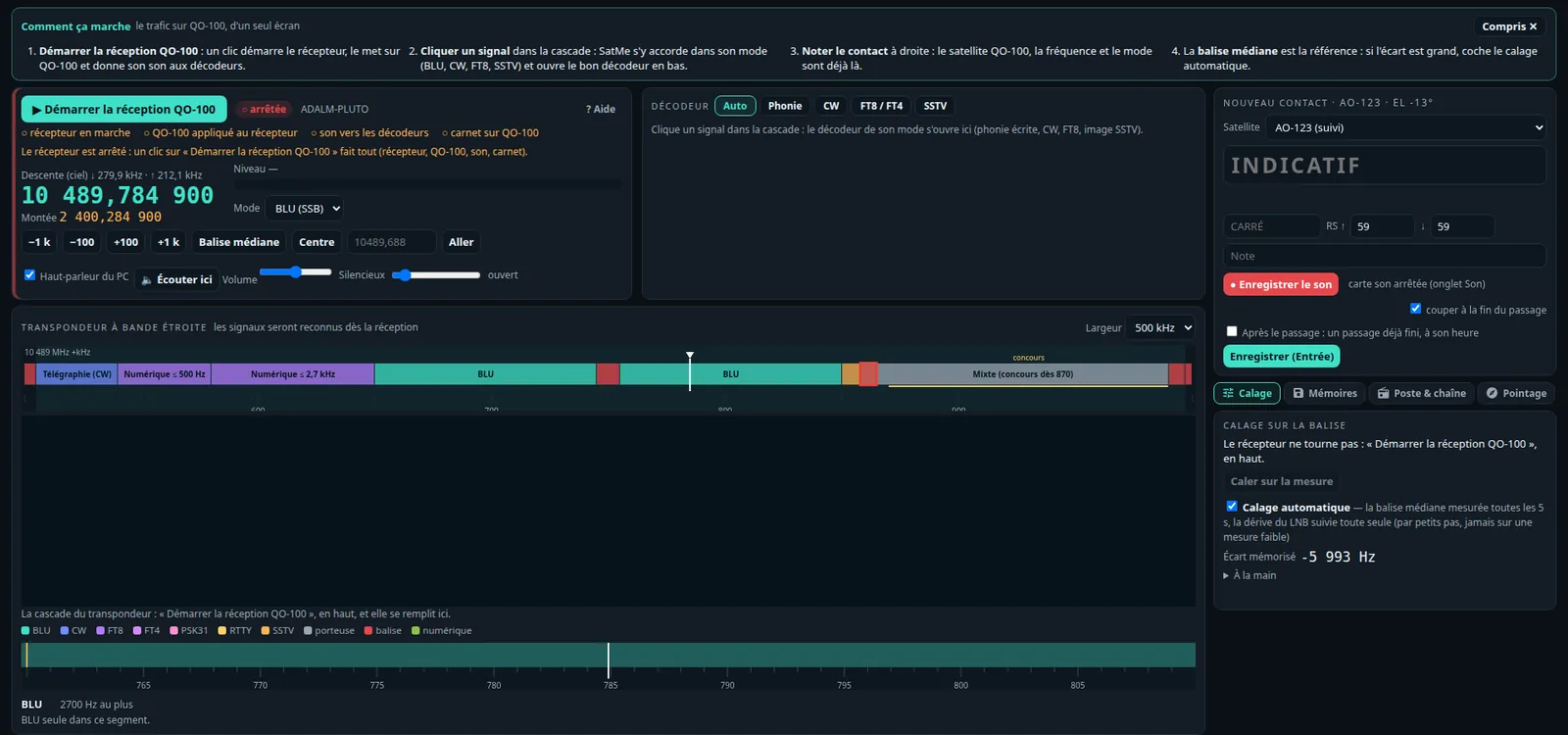
The QO-100 tab is the narrow band transponder on one screen: the receiver, the decoder and the log entry side by side, the transponder's waterfall below.
- Démarrer la réception QO-100: one click starts the receiver (SDR dongle, ADALM-PLUTO or bladeRF behind the LNB or a converter), puts it on QO-100 and sends its sound to the decoders and the log.
- Click a signal in the waterfall: SatMe tunes it in its mode (SSB, CW, FT8, SSTV) and opens the right decoder in the dock — voice to text, CW, FT8 / FT4 or SSTV (Auto, or chosen by hand).
- Log the contact on the right: satellite QO-100, frequencies and mode already filled in.
- The middle beacon is the reference: with Calage automatique it is measured every 5 s and the LNB's drift followed by small steps, never on a weak measure — more closely when the LNB drifts fast (see A drifting LNB).
- Signal classifier: each signal of the transponder named on the waterfall (SSB, CW, FT8, FT4, PSK31, RTTY, SSTV, carrier, beacons, wide digital, unknown), coloured by class with its confidence; one FFT of 16 Hz bins over the receiver's raw stream, combs of spurious lines and key clicks left out, signals forgotten once gone. It runs only while the page looks at it.
- Band plan (AMSAT-DL's) on the ruler and atop the waterfall, each segment's rule on hover. Emergency frequency (10 489.858 – 10 489.865): red outline and banner; SatMe never sends the uplink there to the rig by itself (a memory, a signal clicked, a DATV talkback, a restored session) — only when tuned by hand. The FT8 free spot is offered only in the digital segments; a mode out of its segment gets a discreet hint.
- LEILA: when the ground station's siren is heard (the listened station is stronger than the beacons and must lower its power), a red ⚠ LEILA shows under the downlink for 10 s.
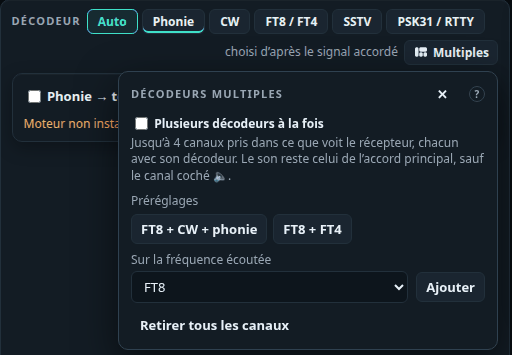
- Multiple decoders (Multiples button, off by default): up to 4 channels taken from what the receiver sees, each with its decoder (FT8, FT4, CW, SSTV, voice, or plain listening; one SSTV and one voice at most). Presets « FT8 + CW + phonie » and « FT8 + FT4 »; right-click (or Shift + click) on a waterfall signal: « Ajouter un décodeur ici ». The sound stays the main tuning's, except the channel ticked 🔈; a click on a channel's frequency tunes the main receiver there. About 1 % of a core per channel.
- PSK31 and RTTY: two more decoders (the decoder's PSK31 / RTTY tab, or a Multiple decoders channel). PSK31: varicode, ±50 Hz AFC, quality squelch, S/N and idle IMD. RTTY: ITA2, 45.45 / 50 / 75 Bd, 170 / 425 / 850 Hz shift, reverse. Time-stamped lines, callsigns lit, copy and save; a PSK31 or RTTY label on the waterfall opens them.
- Affichage (the waterfall's palette, contrast and brightness, memory flags), Mémoires, Mesures and sound cleaning, as in the SDR tab (see The SDR receiver); the memories made here carry the « QO-100 » tag.
- Resume after a restart: a banner offers to take QO-100 back where it was (receiver, frequency, mode); Réglages › Satellites › QO-100 does it by itself at start. Reception only: nothing is ever transmitted.
- Balise (sub-tab): the middle beacon's telemetry decoded — 400 bit/s BPSK, Manchester, differential coding; its coded frames (256 bytes in 13 s: rate 1/2 K=7 convolutional code, two RS(160,128), scrambling, 80 × 65 interleaving and distributed sync, the coded format proposed for AO-40) and its uncoded 512-byte blocks (sync 39 15 ED 30, CRC). « Décoder la balise » puts a Multiple decoders channel on 10 489.7485 MHz; each frame gives its corrected bytes, wrong symbols and S/N, the text or the raw bytes. « Essai » runs a made-up signal through the same decoder. Frames are kept on the PC (
telemesure/), nothing is uploaded. - Sub-tabs: Calage (beacon calibration, by hand or automatic), Qualité (beacon over noise, offset, the LNB's error and drift over the hour, noise floor, a day's curve), Balise, Mémoires, Poste & chaîne (converters), Pointage.
A drifting LNB#
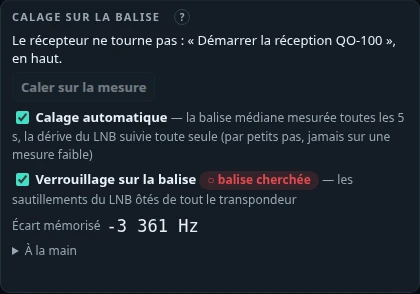
An LNB without an external reference moves with temperature: a few hertz per second after power-up or in the sun, sometimes jumps of ±25 Hz within a second. FT8's tones are 6.25 Hz apart: such an LNB is enough to decode nothing. SatMe-PC does three things, all receive-only:
- Calibration that follows: when Calage automatique sees a real drift (over 1 Hz/s, beyond three standard errors), the beacon is measured every second and the error taken from the straight line through the last 30 seconds rather than from a mean. After a step, only measures made since count. While FT8 or FT4 decode the receiver's sound, steps fall only in the last second of a slot, between two transmissions.
- Verrouillage sur la balise (beacon lock; Calage sub-tab, off by default): the middle beacon followed by a phase loop in the raw I/Q stream; its jumps are taken out of the whole transponder, continuously, smoothly, while the calibration keeps the slow error. The correction is bounded (±250 Hz) and checks itself: hitting the bound or too restless a correction lets go for 30 s; a calibration step searches again at once, the correction kept. Status: balise cherchée (searching), or tient · N Hz rms ôtés (holding, N Hz rms removed).
- FT8 tolerating drift: a slot's shared drift (up to ±15 Hz/s) is found from the sync arrays, then taken out before a second reading.
On slots made as live (beacon at 17 dB, 12 Hz rms jitter, 5 to 7 Hz/s drift), FT8 goes from 0 to 4 or 5 decodes out of 5. This mitigates the problem without solving it: the lock needs a beacon well above the noise, and an LNB that jumps faster than the loop is still an LNB that jumps. The real answer is an LNB held by a reference.
LNB and GPSDO reference#
An LNB whose oscillator is locked to a GPS-held reference no longer drifts: no more running calibration, FT8 and DATV at peace. The plan for F4IOZ's station, which the Montage can draw (catalogue: Twin LNB with external 25 MHz reference, programmable Leo Bodnar GPSDO, injector, DC block):
- a Twin LNB whose PLL takes an external 25 MHz reference;
- that 25 MHz from a Leo Bodnar GPSDO, cabled to the LNB's PLL;
- one output to the MiniTiouner (DATV), which powers the LNB with 18 V;
- the other to the bladeRF 2.0 (narrow band) through a DC-blocking injector: the LNB supply never reaches the bladeRF's input.
Beacon calibration stays useful for the fixed offset; the lock can then stay off.
Narrow-band transmitting: the Pluto direct or the IC-9700 + up-converter#
The cockpit's Émission sub-tab picks an uplink profile and sets the transmission up; the Émission Pluto panel (right-hand column) holds the PTT when the profile goes through the Pluto, the Émission IC-9700 panel otherwise.
- Uplink profiles: the chain (IC-9700 + up-converter, or the ADALM-PLUTO straight on 2.4 GHz), the antenna (80 cm dish + POTY feed, portable 35 cm dish + helix, 20-turn right-hand helix without a dish, or another with its gain typed), the amplifier (its power, its gain when known) and the cable losses. Quick choice Fixe / Portable, more profiles as wanted. SatMe derives an estimated EIRP and a suggested power to stay under the beacon (3 dB under it in SSB, 6 in CW, 10 in digital modes) — an order of magnitude, said as such: the real check is one's own signal against the beacon on the downlink. Voir au Montage opens a plan drawing the profile (made from a ready-made chain — "QO-100 fixe : Pluto + hélice 20 tours", "QO-100 portable : Pluto + parabole 35 cm" —, nothing replaced); the catalogue has the 2.4 GHz helix and the 35 cm dish.
- IC-9700 + up-converter: uplink = the rig's frequency + the converter's LO (the CAT TX line of the converter table, tied to the station chain; measured), checked on screen; uplink and downlink tied without inversion; the beacon calibration corrects the downlink only. With "Appliquer au poste" ticked, the PTT is refused on a beacon or outside the band plan, and LEILA heard releases it. Mesurer l'OL sur ma descente: the IC-9700 in CW (a carrier) keyed by SatMe, its signal found on the downlink gives the converter's real oscillator, kept in the chain. While keyed, the panel shows your signal vs the beacon when SatMe hears the downlink (SDR dongle).
- The Pluto direct: upper sideband from the browser's microphone or a sound card of this PC (FT8: WSJT-X's audio output to a virtual card or a loopback, source "carte son du PC"), CW (text sent at the chosen speed, the PTT taken and given back by itself, or Touche held: a carrier 700 Hz above the dial, keyed without clicks). The uplink follows the cockpit (tied, while transmitting too) or is typed. The AMSAT-DL band plan is applied per mode, the whole signal: SSB in the voice and mixed segments, CW in its own and the mixed one, digital in theirs and the mixed one; never on a beacon, the broadcast or the emergency frequency (a button tunes the cockpit to the mode's starting frequency).
- The Pluto's oscillator is parked below the transponder (2399.6 MHz) and the signal moved there digitally: neither its leak nor its image reaches the satellite. Its correction (its crystal's error, 1 ppm = 2.4 kHz on QO-100) is typed in Hz at 2400 MHz, or measured on the downlink: on the air, in CW with the key down, the carrier found by the receiver calibrated on the beacon.
- Safety: nothing transmits by itself (not at start, not from a setting, not after a reconnection); the Pluto is started at each press and stopped (oscillator off) at each release. PTT held by the button (or the space bar), or latched (one click transmits, another releases, for FT8); 2 s without news from the page, the time-out (1 to 10 min), LEILA heard (cut at once, no new press for 15 s), the frequency becoming forbidden: released. Esc and the TX band stop everything. Dummy load first: gain held at −40 dB, red band; every SatMe-PC start comes back to it, and leaving it (on the station's PC only) asks for confirmation, then the first PTT on the air too. Cap (highest Pluto gain) under the one in Réglages › Poste et rotor › ADALM-PLUTO. From another machine: only with émission par le réseau autorisée. A callsign is required. While it transmits, the Pluto does not receive, and DATV, SSTV, the I/Q correction and the IC-9700 wait (and the other way round).
- Pluto missing: its address (SDR tab) is tried every 5 s while the page looks (a connection opened and closed, no command); the panel says so.
DATV: reception#
The DATV tab receives DVB-S / DVB-S2 on QO-100's wide band (or any frequency the receiver covers). The picture is sized to the window, with the lock, MER, MODCOD, the margin and its verdict, and the station's card beside it; Réception, Émission, Qualité and Sous-titres are sub-tabs.
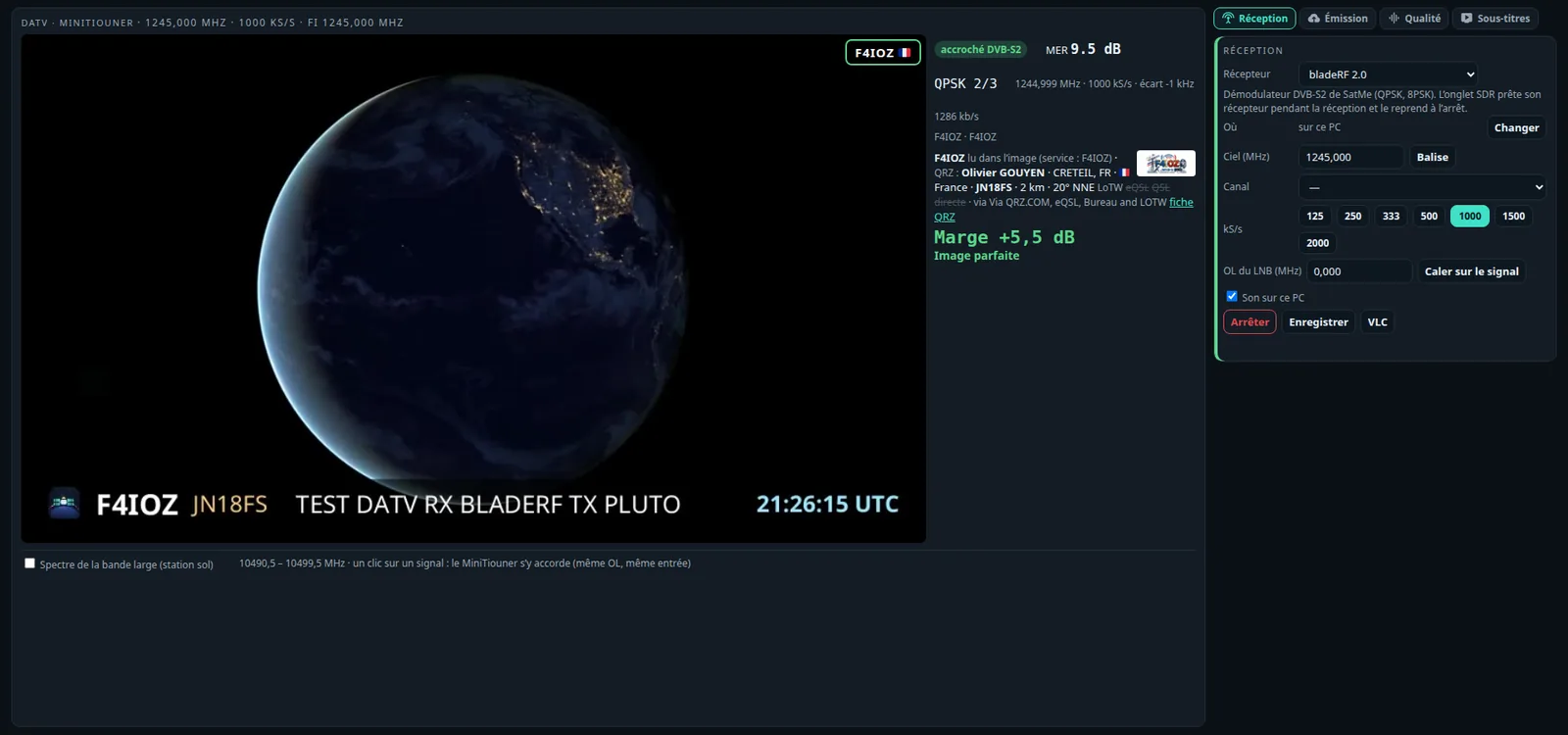
Three receivers, chosen in the Réception card:
- MiniTiouner (tuner and demodulator on USB), driven by LongMynd, BATC's free program. SatMe runs it apart, as it runs rtl_tcp: build it, then give its path on the page (or put it in the
PATH). Its LNB supply stays off unless chosen (13 V or 18 V), with a warning. On Linux a udev rule lets LongMynd open it — LongMynd's own file misses the Pro TS2 (USB nameMiniTiouner_Pro_TS2); this one covers them all, then unplug and plug it in again:
Plugged in, the MiniTiouner also shows as two serial ports (echo 'SUBSYSTEMS=="usb", ATTRS{idVendor}=="0403", ATTRS{idProduct}=="6010", ATTRS{product}=="MiniTiouner*", MODE:="0666"' | sudo tee /etc/udev/rules.d/60-satme-minitiouner.rules sudo udevadm control --reload-rules && sudo udevadm trigger/dev/ttyUSB…): never choose them as the rig's or the rotator's port. - ADALM-PLUTO or bladeRF 2.0 with SatMe's own DVB-S2 demodulator (written from ETSI EN 302 307-1): carrier search on the spectrum, matched filter with clock recovery, PLHEADER search, carrier recovery on pilots or by decision, LDPC and BCH decoding, transport packets checked. QPSK and 8PSK, normal and short frames, with or without pilots. The SDR tab lends its board for the time of the reception and takes it back after; a board receiving DATV is refused to the transmitters. Lock is given up after 8 failed frames in a row.
- A SatMe-Node next to the antenna (below).
What the tab shows: the beacon (10491.5 MHz, 1.5 MS/s), the narrow channels, 125 to 2000 kS/s; the LNB's oscillator (9750 MHz by default) and Caler sur le signal to correct it on the beacon; lock (DVB-S / DVB-S2), MER, MODCOD, carrier and offset, service and provider, the constellation live. The picture in the page (H.264 or H.265, the players restarted when a station changes its coding), the sound on the PC, the same stream in VLC, and recording to a .ts file.
Locking more surely (MiniTiouner):
- Essayer aussi: other symbol rates (3 at most) that LongMynd tries in turn when the chosen rate finds nothing, each for 5 s — 10 s at 250 kS/s and below, 20 s at 125 kS/s and below, those rates being slower to lock —, then back to the first; it stays on the one that locks (like BATC Ryde's scan presets). Taken at the next Recevoir, passed on to the SatMe-Node (an older node ignores them and receives at the chosen rate only). The rate locked on is used for the quality, the stations heard and the report.
- Relance automatique (ticked by default): LongMynd gone by itself in the middle of a reception (USB link, MiniTiouner reset) is started again after 3 s, then 10 s, then 30 s — never when it says it cannot find the MiniTiouner or has no access to it; a picture frozen while locked with the stream flowing: the players are started again (20 s at least between two).
- LongMynd settings and decoding (Reception card, folded): the search width (
-S: ±1.5 × the rate by default, or 1, 0.6, 0.4 × the rate — narrower keeps LongMynd off a neighbour, but the LO must be right), the wait without packets before starting again (-r: auto, or 10, 20, 30 s, useful for a low rate alone, slower to lock), and tolerant decoding (ffmpeg and ffplay drop damaged packets, ignore errors instead of stopping on them and guess the lost parts of a picture: less grey and fewer blocks on a weak signal). Search and wait are taken at the next Recevoir and passed to the SatMe-Node (an older node ignores them).
SatMe-Node: the receiver next to the antenna#
The MiniTiouner works best close to the LNB. A SatMe-Node is SatMe on a small computer there — a Raspberry Pi (a Pi 3 is enough for the MiniTiouner: the node only receives) — driven over the network by SatMe-PC and by the phone (QO-100 screen → DATV: the same controls, the picture through the phone's own decoder, full screen with a touch; the wide band's stations, chosen with a touch, when the ground station's spectrum is ticked). It runs LongMynd, or SatMe's DVB-S2 demodulator with a Pluto or a bladeRF; its status and the transport stream (0.3 to 2 Mbit/s) come to the PC, which shows, plays and records them as if the receiver were plugged into it. The phone and SatMe-PC take from the node its calibrated oscillator, its input and the LNB supply in use: changing station, from either, no longer cuts the LNB the node feeds; a restarted SatMe-PC finds a receiving node by itself.
Installing it on the Pi: Installing SatMe-Node on a Raspberry Pi — three commands, about ten minutes on a Pi 3. The script installs Java, builds LongMynd, lets it open the MiniTiouner (udev), and starts the satme-noeud service (satme --noeud, port 8090). At its first start the node draws a six-digit code, shown at the end of the installation (again: journalctl -u satme-noeud | grep Code). In SatMe-PC, DATV tab, Changer: the node's address and its code, Associer. The PC keeps the key the node gave: either can restart. An empty address goes back to the receiver on the PC. Without its key the node only says what it is; its LNB supply stays off unless chosen.
SatMe-Node: its SDR, its transmitter, its health#
The node is not only for DATV. Suggested wiring, with a twin-output LNB:
- output 1 → MiniTiouner, which powers the LNB with 18 V (horizontal polarisation, wide-band DATV);
- output 2 → a bias tee (DC block on the board side) → bladeRF: the tee powers that output with 13 V (vertical, the narrow band), the board only gets the RF;
- the bladeRF on a USB 3 port (blue) of a Raspberry Pi 4 or 5; a Pluto can replace it, and/or transmit.
Montage proposes this wiring as soon as a joined node reports a MiniTiouner and an SDR.
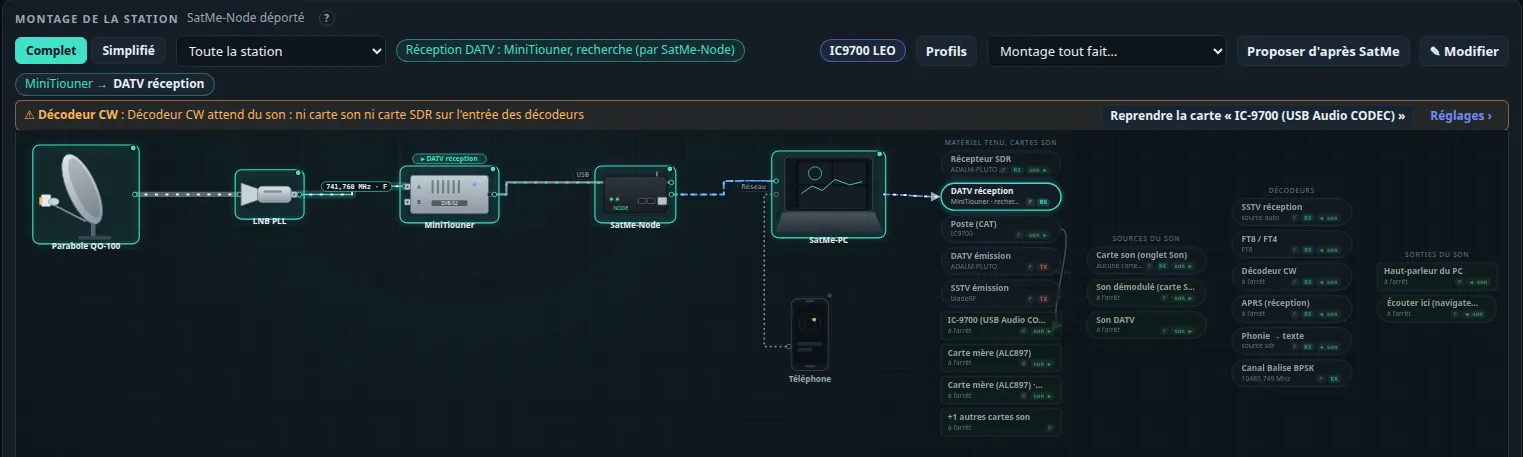
The node's SDR as this PC's receiver. On the node's page (opened on the node), Station › SatMe-Node, or in SatMe-PC's SDR tab: the board lent as the SDR (bladeRF or Pluto), independent of the DATV one — MiniTiouner and bladeRF receive at the same time. In the SDR tab, receiver « SDR du SatMe-Node »: it works everywhere a board plugged in here does (QO-100 cockpit, waterfall, FT8, beacon calibration and lock, recording). The node tunes its board as the PC asks (frequency, gain, correction), brings the stream down to the chosen rate in half-band steps (1.0584 MS/s: the whole narrow-band transponder, about 34 Mbit/s, a cable is advised; 529 or 265 kS/s for a slow network), and sends it over one connection: a header (rate, centre, format), numbered and timestamped frames (lost frames are counted). Network gone: the reception waits, says why, and resumes by itself.
The node's transmitter. Station › SatMe-Node › « Émettre par le SatMe-Node » (off by default): DATV and SSTV (FM or SSB) transmissions go out through the node's transmitter (Pluto or bladeRF, the same kind as the transmitter chosen here). SatMe-PC modulates as usual and applies all its rules (confirmation, callsign, bands, duration, ceiling, beacon loop); the node adds its own:
- « émission autorisée sur ce node », off by default, can be ticked only on the node itself (its page opened on the Raspberry Pi, or through a tunnel
ssh -L 18090:localhost:8090 pi@nodethenhttp://localhost:18090); unticking it stops a transmission at once; choosing another transmitter board from SatMe-PC unticks it too; - its bands (144–146, 430–440, 1240–1300, 2300–2450 MHz), its maximum duration and its own gain ceiling;
- a watchdog: nothing from SatMe-PC for 1.5 s (samples or « still there »), or the connection closed, and the transmission stops;
- never a board that is already receiving (lent SDR, DATV).
One controller for transmitting. This PC's page, the same page opened from another machine (remote mode, password), later the phone: all go through SatMe-PC's same routes and rules. One client holds the transmission at a time; everyone sees who, since when, what (the header's TX light); STOP is always possible from anywhere. Only the holding client's « still there » counts: from another machine, a link lost for more than 2 s stops the transmission, and the session's first transmission asks for one more confirmation.
Its page. Station › SatMe-Node (also the Suivi tab's small card, the status bar's Node chip and Ctrl+K) reads the node every 3 s: the Pi's temperature and throttling (vcgencmd), load, memory, microSD free space, network and I/Q stream throughput, USB boards and their speed (a bladeRF on USB 2 is flagged), each service's state and client, the last log lines, its version against this SatMe-PC's (with the update commands when the node is older). There too: each board's role (DATV receiver, SDR receiver, transmitter — one board never receives and transmits at once), « Utiliser comme récepteur SDR », and stopping a service, stopping the node's transmission, or restarting SatMe on the node (only when its systemd service restarts it; the Pi itself stays up).
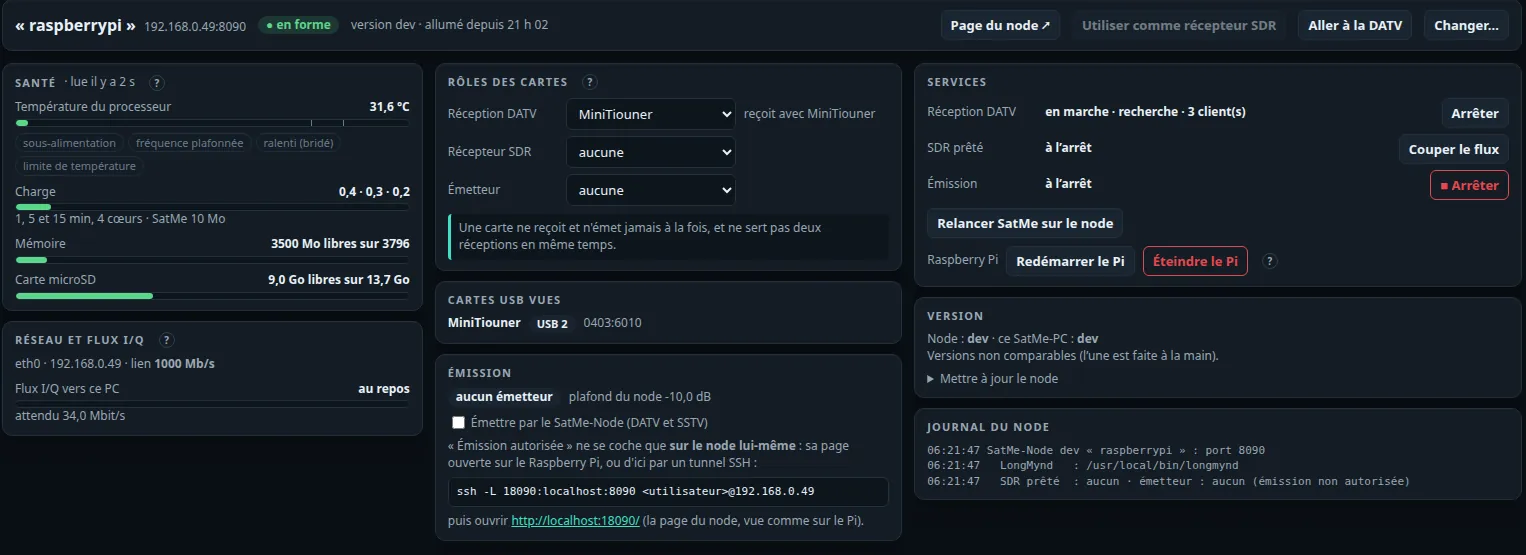
Restarting or switching off the Pi. Services › Redémarrer le Pi / Éteindre le Pi, each after a confirmation saying what stops. The node first stops everything — the transmission (if it transmits, the dialog offers to stop it; otherwise it refuses), DATV reception (LongMynd, and the LNB supply), the SDR stream, boards let go —, writes its settings, answers, then runs systemctl reboot or poweroff. After a restart the page shows « redémarrage… », finds the node again by itself and says when it is back (after 3 min it warns: power, network). Switched off, it is shown éteint, with no alarm, read every 30 s only: it can only be switched on again on site (power removed and restored). Only for a node run by its systemd service, with the right the installer gives it (/etc/sudoers.d/satme-noeud, those two commands only); without it the page says to run the installer again. Also on the node's own page opened on the Pi; never on the page served by the phone.
The phone, next. It will go through SatMe-PC (its remote mode), not straight to the node: one set of transmit rules, one controller, the 2 s watchdog. The node only takes one transmit client at a time and keeps its own guards. These routes answer harmlessly when the phone serves the page.
The wide band at a glance#
Spectre de la bande large — station sol, par Internet (pas ma réception), off by default: the QO-100 ground station's public spectrum of the wide band (10490.5 – 10499.5 MHz, 4 frames a second), read over the Internet while the option is on and the tab open. It is not what your own dish receives: carriers show there even with the dish mis-pointed.
- My reception over it, in purple (legend Station sol (Internet) / Ma réception (MiniTiouner)): the MiniTiouner gives no spectrum, only its state and MER where it listens. Locked, a bar at the frequency and width found, as high above the noise as its MER (≈ C/N, drawn as (C+N)/N on the ground station's dB scale); searching or stopped, hatching « nothing received here ». One line compares both, e.g. « Balise : +8,2 dB à la station sol · chez moi : MER 5,9 dB (seuil QPSK 4/5 4,7 dB) » or « chez moi : rien (recherche) — la balise est là : vérifier pointage / polarisation / LNB ». The phone (DATV screen) shows the same.
- The signals found, each with its width rounded to the nearest symbol rate, its level against the beacon, and the station's name once read (service name, station card or callsign in the picture; kept 24 h for that frequency and rate).
- Click a signal: the MiniTiouner tunes to it (same oscillator, same input).
- Veille: the occupied channels in turn, held while locked, an optional recording named after the station; any tuning by hand stops it.
- In the QO-100 cockpit too: Bande large DATV — station sol, par Internet, off by default, shows the same band under the narrow transponder; a click on a signal tunes the DATV receiver. The connection stays open only while one of the two tabs shows it.

My spectrum: an SDR on the same LNB#
Mon spectre — SDR sur la même tête (répartiteur), unticked by default: your own wide band, seen by the SDR tab's receiver (an RTL-SDR through rtl_tcp, an ADALM-PLUTO, a bladeRF, or the SatMe-Node's SDR) connected by a splitter on the same LNB as the MiniTiouner (its IF, 740 to 750 MHz with a 9750 MHz LO). The 9 MHz are swept in a few steps (five at 2.4 MS/s for an RTL-SDR), about once a second, and shown on the ground station's scale (its trace in grey over it when shown): signals are found the same way, their rate estimated from their width, and a click tunes the MiniTiouner to one. Nothing is opened without the box; the receiver is held only while the DATV tab is open, and refused while the SDR tab receives with it. When the beacon does not show, or not where the MiniTiouner finds it, a warning says so (the SDR is not on the same LNB, its gain, its ppm correction). The splitter must pass the LNB supply to one output only. Bande simulée (essai): a made-up band, to see it without hardware.
Without an SDR, the MiniTiouner cannot stand in for an analyser: LongMynd has to be restarted for every tuning (one to two seconds, plus its wait), and its AGC level measures the tuner's whole band (some 10 MHz); a sweep would be slow, blurred, and would cut the reception.
Sound, chat and tuning by UDP#
Each off until chosen in the Réception card.
- Vumètre et volume: the sound is decoded by SatMe (ffmpeg to 48 kHz stereo PCM) instead of ffplay, played on the PC's sound output at the chosen volume (0 to 200 %, applied at once), its left and right levels (« M » when both channels are the same) with the peak held 1.5 s. Écouter ici › Son DATV also sends it to the browser, with its own volume.
- Salon de la bande large: the ground station's public chat (BATC), read only until you write: nothing is sent without a click on Envoyer, the nick is the station's callsign (set just before the first message), one message every 3 s at most; without a callsign it stays read only. Messages show latest on top, under the input box (the same for the chat lines of the station card and of the transmitted stream). Rapport writes the usual reception report into the box (« SigReport: callsign - D margin (MER dB) - rate Ks - frequency »), to read over and send. No online DATV reception report service is reachable today: the page says so (« service indisponible ») and nothing else is sent.
- Accord par UDP: another program asks for a tuning by a text datagram, on the chosen port (9997 by default), from this PC only — or from the local network, when SatMe-PC runs with
--reseauand the box is ticked. Receive only: nothing is ever answered nor transmitted, the LNB supply stays as it is, one request every 2 s at most (10 a minute), the same one asked again while receiving restarts nothing. Two formats:
The first: the sky frequency in kHz (or in MHz with a point:FREQ=10494750;SR=1500;OL=9750000;ENTREE=A [GlobalMsg],Freq=10491500,Offset=9750000,Srate=1500,FPlug=AFREQ=10494.75), the symbol rate in kS/s, the LNB's oscillator in kHz and the input A or B optional (kept otherwise). The second, common among DATV tools: Freq in kHz, Offset the oscillator in kHz (0: Freq is already the intermediate frequency), Srate in kS/s; its other keys (supply, 22 kHz…) are ignored. For example:echo -n 'FREQ=10494750;SR=333' | nc -u -w1 127.0.0.1 9997.
Reception quality#
The Qualité sub-tab says whether the picture is good and why:
- The margin (D), big and coloured (the "D" of the chat's reports, as on Ryde): the MER against the MODCOD's quasi-error-free threshold (EN 302 307-1), with a plain verdict ("Image parfaite"…).
- Tiles: packets received against expected (from the PCR), continuity errors and missing packets, transport errors and sync losses, error correction (LDPC, BCH), whole DVB-S2 frames lost, the video and audio decoders' errors, the tables seen (PAT, PMT, SDT, PCR) and the stream's null share.
- Four curves over 2 minutes (MER, margin, packets, continuity errors), the PIDs table, the constellation. When the receiver holds our own transmission, packets sent against received.
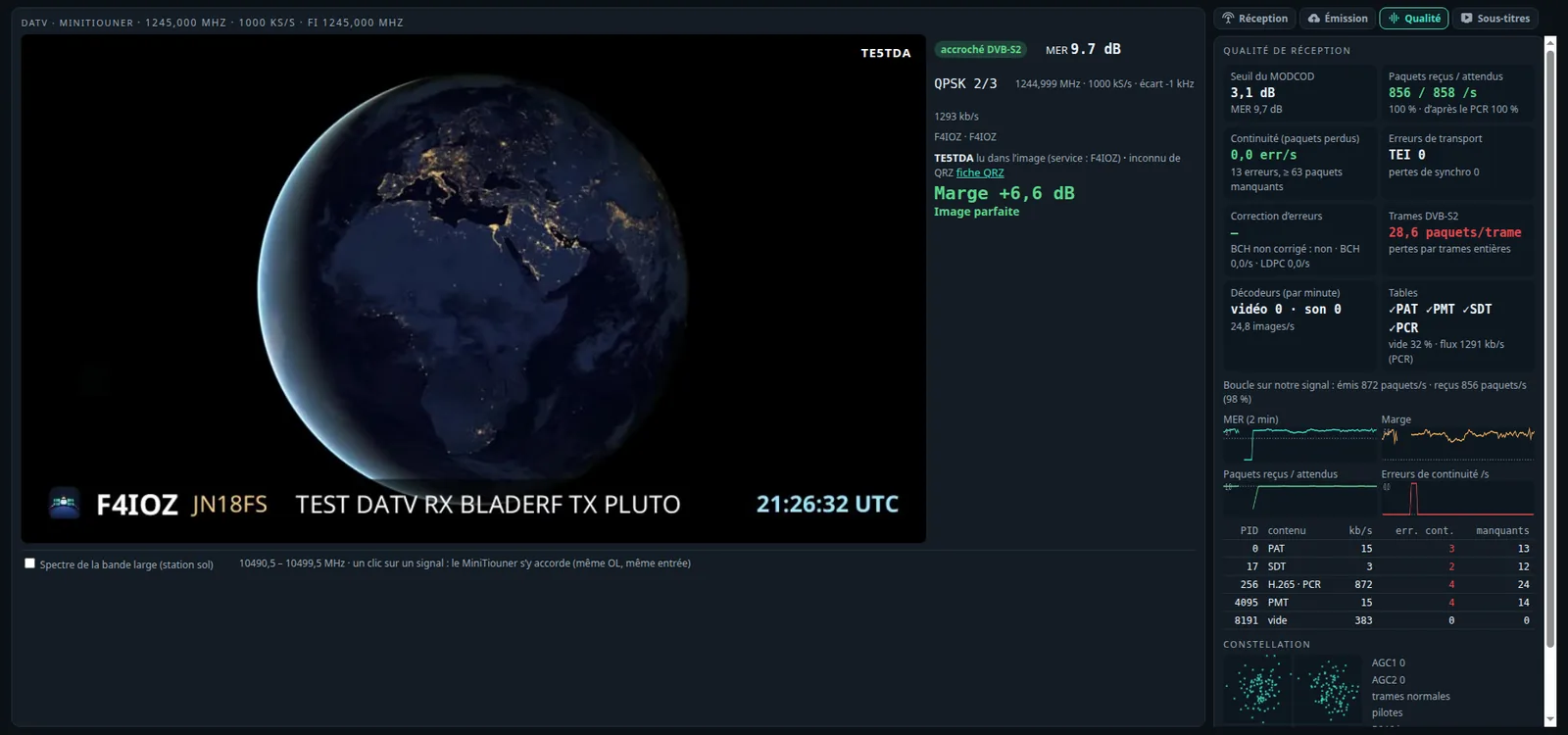
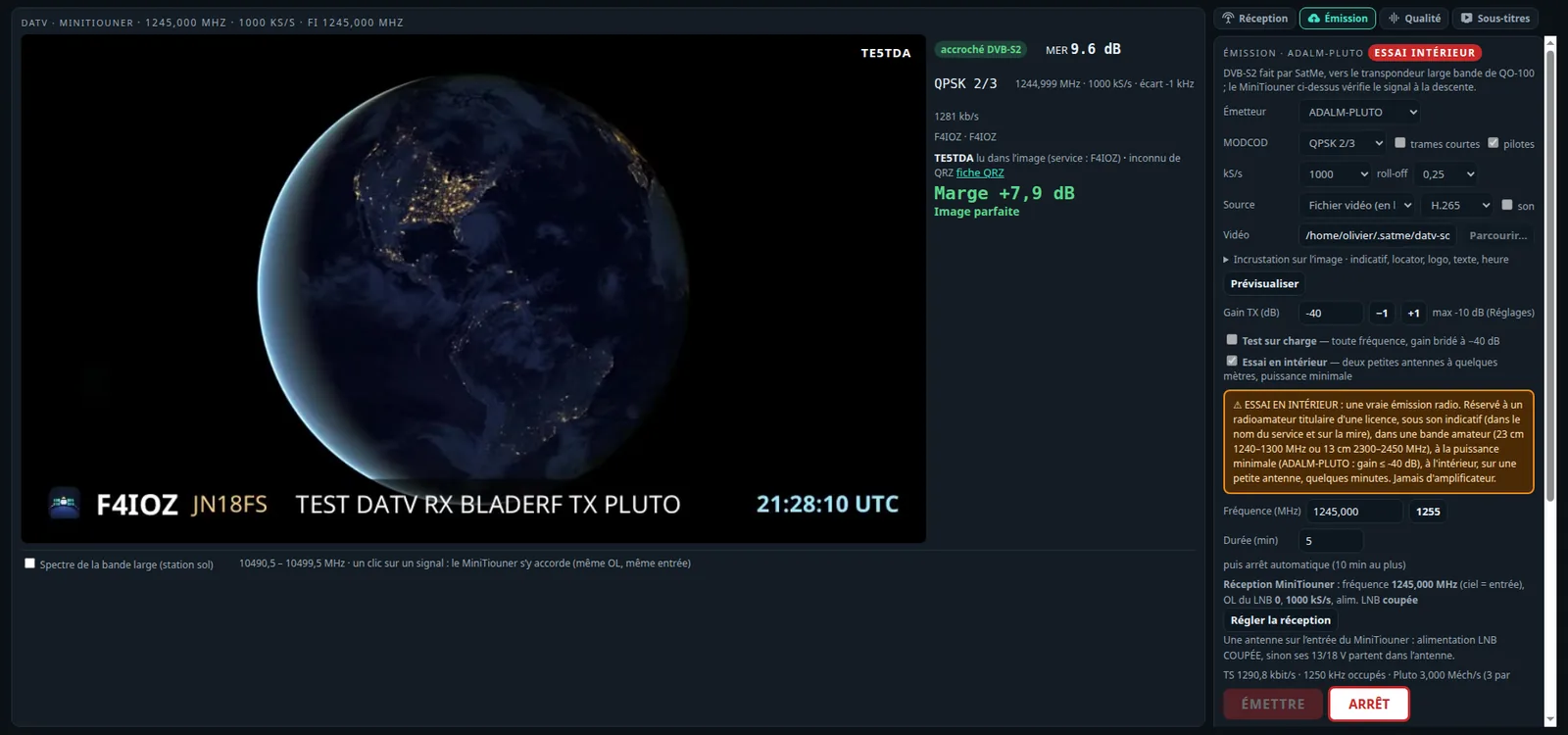
Pointing the dish, history, level, calibration#
- Pointage (button at the top of the DATV tab, or straight to
http://<address>:8090/pc?pointage=1, on the phone too): a full-screen view readable from a distance — the MER very large (coloured by the margin), the D margin, the trend (▲ better / ▼ worse than 5 s ago, steady within ±0.15 dB), the best reached (and when; Max à zéro to start again), the estimated level, a curve of the last 2 minutes, and a tone whose pitch follows the MER (an octave per 3 dB, higher = better; unlocked: low beeps), started by its button. Unlocked, the state says so in red (« DÉCROCHÉ depuis 12 s »). The reminder: the beacon alone is the reference, one touch-up at a time, then wait 5 s. Marquer une retouche notes it in the history (« azimut + », « tête 5 mm vers l'avant »…). - History (Quality sub-tab): MER, D margin and level, a point every 10 s (the median), over 10 min, 1 h, 6 h or 24 h, the time unlocked in red, and marks: station changed, stop, LO calibrated, touch-ups. To see the effect of rain, of the transponder's activity, of each touch-up. Kept in memory while SatMe runs.
- Level (≈ dBm, indicative): from the tuner's two AGCs after the measurements BATC published (G8GKQ), on MiniTioune's and Portsdown's scale — −70 to −35: good; below, the tuner is at full gain (LNB unpowered, a cable, a splitter); above, its LNA's gain is cut. It measures some 10 MHz noise included: for checking the chain, not for pointing (the MER is).
- Calage auto sur la balise (Reception card, unticked by default): locked on the beacon (DVB-S2, 1500 kS/s, held 5 s), the offset measured gives the LNB's real LO — the LNB's and the MiniTiouner's crystal errors together, the same for every station —, followed slowly (the median of the last half minute) with its drift in kHz/h, always shown. Ticked, that LO is taken at the next tuning (LongMynd is not retuned while running), when off by more than 3 kHz and less than 600 kHz (beyond, it is not the beacon) and the measure is less than 6 h old; the history marks it.
Subtitles and callsigns in the picture#
Both off unless chosen in the DATV tab.
- Sous-titres: the received sound (its first audio track, decoded by ffmpeg) goes to voice to text; over the picture as TV subtitles: each over cut into cues of two lines at most (by sentence, then by clause, the two lines balanced), each shown for a time that grows with its length (1.5 to 7 s, paced on the over's duration), the language's flag, and the translation under it cut into as many pieces. Nothing is cut off: the font follows the picture's width (full screen too) and shrinks until everything fits, never below a readable size (beyond that, the line wraps). When late, the latest over comes first. The history is in the sub-tab, latest on top (no scrolling; reading further down, new ones come above without moving what you read), with callsign chips filling the log in mode DATV.
- Callsigns read in the picture: every 3 s while locked, the latest frame read by tesseract (
sudo apt install tesseract-ocr); a callsign is shown once read twice, look-alike signs repaired (A/4, O/0…), checked against the service name, the station card and the log. Its QRZ.com record (name, town, country, locator with distance and bearing, LoTW / eQSL, photo) is looked up by SatMe-PC, kept 7 days, at most one request every 5 s. Callsigns follow the station: another frequency, another service name (SDT) or a lost lock puts them away, and so does five minutes without being read again. Each says "vu à l'instant" (read within the last 20 s, the only case where it is written over the picture) or "vu il y a 3 min" (greyed); those put away are under Vus avant (folded, with frequency and service, 12 at most). - Noter le QSO: QO-100 or DATV terrestre by the frequency received, mode DATV (ATV in ADIF), the MER as report, name and QTH from QRZ when blank.
- Affichage des sous-titres (folded under the Subtitles box, set per browser): the area's width (40 to 100 % of the picture), the number of lines (1 to 4, 2 by default), the line length (20 to 90 signs, about 3 to 15 words), the size (auto, fitted to the picture, or small / medium / large / very large, as a share of the picture's width), the duration (shorter to much longer) and Plus de texte (4 lines, 90 % wide, longer lines, the two previous cues kept above, paler). Each change shows a preview on the picture; Par défaut resets them. Whatever the setting, nothing is cut off: the text shrinks, then wraps.
- 🔊 Traduction parlée (off by default): each received over's translation said by voice to text's synthetic voice (Piper, else eSpeak NG, speech-dispatcher or the browser's voice), with settings of its own: the voice (by the voice heard, or chosen), its volume, and how much the original sound is lowered while it speaks (70 % by default, brought back smoothly). Only the translation is said (an over in your own language is not repeated): tick "avec la traduction". It never talks over itself: one over waits at most, the latest, and an over more than 20 s late is not said. It plays where the DATV sound plays: this PC's speaker (the sound lowered when SatMe plays it, "Vumètre et volume" box; played by ffplay it cannot be) and the browser listening to it ("Écouter ici" › DATV sound, which lowers its own sound); DATV sound off: this PC's speaker. Works when reception goes through a SatMe-Node. No voice installed: the card says so and leads to Réglages › Phonie → texte › Traduction parlée. Receive only: never transmitted.
- Résumé (under the card): for the station received (and the previous ones, folded), who (callsigns heard 🎙, read in the picture 🖼, in the service name 📡), the reports ("5/9", MER, margin in dB), the locators, the gear named (Pluto, MiniTiouner, dish and its size, amplifier and its power…), frequencies and symbol rates, and up to five key sentences, in your language when the over is translated. Made on this PC, without Internet or a language model (the installed voice-to-text engine has none), updated with each over. Copier puts the summary as text on the clipboard; Noter le QSO fills the DATV contact (callsign, locator, report) without saving it. Check it: the transcript can be wrong.
DATV: transmission#
The DATV tab's Émission sub-tab sends a DVB-S2 (or DVB-S) signal to QO-100's wide band transponder with an ADALM-PLUTO or a bladeRF 2.0 (a HackRF One only for indoor and dummy-load tests). SatMe makes the DVB-S2 itself (EN 302 307-1: QPSK at every rate, 8PSK 3/5 to 9/10, normal or short frames, pilots, roll-off 0.35 / 0.25 / 0.20); ffmpeg makes the picture into a transport stream at exactly the rate the MODCOD carries (-muxrate, null packets filling it), H.264 or H.265, the service's name and provider being the station's callsign.
- Standard: DVB-S2, or DVB-S (EN 300 421: energy dispersal, RS(204,188), I=12 interleaver, K=7 code punctured 1/2 to 7/8, QPSK) for receivers that read only that. Same station card; MODCOD adaptation stays DVB-S2.
- The picture: SatMe's test card with the callsign, an animated test card (a moving picture over the bars, a beep each second), a live clock (a dial whose second hand moves, the UTC time and date, callsign and locator, a beep each second: delay and smoothness seen at a glance), a still image, a video file looped, or a camera (
/dev/video…, listed only until a transmission starts). - Parcourir…: the PC's folders (home, removable media, SatMe's
datv-sources), read only, with thumbnails; files sent from the browser (500 MB at most) are kept indatv-sources. Prévisualiser makes one picture with the same command, nothing transmitted. - Overlay (off by default): callsign, locator, a free line, the UTC time and the SatMe mark, in a corner or a strip, over the picture.
- Émis | Reçu: while transmitting, the picture sent is shown beside the picture received back from QO-100 (one under the other on a narrow screen), whichever sub-tab is open; under the first the MODCOD, frequency and rate, under the second the lock, the MER and whether it is our own signal. The picture sent is decoded by SatMe-PC, at a low priority, from a copy of the stream going to the modulator (5 small pictures a second, only while a page looks at it): nothing more is transmitted, the stream sent never waits. With the UTC time overlaid, the gap between the two clocks is the round trip's delay. The title's button separates or joins them. Reception only: nothing changes.
- Enlarge: ⛶ at the bottom right of each picture, or a double click; ⛶, a double click or Esc to come back (Esc also stops every transmission, as everywhere on the page). Not transmitting, the browser's full screen; while transmitting, the picture fills the window with an ARRÊT button (the browser's full screen would keep Esc for itself).
- Créneaux ↓ (slots): the band plan's channels at this symbol rate (14 narrow ones 500 kHz apart at 333 kS/s and below, the wide ones at 1000 and 1500 kS/s), green free, red busy (with the callsign when known) on the ground station's spectrum, cyan our own signal, hatched when they touch the beacon or leave the transponder, grey without a spectrum. A click on a free slot sets the transmit frequency (nothing is sent); a busy or forbidden one is refused. The same marks show under the wide band spectrum while the Émission sub-tab is open, and the ÉMETTRE confirmation says whether the channel is free or busy. While transmitting, our signal is marked « TX · callsign » there.
- Signal summary: standard, MODCOD, downlink frequency, symbol rate, the MER receivers need (EN 302 307-1's threshold, or EN 300 421's for DVB-S; allow 1 to 2 dB more for a real receiver), the codec, the picture's size and frame rate, the sound, and the video's share of the stream.
- Tester l'encodeur (encoder test): a few seconds of a test picture coded by ffmpeg to nothing, at this symbol rate and MODCOD's picture size and video rate, in software H.264 and H.265 and with the hardware encoders ffmpeg lists (NVENC, Quick Sync, AMF; not in the demonstration). The result (× real time) is kept per rate and MODCOD; SatMe recommends H.265 when it keeps up with a margin, else H.264, else a lower rate — Passer en H.265 / H.264 applies it. A fast hardware encoder is named, but SatMe still codes in software. Never while transmitting, no camera opened.
- Rampe (while transmitting, Pluto and bladeRF): ▼ Descendre lowers the gain 3 dB a second down to −60 dB, ▲ Monter raises it 1 dB every 2 s up to the gain calibrated for this rate (else the gain set), ■ Stop holds it. Going up stops at once when the loop says too strong; each step goes through the same caps as a gain typed in.
- Power calibrated per rate: when the MiniTiouner loop sees our signal 1 to 6 dB under the beacon for 10 s at the same gain, that gain is remembered for this symbol rate (« non calibrée pour 333 kS/s » otherwise). Reprendre puts it back in the field (stopped) or ramps up to it (transmitting); Oublier forgets it. Never applied by itself.
- Adapter le MODCOD à la réception (off by default): while our own signal is received back (service or station card in our callsign), the most efficient MODCOD of the allowed range whose threshold stays 2 dB under the MER is chosen — down quickly when the margin falls or packets are lost, up slowly after 20 s of spare margin, 8 s after each change for the receiver to relock, the most robust one if the loop is lost. Frequency, symbol rate and power are never touched; a lower power is suggested on QO-100, never applied.
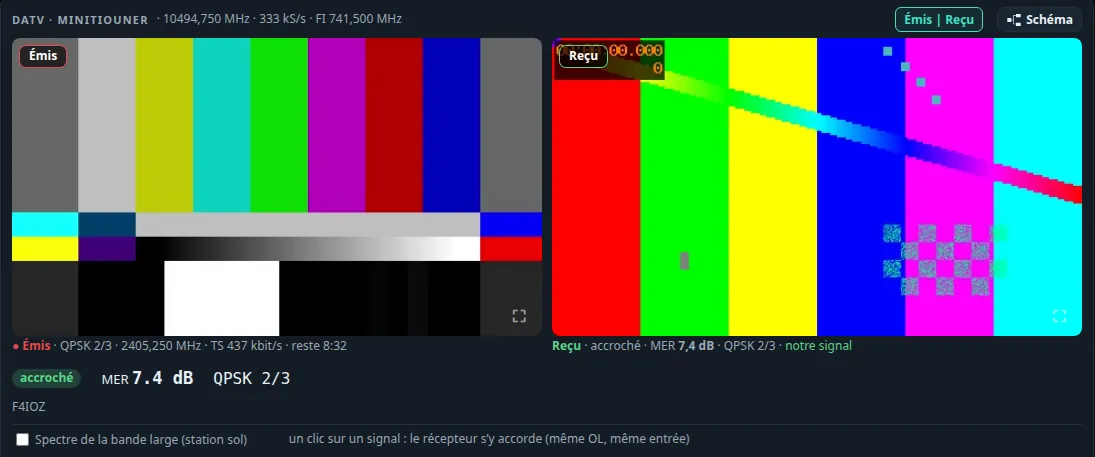
The station. PC —USB— Pluto TX port → band-pass filter → power amplifier → feed (2.4 GHz uplink). Reception check: dish, LNB → MiniTiouner (Réception). A board transmitting does not receive (the SDR tab refuses it), and the other way round; DATV and SSTV transmissions exclude each other.
| kS/s | samples per symbol | Pluto rate |
|---|---|---|
| 125 | 17 | 2.125 MS/s |
| 250 | 9 | 2.25 MS/s |
| 333 | 7 | 2.331 MS/s |
| 500 | 5 | 2.5 MS/s |
| 1000 | 3 | 3 MS/s |
| 1500 / 2000 | 2 | 3 / 4 MS/s |
The bladeRF keeps at least 4 samples per symbol. A symbol rate or MODCOD not offered is refused, never silently replaced.
First test: into a load, never into the antenna. Pluto TX → 30 dB attenuator (or more) → MiniTiouner input (its tuner covers 2.4 GHz directly: Ciel = the uplink frequency, LNB oscillator 0, LNB supply off). Tick Test sur charge (any frequency, gain held at −40 dB or below, a red warning), choose 333 kS/s QPSK 2/3, ÉMETTRE, confirm: the MiniTiouner should lock on DVB-S2 with the callsign as service and the test card as picture. Only then the amplifier and the dish.
The rules, built in.
- Only on the operator's action: ÉMETTRE then a confirmation; never at startup, never taken back from the settings (only the parameters are kept).
- A callsign (Réglages › Ma station) before anything is sent.
- On the air, the whole occupied band (Rs × (1 + α)) between 2403.000 and 2410.000 MHz uplink: clear of the beacon (uplink 2402.0 MHz, its band ending near 2402.9 MHz), up to the band plan's last channel (10499.25 MHz down, 2409.75 MHz up). The channel list is the band plan's; the one the MiniTiouner holds is marked busy.
- Duration 10 min by default, 30 min at most, then it stops by itself.
- It stops by itself when the board stops taking samples or is pulled out, when the samples come late too often, when ffmpeg stops, when the page has been silent for 15 s (closed tab, lost network), and when SatMe-PC closes.
- At every stop the Pluto's TX oscillator is powered down first; at the start it stays down until the first samples are in. Should the Pluto be unreachable at that moment, the page says so: unplug it.
- TX gain (an attenuation, 0 dB = full power): Pluto −30 dB by default, bladeRF −50 dB, never above the maximum set in Réglages (−10 dB by default).
- Closed loop: the receiver's MER on our own signal against the beacon's (measured with Balise beforehand): if we are not at least 1 dB under the beacon, a warning, and the gain is stepped down 1 dB every 5 s until we are. It never steps it up.
Réglages › Poste et rotor › ADALM-PLUTO: the maximum TX gain, and Couper l'oscillateur d'émission du Pluto quand SatMe s'en sert en réception (off by default). A Pluto switched on leaves its TX oscillator running (2450 MHz by default): ticked, SatMe powers it down each time it starts receiving with the Pluto.
The indoor test#
Essai en intérieur (Pluto, bladeRF or HackRF): two small antennas a few metres apart, indoors, to see the whole chain work before any dish.
- A real radio emission: for a licensed radio amateur, under the callsign (service name and test card), with an orange warning in the card.
- Only in amateur bands the MiniTiouner covers, the whole occupied band inside: 23 cm 1240–1300 MHz or 13 cm 2300–2450 MHz. 1255 MHz by default; 1260–1300 MHz is shared with radionavigation satellites and 2400–2450 MHz with Wi-Fi (the card says so).
- Minimum power: Pluto and bladeRF at −40 dB at most; the HackRF with its amplifier off and VGA ≤ 20 dB.
- 5 min by default, 10 min at most, then it stops by itself. The QO-100 closed loop is not used.
The receiving side. The card gives the MiniTiouner's settings for the test: Ciel = the transmit frequency, LNB oscillator 0, the same symbol rate, LNB supply off — Régler la réception fills them in (without starting). With an antenna on the MiniTiouner's input the LNB supply must be off, or its 13/18 V go into the antenna. A Pluto or bladeRF can receive instead, with SatMe's demodulator.
First indoor test, step by step. Callsign set (Réglages › Ma station). HackRF (or Pluto) TX → small 23 cm antenna; receiver input → another small antenna, 2–3 m away. Card: Émetteur HackRF One, Détecter; tick Essai en intérieur, 1255 MHz, 333 kS/s, QPSK 2/3, test card, VGA 0 dB (Pluto: −40 dB or lower), 5 min. Régler la réception, then Recevoir in the Réception card (LNB supply off). ÉMETTRE, confirm: the receiver should lock on DVB-S2, the callsign as service. No lock: raise the VGA a few dB, or bring the antennas closer.
Station card and chat in the stream#
While transmitting, SatMe slips a station card into the transport stream, and the chat typed in the Émission card (a line of 140 characters at most, one every 2 s; typing never transmits: the chat only rides on a transmission already started). They take the place of null packets: the rate is unchanged, so are the picture and sound, and a receiver that does not know them ignores them. On reception the DATV tab shows the received station's card (flag, locator, distance and bearing, message, software; marked when it is already in the log), its chat lines as bubbles, and Noter le QSO. Receiving one's own signal ticks one's lines ✓✓ reçu. The card is switched off under Carte de visite dans le flux.
Talkback on the narrow band. The Émission card also announces where the station listens for answers on the narrow band transponder (Retour NB, MHz, SSB or CW): by default the QO-100 cockpit's frequency when the rig is there. On reception the station's card shows « Retour en BLU : 10 489,xxx » and Écouter le retour: the QO-100 cockpit opens, the narrow band receiver tunes there and voice to text is switched on when installed. A talkback announced on the emergency frequency is flagged, never tuned by itself.
The format, for anyone who wants to read or send it:
- PID 0x1F00, MPEG private sections (ISO/IEC 13818-1, long form:
section_syntax_indicator1,private_indicator1, MPEG-2 CRC-32 at the end); one section per group of packets, the first withpayload_unit_startandpointer_field0, the last padded with 0xFF. The PMT is left unchanged. - table_id 0xE5: card (
table_id_extension0,version_numberchanges with the content), repeated every 2 s. table_id 0xE6: chat line (table_id_extension= 16-bit sequence number), sent 5 times 1 s apart; the receiver drops duplicates by callsign and sequence. - Payload:
SATM, a format byte (1), then TLV fields (1-byte tag, 1-byte length, UTF-8 value of 255 bytes at most). Tags: 0x01 callsign (required), 0x02 locator, 0x03 name, 0x04 QTH, 0x05 power, 0x06 antenna, 0x07 software, 0x08 transmit frequency (kHz, in digits), 0x09 MODCOD, 0x0A symbol rate (kS/s), 0x0B message, 0x0C talkback frequency on QO-100's narrow band transponder (downlink in Hz, in digits), 0x0D its mode (USBorCW), 0x20 chat text. An unknown tag is skipped; a format byte ≥ 0x80 announces an incompatible layout: the section is ignored.
SSTV#
The SSTV tab, as on the phone: the live picture (drawn at its true size from the first line, the lines to come dark, the arriving one marked), the decoder's state and a TX shortcut stay in view; Réception, Émission, Mire, Images and Réglages are sub-tabs.

Reception
- Source: auto (the SDR while it plays, else the sound card), the sound card, or the SDR heard directly.
- Mode: Auto (VIS) or forced; continuous decoding starts a picture on its sync pulses even without a header (mode found from the line length); Caler maintenant hooks the picture on the next sync pulse.
- Automatic tuning (off by default): the tones' offset measured on the header (read over ±1 kHz) and the sync pulses, and the receiver nudged — the SDR, or the rig while the CAT loop drives it — by 20 Hz a second at most, up to ±2 kHz.
- A spectrum with the tones marked (1200 sync, 1500 black, 1900 VIS, 2300 white), the level, a hint when the source is silent.
- Countdown to the next picture, under the live picture (and in the Auto-pilot card during a pass): a ring filling up, « Prochaine image dans 1:24 », from the campaign's timetable (« 36 s on / 2 min off ») or estimated from the starts of the pictures received in the pass (a missed picture counted as a double gap), put right on each new picture; during a picture, its progress (rows, time left). A dashed ring when it is only an estimate, a pulse in the last 5 s, « en retard » beyond 20 % of the period, « en attente » after two periods, « fin du passage » at LOS. 🔔: a beep 5 s before (off by default, per browser).
- The satellite followed, in an inset beside the live picture (above the sub-tabs; under it on a phone): its name, the 🤖 when an auto-pilot campaign takes the pass, the SSTV mode and downlink frequency when known, the Doppler-corrected receive frequency; the Station tab's sky (the arc, AOS, LOS, the highest point, the satellite now), a small globe (ground track, footprint, the station); AOS, TCA, LOS (local time and UTC), max elevation, azimuth and elevation now, range, time left — or the next pass. ▾ folds it, ✕ hides it (back from Réglages › Affichage), both kept per browser. With no satellite followed: « Aucun satellite suivi » and a link to choose one.
- Images: every picture kept from an eighth of its lines, with its own sound; filtered by satellite, opened in a viewer, decoded again, made into a GIF, deleted. Sorted by slide (or by reception) — see Pictures by slide, marks and the series' timetable.
- Mire: the SSTV test card (as on the phone), played on a chosen output or written to WAV.
- Campaigns: an ARISS series, or a satellite sending pictures for a few days, received by itself pass after pass — see SSTV campaigns: the auto-pilot; the series announced online show up in Upcoming activities. ISS SSTV is on 437.550 MHz FM in Robot 36 since the 2026 series.
Transmission (Émission), with the ADALM-PLUTO or the bladeRF 2.0:
- The picture: SatMe's test card with the callsign, the SSTV sheet, or an image file; any mode, sent 1 to 3 times, the callsign written across the top of the picture, and in CW at the end if asked.
- Modulation: narrow FM (±2.5 or ±5 kHz, pre-emphasis optional), USB or LSB.
- Rules, built in: ÉMETTRE then a confirmation; a callsign; the whole occupied band inside an amateur band (144–146, 430–440, 1240–1300, 2300–2450 MHz); the satellite sub-bands (145.8–146, 435–438, 1260–1270 MHz) only with Vers un satellite ticked; never 145.800 MHz (ISS); QO-100's narrow band in USB only, inside its digital (2.7 kHz) or mixed segment — never the emergency or the beacons, and never louder than the beacon (a closed loop on the beacon when SatMe hears its own downlink). 15 min at most; it stops by itself once the picture is sent, or when the page goes silent. Test sur charge and Essai en intérieur as for DATV (−40 dB, 5 min indoors).
- Régler la réception sets the SDR tab's receiver on our own transmission (frequency, NFM or USB / LSB) to watch it come back.
Pictures by slide, marks and the series' timetable#
An ARISS series sends its 12 slides round and round for days: a week of passes gives dozens of copies of each. The Images sub-tab sorts them (par diapo, or par réception as before; on the phone and the page it serves too):
- Copies of one slide together: « Diapo 7/12 · 5 réceptions », the best first, a click unfolds the group. Pictures are compared small (32×48 cells of brightness and colour), on the rows sound in both, the dark sky every slide of a series shares left aside, with a slight shift sideways and any shift up or down (a picture begun late, without its header, is the lower part of the slide at the top); a picture cut short is compared on what it has. On the 43 pictures of series 34 (23–24 October 2026): no slide mixed with another; only four pictures almost wholly destroyed stay alone.
- A mark from 0 to 100 on each picture (badge, stars in the heading): 100, less the share of rows missing (picture stopped early), less 1.1 × the share of rows spoilt (pixels unlike their neighbours — the green speckle of a weak FM signal in Robot 36 —, green bands, rows unrelated to their neighbours, horizontal streaks), less 4 per sync slip (20 at most); in a group, a picture begun late also loses the share of its top it lacks. A starry background (one-pixel dots) costs a clean picture a few points.
- The slide's number: read at the bottom of ARISS slides (« SLIDE n/12 »), compared with the digits seen on the real pictures of each series — no OCR, the letters are 8 to 10 pixels high. Each series has its own way: series 34 white and bold; series 33 yellow and thin, often cut by the picture's bottom edge, or moved up mid-picture when the picture began late — the « /12 » is looked for anywhere in the picture. Series 34: 34 pictures read right out of 43, none wrong; series 33 (3 and 4 October 2026): 27 pictures out of 34 read alone, 31 with their group (an unreadable copy takes the number of the other copies of its slide). The most spoilt are not read; numbers 5 and 6 of series 34 have no pattern yet (not received) and are never read, like a number clearly like none: the hand or the timetable gives it. The series' number (« СЕРИЯ 33 ») is read too: a picture of another series is no longer counted in a series' event (« ARISS SSTV Series 34 »). Yet another series (another footer): nothing is read. A number set by hand (viewer: Diapo, or the series' card) holds for the whole group.
- By hand: the viewer puts the picture with another group, on its own, or back to the automatic sorting; this and the number are kept in the picture's sidecar (
slide=andgroup=lines, which older versions ignore).
The « Diapos de la série » card (during a series announced in Upcoming activities, or an Agenda campaign, and three days after):
- the slides received (green, ≈ when the number is estimated) and those missing (red);
- the timetable: the slides go round in order, one every 36 s + 2 min (156 s announced); each numbered picture is an anchor (its reception time less the picture's length), the period fitted by least squares, the mean error shown. An anchor far off the line (over 40 s) is a restart of the loop on board: the timetable starts again from there (the period still fitted on all), a lone wrong anchor is left out. Series 34: 158.97 s ± 0.03, 35 anchors, mean error 7.4 s, two restarts seen (23/10 about 07:45 UTC and 24/10 about 00:36 UTC);
- number a picture chosen in the list (time, ISS pass and its place in the pass): the anchor when nothing is read;
- the table of passes to come until the series ends: for each, the slides expected — whole when sent while the ISS is above 5° (or the settings' minimum elevation, if higher), in brackets those cut by AOS or LOS —, those missing in red, and the uncertainty (±), which grows with time; then, for each missing slide, its next good passes.
It is an estimate: ARISS pauses, restarts the loop or changes the order without notice. A new numbered picture (read or by hand) brings the timetable up to date.
The slide's badge, on every thumbnail (gallery, sheet, viewer): « 2/12 » read at the bottom of the slide, « 2/12✎ » set by hand (amber line), « ≈2/12 » estimated from the timetable (grey, slanted). ⟳ Relancer l'analyse measures each picture again, reads the numbers again and makes the groups afresh — on the Planche page, chosen beside the button, only the pictures of the sheet's event (the default when it has one) or all the pictures; numbers and groups set by hand stay (Shift+click, or the sheet's box: forget them too, after a confirmation).
The sheet and its event:
- Renommer (at the top, beside the template's choice); the list names each sheet with its event and its number of pictures. Older sheets read as they are and find their event the first time they are opened.
- A sheet's event: an autopilot campaign (Agenda › SSTV), an SSTV activity announced, or else a series seen in the gallery (one satellite's pictures less than two days apart). Chosen by itself — the one holding most of the sheet's pictures, the autopilot before the activity —, or by hand; kept in the sheet's file (an
evenement=line, which older versions ignore), even when the campaign is deleted. - The pictures to choose from show the event's first (« Toutes les images » or one satellite at will), one per slide: the best marked, its badge and mark, « ▸ +3 copies » to see the others.
- Remplir par diapo (1/12, 2/12…) puts slide n in box n (slide 1 in box 1 … slide 12 in box 12), its best marked copy; a missing slide leaves its box empty (no slide 5: box 5 empty), nothing moves up; groups with no number are not placed (an estimated number only takes a slide no read or hand-given number has); a template with fewer boxes takes slides 1..k. Each box carries the number of the slide it received (« ≈5/12 » when estimated), which follows the picture when swapped. Remplir par ordre de réception and the number of pictures stay, on the pictures shown.
- Rapport: a whole HTML page that fetches nothing from the Internet (pictures inside, charts in SVG), opened in a tab and printed to PDF, or downloaded (on the phone: shared or saved) — the event (series, dates, callsign, locator), the sheet, slides 1 to 12 (received or not, the best mark, the number of copies, and for a missing slide the past passes that should have sent it), the timeline of the passes, the table of the passes (UTC time, max elevation, AOS → LOS azimuths, slides expected and received, outcome: received, received below the minimum elevation, expected, nothing received, too low, to come, and the autopilot's word on it), each pass's sky (its azimuth/elevation track, each picture in orange on the track where it came) with its elevation profile and the slides' slots, the timetable and the figures. The Ajouter la chaîne de réception box: the pieces of a Station › Montage plan (antennas → rig → interface → SatMe) and, for a campaign, what the autopilot set up; on the phone, what the pictures say of their input (SDR or sound card). Past passes' geometry is worked out again with the orbital elements loaded (SatMe does not keep those of the time): the report says so, with their date.
- Rapport PDF (the report's Format, beside Page web): the same report as an A4 PDF drawn by SatMe itself, no browser and nothing fetched (PDFBox on the PC, the phone's own PDF drawing) — the event's name and « page n/N » on every page, no card cut between two pages, the charts kept as lines, the sheet at full resolution;
SatMe_Rapport_<event>_<day>.pdf. The report is made from its data alone, with no address of the station in it: it can go to your site (see Web publishing). - Dessin du montage (the default when Station › Montage has a plan; or Chaîne simple): the chain drawn as Montage draws it — the plan that draws the event best (or the one chosen), lit for what the autopilot set up (antenna of the band, rig, its sound to SSTV, the mast), the equipment drawings or your cut-out photos, the cables in colour with their labels, SatMe's functions in columns (only those at work, the rest summed up) — side by side on a screen, stacked under the hardware on A4; the same drawing in the page (SVG) and the PDF (vector). The phone has no montage: its report keeps the simple chain. SatMe's logo heads the report and each PDF page.
The stylish sheet (like an ARISS series poster; the same drawing on the PC, the page the phone serves and the phone's screen):
- + Affiche ISS (+ ISS poster; on the phone « + Affiche ISS »): a new sheet « Affiche ISS N » ready made — the NASA picture of the ISS above the Earth, the Série ARISS title, twelve boxes in a neon frame, the callsign in neon, « name @ locator » and the dates along the bottom.
- Textes › Titres stylés (Styled titles): Série ARISS (« SSTV » in chrome, « SÉRIE » in neon between glowing rules, the number in chrome), Néon rétro, Écusson doré, Titre chrome, and Titre simple to put the plain title back. The series' number is taken from the name of the sheet's event (« ARISS SSTV Series 34 » → 34): a title made before the event was linked has none — click it again once the event is chosen. The title grows into the free room round it, clear of the boxes, and pushes the texts under it down; each of its lines stays an ordinary text.
- For the text selected: Police (Font; each button drawn in its font: SatMe by default, or seven OFL fonts bundled in SatMe — Orbitron, Exo 2, Audiowide, Russo One, Michroma, Bungee, Monoton, nothing fetched), Effet (Effect: Simple, Contour, Relief, Néon, Chrome, Or, Dégradé), Seconde couleur (gradient, outline filling), Italique, Filets lumineux (glowing rules above and below), Espacement des lettres. The preview shows them once the sheet is saved (half a second after the click), drawn by SatMe as the PNG, the SSTV sheet and the report are.
- Décor: Cadre des images (Picture frame: Aucun, Fin, blanc, Arrondi, ombré, Néon) and Couleur du néon; seven more backgrounds — Nébuleuse and Orbite, drawn, and five public-domain NASA photos (the ISS above and against the Earth, its solar arrays, the Earth at night, the W40 Butterfly Nebula), credited in
THIRD-PARTY.md. - In the sheet's file, a text's dress follows its line and the frame is a
cadre=line, written only when set: older sheets read and write as before. They go with an exported template.
Corrected picture: decoded again, cleaned, fused#
In the viewer (PC, the page the phone serves, and the phone): Brute | Corrigée | Fusion (raw, corrected, fused), and Brute | Corrigée side by side, a line to drag over the picture. The received picture is never changed: the processed one is a separate file (sstv/corrigees/<name>_corrigee.png, <group>_fusion.png, with a sidecar: method, mark before → after, copies used), always marked « Traitée », never listed with the receptions.
- ✨ Corriger: decoded again from the picture's kept sound when there is one, else its specks removed. ⟳ Re-décoder depuis l'enregistrement forces the sound. Decoding again takes the whole picture at once (not line by line as live): the line length searched over every sync pulse (clock drift, slant), each line placed on its neighbours' pulses (a noisy pulse no longer moves it, a jump in the sound still does), the tuning read on clean pulses only, Robot 36's chroma voted over the picture and the tone scale set again on the 1500/2300 Hz separators (a weak signal no longer turns green), each pixel the median of its span (FM clicks no longer speckle). Then the specks: colour brought to its 3×3 median (Robot 36's colour is half as fine as its brightness), broken pixels and rows taken from their neighbours; nothing invented or sharpened.
- Re-décoder chaque image à la fin (SSTV › Réglages › Décodage card, on by default; on the phone in Options SSTV): each picture received live, once kept with its sound, is decoded again and corrected this way on its own, in the background (a low-priority thread; the phone skips it in battery saver), never holding back the live decoder or the next picture; the corrected version is kept only when it marks better, never instead of one made by hand. Over 42 ISS pictures of 23–24/10: the best version kept goes from 84.4 (live decoder alone) to 90.2; a jump of the sound beyond ±25 ms is re-fitted on each side (20261024_034726: 79 → 98), and under about 18 dB the colour is smoothed over 5×5 (7×7 under 12 dB), measured closer to the other copies.
- ⧉ Fusionner les copies (viewer, and each slide's heading): the slide's copies, each decoded again from its sound when kept, placed on the best one (up/down for a late start, sideways), the same sound decoded twice counted once, another slide left out; each pixel the weighted median of the copies (each row's cleanliness).
- A picture cut in two (sync lost in the middle: a fade, a jump of the sound): live, the decoder searches a whole line for the sync and, when it comes back before the picture's expected end (pulses of the same mode, or a header of the same mode too early for a new picture), goes on with the same picture at the row the elapsed time gives; the lost rows stay (noise, or grey where nothing was read) and are noted (« lignes perdues 98–157 » in the viewer). For two partial pictures from before: ⧉ Réunir (viewer, the pass's page in the Journal, the auto-pilot's history) puts them back together from their sound (both
.wavs joined to the sample, else the pass recording), decoded again at once at the right row, each row taken where it is cleanest; the auto-pilot does it on its own at the pass's end. The partial ones are kept, hidden while the joined picture exists; ↶ Séparer brings them back. - Measured on the series 34 received (23–24 October 2026), the gallery's mark and the gap to the other copies of the slide: over the 40 pictures whose sound is kept, mean mark 91.6 → 95.8 (the live decoder run again, « Redécoder son son »: 92.5), gap 10.5 → 8.2; pictures garbled live (sync slips) 24 → 91, 49 → 79, 91 → 99; the weakest 17 → 44, 36 → 62 (the text comes back, the photo stays noisy). Without a sound (pictures from before SatMe kept it): specks only, 82.0 → 83.9. Fusion counts mostly when no copy is clean (slide 7: 88 → 96); next to an already excellent copy it is about even.
- The sheet: Meilleures versions traitées puts in each box the best marked of its slide's versions (as received, corrected, fused); by default the sheet stays clean, with no mark — Marquer « corrigée » / « fusion » sur la planche writes it in the legend (else a corner). The ARISS pack always takes the pictures as received.
- Box by box: click a box on the sheet — its panel offers Auto (la mieux notée), Reçue, Corrigée, Fusion (those there are, mark and small picture; Créer la fusion when the slide has copies and no fusion yet, then chosen) and which received copy goes in it. A small mark shows these boxes in the editor only. Remplir par diapo keeps each choice with its slide and a copy chosen by hand while it is still of that slide; Tout réinitialiser puts everything back to Auto. A chosen version since deleted shows Auto, said in the panel (⚠). The
.satme-planchefile keeps each box's version, never its picture.
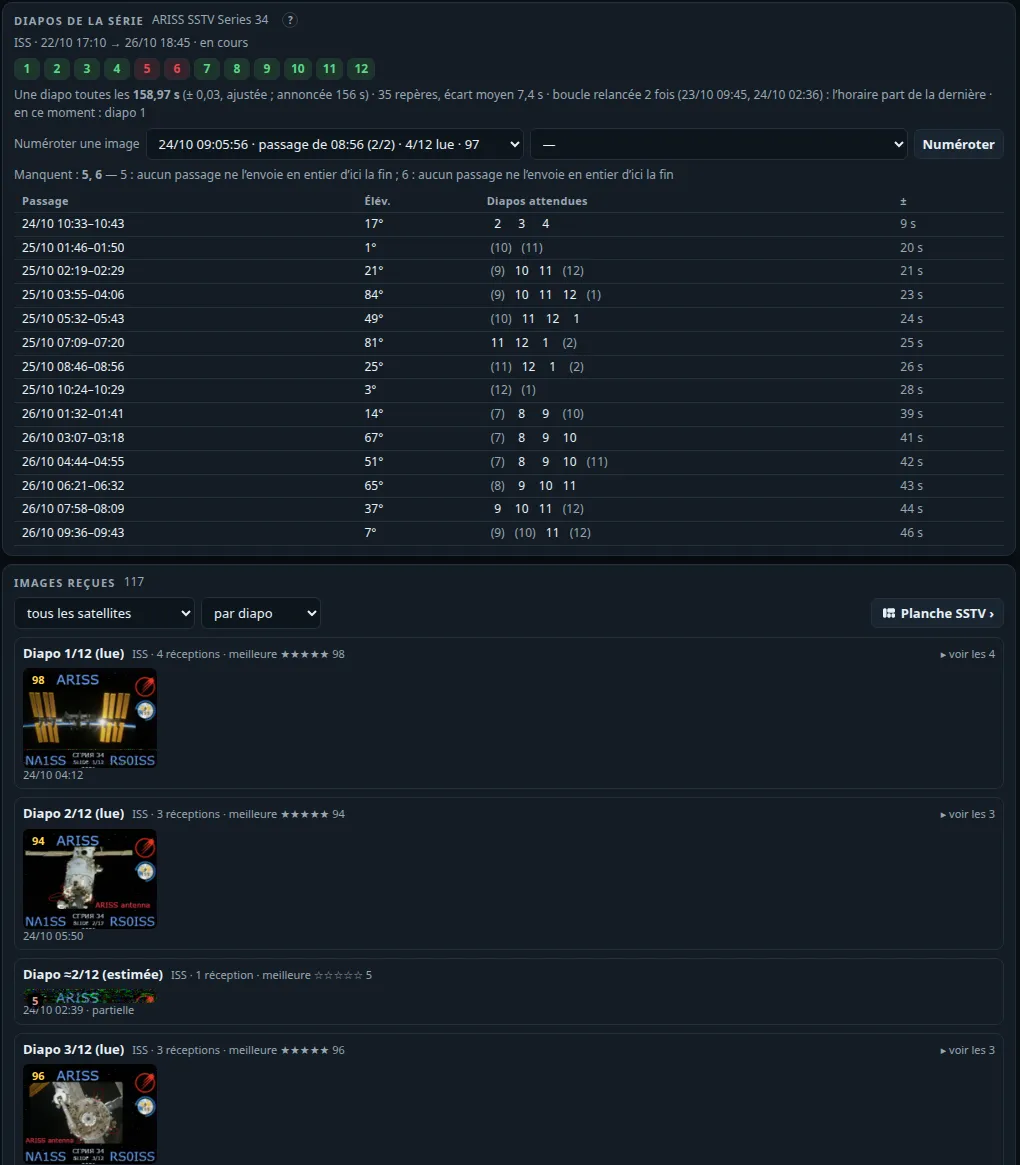
SSTV options#
In SSTV › Réglages › Options SSTV (the phone: SSTV, Direct tab), all receive only.
- « Diapo manquante attendue »: from the series' timetable (above), before each pass that sends whole a slide still missing — or received only with a mark under a threshold (60 by default, 0 for missing ones only) —, one notice per pass, N minutes before the slide (15 by default): « Diapo 5 attendue à 04:32 UTC (≈ 06:32 heure locale), 49° — passage ISS (74° max) ». On SatMe-PC with the activities' notices (toast, « Dernières alertes », and aloud when the announcements speak), on the phone as a notification on the activities' channel. It follows « Activités à venir »'s switch; a pass whose estimate is looser than a third of a period, or already begun, is never announced.
- Reception quality while a picture comes in, under the live picture: the sound's level (RMS and peak, dBFS) with a warning when it clips or is too low; each line's sync (green clean, amber noisy, red lost) and the SNR measured inside the sync pulses (dB in 3 kHz, fitted on white noise from 40 to 10 dB: noise ≈ 350·10^(−SNR/20) Hz; below 10 dB the pulses drown); the mark the picture heads for: each line spoilt 0..1 (sync lost or noisier than 130 Hz: 1, else (noise − 10)/120), 100 − 110 × their share − the share missing. On the owner's 49 ISS pictures of series 33 and 34 it follows the gallery's mark within 4 points (RMS). Measured beside the decoder: the picture is the same with or without it (tested).
- « Enregistrer le son de chaque passage SSTV » (SatMe-PC, off by default): each pass of the series' satellite, while it is followed and SSTV decoded, recorded from AOS to 30 s after LOS. Why ISS WAVs were already in
enregistrements/: each Agenda › SSTV campaign has its own « Enregistrer » box, ticked by default — the auto-pilot records every pass it takes (its history names the file). Each live picture's sidecar names its recording (recording=, now on the phone too: the recorder's MP3), so it can be decoded again; each picture also keeps its own sound. - Retention of the SSTV recordings: N days and/or a size, both 0 by default: nothing is ever deleted until you set them. Only an SSTV pass's recording is a candidate (named by a picture, the auto-pilot's history, or recorded by the option); never one linked to a picture used in a sheet or marked « à garder » (viewer), never one the passage journal names (unless unticked), never one less than a day old. Applied hourly (PC) or with the activities' check (phone), or by hand after the list is shown; each deletion is written to
enregistrements/retention-sons.log(phone:recordings/retention-sons.log). - QSL picture (viewer: 🪪 QSL): the picture doubled, a banner below or laid over its foot — callsign · locator (the picture's own, else Réglages › Ma station), date and time UTC, satellite, frequency and mode (from the activity or campaign then), elevation at reception and the pass's peak, series and slide n/12, « reçu avec SatMe » if wanted; PNG or JPEG. A new file: the original is never touched (tested). PC: download; phone: share.
- ARISS award pack (viewer: 🏅 Pack ARISS, or Pack ARISS de la série: the best copy of each slide): a zip with
original/(the pictures byte for byte),qsl/,LISEZMOI.txt(orREADME.txt) andresume.html: callsign, locator and region, date and UTC time of each capture, satellite, frequency, mode, series, slide, the pass (AOS, LOS, elevations), the mark, the equipment of the « Montage » plan that receives (else the rig chosen), and the steps. Nothing is sent.
The ARISS SSTV award, as read on 24 October 2026 (check the current series' page, it changes): receive and decode at least one picture of the session, a partial one accepted if recognisable (ARISS SSTV award, PZK); upload it on the ARISS SSTV gallery form — name, callsign (SWL without), e-mail (the certificate is sent there), general location, locator, campaign, date and UTC time of the capture; « clean » pictures only, no added callsign, no composite (so the original, not the QSL); png, jpg or gif, 800 kB and 800×800 at most; then, on the next page, sign up for the personalised certificate; requests accepted « typically 72 hours » after the event; the electronic diploma (PNG) comes by e-mail within three weeks (ARISS SSTV events).
FT8 / FT4#
The FT8/FT4 tab (Modes workspace), made to see the band, not only to read it. It all fits on one page, without scrolling: the waterfall on the left with the decoded lines and « Qui appeler maintenant » under it; on the right the Émission FT8/FT4 card and the radar. On a phone, the cards stack.
- The slot's ring: the 15 s as a circle, the countdown, cyan when the slot is even, orange when odd; beside it the clock read from the stations' DT.
- A waterfall that speaks: 46 s, the slots' edges and times. Each callsign decoded is written with its flag, at its frequency, in its slot. A free spot to send is found by itself (the quietest place between 500 and 2 500 Hz, away from the stations decoded; on QO-100, only in the digital segments).
- The radar: each station a dot at its bearing and distance from your QTH, fading with time, pulsing when just heard. Green for a CQ, ★ for a country new to your log, pink when it calls you.
- Who to call now: the stations of the last 5 minutes, ranked by what each would bring (new country, new locator, distance, strength, CQ, rarity); a click prepares the contact in the log.
- Marks the same everywhere (list, messages, waterfall): calls me, watched, new country, new locator, already worked. Stations guettées: the callsigns to watch for. One banner when the reception goes wrong (no sound, digital silence, nothing decoded for 40 slots).
- 💬 Messages, as a messenger: the conversations between two stations (flags, the last message, ✓ when the QSO is closed), each one as bubbles, or everything as it comes. Each message says what it is: 📣 call, 📍 locator, 📶 report, ✅ report received, 🤝 RR73 / 73.
The decoder, measured on a corpus of whole slots (weak stations down to −22 dB, overlaps, Doppler slopes, FT4): the satellite's known Doppler drift removed before decoding; each candidate read in its own narrow channel (start to 1/32 symbol, frequency to 1/16 tone); decoded signals subtracted and the rest searched again; residual drift searched, and that of a moving LNB (up to ±15 Hz/s, see A drifting LNB); hashed callsigns resolved (<CALL> when known); during a QSO, decoding by expectation of the partner's possible answers (marked ap). SatMe-PC goes deep when the satellite is low or there is time left in the slot. FT8 listening (on or off) and the FT8 / FT4 mode are kept across restarts.
PSK Reporter (Réglages, off by default): the FT8 / FT4 stations heard sent every 5 minutes with their locator, the frequency and the satellite — only when the frequency is sure (rig on CAT).
On your site (with Web publishing ready): the Passages FT8/FT4 sur le site card lists the journal's passes where messages were received; 🌐 sends a pass with its slots, the stations heard and their locators (kind ft8-passage, Sur clic by default; in Automatique, at the end of each pass). The FT8/FT4 live part sends each slot once decoded. Only messages heard on the air.
FT8 / FT4 transmit#
The tab's Émission FT8/FT4 card, on the right above the radar, sends FT8 and FT4 through the IC-9700 SatMe already keys (Settings › Transmit): its PTT over CAT, the audio to the rig's USB sound card or over the network link. Encoded in SatMe from the protocol description published in QEX (July–August 2020, public domain) — 77-bit message, CRC-14, LDPC (174, 91), 8-tone GFSK (FT8, BT = 2) or 4-tone (FT4, BT = 1) with ramps — and checked by running every message back through SatMe's own decoder.
- Six messages as in WSJT-X: Tx1 (call with grid), Tx2 (report), Tx3 (R + report), Tx4 (RR73, or RRR), Tx5 (73), Tx6 (CQ). Made from your callsign and grid and the chosen station, editable (a text that cannot be encoded is flagged); clicking Tx picks the next one sent. Compound callsigns (
EA8/F4IOZ,PJ4/K1ABC), hashed callsigns<…>, and 13-character free text are supported. - Starting: double-click a decoded line (or the ↩ button) to answer that station, in the slot opposite to its own; or 📣 Appeler CQ, in the even or odd slot; Activer l'émission resumes sending the message chosen. The automatic sequence (on by default) then moves on by itself: report → R + report → RR73 → 73. A station calling you while nothing was started is shown, never answered by itself.
- TX frequency: marked in red on the waterfall; Shift + click in the waterfall moves it, ▼ place libre puts it on the clear spot found. When a QSO starts, SatMe moves it to a clear spot if a decoded station sits there — never onto the called station's frequency; « Garder la fréquence d'émission » keeps it still.
- End of the QSO: once RR73 or 73 is sent (or 73 received after your RR73), transmitting stops and the QSO terminé card offers the contact, prefilled (callsign, grid, reports sent and received, mode FT8 or FT4, satellite and SAT propagation mode for ADIF, or terrestrial): ✓ Noter le QSO writes it to the log; nothing is logged without that click.
- On a satellite (linear transponder, RS-44 for instance): the uplink follows the Doppler and the satellite's TX offset (« Aligner… ») as in voice; on an inverting transponder the uplink is LSB and the signal comes back on the downlink at the same audio offset above the dial (USB). The card says where it goes up and where it comes back; SatMe refuses when the signal would leave the uplink passband, when the chosen transmitter has no uplink (a beacon) or is not a linear transponder. On QO-100 the IC-9700's rules stay (never on a beacon, LEILA cuts).
- Mode données (USB-D) (under the card's Réglages fold, with the audio level; on by default): while transmitting is armed (listening on), SatMe puts the IC-9700 in USB-D / LSB-D (FM-D on a band in FM): the rig then takes its TX audio from DATA MOD (MENU › SET › Connectors › MOD Input: USB, or LAN over the network), as WSJT-X does. In satellite mode both bands go to data (uplink and downlink, receive included, as WSJT-X does); out of satellite mode, the VFO in use. Only the data flag changes, never USB or LSB; the Doppler loop keeps it when it writes modes again (a new transponder, a mode put back). Nothing is switched during PTT: transmitting waits for the rig to be in USB-D, and the restore waits for the end of the message. When it stops (transmit disabled, QSO over, listening stopped, page closed, rig disconnected), each band gets its previous flag back — a USB-D set by hand stays USB-D. The card shows the mode read from the rig (« poste : USB-D ✓ »). CI-V commands: band selection (
07 D0/07 D1), then1A 06 01 01(data, filter 1) or1A 06 00 00;26is not used, the IC-9700 refuses it in satellite mode. Over USB and over the network alike. - Box unticked, or another rig (IC-9100, IC-910H, TS-2000, FT-817, IC-705: data mode not switched by SatMe, and SatMe keys only the IC-9700): the satellite loop owns the mode; set the rig so SSB takes the USB audio (IC-9700: DATA OFF MOD = USB, or MIC,USB), as for the page's microphone.
The FT8 / FT4 rule: no robotic or unattended QSO. It is a condition attached to the names FT8 and FT4. In SatMe-PC a QSO only starts from your action (double-click, « Appeler CQ »); an attendance watchdog (3 min by default, 1 to 10) stops transmitting after that long without an action from you — CQ included, with the countdown shown; the page closed or unreachable for more than 15 s stops it too. ■ Arrêter l'émission is always there: on the card, in a band shown on every tab while transmitting is armed, in the header's TX light, and Esc.
Before transmitting, SatMe checks: FT8/FT4 listening on (transmitting follows the decoder), the PC's clock read from the stations (refused beyond ±0.5 s in FT4, ±1 s in FT8), the rig connected and allowed (the rules of Settings › Transmit: time-out, power cap, transmitting over the network). The PTT is keyed 0.2 s before the audio and released once the audio is out; the start may slip up to 2 s (FT8) or 1.3 s (FT4) into the slot to wait for the previous slot's decode. PSK Reporter is unchanged.
Demo (--demo): nothing is ever transmitted — transmitting is simulated (the audio made then dropped) and made-up stations (Q callsigns) call CQ and answer, to try the page without a radio.
First on-air test, step by step (you stay at the screen throughout):
- The clock: the PC synchronised (NTP:
timedatectlmust say System clock synchronized: yes); in the tab, the clock read from the stations stays within ±0.5 s. - The rig: the IC-9700 connected over CAT (USB or network); Réglages › Émission: the rig's sound card, a low maximum power (10 % for instance), the time-out. On the rig: MENU › SET › Connectors › MOD Input › DATA MOD = USB (or LAN over the network), VOX off.
- Listen first: FT8/FT4 tab, listening on at the frequency wanted (terrestrial, or QO-100 narrow band in the digital segment), stations being decoded.
- The Émission FT8/FT4 card, Réglages fold: Mode données (USB-D) ticked, the audio level (turn it down if the rig's ALC moves); the card must say « poste : USB-D ✓ » once transmitting is armed.
- A first message: ▼ place libre, then 📣 Appeler CQ; watch the rig's ALC and power, and on QO-100 your signal on the downlink, weaker than the beacon. ■ Arrêter l'émission (or Esc).
- A QSO: double-click a decoded CQ; the sequence moves on by itself while you stay there (the watchdog stops everything without an action from you); ✓ Noter le QSO at the end. Only then a linear satellite (RS-44 high in a pass), once aligned (Aligner…).
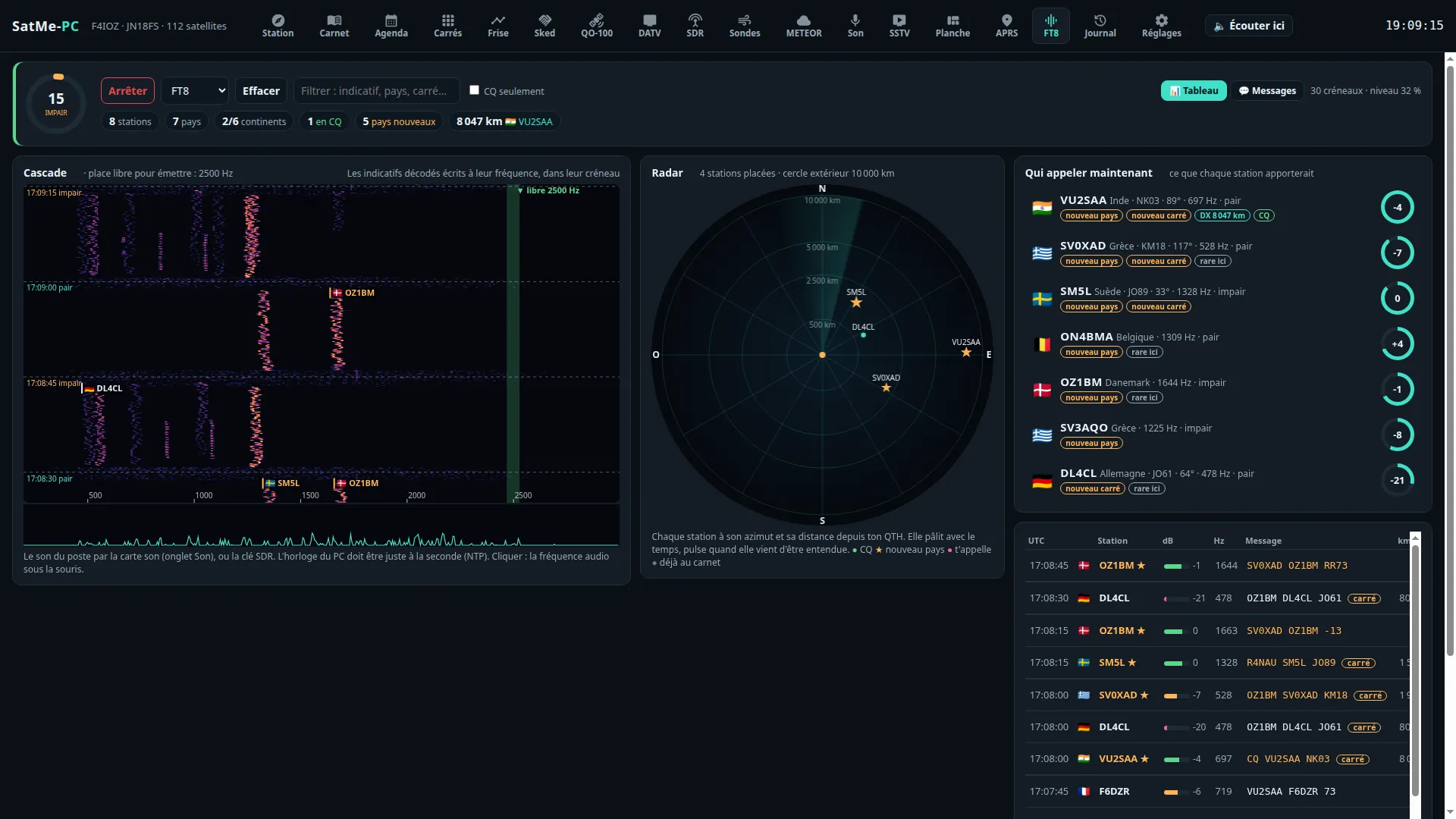
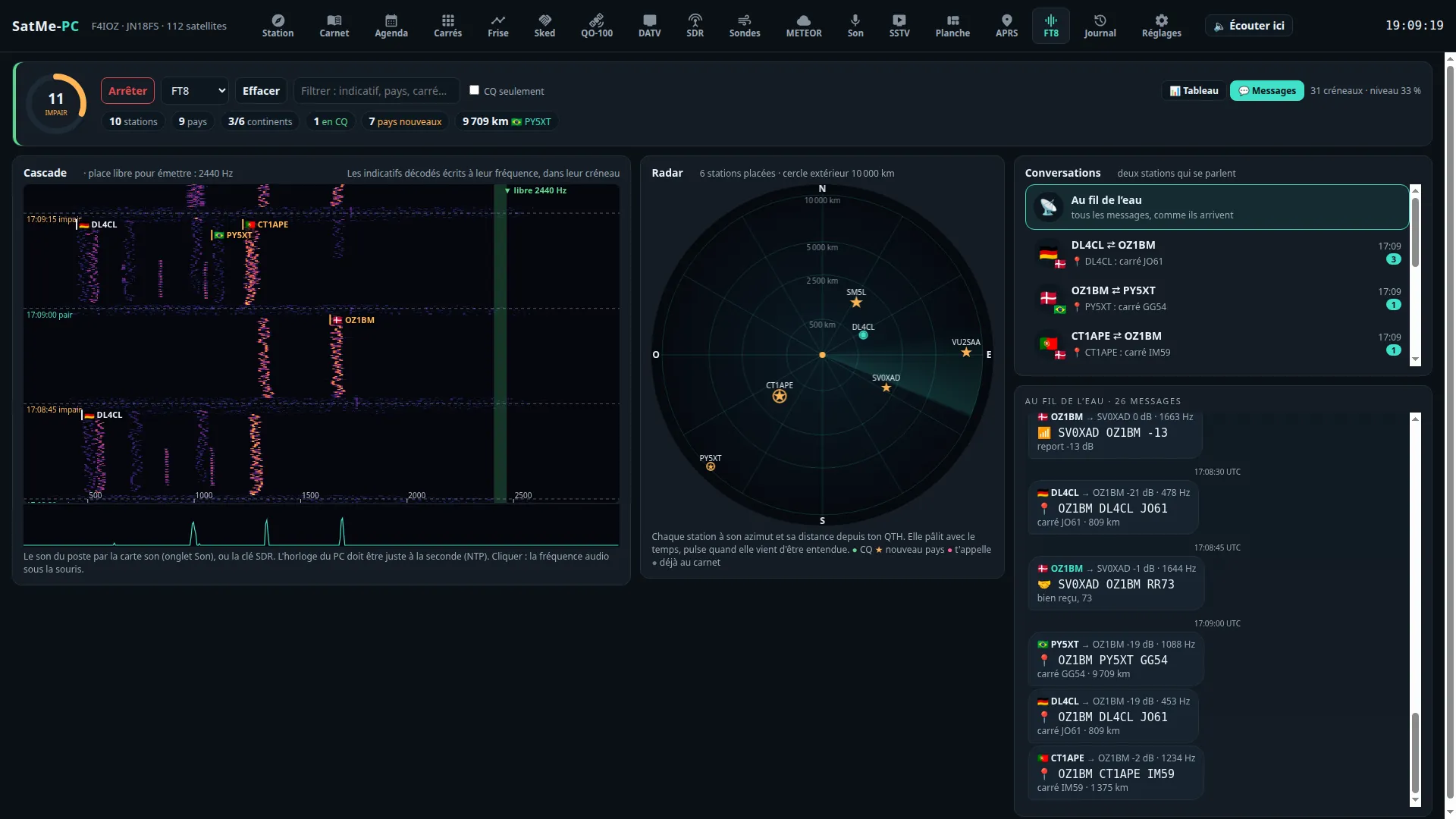
Telemetry#
The Télémesure tab (workspace Modes) decodes what satellites send about themselves: FSK / GMSK packets from 1200 to 9600 bit/s, SSDV pictures, BPSK telemetry in the FUNcube format. Four sub-tabs: Paquets, SSDV en BLU, Images SSDV, BPSK. Everything is off by default; receive only. Frames are kept on the PC (telemesure/); nothing goes to the internet without the Partager avec SatNOGS DB box.
FSK · GMSK packets#
The Paquets sub-tab decodes cubesats in FSK or GMSK from 1200 to 9600 bit/s, including the « G3RUH » 9600 bit/s format (1 + x¹² + x¹⁷ scrambler, NRZI, HDLC frames with CRC-16, mostly AX.25).
- Ticked (off by default), it takes the main SDR receiver's raw I/Q samples off QO-100 (not the sound): FM discriminator, residual frequency correction up to ±12 kHz around the followed Doppler, clock recovery, then two readings of the bits (with and without the scrambler).
- The rate comes from the followed satellite's SatNOGS DB transmitter (FSK, GFSK, GMSK, MSK and its speed) or is chosen by hand. AX.100 « mode 5 » frames (ASM + Golay) and satellite-specific protocols are not read.
- Each frame: the time, the AX.25 header and its text (or the bytes), the received and transmitted frequency (Doppler removed), the correction applied. Kept per pass in
telemesure/paquets/(one JSON line per frame, and a KISS file if ticked). - Essai: a made-up burst (telemetry and SSDV packets) goes through a separate decoder. The SDR test generator also has a « Paquets 9600 » signal: telemetry bursts and an SSDV picture, end to end.
- Partager avec SatNOGS DB (off by default): each frame received from a followed satellite is sent with the public SiDS protocol, with the station's callsign, UTC time and the position rounded to 0.1° (≈ 10 km). Frames from the test, the generator and replayed recordings are never sent.
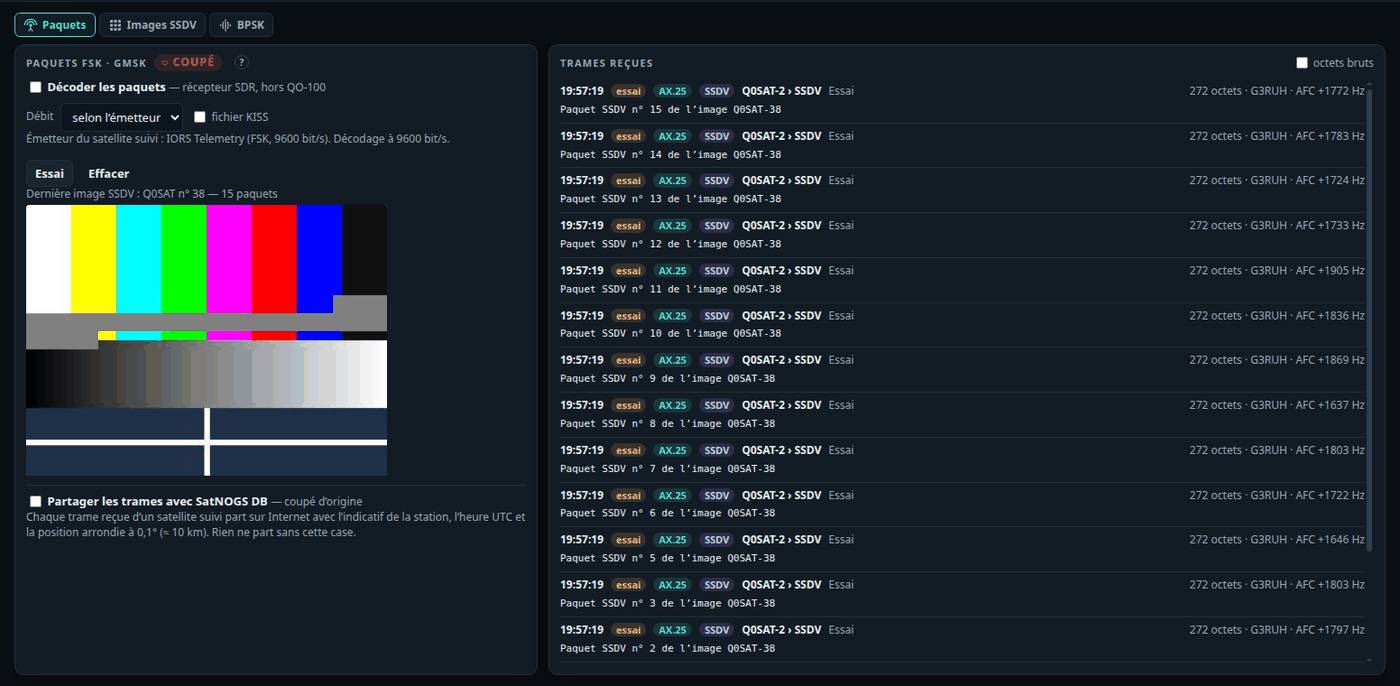
SSDV pictures#
The Images SSDV sub-tab rebuilds the SSDV pictures (JPEG in 256-byte packets, CRC-32 and Reed-Solomon) found in the decoded frames, packet by packet; the blocks of missing packets stay grey.
- Over several passes: satellites often send a picture again, or its rest, an orbit or a day later. A packet with the same callsign and image number as a picture received within the last 3 days, of the same size and quality, completes it; the image number is a single byte and comes round, so a packet number already there with other bytes, or one past the end of a finished picture, starts a new picture. Duplicates (both bit readings, a replay, an import) are kept once; every packet's CRC is checked.
- Each picture shows N/M paquets, X % (M guessed, « ≈ », until the last packet came), en cours or complète, a strip of its packets coloured by the pass that brought them (dark: missing), and the list of passes (time, packets, source). The picture updates live during the pass.
- Kept on disk: each picture's packets in
telemesure/ssdv/paquets/<id>.jsonl(one line a packet, read back at start: a picture under way survives a restart). A complete picture is written as a JPEG intelemesure/ssdv/and joins the gallery. - ⤓ PNG / ⤓ JPEG export a picture as it stands (missing blocks grey); Abandonner forgets a picture under way and its packets.
- Importer des paquets…: the packets of a missed pass from a file — raw SSDV packets one after the other, a KISS file, or SatMe's frame log (
telemesure/paquets/*.jsonl, with its times). They join the pictures like received ones, as a pass of their own named after the file. (I/Q or WAV recordings replayed through the SDR are treated as tests and do not feed the pictures.) - In the demonstration (
--demo), two made-up pictures put together over two passes: one complete, one still a few packets short. - Where the packets come from, by satellite (the chain follows its transmitter in SatNOGS DB):
- SO-127 (HADES-SA) and AMSAT-EA's other « GENESIS » satellites: narrow FSK heard in USB — the SSDV en BLU sub-tab below;
- IO-86 (LAPAN-A2): SSDV relayed by its FM repeater in AFSK 1200 (ssdv2sat): the card's APRS decoder hears the frames (rig in FM), bare or in AX.25, whole or shorter packets (fsphil's
ssdv -l); they join the pictures, the pass labelled « AFSK 1200 »; - cubesats in FSK / GMSK 1200–9600 bit/s: the Paquets sub-tab (SDR);
- Geoscan-2/4/5, 239Alferov send no SSDV but JPEG chunks in their GFSK 9600 frames (sync word 0x930B51DE, PN9 whitening, CRC-16): the same packet decoder reads them, and their pictures show here as the chunks come (each chunk at its byte offset; shown once the chunk starting with FF D8 came). Kept in
telemesure/geoscan/; - not read yet: ASRTU-1 (BPSK 9600, CCSDS concatenated coding).
- 🌐 sends a picture to your site (Publication web, type
ssdv-image, docs/publication-web.md); once sent it goes again by itself as more packets come (the same key: the site replaces it).
SSDV in USB: SO-127 (GENESIS FSK)#
SO-127 (HADES-SA, 436.875 MHz) sends 2-FSK directly on the carrier: 800 bit/s with 1600 Hz between the two tones (200 bit/s with 1125 Hz on some months), the lower tone a 1. An FM receiver loses it; in USB it is two audio tones. The SSDV en BLU sub-tab decodes it from the audio, receive only:
- The rig: pick the satellite, then its transmitter « SSDV », « GENESIS FSK » or « FSK 800 » in Fréquences (Doppler): SatMe sets the IC-9700 to USB-D (USB with the data mode: the rear audio, the microphone muted) on the downlink, Doppler corrected. The list now shows every live transmitter with its frequency and the rig's mode; Autre fréquence… types one of your own.
- The sound: carte son (the Son tab's card — the IC-9700's USB codec) or récepteur SDR (the SDR in USB).
- The chain: the two tones searched across the audio band every third of a second (the Doppler's residue followed), two matched filters (one bit long), a Gardner clock, then the GENESIS frames (128 bits of 0xAA, sync 0xBF35, size, type/address, data scrambled by x¹⁷ + x¹² + 1, CRC-16/CCITT) and an SSDV search in the raw bits (« 55 66 » at any bit, both polarities): an SSDV packet comes out even if the framing were misread. Type 10 frames are whole 256-byte SSDV packets.
- Débit: from the transmitter, or 800 / 200 bit/s by hand.
- capturer les bits: the demodulated bits of each pass kept in
telemesure/genesis/<pass>.bits(and the frames in.jsonl), to read again or study later. - Relire: a recording of the Son tab (
SatMe_<satellite>_<time>Z.wav, its time from its name), a capture, or Fichier… — a WAV of USB audio from any program (8/16/24/32-bit PCM or float, mono or stereo). Its packets join the pictures, the pass named after the file. - Essai: a made-up signal (a test chart in SSDV packets, noise, 3 Hz/s drift) through a decoder of its own; nothing kept.
- Auto-pilot: an Agenda › SSTV campaign with Décodeur SSDV en BLU (SO-127) ticked (ticked by itself for a satellite with such a transmitter) switches this decoder on for its passes, from the campaign's sound, then back as it was; the pass's report says how many packets came. Receive only: the satellite's uplink (145.875 MHz) is never used.
- Checked on made-up signals only (noise, drift, both rates). To check it on a real pass: record the pass's USB audio (Son › Enregistrer, the rig in USB-D on SO-127's « SSDV » transmitter) with capturer les bits ticked, then Relire the recording.
BPSK: FUNcube and the QO-100 beacon#
The BPSK sub-tab decodes telemetry in the FUNcube format: AO-73 (FUNcube-1) and those reusing it, 1200 bit/s BPSK, the same coded frames as the QO-100 beacon (256 bytes every 5 s).
- Ticked (Décoder la télémesure 1200 bit/s, off by default), it listens to the main SDR receiver off QO-100: tune it in SSB (USB) to the telemetry downlink (AO-73: 145.935 MHz), Doppler followed by SatMe; the carrier is searched across the audio band then held by a Costas loop.
- Each frame: satellite and type (whole orbit, high resolution, message), the real-time values read from AMSAT-UK's published downlink document and its equations (panel and battery voltages and currents, temperatures, radio, PA, antennas, software state), the message if any, or the raw bytes.
- Essai: a made-up signal goes through the same decoder (marked essai). Uploading to the FUNcube data warehouse is not done.
- QO-100 beacon: the middle beacon at 400 bit/s is decoded in the QO-100 cockpit (Balise sub-tab); a link leads there.
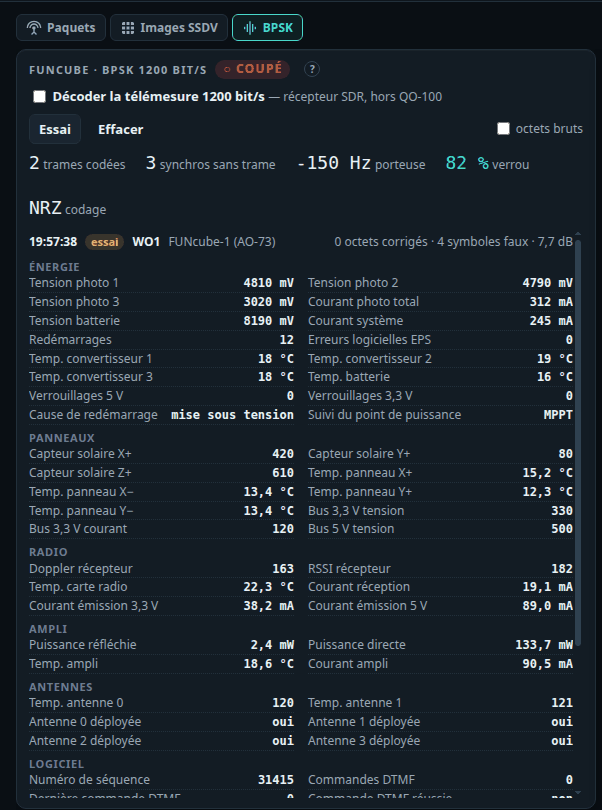
Voice to text (Phonie → texte)#
What the station hears in SSB or FM — the sound card, the SDR's sound, or a DATV stream's sound — written out over by over: QO-100's SSB is the first use. A window Phonie → texte in the SDR, QO-100 and Carnet tabs shows each over as a bubble: time, frequency (QO-100's downlink when on QO-100), language, text (paler when the engine is less sure), and its translation when asked. Callsigns (written or spelled: "Sierra Papa five Alfa Bravo Charlie", "Fox quatre Italie Oscar Zoulou", in English, French, German, Spanish, Italian, Polish), locators ("Juliett November one eight") and reports ("five nine", "cinq neuf") are lit; a callsign's chip prepares the contact in the log, with the locator and report heard.
- Off by default. Nothing listens and nothing starts until the window's box is ticked.
- The engine is faster-whisper, in Python, as a separate process on this PC: during listening nothing leaves the PC. Réglages › Phonie → texte › Installer le moteur creates a Python environment in SatMe's folder (
stt/), installs faster-whisper from PyPI (about 150 MB; with an NVIDIA card, about 1.3 GB more for cuBLAS and cuDNN) and downloads the model chosen (large-v3 3.1 GB, turbo 1.6 GB, medium 1.5 GB, small 0.5 GB). Nothing is downloaded without that button. It needs Python 3.9 or newer (Debian/Ubuntu:python3-venv; Windows: python.org, "Add python.exe to PATH"). Another interpreter with faster-whisper can be given instead. - An NVIDIA card is used when it answers, else the processor (choose small or medium there). On an RTX 3060 with large-v3, 20 s of speech take about 1.3 s.
- Translation, offline (Traduire en, French by default): each over translated on the PC with open OPUS-MT language pairs (CC BY 4.0), through English when there is no direct pair. Installer la traduction fetches the languages ticked (Polish, German, English, Spanish, Italian, Dutch, Portuguese, Russian, Ukrainian, Czech…) into
stt/traduction. - The voice is cut between silences (1 to 25 s, the squelch respected); noise, carriers and the sentences an engine invents on noise ("Thank you for watching"…) are dropped. When the engine lags, the oldest over waiting goes, and the window says how late it is.
- Each day's transcript is kept in
phonie/YYYY-MM-DD.jsonl; ⤓ downloads it as text. - 🔊 Traduction parlée (spoken translation; off by default, receive only: the voice is never transmitted): each over's translation said by a synthetic voice, on the PC's speaker (the received sound lowered meanwhile), in the browser, or both; ⚙ opens its settings (voice, intonation, output, volume, foreign languages only). Two overs wait at most, none older than 30 s. Réglages › Phonie → texte › Installer la voix adds Piper (piper-tts, about 35 MB) to the engine and one voice per language (about 63 MB each,
stt/voix). Without Piper: eSpeak NG or speech-dispatcher, else the browser's voice. Intonation proche: on the over heard, the voice's pitch (100 times a second), its mean and spread, the speed (syllables a second) and each phrase's loudness; the synthetic voice takes about the same speed, its mean pitch is brought to the speaker's (8 semitones at most) and its phrase rises and falls are 70 % replaced by the ones heard (a degree-2 curve per phrase), by a pitch-synchronous pitch shift that keeps the length and the formants. Voix clonée (optional, about 1 GB: torch for the processor and the OpenVoice V2 tone colour converter, MIT licence): the speaker's timbre too, about 2 s of computing per 10 s over.
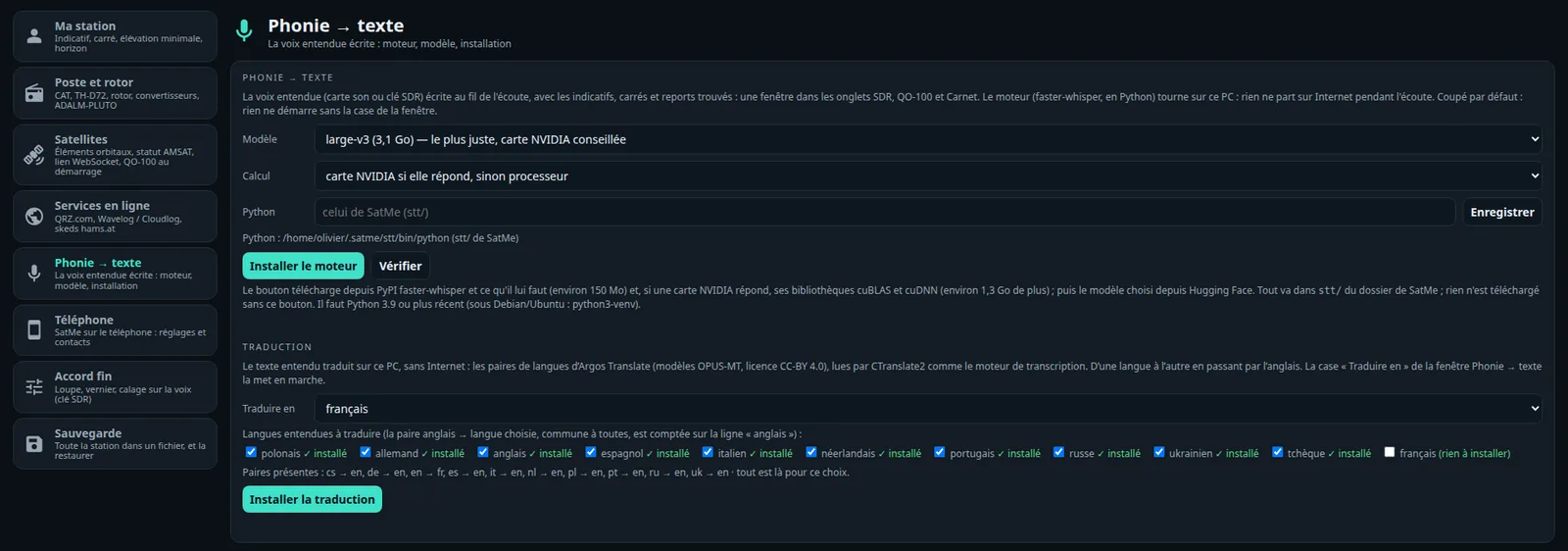
The SDR receiver#
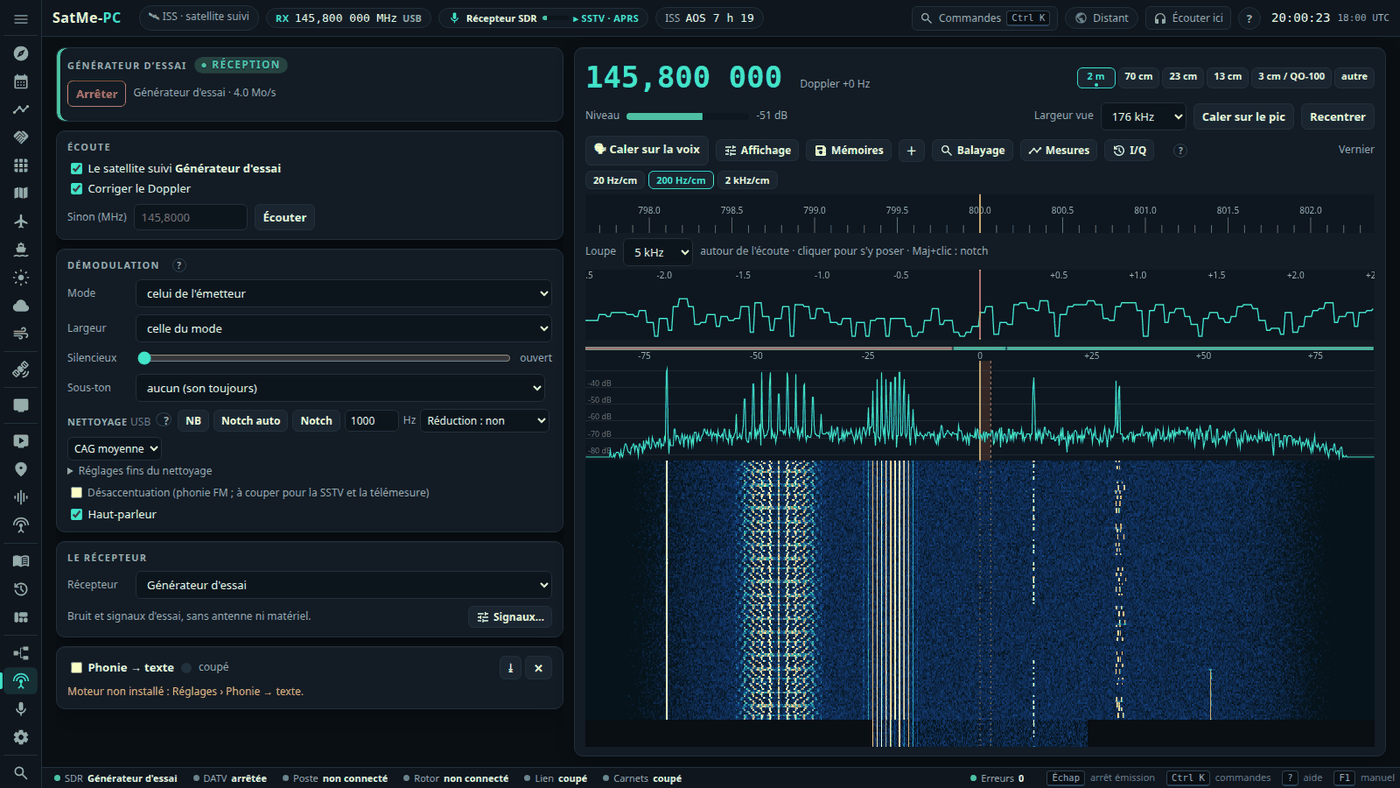
The SDR tab (workspace Station): listening (the followed satellite, Doppler corrected, or a frequency), demodulation (NFM, USB, LSB, AM; width, squelch, de-emphasis), the spectrum and waterfall, the vernier and magnifier. On the spectrum a click tunes, the wheel zooms, dragging moves the view within the 176 kHz the receiver sees, the passband's edges can be pulled; on the waterfall the wheel tunes; on the keyboard ← → one step, ↑ ↓ ten steps. Reception only.
- The satellite scale (between the spectrum and the waterfall): every known downlink in the view, where your station hears it now (Doppler and the satellite's manual correction included). Green: above the horizon; white: rising within 5 min; grey: below (its trace may still show). A linear transponder is a band whose edges follow the Doppler (blue when up). The followed transmitter is highlighted, favourites in bold; hovering gives name, mode, Doppler, elevation/azimuth, time to AOS or LOS. A click on a name follows that transmitter; inside a band it tunes there and keeps the place in the band as the Doppler moves it; elsewhere a plain fixed frequency. The orange rectangle is the passband: the wheel on it fine-tunes (Alt: ten times faster); elsewhere the wheel zooms, dragging pans, a pinch zooms on a phone. Ctrl + wheel or Ctrl + drag on a satellite sets its correction manuelle (kept for it, the same as the satellite panel's RX calibration). The demonstration (
--demo) puts its test generator's signals on the satellites up in view. - CTCSS: in NFM the sub-tone heard (the 50 tones from 67.0 to 254.1 Hz) is read under the voice in less than a second and shown beside the level (« CTCSS 67,0 Hz », its deviation on hover). Sous-ton (Démodulation card, aucun by default): the tone squelch — the sound (speaker, decoders, speech) passes only while that tone is heard. Receive only; the test generator can put one under its FM signal.
Memories and band plan#
Mémoires (and + for the frequency listened to): named frequencies with their mode, width, CTCSS tone, a tag and a colour, kept in folders (one level of sub-folders).
- A click on a memory tunes the receiver there: within the view, by the offset; beyond it, the receiver goes there and stops following the satellite.
- Drag and drop between folders, rename, delete (memories move to the parent folder), sort, search, edit in the row; a memory can be locked out of the scan.
- On the spectrum, small flags: click to tune, right-click to edit. Filter by tag.
- Kept by SatMe-PC (
memoires-sdr.json); Exporter / Importer as JSON, without doubles, from one PC to another. - Band plan: a coloured strip at the top of the spectrum — IARU Region 1 for 2 m, 70 cm, 23 cm, 13 cm and 3 cm, and QO-100's. It can be replaced band by band with a
plan-bandes.jsonfile in SatMe-PC's folder (the default plan downloads from Affichage as a model). - Band stack: the band buttons (2 m, 70 cm, 23 cm, 13 cm, 3 cm / QO-100) keep the last three frequencies, modes and widths that stayed more than 5 s; pressing the band again steps through them.
Scanning (Balayage)#
Balayage (SDR tab), receive only:
- What is scanned: a folder's memories, a range channel by channel (step and mode to choose), or a range judged span by span on the wide spectrum.
- Stop on a level above the noise or on the squelch opening; resume when the signal drops, after a time, or by hand; a priority channel checked every N seconds; locked-out channels skipped; signals found kept as memories.
- The scan's steps are never written to the settings; at the stop the frequency is kept once, or the one before given back (revenir à la fréquence d'avant, and always when nothing was found). Refused while DATV, ADS-B, QO-100, a sonde or METEOR holds the receiver; a hand tuning stops it.
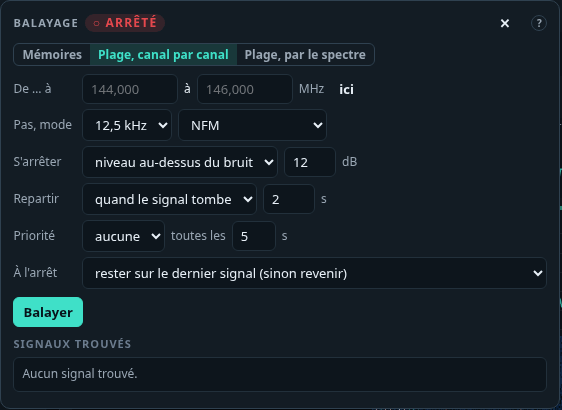
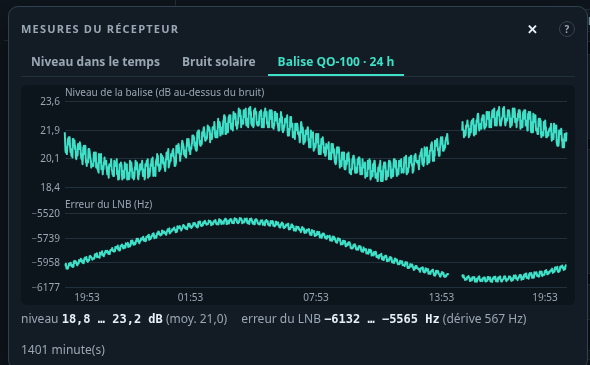
Display (Affichage)#
The Affichage button sets the spectrum and waterfall, kept in this browser (défaut goes back to the defaults):
- Average over 2 to 16 frames; peak hold (fixed or decaying 1, 3 or 10 dB/s) and minimum hold, cleared with ⟲;
- Levels: auto (the bottom on the noise, the top on the strongest signal), or a reference and a range (30 to 120 dB);
- Waterfall: seven palettes, contrast, brightness, black set on the noise, speed;
- Tuning: inertia wheel (a quick spin starts the tuning, which slows down), steps in SSB / CW (1 to 100 Hz) and FM / AM (100 Hz to 12.5 kHz);
- Markers: the band plan, the memory flags.
Sound cleaning#
Under the demodulation (SDR tab and QO-100 cockpit), set for each mode (USB, LSB, NFM, AM) and kept; everything is off at first.
- NB (noise blanker): very short clicks (switching supplies, the LNB supply) found on the raw I/Q samples and blanked before any filter; threshold and width in Réglages fins du nettoyage.
- Notch auto: up to three steady carriers whistling in the voice, notched out; in CW a note must hold 2 s before it is notched, so the keying gets through.
- Notch: a narrow notch at the audio frequency given; Shift + click on the spectrum or the magnifier puts it on a carrier.
- Noise reduction light, medium or strong: the hiss drops between words and under the voice (29 ms of delay, paused while the squelch is closed).
- Sound AGC in SSB and AM: slow, medium or fast.
I/Q: back in time, recording, replay#
The I/Q button keeps the receiver's raw samples (1.0584 MS/s: 127 MB a minute from an RTL dongle, 254 MB from the Pluto, the bladeRF or the generator), as SigMF (.sigmf-data and .sigmf-meta: frequency, date, satellite, mode).
- Remonter le temps (off by default): the last 1 to 10 minutes always kept in a fixed-size file on disk; Garder les dernières minutes turns them into a recording — a signal noticed too late is not lost.
- ● Enregistrer: 1 to 60 minutes at most.
- Replay: the Fichier I/Q Récepteur takes the recording as the receiver; spectrum, demodulation and decoders (SSTV, CW, FT8, voice) work on it. Pause, position, speed ×1 / ×2 / ×4, loop, and tranches FT8 (restart aligned on the 15 s slots). Raw files (
.cu8,.cs8,.cs16,.cf32) dropped in the folder replay too. - What is decoded from a recording is marked « relecture » (dated from the recording), never taken for a real reception: no journal, no sheet, no PSK Reporter, no SatNOGS, no « new picture »; APRS frames are counted, never kept, and no automatic pass recording starts.
Test generator#
The Générateur d'essai Récepteur: a fake receiver, with no antenna or hardware — noise (strong, medium, weak) and signals around the frequency listened to, each with its offset and SNR: carrier, keyed CW (text and speed to choose), SSB (synthetic voice), FM tone (with a CTCSS sub-tone if wanted), an FT8 call in the even slots, SSTV pictures in narrow FM, PSK31, RTTY, « Paquets 9600 » (telemetry and an SSDV picture). Écouter sets the mode and offset to hear it. Nothing is transmitted; SSTV pictures show without being kept, nothing goes to PSK Reporter.
Measurements (Mesures)#
The Mesures button (SDR and QO-100 tabs), reception only:
- Level over time: the channel listened to, a marker set a few kHz from the listening frequency (it follows the Doppler), the noise floor, or the QO-100 beacon over the noise; over 10 min, 1 h or 24 h, as CSV (mean, minimum, maximum, UTC).
- Sun noise (Y factor): aim at cold sky, Mesurer, then at the Sun, Mesurer; the Sun / cold sky ratio against the expected one, worked out from the dish's diameter and efficiency, T<sub>sys</sub> and the day's solar flux (SFU at 10.7 cm, typed by hand: nothing is fetched from the internet). Balayer: a grid around the Sun by the rotator (rotctld or simulated), after confirmation, within its end stops; « Arrêter » stops the rotator.
- QO-100 beacon · 24 h: one point a minute while the beacon is followed — its level over the noise and the LNB's error; the drift from night to day.
SDR hardware#
The SDR tab's Récepteur chooses the receiver; everything works the same with each: Doppler, QO-100 (behind the LNB, IF around 739 MHz, or behind a converter), the cockpit, waterfall and panorama, the signal classifier, the sound for the decoders (FT8, SSTV, APRS, voice, LEILA), METEOR, radiosondes. Fine tuning as on the phone: the vernier (N Hz per cm, with momentum), the magnifier around the listened frequency, voice netting in SSB (Réglages › Accord fin). SSB and AM use a hang AGC.
| Hardware | Link | Receives | Transmits |
|---|---|---|---|
| RTL-SDR dongle | rtl_tcp, on this PC (started for you) or on the network | about 24 MHz – 1.7 GHz | — |
| ADALM-PLUTO | network (USB cable: 192.168.2.1, port 30431; or Wi-Fi / Ethernet) | 70 MHz – 6 GHz | DATV, SSTV |
| bladeRF 2.0 micro | USB 3, through bladeRF-cli (Linux) | 70 MHz – 6 GHz | DATV, SSTV |
| HackRF One | USB, through hackrf_transfer | — | DATV tests only (indoor, dummy load) |
| MiniTiouner | USB, through LongMynd (or a SatMe-Node) | DVB-S / S2 | — |
| IC-9700 IF | the rig's sound set to IF (network or USB sound card) | the 12 kHz IF, ±3.6 or ±7.5 kHz | — |
ADALM-PLUTO#
Nothing to install: SatMe talks to its IIO server directly. On its USB cable it answers at 192.168.2.1 (port 30431); on Wi-Fi or Ethernet give its address.
- The receiver only receives. It sets the RX oscillator, the sample rate, the analog bandwidth and the gain, and nothing else: it never opens the transmitter, never writes its settings, never touches its USB drive or its
config.txt. Only the transmitter's code (DATV, SSTV) writes on the transmit side. - It runs at 2.1168 MS/s, brought down to the dongle's 1.0584 MS/s; its 12 bits are kept to the demodulator. About 8.5 MB/s on the cable.
- Gain: automatique is the AD936x's slow AGC; otherwise 0 to 71 dB. The status line shows the board and its firmware. Pulled out, or silent for three seconds: the reception stops and says why.
bladeRF 2.0 (USB)#
A Nuand bladeRF 2.0 (micro xA4…) on a USB 3 port, driven through the bladeRF-cli tool in interactive mode, the samples (SC16 Q11) going through a named pipe.
- Installing (Linux):
sudo apt install bladerf(bladeRF-cli, libbladeRF and the udev rule). The FPGA loads by itself when the board opens, from~/.config/Nuand/bladeRF/hostedxA4.rbf(or/usr/share/Nuand/bladeRF/): put your model's.rbffile there. The package's udev rule gives access to the plugdev group:sudo usermod -aG plugdev $USER, log in again, unplug and plug back. Check withbladeRF-cli -p. - Détecter (SDR tab or Émission card) runs
bladeRF-cli -e info -e version: read-only, it shows the model, serial number, FPGA and firmware; that serial is then used to open the board. bladeRF-cli's folder is set in the SDR tab (empty: the PATH). - Receiving: as the Pluto, 2.1168 MS/s brought down to 1.0584 MS/s, 12 bits kept; gain automatique (the AD9361's AGC) or 0 to 60 dB. Only RX1 commands; silent too long or unplugged, the reception stops and says why.
- Transmitting: the Pluto's rules (the same AD9361), QO-100 included. The gain is an attenuation (bladeRF-cli gets 66 + gain), −50 dB by default, never above the maximum in Réglages, held at −40 dB into a load and indoors. Each setting is checked in bladeRF-cli's answer before
tx start; once the stream flows the gain is read back. Stop:tx stop, pipe closed,quit, then the tool ended. A bladeRF receiving does not transmit, and the other way round. - Windows: bladeRF-cli.exe cannot write into a named pipe: the bladeRF works only under Linux for now; the page says so.
HackRF One (test transmitter)#
The DATV Émission card's Émetteur also offers a HackRF One, to test a receiver — never to QO-100: its converter takes 8-bit samples, its harmonics and spurious outputs need a filter, and QO-100 needs a power amplifier. The HackRF sends only in the indoor test and the dummy load test.
SatMe drives it through hackrf_transfer, the samples on its standard input as signed 8-bit I/Q, at the Pluto's sample rates, with the narrowest baseband filter that holds the signal:
hackrf_transfer [-d SERIAL] -t - -f FREQ_HZ -s RATE -b FILTER_HZ -x VGA -a 0 -p 0
- Installation. Linux:
sudo apt install hackrf(it bringshackrf_transfer,hackrf_infoand the udev rules: unplug and replug the HackRF afterwards). Windows: the HackRF tools for Windows (hackrf_transfer.exe,hackrf_info.exe) and the HackRF's WinUSB driver; give their folder in Outils HackRF if they are not in the PATH. - Detection, read-only. Détecter runs
hackrf_infoonly (it lists the boards, sends nothing). Nothing else runs until ÉMETTRE is confirmed. - Low power only. The RF amplifier is always off (
-a 0on every command line; a line without it, or with any other option, is refused by the code), the antenna port's supply off (-p 0), the TX VGA gain 0 to 20 dB at most (the HackRF goes to 47). - Oscillateur décalé (on by default): the LO is tuned beside the signal and the baseband shifted back digitally, so the LO leakage falls outside the occupied band; indoors the LO and the image stay in the same amateur band.
- Stop: the tool's input closed first, then terminated, then killed. It stops when the tool dies, says the HackRF is missing or busy, stops taking samples for 3 s, at the end of the time allowed, when the page is silent for 15 s, and when SatMe-PC closes.
Aircraft (ADS-B) and the map#
The Avions tab receives ADS-B on 1090 MHz (2 MS/s), off until Recevoir is clicked. Reception only.
- Receiver: the SDR tab's dongle (taken only on Prendre la clé, the SDR tab then no longer starts on it), a second dongle (its own rtl_tcp,
-dindex or serial, on its port), or the ADALM-PLUTO (never taken from DATV or transmission). Gain, réparer 1 bit faux (single-bit repair). - The aircraft list: ICAO, callsign, altitude, speed, track, position, distance and azimuth, last seen, messages, RSSI.
- SBS-1 output (« MSG,… » text lines) on 127.0.0.1:30003, off by default, for other programs on this PC.
- Aircraft scatter (a forecast, nothing is transmitted): a partner by callsign or locator, a band (10 GHz, 13 cm, 23 cm, 2 m), a radius, a horizon in minutes, both stations' heights and a minimum altitude. Each aircraft is extended in a straight line: the window is the time it spends in the common volume both stations see (radio horizon, 4/3 earth), with its duration, altitude, elevations and Doppler. A message when a window opens.
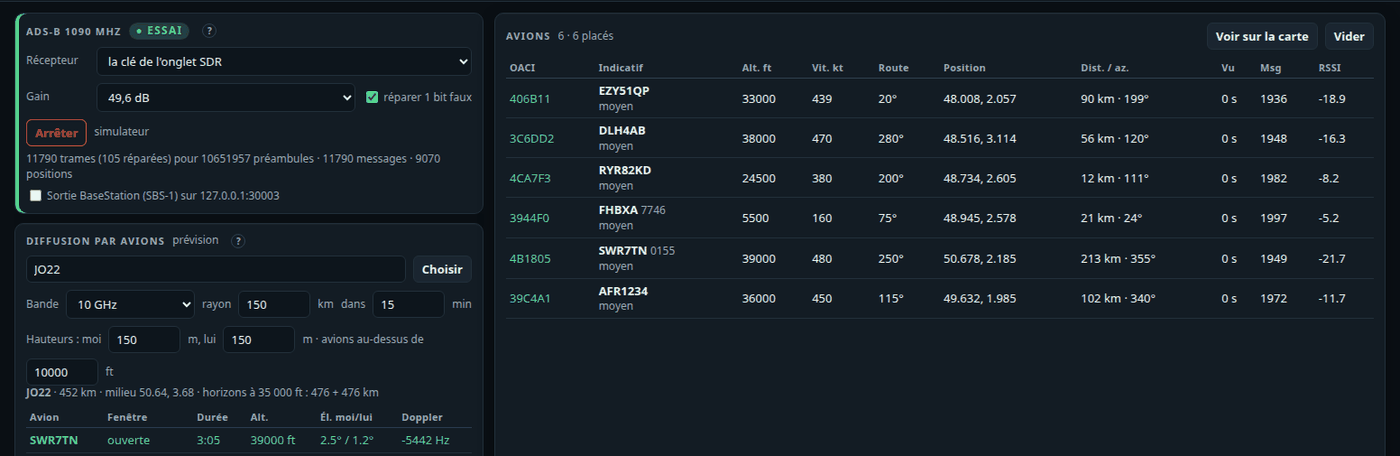
The Carte tab: the shared map, without internet (SatMe's own coastlines). Layers: satellites (footprint, ground track), APRS, the followed sonde, aircraft, ships, DATV stations whose locator is known, worked locators, your station, day and night, the forecast aurora, aircraft scatter, range rings. Fond OpenStreetMap (unticked by default): tiles loaded by the browser, nothing goes through SatMe-PC.
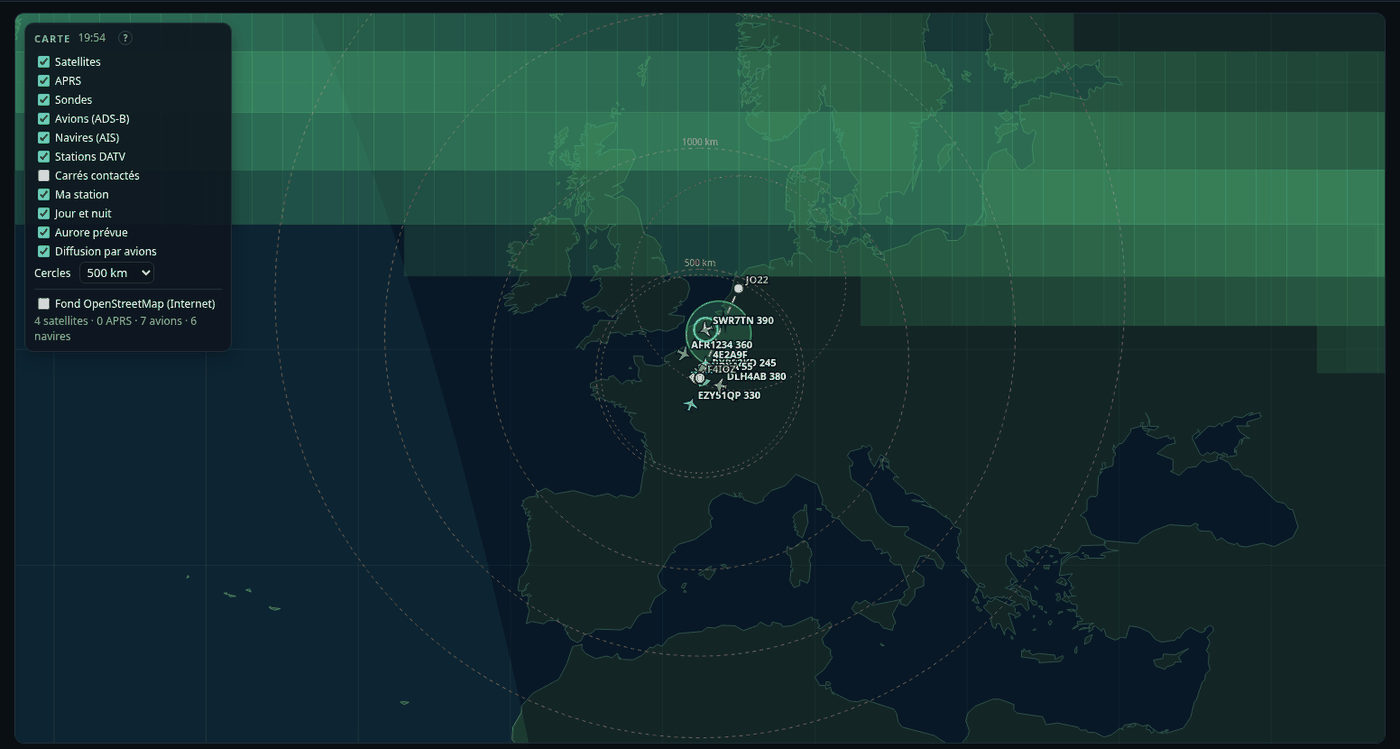
Ships (AIS)#
The Navires tab receives AIS on 162 MHz, off until Recevoir is clicked. Reception only.
- Both channels (161.975 and 162.025 MHz) from one dongle at 288 kS/s: position, voyage, class A and B, beacon and aid-to-navigation messages (ITU-R M.1371).
- Receiver: the SDR tab's dongle (taken only on request) or a second dongle (its own rtl_tcp). AIS never takes the ADS-B's dongle, nor the other way round.
- The list: MMSI, name, destination, callsign, type and size, position, speed, course, distance and azimuth, last seen, channels; Voir sur la carte.
- NMEA output (
!AIVDMlines over UDP to 127.0.0.1:10110), off by default, for a navigation program on this PC. - Essai: simulated ships around the station.
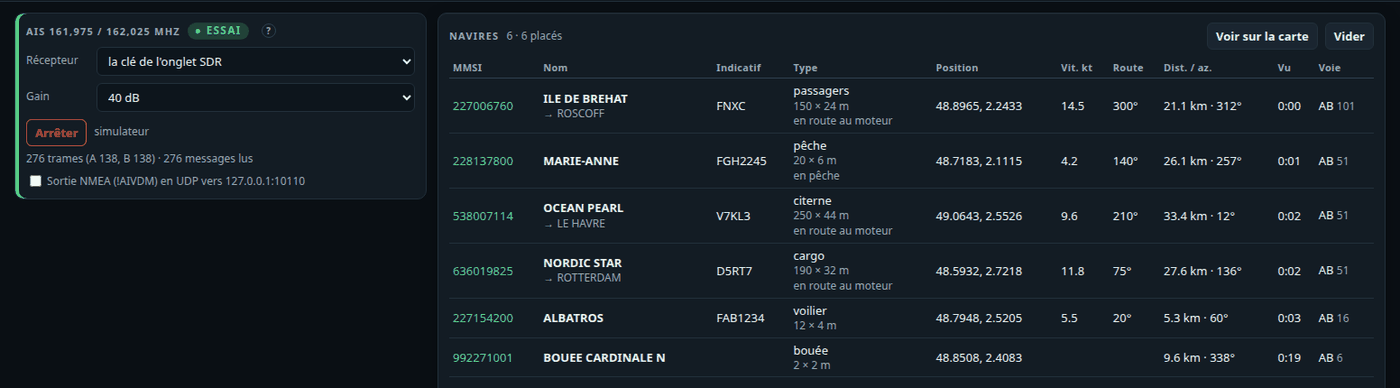
Space weather#
The Météo spatiale tab (workspace Ciel): what is needed to judge propagation and aurora.
- Nothing is downloaded until Récupérer la météo spatiale (Internet) is ticked. Only then are NOAA's public products (services.swpc.noaa.gov, and that host only) fetched every 15 min (aurora every 30 min) and kept on disk; at start the kept copies are shown with their age.
- Kp index on a gauge, its bars over three days (observed and forecast), the 10.7 cm solar flux (offered to the Sun noise measurement), X-rays (GOES) over 6 h, the solar wind (speed, Bz, Bt), the forecast aurora (OVATION) here and within 1200 km, and its oval on the map.
- Alerts: geomagnetic storm (Kp ≥ 5) and solar flare (≥ M5), with what they change for operating; said aloud if ticked.
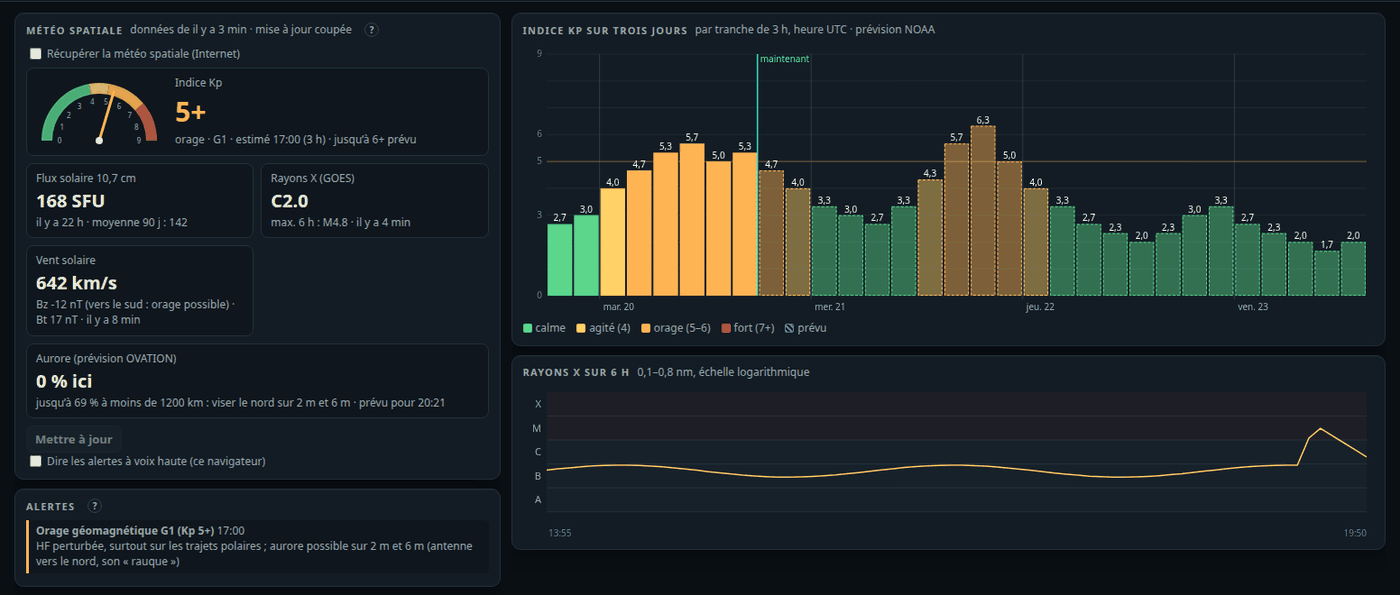
Montage: the station chain#
The Montage tab (workspace Station) draws the station: the antenna on the left, the computer on the right, reception on top, transmission below. It lights up with what SatMe does: cyan what receives, red what transmits, the flow animated along the cables, the frequencies on them (sky, IF, uplink). It is a drawing: nothing there starts a transmission, opens a port or touches the LNB supply.
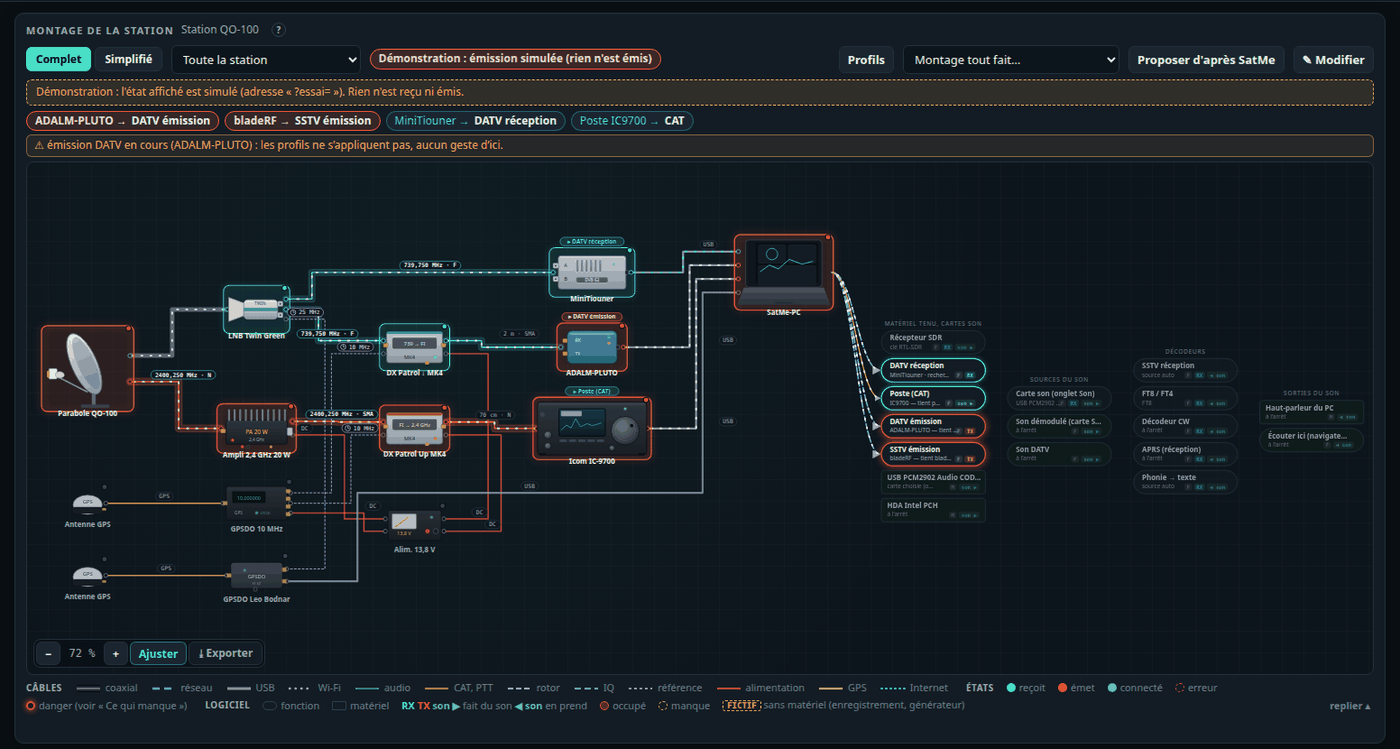
- Composing: a ready-made montage, Proposer d'après SatMe, or ✎ Modifier. A click on a device shows its ports, notes and photo. Complet or Simplifié (what receives or transmits now). Zoom (+ − 0, Ctrl + wheel), pan with the mouse, minimap; Exporter as SVG, PNG or a print view; a foldable legend of cables and states.
- Several plans: the Plan selector keeps several drawings of the same station (« SatMe-Node déporté », « IC-9700 satellites », « DATV par le node »…): + Nouveau, Dupliquer (photos included), Renommer, Supprimer; each has its own photos and undo / redo. The old montage becomes the first plan, nothing lost (
montage.jsonkeeps it at its top, an older SatMe-PC reads it as before). - Afficher le plan de ce qui tourne (show the plan of what runs, on by default): the plan shown is the one that best draws what receives or transmits (DATV through the node → the node's plan; SSTV from the IC-9700's codec → a plan with the IC-9700). A better plan takes over only after about ten seconds, and the plan stays half a minute after the activity ends: no flip-flop. A plan chosen by hand stays until the activity ends or the box is ticked again. When no plan draws what runs, the chaîne détectée (detected chain) is shown (e.g. 70 cm Yagi → IC-9700 → USB (sound) → SatMe-PC → SSTV), with Garder comme plan (keep as a plan).
- Decoders fed by the rig's sound: SSTV, APRS, FT8, CW or phonie fed by the rig's sound card (the IC-9700's USB codec, or its network sound) light the rig, its antenna and the PC, even without CAT; the frequency is the CAT's, else the followed satellite's transmitter (ISS SSTV 437.550 MHz), and it picks the antenna of its band. Another sound card lights that card.
- What is live: CAT and rotator, the SDR and DATV receivers, the IC-9700 over the network (its LAN cable lit, the delay, a lost link), the USB knob, listeners, space weather, the QO-100 channels, recording and generator, ADS-B and AIS holding a dongle. The Avions, Navires and Sondes modules unticked disappear from the drawing.
- The IC-9700 over the network in the function views: the rig's network sound is its own sound (no more advice to take the USB codec, offered only when another card runs); the rig → PC link drawn as it goes, dashed blue with its delay and « CAT + son »; with no LAN cable drawn, it is shown détecté (detected), lighter, with Ajouter ce câble (add this cable). « Aucune antenne » offers Ajouter une antenne 2 m / 70 cm (a dual-band Yagi on the rig's free ports); the band of the rig's frequency picks the antenna port, and a port already taken (70 cm to the QO-100 up-converter) is said. SatMe-PC stays in the simplified drawing, in its own place, never over a piece.
- Ce qui manque (what is missing): each function checked from antenna to screen; a danger is said loudly — for instance the LNB supply that would reach an SDR board through a splitter (a DC block is then proposed).
Drawing and editing#
✎ Modifier opens the catalogue's palette, by group: antennas (dishes, Yagis, X-quad, collinear, indoor antenna, GPS antenna), heads and converters (PLL LNB, Twin LNBs including the Octagon with an external 25 MHz reference, DX Patrol MK3 / MK4 up- and down-converters with their 10 MHz input), amplifiers (DX Patrol 2.4 GHz 20 / 15 W), filters, bias-T, DC + reference injector, DC block, splitter, references (DX Patrol 10 MHz GPSDO, Leo Bodnar programmable GPSDO), 13.8 V supply, sequencer, rigs, SDR boards, MiniTiouner, SatMe-Node, sound card, USB knob, rotator, PC, phone.
- Drag a piece onto the drawing; draw a cable from port to port (its type comes from the ports: coax, network, USB, Wi-Fi, audio, CAT, rotor, IQ, reference, power, GPS, internet); the cable's card (type, label, remove). Each piece has its options (IF output, reference, frequencies).
- Free placement or Disposition auto (several layouts tried, the one with fewest crossings kept); Undo / Redo (Ctrl+Z / Ctrl+Y), kept by SatMe-PC; everything also works from the keyboard.
- Proposer d'après SatMe: a chain drawn from SatMe's state (rig, rotator, SDR boards, DATV receiver and transmitter, converters, the QO-100 chain's oscillators) and the system's lists (USB, sound cards) read without opening anything; each piece detected or assumed, merged piece by piece.
- The services' boxes: Wavelog, QRZ.com, PSK Reporter, wide band chat, rigctld clients, satellite link, paired phone, SatMe-Node, « Écouter ici », with their state.
- Photos: a device's photo (8 MB at most) is cut out automatically (background removed, adjustable tolerance, the original kept beside); Photo à la place du dessin shows it in the diagram, the RX / TX glow following its shape.
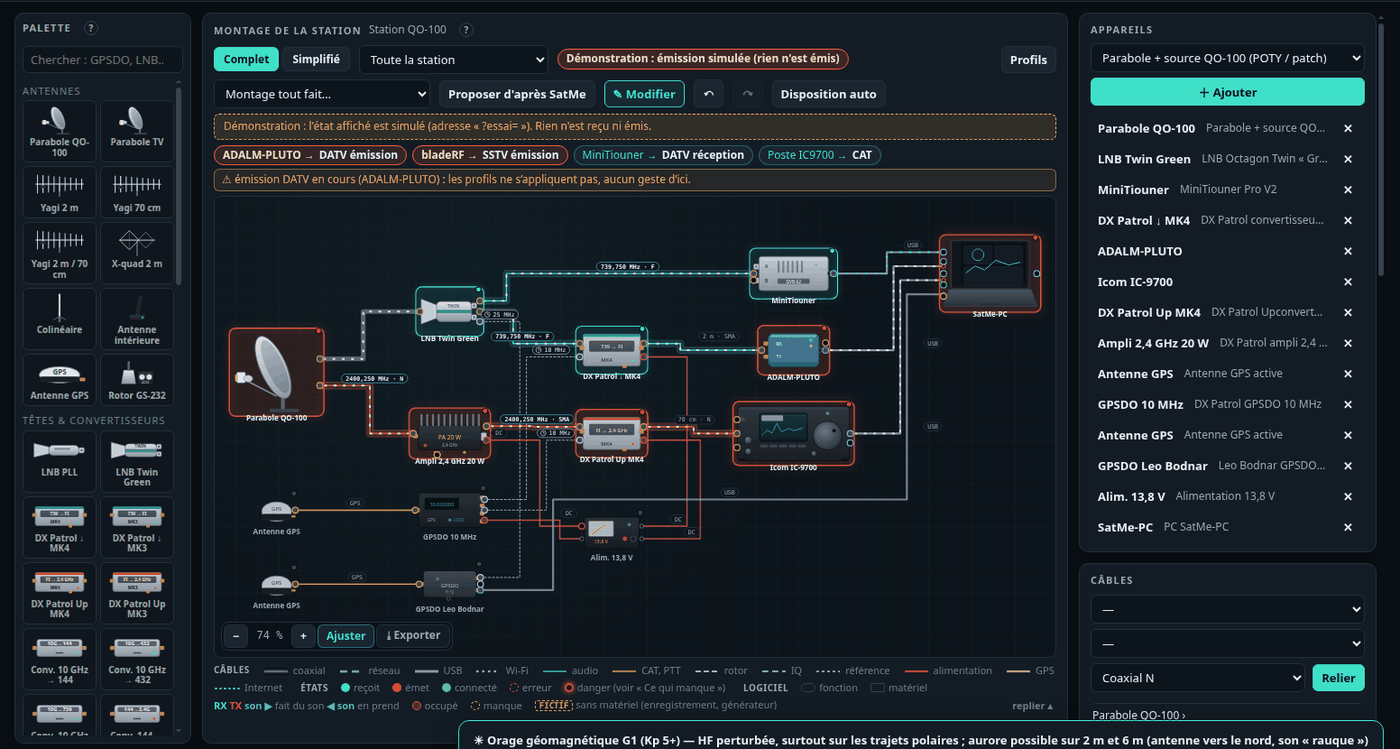
Functions and profiles#
- The functions of SatMe (SDR receiver, DATV, SSTV, FT8, CW, APRS, voice to text, METEOR, sondes, transmissions) to the right of the computer, with the sound hardware: who holds which device (« ADALM-PLUTO → DATV réception »), who receives, who transmits, who makes or takes sound. A conflict (a function wanting a device or a sound input already taken) shows in red with its reason and the gesture that frees it.
- Fonction: one function's chain alone, from the antenna to its screen, each link running, ready, missing or busy, and what is missing. The buttons only do reception (start or stop a receiver, choose a sound source).
- Profils: the receive settings of the moment kept under a name (« SSTV par IC-9700 ») — SDR receiver (board, mode, frequency, tracking, sound), the decoders' sound input, SSTV, FT8 / FT4, CW, APRS, voice to text, DATV receiver; never anything of transmission nor the LNB supply. Aperçu lists what will change; Appliquer does it in a safe order (stops, settings, receivers, sound card, decoders). Refused during a transmission. DATV reception is not started from here: the step is recalled.
- Schéma (QO-100 cockpit and DATV, unticked by default): the simplified drawing over the tab.
Réglages (settings)#
By category, a list on the left: Ma station (callsign, locator, minimum elevation, horizon), Modules (what interests you, the profiles), Poste et rotor (CAT over USB or the network, TH-D72, rotator, antenna polarisation, converters, Doppler log, ADALM-PLUTO), Satellites (orbital elements, AMSAT, QO-100 at start), Interfaces (satellite link, rigctld, USB knob), Annonces (spoken announcements), Services en ligne (QRZ.com, Wavelog / Cloudlog, hams.at skeds, web site), Phonie → texte, Téléphone, Accord fin, Émission (IC-9700: network allowed, time-out, power cap, sound card; the transmitters' I/Q correction), Démarrage (network, port, data folder, updates, quick setup), Accès à distance (password, HTTPS, app, screen kept on), Sauvegarde (the whole station in one file, restored at the next start; deployment to another PC).
The rig and the rotator#
The rig's model (IC-9700, IC-9100, IC-910H, TS-2000, two rigs FT-817 / IC-705, TH-D72, or simulated), its port and speed, Connect / Disconnect; the rotator (GS-232 over serial, rotctld over the network, or simulated), Follow the satellite, Park, Stop, its end stops and parking. The Suivi tab keeps only their name and a green tick.
The pass plan (Réglages › Poste et rotor › Rotor): the azimuth travel (360°, or 450° / 540° with an overlap), Monte à 180° ? (only a rotator that goes to 180° can flip), the north or south end stop, the wait before AOS, and hidden zones (roof, tree, hill: 170-190<20 ; 300-330<10, or drawn by dragging on the small sky) — the plan gives them almost no weight and puts its unwinds there. It keeps the most of the pass, weighed by elevation (a minute at 60° is worth far more than at 5°), then the shortest travel, then the fewest changes. The small sky shows the next pass's plan with the settings applied. The rotator's speed is measured while the mast runs far from its command.
Calibrer le rotor… (Réglages › Poste et rotor › Rotor): a step-by-step assistant, tracking stopped while it is open (given back as it was afterwards), the controller's raw C2 reading and SatMe's side by side, a STOP always on screen, and nothing moved but on a click. Over GS-232 it sends the controller's own calibrations, as the K3NG firmware implements them: O2 with the boom at a real 0° (inclinometer), F2 at the real top — F2 makes the current position the firmware's maximum elevation (ELEVATION_MAXIMUM_DEGREES, 180), so if the real top is not 180° it says so and offers the alternatives (firmware setting, or SatMe's correction) — then O / F at the full CCW / CW azimuth stops, as set (north or south stop). Each waits for its keystroke and "Wrote to memory"; ?> (another firmware, no pot sensor) and rotctld (no such command) are told, and only the software correction applies there. A verification sends test positions (el 45/90/135, az 90/180/270) on click; the inclinometer or compass reading entered, the table shows the error. Software correction, per axis, controller reading ↔ real angle (read:real;…, e.g. 0:0;180:160; one point an offset, two a scale, more piecewise): built from the table or typed, applied both ways, the limits staying in real degrees and the controller never sent beyond its travel; empty by default, reset in one click. Power-cycle the controller afterwards and read again to check the EEPROM kept it. The page the phone serves has the same assistant; the phone's Rotor screen shows and edits the correction.
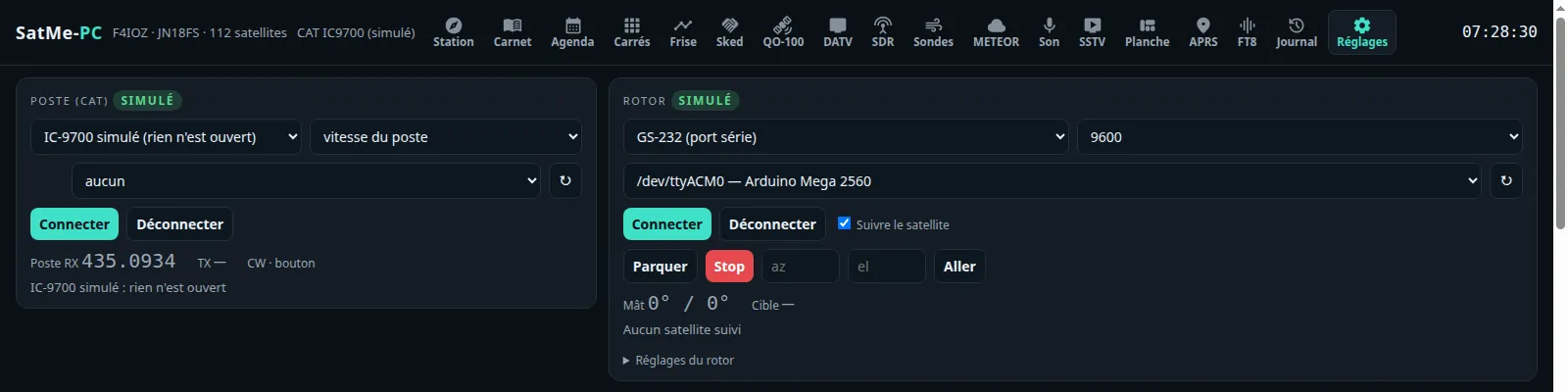
The IC-9700 over the network#
Réglages › Poste et rotor › Liaison: Réseau (LAN de l'IC-9700): SatMe-PC joins the IC-9700's built-in network server (three UDP ports: control 50001, CI-V 50002, audio 50003; one session at a time), with no USB cable. It takes the CI-V there (the same Doppler control as over USB) and the received sound, offered as the source « IC-9700 (réseau) » to the Son tab, SSTV, FT8, voice to text and « Écouter ici ».
- On the rig: MENU › SET › Network: DHCP (or a fixed address), Network Control: ON, Network User1 ID and its password, Network Radio Name, the ports (50001 by default). The rig's address shows in that same menu; type it into SatMe-PC with the ports.
- Receive only by default: no sound is sent, the transmit audio path is not requested, every CI-V transmit command (PTT
1C 00, tuner1C 01,17,28, even behind the29prefix) is refused. One exception, ticked on this PC: Émission par le réseau autorisée lets PTT through (see The IC-9700 transmitting). On disconnecting the session is always handed back to the rig; a lost link is taken up again in the background. - Sound: 16-bit PCM at 16 kHz by default, 8 kHz for a slow link; a 40 to 300 ms buffer puts packets back in order and asks again for missing ones. The samples' layout (byte order, signed or not) is recognised from the sound itself.
- Credentials: the rig expects a coded form of the user ID and password. The simplest: capture on your network the start of a connection that works (port 50001, a
.pcapor.pcapngfile), type the ID and password in clear, then Identifiants codés › Apprendre le codage depuis une trace: SatMe-PC reads the coded fields there, learns the coding and says whether the rig had accepted that login. The file is read in memory then forgotten; neither the coded bytes nor the clear text are shown or written to a log. The 16 coded bytes can also be pasted (hexadecimal). - Spectre du poste (option): the scope the rig sends over CI-V, as a strip in the Suivi tab; set back OFF on the rig at disconnection. Journal des paquets: headers only, in
icom-reseau-trace.txt.
AF or IF sound. The Son menu says what the rig sends on its sound output (USB or network):
- AF (the rig's factory setting): the rig demodulates, SatMe receives its sound. If the rig actually sends its IF, SatMe notices (energy high in the band, an IF folded to about 4 kHz) and says so: set the rig's output to AF.
- IF: the rig sends its last IF, centred on 12 kHz, about 15 kHz wide; SatMe demodulates it itself in the SDR tab, receiver « IC-9700 FI »: waterfall, USB, LSB, CW, FM, AM, cleaning, channels, recording and decoders. On the rig: MENU › SET › Connectors › USB AF/IF Output › Output Select: IF (AF to go back). Over the network the 16 kHz sound folds the IF: ±3.6 kHz usable around the dial; through the USB sound card (48 kHz): the whole IF, ±7.5 kHz. The centre is the rig's RX dial read by CAT; Recentrer le poste moves the rig's RX shift (receive only). Sens inversé if stations go up when the dial goes down.
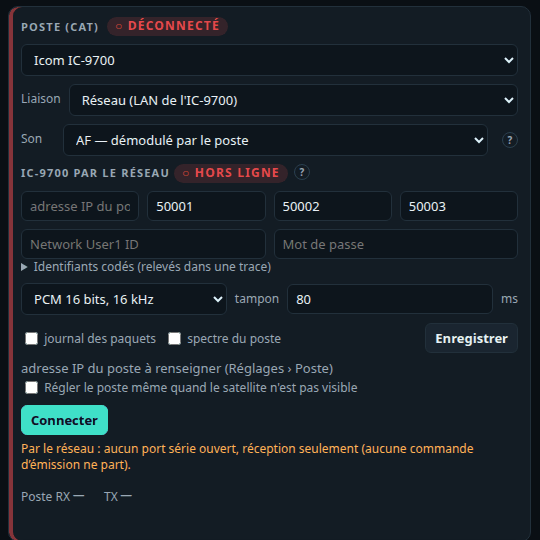
Doppler / CAT log (off by default): during a followed pass with the rig connected, every 5 s the time, azimuth, elevation, range, the Doppler predicted on both legs, the frequency the loop wrote and the one it read back — one CSV per pass in doppler/, linked from the pass in the Journal. Only what the CAT loop already does is noted. Journal détaillé (off by default): the spectrum around the downlink kept during followed passes, for the pass report.
The IC-9700 transmitting#
The Émission IC-9700 panel (Suivi tab, and the QO-100 cockpit while it is shown) drives the transmission of the IC-9700 connected by CAT (USB, network or simulated), from this PC or from another machine (remote mode, same password).
- PTT held: the PTT button stays down while you talk (or the space bar, the panel focused). SatMe sends
1C 00 01, then1C 00 00on release. One client holds the PTT, everyone sees who (red TX strip at the top of every page), and anyone may stop it (the strip, Escape). From another machine, one confirmation per session, as for DATV. - Released by itself: 2 s without news from the page holding it (tab hidden, window left, link lost, microphone closed), the time-out reached (Réglages › Émission, 3 min by default, 1 to 10), the rig no longer answering (its TX state read back twice a second), the rig disconnected (the unkey goes before the CAT closes), SatMe-PC closed. A refused unkey is sent again as soon as the rig answers. Nothing transmits at start nor after a reconnection. Keep the rig's own time-out (its menu) too: it is the last guard if the PC stops dead.
- The browser's microphone: 48 kHz mono, a light compressor, a level control, a meter, the browser's AGC as an option; 20 ms frames over a WebSocket of their own (
/api/poste/micro/ws), sent only during the PTT, and dropped by SatMe-PC when that client does not hold the PTT. To the rig: its USB sound card ("CODEC", recognised or chosen in Réglages › Émission), or over the network. On the rig, the modulation source DATA OFF MOD must be USB (or LAN over the network), and VOX off. Browsers give the microphone only to a secure page: this PC (http://localhost), or HTTPS from another machine (see Remote access). - Power: the rig's RF power (CI-V
14 0A, 0 to 255) in % and in estimated watts for the band (100 W on 144 MHz, 75 W on 430 MHz, 10 W on 1200 MHz), a slider and presets (5, 10, 25, 50, 100 %), read and written on the band that transmits (SUB in satellite mode). Puissance au plus (Réglages › Émission): never exceeded; under that cap, the PTT waits for the rig to confirm a power below it. - Over the network: Émission par le réseau autorisée (Réglages › Émission), off by default, can only be ticked on the station's PC (never from another machine nor through a phone backup). Ticked, only PTT passes the guard (
1C 00): tuner, CW and voice memories stay refused; the TX audio stream is asked at login (reconnect the rig after ticking it). Cleared during a transmission: the PTT is released at once. - The network TX audio is not verified on a rig yet: it follows the received sound's format and the public descriptions of the protocol (20 ms packets, 16-bit, at the receive rate). To verify it: capture with Wireshark Icom's own software transmitting a few seconds into a dummy load, then Réglages › Émission › Vérifier sur une capture: SatMe reads what that software asks at login and the shape of its packets, compares, and keeps the mark and size it found. Nothing of the capture is kept.
- Tuning SSB while transmitting: the USB knob, the mouse wheel and a drag (finger or mouse) on the Suivi tab's RX / TX frequencies tune as in reception, with the USB knob's step. On a linear satellite the position in the transponder moves, uplink and downlink locked, and the Doppler goes on. With no satellite driving the rig (terrestrial SSB, Doppler on hold, satellite below the horizon), the knob tunes the rig's dial directly, shown in place of the satellite's frequency.
Antenna polarisation#
The Polarisation module drives a WiMo remote polarisation switch (UHF 18082 / 18083, VHF 18080 / 18081) through an ESP32 box on USB: V, H, right-hand circular, left-hand circular. The firmware, the wiring and the dialogue are in materiel/esp32-polarisation. Nothing is opened until a port is chosen.
- Réglages › Poste et rotor › Polarisation d'antenne: the box (its USB port, found again by its serial number if its name changes; lost, it is looked for every 5 s), Tester la liaison (test the link: who answers, the selector's position, the answer time), what is fitted — UHF: WiMo 4 positions or nothing; VHF: nothing (fixed circular), WiMo, or one H / V relay — and Inverser droite et gauche (swap right and left: the sense depends on the wiring and on which way the antenna looks). The rig's, the rotator's or the KISS radio's port is never taken.
- The virtual ESP32 (in the list of ports) follows the firmware's rules, with the box's front panel on screen (selector, SEND) and a simulated pass: to try before soldering, and for a demonstration. Its made-up measurements are marked as such and never feed a real box's predictions (Oublier les mesures simulées).
- The front panel selector has the last word: on V, H, D or G it feeds the WiMo itself, the box refuses every order, SatMe shows « manuel (sélecteur) » and the real polarisation; on AUTO, SatMe commands.
- Never a switch on the antenna that transmits: not while SatMe transmits on that band (the IC-9700's PTT: the uplink's band; SSTV and DATV: their frequency; unknown frequency: both antennas), nor while the rig's SEND line is active (the box refuses too). The panel says « bloqué : émission ». No radio transmission ever comes from this module.
- Suivi › Polarisation (a folding panel): the V / H / D / G buttons for each fitted band, the real state, RX on the followed satellite's receiving antenna, and the satellite's profile at AOS per band: the best known (probes), change nothing, or a fixed polarisation. Kept per satellite, applied at AOS (or when the satellite is chosen during a pass) if the selector is on AUTO, and not while transmitting (it waits then).
- Sonder H/V (probe H/V, ticked apart, in AUTO): on the receiving antenna only, H then V (the one in place first), each measured after settling (relays, the rig's AGC) by the rig's S-meter (IC-9700, IC-9100, IC-910H, TS-2000) or the SDR's level when it listens to the followed satellite; the best is kept if it beats the other by at least the hysteresis (1.5 to 3 dB). Again every 20 to 60 s, and at once if the signal falls by 6 dB. Not while an SSTV picture is being decoded. Cut short by a transmission, the previous polarisation is put back as soon as allowed.
- Statistics: each probe is kept in
polarisation/mesures.jsonl(data folder): satellite, mode, band, elevation, azimuth, moment of the pass (rising, culmination, setting), H and V levels, winner, gap. Per satellite and elevation band (0–10°, 10–20°, 20–35°, 35–60°, 60–90°), SatMe draws the best polarisation and its confidence (at least 3 probes and 60 % of the wins; full from 5): it starts the next pass. The table is in Suivi (this satellite) and in Réglages (all). - API:
GET /api/polar(full state),/api/polar/stats, and as POSTpol?b=U&p=H,profil,reglage,test— like the rest of the page, reachable from another machine with the station's password.
Converters, transverters and calibration#
Réglages › Poste et rotor › Convertisseurs et transverters: a table, one line per box between the antenna and a device — name, RF band (from… to…, in MHz, sky side), local oscillator, Inversé (oscillator above the band: inverted spectrum), and what it stands in front of: Clé SDR, CAT RX (the rig's receive side), CAT TX (the rig's transmit side). Frequencies stay the sky's everywhere; SatMe sends the device the IF = RF − LO (LO − RF when inverted). For each device, the first enabled line covering the frequency wins (↑ ↓ for the order); the FI column shows what the device will get, or what is wrong (negative IF, empty band).
- Presets: QO-100 downlink through a 9750 LNB to the SDR dongle (the only one on by default), LNB + down-converter to 2 m or to 70 cm in front of the rig, 2400 uplink driven at 432 (LO 1968) or at 144 (LO 2256), 2 m and 70 cm transverters with a 28 MHz IF. Rétablir les préréglages puts them back.
- Nothing lost: at the first start, the previous setting (one downlink converter, one uplink converter, those of the QO-100 station chain) becomes the « Chaîne QO-100 » lines at the top, the presets below, off. The QO-100 tab's station chain and those lines stay linked both ways.
- No line, no command: a frequency the rig cannot receive (10 489 MHz on an IC-9700) and no CAT line converts is not sent; the status bar's Poste item turns yellow and says why on hover. Hovering the cockpit's RX / TX frequencies: « FI envoyée au poste : … MHz » (the IF sent to the rig); the SDR tab's frequency: the IF sent to the dongle.
Calibrer la clé SDR… (the table's button, or beside the ppm error in the SDR tab): receive only. Pick a reference — a QO-100 CW or PSK beacon, a GSM base station's FCCH tone (give the ARFCN channel, SatMe adds 67.708 kHz; tick garder le maximum, it comes in bursts), or a known frequency (a local beacon) —, Accorder la clé (the SDR goes to manual frequency), and SatMe finds the peak within the chosen window (to a tenth of a bin, the middle of both lobes for the PSK beacon); a click on the spectrum picks it by hand. It gives the offset, the dongle's error in ppm and the correction to Enregistrer into the dongle (whole ppm). Behind an LNB it also gives the LNB's real oscillator if the dongle is right, with Corriger l'OL de cette ligne: one measurement cannot split the two errors — calibrate the dongle on a terrestrial reference first, then the QO-100 beacon; with a GPSDO-locked LNB the offset is the dongle's. After correcting the LO, reset the QO-100 tab's calibration to zero.
Aligner… (Suivi tab, Fréquences (Doppler) card): a linear transponder's alignment step by step, kept per satellite (the card's Calage RX and Décalage TX): 1) the beacon — choose it, then move the RX calibration until it sounds right; 2) a clear spot in the transponder — you key the transmitter yourself and send dots, then move the TX offset until you hear yourself centred; 3) Mémoriser pour ce satellite (the reference « Revenir à la référence » goes back to). The assistant never transmits.
Modules#
Réglages › Modules: the parts of SatMe-PC you care about, one box each — SDR, QO-100, DATV, FT8 / FT4, CW, Phonie → texte, spoken announcements, APRS / KISS, telemetry, SSTV (with the Planche and the Agenda's auto-pilot), Orbites, space weather, upcoming activities, METEOR, radiosondes, planes, ships, Montage, SatMe-Node, phone, polarisation, and Publication web (off by default, see below). The core is always there: tracking and passes (Suivi, Agenda, Frise, Locators, Sked, Carte), rig, rotator and Doppler, the log, the Journal, Son, Réglages, remote access, updates.
- Profiles, in one click: Satellites FM/SSB (FT8, CW, voice to text, APRS, telemetry, orbits, space weather, activities, polarisation), SSTV ARISS (SSTV, SDR, orbits, activities, polarisation), Parabole QO-100 / DATV (SDR, QO-100, DATV, FT8, CW, SatMe-Node, Montage), Météo et non-sat (SDR, METEOR, radiosondes, planes, ships, space weather), Tout (everything). Announcements and the phone are in all of them. No profile ticks Publication web, nor unticks it when it is ticked. Then tick or untick module by module.
- Unticked: its tabs leave the rail (an empty workspace too), the palette (Ctrl+K) and the map's layers; so do its settings cards, sub-tabs and status-bar items (SDR, DATV, Node…); its address shows « Ce module est désactivé · Réglages › Modules ». What receives or transmits no longer starts (planes, ships, radiosondes, METEOR, DATV); unticked while receiving or transmitting, it stops after confirmation and gives its receiver back.
- Beside each box, what it needs: METEOR, radiosondes, planes and ships go through the SDR (or a SatMe-Node) — flagged when the SDR is unticked.
- The choice is kept by SatMe-PC: the same page in every browser. On updating nothing changes: everything stays ticked, except Avions, Navires and Sondes if they were unticked (at the first start, those the station already used stay). A module added later comes ticked, except Publication web: unticked, unless the station's site was already set (address and token). The quick setup offers the profiles (« Tout » by default).
Orbital elements#
As on the phone: the SatMe GP server first (https://gp.f4ioz.fr by default), or that server only, and the sources to choose — AMSAT's bulletin, CelesTrak's groups (through the server only: the PC never asks CelesTrak), SatNOGS DB, and the picture satellites (SSTV, SSDV): LAPAN-A2, ASRTU-1, HADES-SA, Geoscan-2/4/5, 239Alferov, UmKA-1, UTMN2, SONATE-2… most of them missing from AMSAT's bulletin, asked one by one by their number.
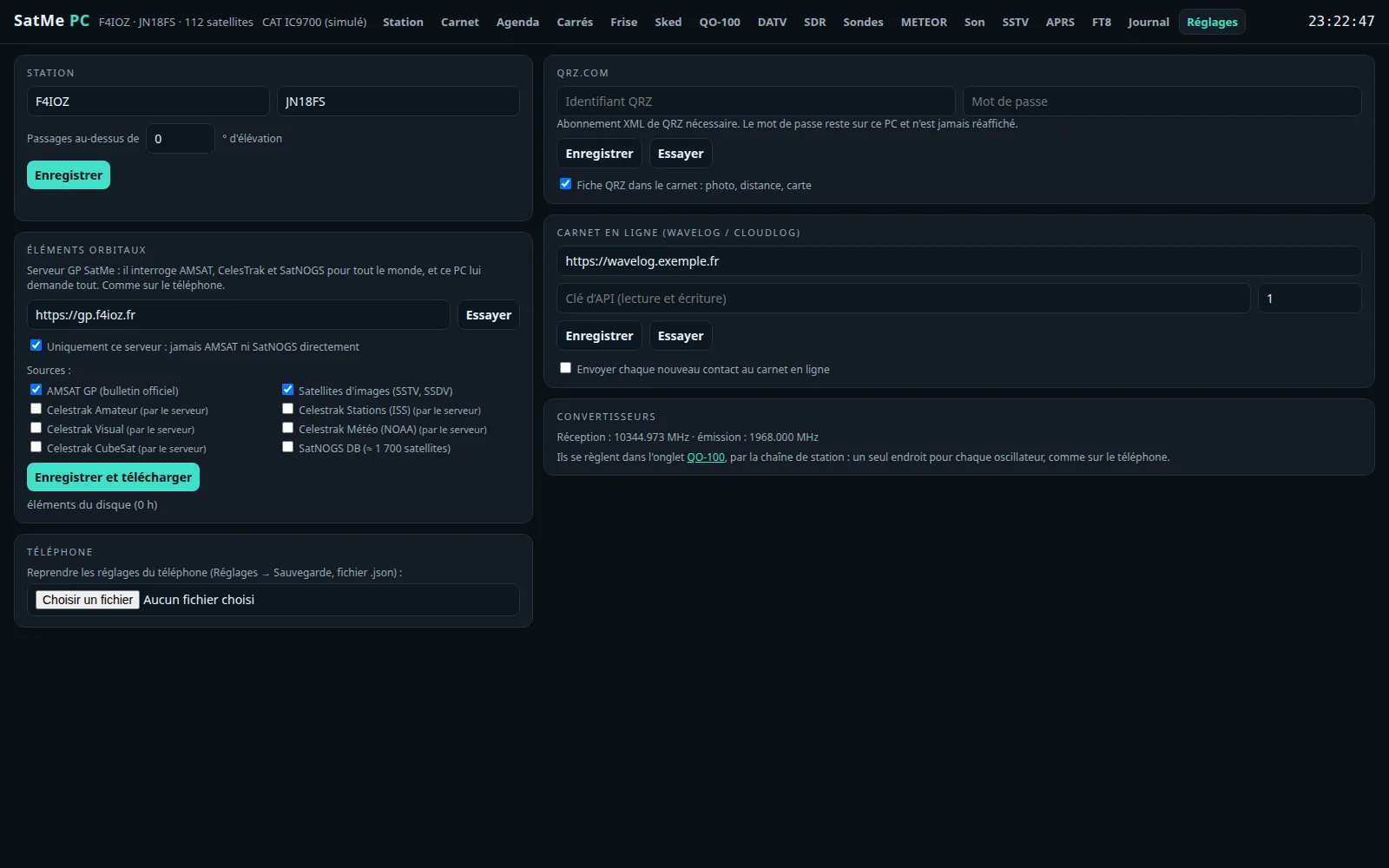
The satellite link (WebSocket)#
For other programs on the PC (a logger, a dashboard, a script): Réglages › Interfaces › Lien satellite, off by default. Once on, ws://localhost:8095/ (the port can be changed) pushes JSON text frames; on this PC only, unless SatMe-PC was started with --reseau. Nothing a client sends is acted upon (ping is answered, close echoed).
type | When | Fields |
|---|---|---|
hello | on connecting | app, version, callsign, locator |
satellite | every second while a satellite is followed | time, name, catnum, az, el, rangeKm, rangeRateKmS, transmitter, downlinkHz, uplinkHz (with Doppler), dopplerDownHz, dopplerUpHz |
passAlert | the followed satellite and the ★ favourites | kind (aosSoon 5 min before, with inS; aos; los), name, catnum, aos, los (ms UTC), maxEl, aosAz, losAz |
qsoLogged | a contact goes into the log | time, call, grid, satellite, catnum, mode, rstSent, rstRcvd, downlinkMHz, uplinkMHz, az, el, myGrid |
{"type":"satellite","time":1792089000000,"name":"ISS","catnum":25544,"az":212.4,"el":31.7,"rangeKm":812.3,"rangeRateKmS":-4.512,"transmitter":"FM voice repeater (V/U)","downlinkHz":437806580,"uplinkHz":145987810,"dopplerDownHz":6580,"dopplerUpHz":-2190}The frequency for logging programs (rigctld)#
Réglages › Interfaces › Fréquence pour les carnets, off by default: a server speaking the rigctld network protocol, port 4532 (it can be changed; not the rotor's), on this PC only unless « Réseau local » is ticked and SatMe-PC was started with --reseau. A logging or digital-modes program set to « rigctld » at 127.0.0.1:4532 reads:
fthe sky frequency of the receive path in use — the rig when connected by CAT, else the SDR receiver; on QO-100 the nominal downlink (10 489 750 000), or the uplink when « Noter la montée » is ticked;mthe mode and passband,vVFOA,s/isplit and the transmit frequency when one goes with it (QO-100's uplink, the rig's TX),twhether SatMe transmits now (DATV, SSTV, I/Q calibration);\dump_state,\chk_vfo,\get_powerstat,\dump_caps, the long forms, and the extended answers (+,;).
T (PTT) and every transmit setting are always refused (RPRT -11). F and M are refused too unless « Autoriser le changement de fréquence » is ticked, and then retune the SDR receiver only — never the rig, nor while QO-100 is on the rig.
Web publishing: sending to your site (optional module)#
SatMe-PC sends nothing to any site by itself. Publication web is a module off by default (Réglages › Modules) that no profile switches on: while it is unticked there is no card, no 🌐 button and no connection to any site (no queue, no test, no live data).
Ticked, Réglages › Services en ligne › Envoyer vers un site web: SatMe-PC sends over HTTPS what you choose — SSTV and SSDV pictures, planches, reports, contacts, the journal's videos, FT8/FT4 passes, and as an option live data — to an address of your site, which receives them as it likes (PHP, WordPress, a small Python server…), or writes them into a folder (static site, Nextcloud, Syncthing). The wire format is a documented, versioned API, with ready-to-use receivers: Web publishing.
- Where to send: the address (with
{type}, or one address for everything) and an optional token, or a folder. - Tester: a
ping, or a write test; ready only after a test that passes. - What to send: each kind Sur clic / Automatique / Jamais, all Sur clic by default — the SSTV pictures (in Automatique: each picture received live, not the tests nor the recordings played back), the planches (in Automatique: those with pictures, two minutes after the last picture received), the reports as PDF, the contacts (ADIF), the journal's videos, the SSDV pictures (sent again by themselves when more packets arrive) and the journal's FT8/FT4 passes with their messages (in Automatique: at the end of each pass).
- En direct (live; optional, each part ticked on its own, nothing by default): Auto-pilote (a campaign's next pass, the reception under way, the next picture, the last picture received; during a pass, the picture coming in every 5 s), Spectre QO-100 (the narrow-band transponder as the SDR sees it), Image DATV (a small picture and the MER, while the receiver is locked), Station (the satellite followed, where the antennas really point, the receiving chain in use), FT8/FT4 (each slot once decoded, with a small strip of the waterfall), Satellites favoris (the ★ list, as soon as it changes) and Diplômes (those of Agenda › Diplômes and your progress, at most once a day when nothing changes). Only names, times and measurements, never an address, a code or a key; no queue: if the site does not answer, SatMe-PC waits and tries again. Effacer le direct (clear the live data) removes it from the site at once.
- 🌐 Envoyer vers le site beside each item: SSTV viewer, log lines (Contacts), Planche page (🌐 Planche vers le site, 🌐 Rapport vers le site), videos of the journal's editor, SSDV pictures (Télémesure › Images SSDV), the FT8/FT4 tab's Passages FT8/FT4 sur le site card, Envoyer le diplôme reçu (Agenda › Diplômes).
- Nothing goes from the page itself: a queue on disk (the data's
site/folder), tried again (30 s, 1 min, 2 min… an hour at most) even after a restart; Réessayer maintenant, Vider la file. A refusal from the site is not tried again; a refused token stops everything until the next test. - A station whose former site address was set keeps the module ticked, and its address becomes
…/api/publication/{type}. - In the demonstration, only to a site on this machine (
http://127.0.0.1:…), never to a folder.
The USB volume knob (VFO)#
Réglages › Interfaces › Molette USB, off by default, Linux and Windows: the USB volume knob tunes, as on the phone. On Linux it is read from /dev/input; when it cannot be read, the card gives the udev rule (plugdev group) to copy into a terminal.
- Turning: one step (10 Hz, 100 Hz or 1 kHz). Pressing: change the step, next target, or offset to zero. Keys A, B, C of a small keypad choose the target (« Apprendre », then press the key).
- Accorde: Auto (the SDR tab tunes the SDR receiver, the QO-100 cockpit the narrow band; elsewhere the rig when linked by CAT, else the running SDR), or always the Poste (VFO, RX or TX offset), the SDR, QO-100.
- Capturer (option): SatMe alone reads the knob, the desktop volume no longer moves while SatMe-PC runs; never a full keyboard.
- Reception only: the knob never keys a transmitter and starts nothing.
- The udev rule (Linux), when the card says the knob cannot be read — in a terminal, then unplug and replug the knob (your account must be in the
plugdevgroup):
(the card gives the same line with the plugged knob's numbers). A chip in the header shows the target and the step, and changes them.echo 'SUBSYSTEM=="input", ATTRS{idVendor}=="2341", ATTRS{idProduct}=="484d", MODE="0660", GROUP="plugdev"' | sudo tee /etc/udev/rules.d/70-satme-molette.rules && sudo udevadm control --reload && sudo udevadm trigger - On Windows: the volume keys are read through PowerShell (shipped with Windows). They are all the PC's volume keys: captured, all of them are taken by SatMe and the PC's volume no longer moves.
- Relais vers une autre station (relay to another station; in the same card): the knob plugged into this PC tunes another SatMe-PC station. Its address (
https://…behind nginx, orhttp://192.168.…:8090) and its remote access password, Se connecter (log in): the password is used once and never kept, only the session is, on this PC. Each step is applied by the station with its own knob settings (step, target, learned keys). When the session ends on the station, the relay asks for the password again; Arrêter le relais (stop the relay) gives the knob back to this PC.
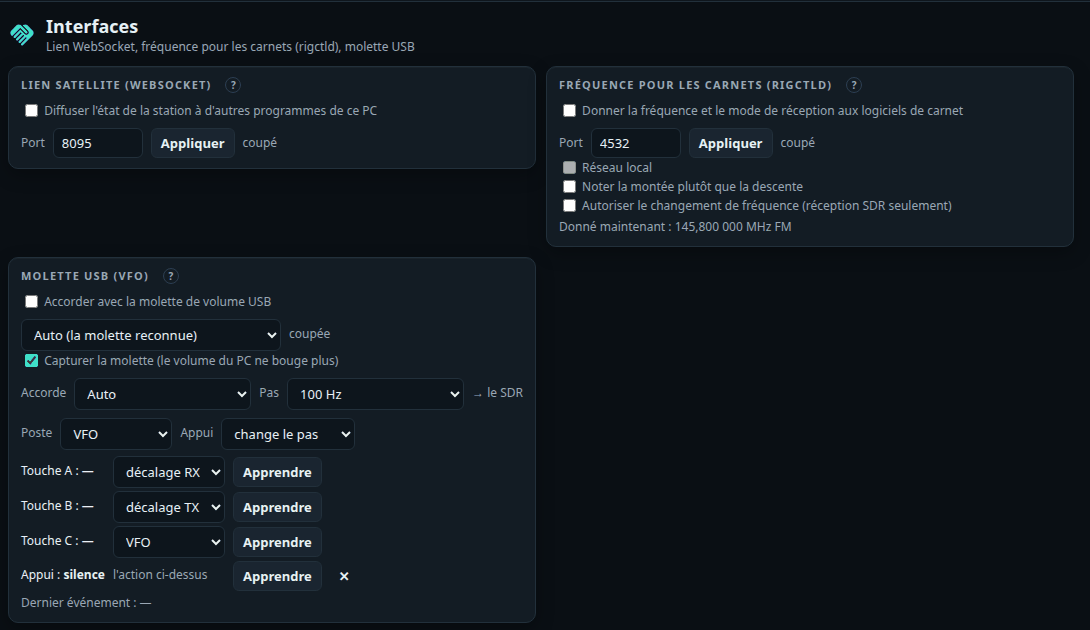
Spoken announcements#
Réglages › Annonces, off by default: what the station does, said aloud in French.
- What (each announcement has its box): the followed satellite N minutes before AOS, its AOS and LOS (maximum elevation), a DATV / SSTV / I/Q transmission starting or stopping and « Émission en cours » every N minutes, LEILA on QO-100, a new SSTV picture, your own callsign decoded in FT8 / FT4 or CW, DATV locked or lost and the callsign read in its picture, an aircraft scatter window, the rotator at its limit or lost, the SDR receiver stopped by itself, the knob's step.
- How: numbers in words, callsigns spelled (Alfa, Bravo…), frequencies digit by digit; three levels of detail; the same sentence never twice in 30 s, three waiting at most.
- Through: the browser's voice (a local French voice), or a voice on the PC (speech-dispatcher, eSpeak NG, Piper), the SDR speaker lowered meanwhile. Tester; a speaker in the header mutes at once.
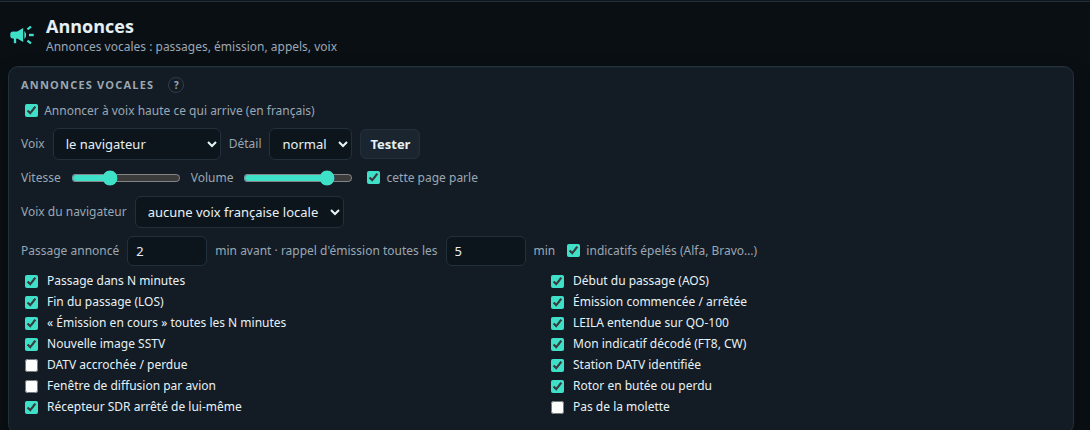
Transmitters' I/Q correction#
Réglages › Émission: for each transmitting board (ADALM-PLUTO, bladeRF, HackRF, by serial number), the LO leakage, the image and the crystal error corrected just before the transmitter, for DATV as for SSTV. Neutral by default: samples and LO exactly as before. Sliders (applied live to a transmission on that board), a test tone and an automatic closed-loop calibration, indoors only (1245 MHz, −40 dB at most, the HackRF's VGA at 0): another SDR receiver of the station hears the tone, the leakage and the image, and SatMe looks for the bottom; the receiver lent by the SDR tab is given back as it was.
Remote access#
Réglages › Accès à distance: started with --reseau, SatMe-PC asks every other machine for a password (a login page); this PC itself gets in without one.
- At the first start with
--reseau, a four-word password is drawn, written in SatMe-PC's log and shown here until replaced (8 characters at least). With no password, other machines get nothing. - A session lasts 30 days (a cookie). Five wrong tries from one address: a minute's wait, then twice as long after each series (an hour at most).
- The password is kept only hashed (PBKDF2) in
acces-distant.properties, never in the backup; changing it closes the other sessions (Fermer les autres sessions too). A transmission started remotely asks the same confirmations as here. - Without HTTPS the password and the page go in clear: a trusted network only (or an encrypted tunnel).
- HTTPS (HTTPS card, off by default, set on this PC only): the same page on a second port (8443 by default), with a certificate made by this PC on first use (EC P-256, about a year, made again by itself a month before the end, kept in
https/) for its names and addresses. The browser warns once: compare the SHA-256 fingerprint it shows with the card's before accepting. The page becomes "secure": the microphone (IC-9700 transmitting), screen kept on and install then work from another machine. Open the port:sudo ufw allow from 192.168.1.0/24 to any port 8443 proto tcp. Nouveau certificat makes a new one (browsers will warn again). Plain http stays as before. - Firewall (Linux, ufw): open the page's port to the home network only, once, in a terminal:
sudo ufw allow from 192.168.1.0/24 to any port 8090 proto tcp(adapt the range). For pairing the phone by QR code, the next port:sudo ufw allow from 192.168.1.0/24 to any port 8091 proto tcp. From outside, go through a VPN into the home network (and allow the VPN's range the same way); never open the port to the internet. - Sur cet appareil: Garder l'écran allumé and Installer l'application (a window of its own, an icon), for this browser; browsers allow them only on http://localhost or over HTTPS.
Remote mode#
For the page opened from afar (a VPN, another house): the Distant button at the top, or Réglages › Accès à distance › Mode distant, for this browser only (suggested when the page is opened from another machine). The Mode distant badge and its « ? » list what is lightened.
- 🔈 Écouter ici takes the low-latency path: a WebSocket (
/api/son/ws, behind the same session), 20 ms frames at 8, 12 or 16 kHz (low-passed then resampled), as 16-bit PCM or µ-law (half the bandwidth: 64 kbit/s at 8 kHz). The player keeps a 60–120 ms buffer set from the measured jitter (95th percentile + 20 ms), replaces a lost frame by the previous one faded, follows the sound card's drift (±0.5 %), and shows the estimated latency, the jitter, the round trip, the frames concealed. On this PC, about 0.11 s instead of 0.6 s with the HTTP stream, which stays as the fallback (Voie: auto, low latency, HTTP stream). - Over http from another machine, browsers refuse the AudioWorklet: the same buffer then runs in a ScriptProcessor (about 20 ms more). No Opus (it would need a native encoder on the PC).
- Lightened: SDR spectrum and waterfall at 5 frames a second (256 points, levels in one byte), the magnifier, the QO-100 panorama, the DATV wide band and level meter less often, DATV video as a thumbnail every 2 s (▶ Vidéo en direct on the picture to ask for it), map, planes and ships every 5 to 10 s, the live stream reduced to the shown tab, animations off.
- Receive only: this path refuses any sound going up and any transmit command (the connection is closed). The IC-9700's microphone and PTT have their own path (Émission IC-9700 panel, see The IC-9700 transmitting), over HTTPS from another machine.
Start-up, updates and deployment#
Quick setup (Configuration rapide): at the first start (no settings yet), a five-step window — callsign and name (written on SSTV sheets), the locator (checked: JN18FS) or latitude and longitude (the six-character locator taken from them, the passes computed from the exact point), minimum elevation, local or UTC time, the language of PDF reports, messages and release notes, what interests you (a profile of the Modules, « Tout » by default), then access from the network and the port. The same settings as Réglages › Ma station; Passer closes it, nothing is blocked. Always there in Réglages › Démarrage › Configuration rapide…; rig and rotator stay in Réglages › Poste et rotor.
What's new (Quoi de neuf): at the first start of a new version, what changed since the last version started here (not on a new install). Later from the help (?), the palette (Ctrl K) and Réglages › Démarrage. The notes come from pc/NOUVEAUTES.md, bundled at build time.
New version: at start and then once a day, SatMe-PC asks GitHub's public API for the latest SatMe-PC release. Newer: a discreet ⬆ 2026.10.NN badge at the top; a click shows its notes, the release page and the right file (satme-pc-windows.msi on Windows, satme-pc.tar on Linux). Nothing is downloaded or installed by itself; Masquer hides it for that version in this browser. A build by hand ("dev") asks nothing; an error or GitHub's rate limit passes quietly (asked again later), the answer kept in mise-a-jour.json. Réglages › Démarrage › Mise à jour: Vérifier les mises à jour (on by default), Vérifier maintenant.
Startup options (Réglages › Démarrage): Accès depuis le réseau (--reseau), Port (--port), Dossier des données (--dossier), each with its value now and where it comes from (ligne de commande, fichier de démarrage, par défaut).
- The order: the command line wins over the file, the file over the defaults.
--localforces "this PC only" whatever the file says. - The file:
~/.config/satme/satme-pc.propertieson Linux and macOS ($XDG_CONFIG_HOME/satme/when set),%APPDATA%\SatMe\satme-pc.propertieson Windows — outside the data folder, which it names. Three lines, editable by hand while SatMe-PC is stopped:port=8090,reseau=true,dossier=/path. - Taken into account at the next start. Redémarrer SatMe-PC is offered only where SatMe-PC can start itself again safely (started by the icon on Windows or by
lance-satme.shon Linux); under systemd:systemctl --user restart satme-pc; in a terminal: Ctrl+C and start again. Refused while transmitting. - From this PC only (or a session opened with the remote access password); a request from another site is refused. Ticking Accès depuis le réseau reminds of the password and HTTPS (see Remote access).
- Another data folder: a full path SatMe-PC can write to, outside the current folder; copy my data (at the next start, into an empty or new folder) or start with an empty folder. The old folder is never deleted.
Deployment (Déploiement, in Réglages › Sauvegarde): the station's settings and the startup options in a small JSON file, to set up another PC the same way (log, journal and pictures stay in the full backup). Without the secrets by default (passwords, API keys, QRZ.com login, SatMe-Node codes); the avec les secrets box adds them. The remote access password and the HTTPS certificate are never in it. Importer first shows what would change (setting by setting, secrets masked); the startup options are written at once, the settings put in at the next start (those replaced kept in avant-deploiement-…).
Starting SatMe-PC with the session: satme-pc.service (a systemd --user unit for Linux, the commands to install it at its top) or SatMe-PC-demarrage.cmd (Windows, to put in the shell:startup folder); Voir shows them. SatMe-PC installs nothing itself; the startup file's options are read as usual.
More of the PC#
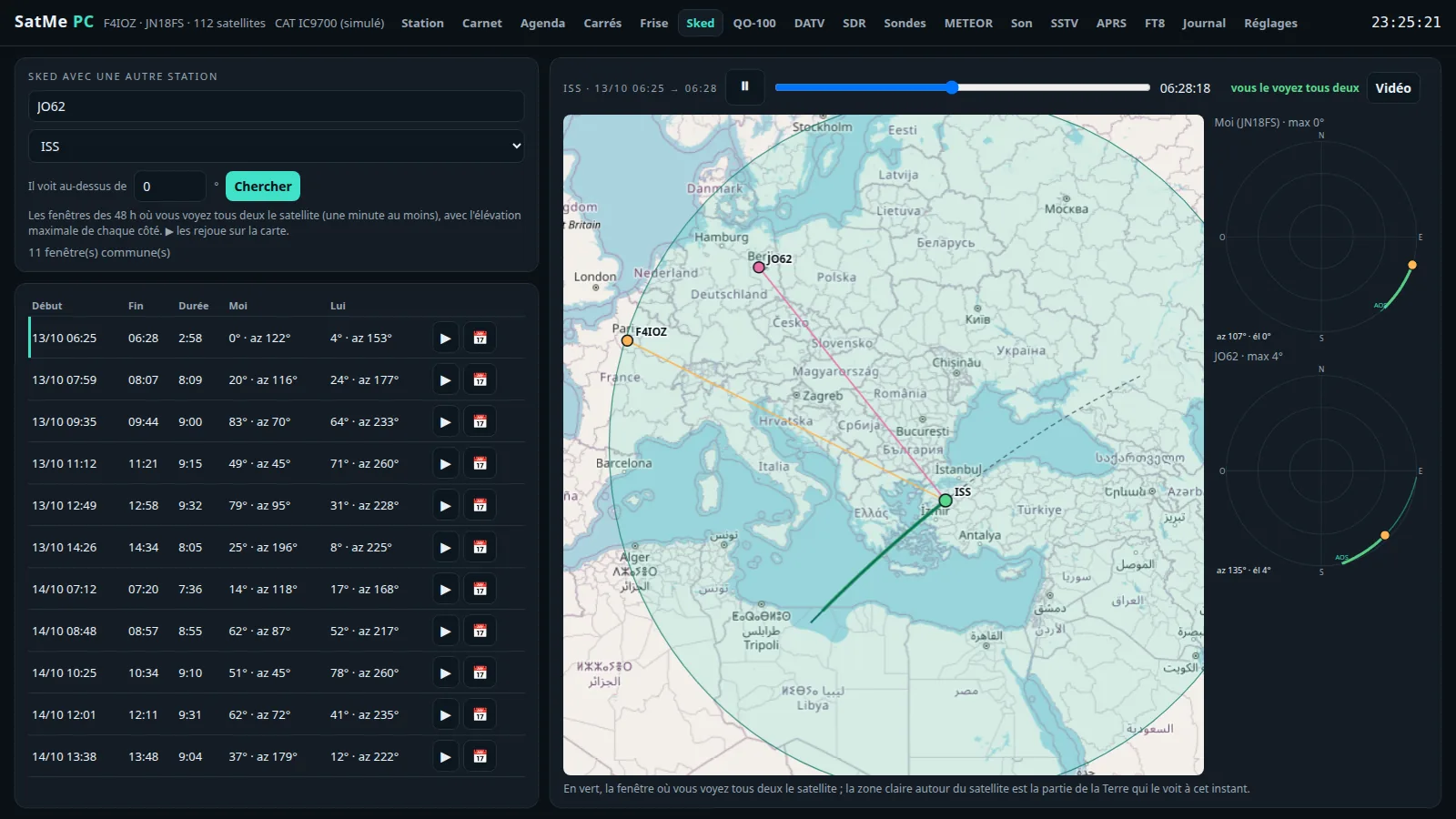
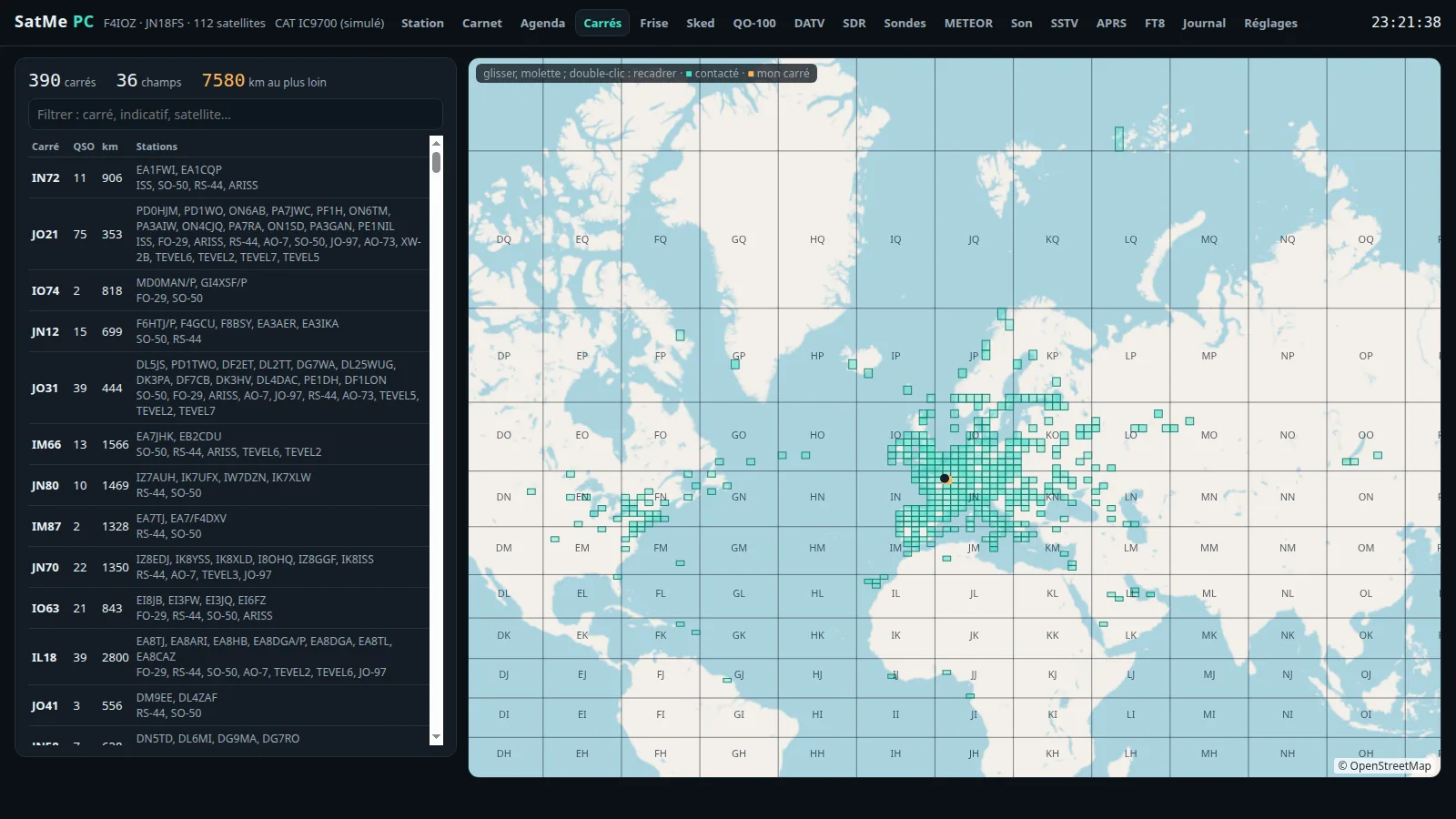
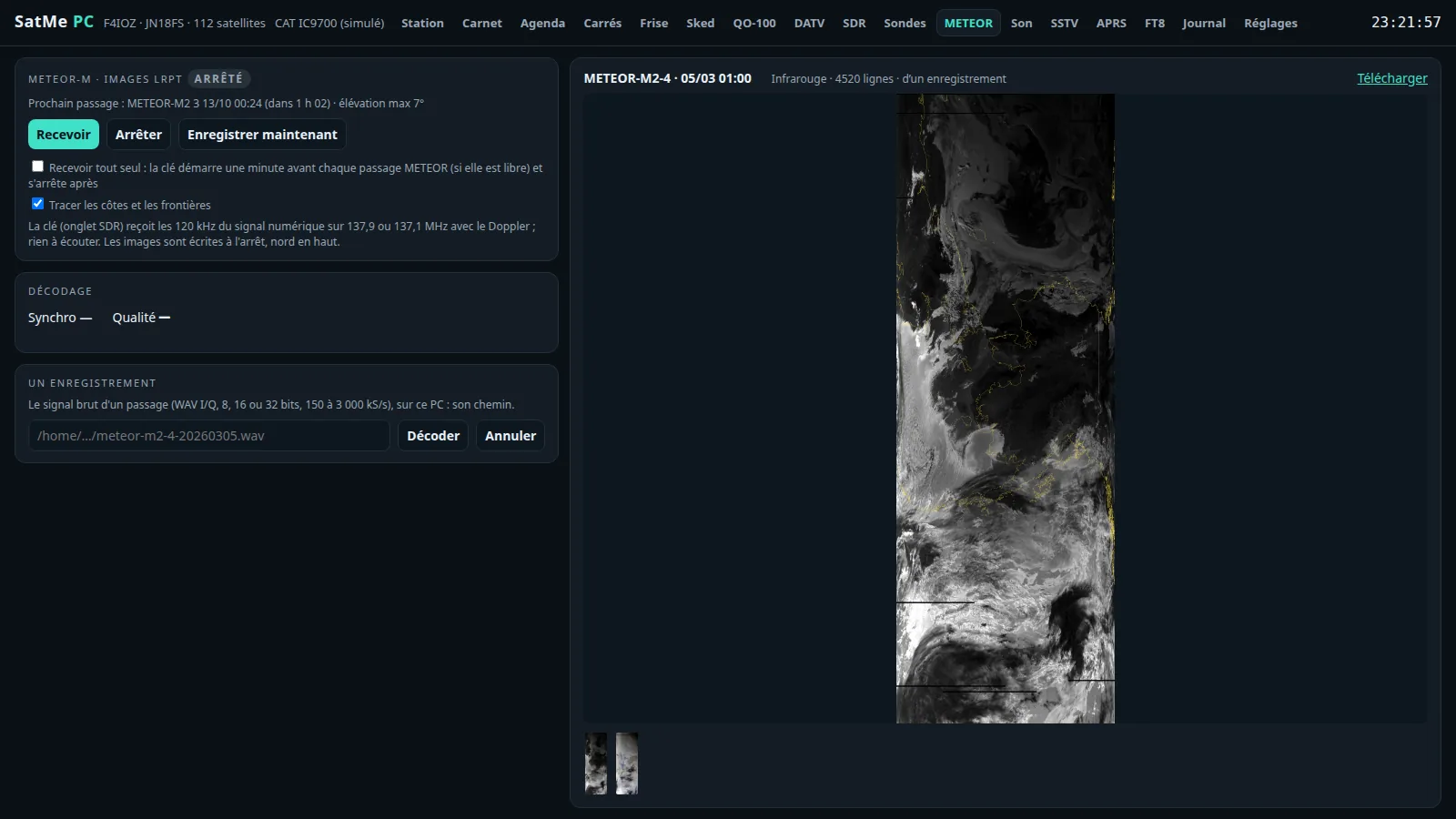
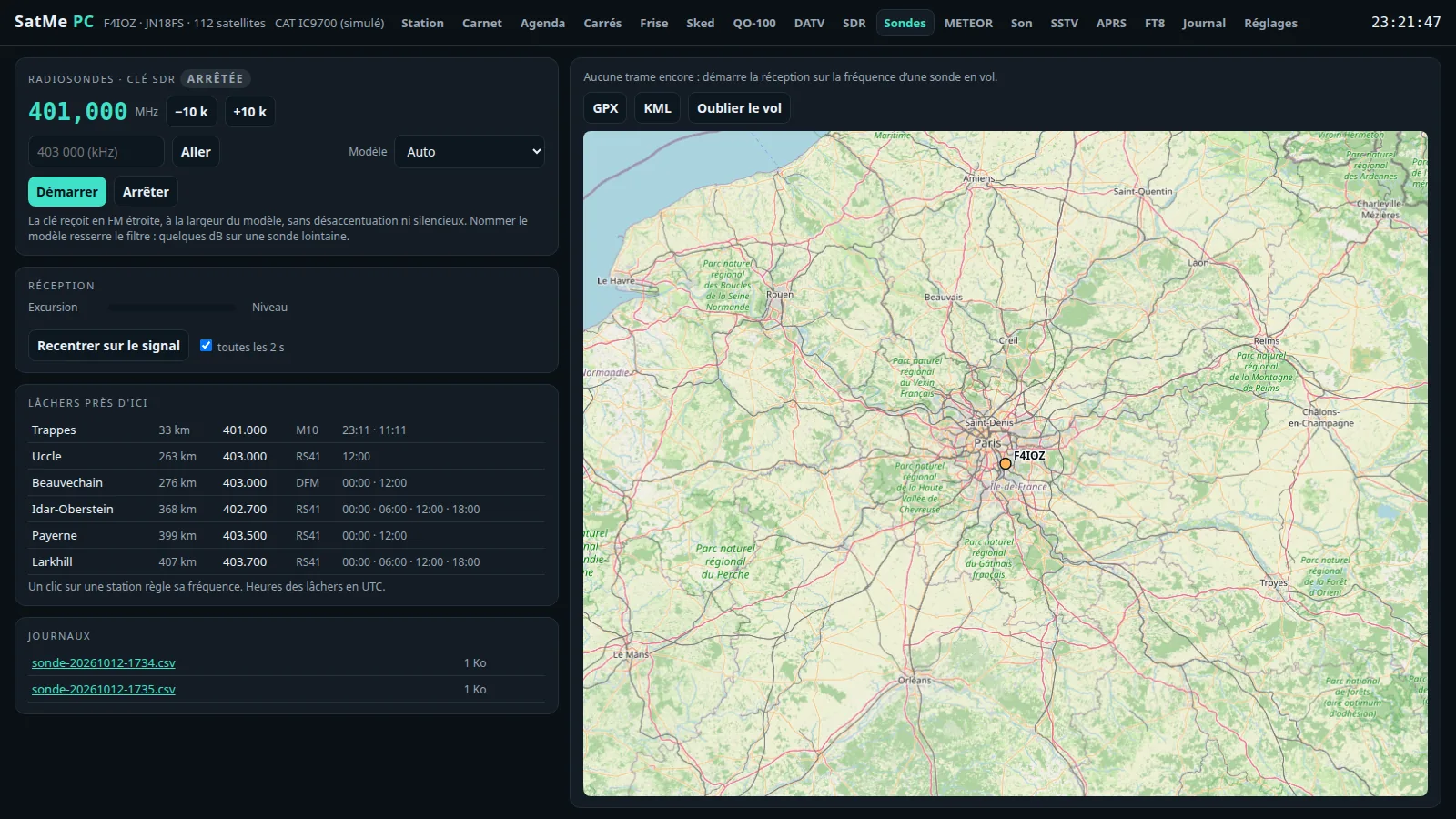
Hardware safety#
- Nothing opens by itself. A serial port opens only when it is chosen and "Connect" is clicked. No automatic search.
- RTS and DTR low by default. Icom CAT raises them (its USB bridges need it): pick the right rig's port. The TS-2000 keeps them low, and a port that echoes our own words (a RigExpert's PTT port) is closed at once.
- On Linux the system raises RTS/DTR for an instant on every port opening, before SatMe can lower them: one more reason to open only the port meant.
- CAT transmits only through the IC-9700's PTT — held in the Émission IC-9700 panel (one client, 2 s guard, time-out, released on disconnect and on close), or taken by the Émission FT8/FT4 card for one message at a time, never without the operator's action (attendance watchdog);
TX,KYrefused by the TS-2000 driver. APRS through a KISS TNC transmits only when you send a message, your position or a status yourself. - The MiniTiouner's LNB supply is off unless chosen.
- The ADALM-PLUTO and the bladeRF 2.0 transmit only from the DATV and SSTV tabs, on a confirmed click, within the rules above; their receivers never write the transmit side. DATV and SSTV never transmit at the same time.
- The IC-9700 over the network only receives, unless Émission par le réseau autorisée is ticked on this PC: then PTT alone passes and the TX audio path is requested; tuner, CW and voice memories stay refused before they reach the rig.
- Nothing goes to the internet without a ticked box: space weather, SatNOGS sharing, PSK Reporter, OpenStreetMap background, wide band chat, the online log upload — all off by default.
- The interfaces never transmit: rigctld refuses PTT, the USB knob tunes without ever transmitting, ADS-B, AIS, scanning, the measurements and the generator only receive, the Montage profiles are not applied during a transmission; the Sun scan moves the rotator only after confirmation.
- The HackRF One transmits only from the DATV tab, on a confirmed click, for the indoor test or into a load, its RF amplifier always off and its gain 20 dB at most; never to QO-100.
Before the first try#
- Linux: be in the
dialoutgroup (sudo usermod -aG dialout $USER, then log in again). - Windows: install the adapter's driver (CP210x, FTDI, CH340); the rig shows as
COM3,COM4… - Start with the simulated rig and simulated rotator, then plug in the real hardware one piece at a time.
- To try a second copy of SatMe-PC beside the station (another port, another folder), start it with
SATME_SANS_SERIE=1(or-Dsatme.sansSerie=true): it then opens no serial port at all, and cannot raise RTS/DTR on a rig or a board. - With no hardware at all: the SDR receiver's test generator, and the Essai buttons of telemetry and ships.
Demonstration: made-up data, virtual hardware#
To show SatMe-PC without a station (a stand, a VM, a Raspberry Pi in a case): satme --demo.
- A made-up station: callsign QF4DMO, in Clermont-Ferrand (JN15MS). Every callsign of the demonstration starts with Q — a series the ITU keeps for the Q code and gives to no country: none can be anybody's. The correspondents have a first name only.
- Data that look real: favourites (ISS, SO-50, AO-91, RS-44, AO-7, FO-29, QO-100, AO-123, PO-101), a log of about two hundred contacts over forty days (inside the satellite's footprint at that moment), a journal of some twenty passes of the last ten days — most followed with the virtual rig and rotator (Doppler, S-meter, rotator), a few rebuilt —, an SSTV campaign under way and its pictures (a series of twelve drawn by SatMe, nobody's photo), the station's chain.
- Always recent: these are the real passes of the days before, computed at the first start; passes, log and pictures are made again when older than two days (at start, and every hour). The orbital elements are carried in the program: no Internet needed; with it, they are refreshed.
- Virtual hardware plugged in: a simulated IC-9700 (Doppler, PTT with nothing opened), a simulated rotator that follows, the SDR receiver on the test generator, trial aircraft and ships, and as the sound card an SSTV test card: a picture of the series every forty seconds or so, decoded live in the SSTV tab (never kept).
- Nothing real: no serial port, no sound card (in or out), no SDR, MiniTiouner, SatMe-Node or IC-9700 over the network; DATV, SSTV, FT8 / FT4, I/Q correction and APRS do not transmit (FT8 / FT4: simulated transmit, made-up stations answer); nothing is sent under the made-up callsign (PSK Reporter, AMSAT, online log, SatNOGS, chat). Open to the network (
--reseau), the page keeps its password: it cannot be removed. - A « DÉMO — données fictives » band on every page, with Remettre à neuf: everything made again (settings included; the remote access password is kept) and SatMe-PC restarts. Or at start:
satme --demo-reset. - Its own folder and options:
~/.satme-demo(or--dossier), never~/.satme; a folder already holding other data is refused. - On a VM or a Raspberry Pi (x86_64 or arm64, Raspberry Pi OS 64-bit): the
satme-demo.tar.gzarchive (./gradlew :pc:demoTar) holds the program,installe-demo.shand short notes../installe-demo.sh --secshows what would be done;sudo ./installe-demo.shinstalls Java 17+ when missing, the program into/opt/satme-demo, asatme-demoaccount without login and thesatme-demoservice (satme --demo --port 8090 --reseau, data in/var/lib/satme-demo, no device visible), opens the port in ufw or firewalld when they run, and shows the address and the password.--port,--desinstalle. Only Java is needed: no native library (ffmpeg optional, for videos). - Polarisation (ESP32): the demonstration sets
pc_pol_port=virtuel,pc_pol_uhf=WIMO,pc_pol_vhf=AUCUNin its settings: the virtual ESP32 is plugged in from the start: the Suivi's Polarisation panel and the settings work as with a real box.