SatMe
Amateur radio satellite tracking for Android and the PC — passes, pointing, Doppler, logging.
Google Play · Why SatMe? · Documentation (wiki) · Français · API
What's new#
SatMe-PC has had a big autumn. The short version, with pictures — every point is detailed in the built-in guide (F1 in SatMe-PC) and the wiki.
New since 2026.10.33
- Web publishing (optional module, off by default): SatMe-PC pushes to your site, whatever it is, or into a folder — SSTV and SSDV pictures, planches, reports, contacts, the journal's videos, FT8 / FT4 passes, and as an option live data (auto-pilot, QO-100 spectrum, DATV picture, station, FT8 / FT4, favourites, awards); a documented API, ready-to-use receivers.
- SSDV: SO-127's (HADES-SA) decoded in USB (Télémesure › SSDV en BLU, the rig in USB-D), IO-86's through its repeater's AFSK 1200, the Geoscan satellites' pictures; in the SSTV tab and with the auto-pilot. Every transmitter of a satellite listed, and Autre fréquence… to type your own.
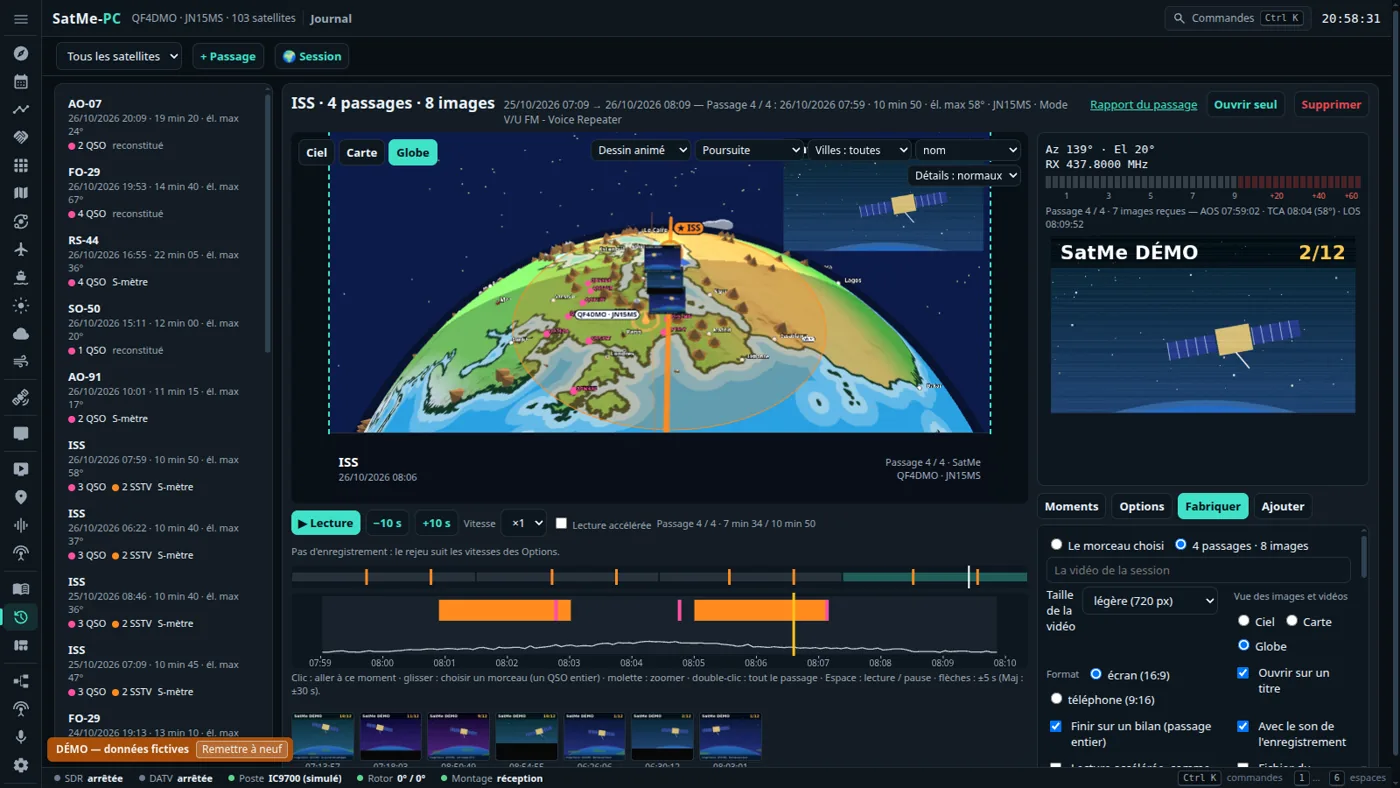
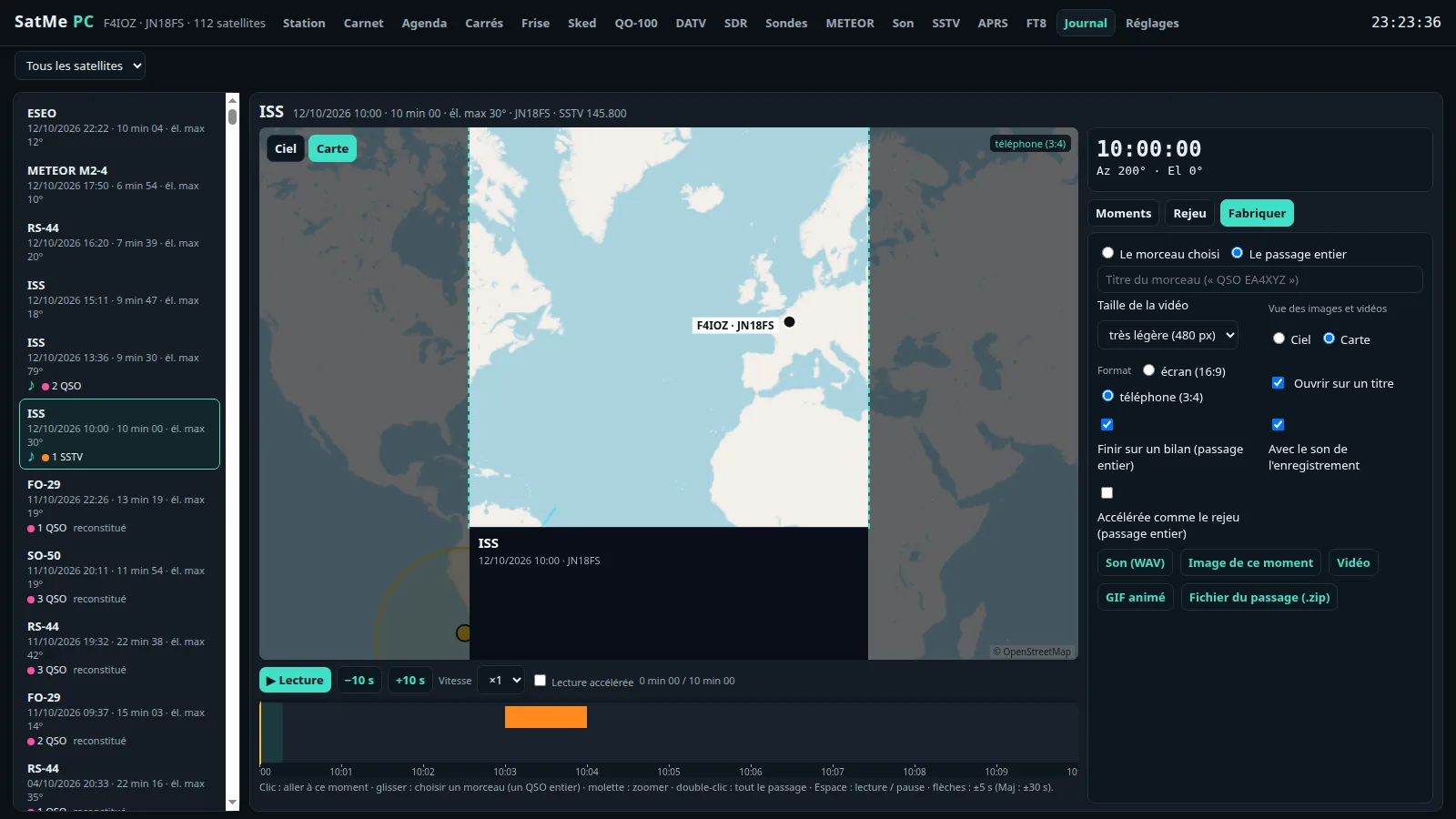
- Journal: the video follows the preview exactly, the sound is back (sped up to ×4 with its pitch kept, where something is heard), « Hors passage » before the AOS and after the LOS, skip the silences, and a handsome closing summary, the pictures near their own size.
- SSTV: the followed satellite's inset beside the live picture; ARISS series 33 slides numbered too.
- Windows: an MSI update no longer deletes anything; the data stays in
%APPDATA%\SatMe. - The manual as a PDF, laid out, attached to every release (
SatMe-manuel-fr.pdf,SatMe-manuel-en.pdf).
New since 2026.10.32
- FT8 / FT4 transmit, through the IC-9700 SatMe already keys: double-click a line to answer, 📣 Appeler CQ, the sequence up to 73, terrestrial or through a transponder (RS-44, QO-100) with the Doppler; the rig put in USB-D by itself; never unattended (attendance watchdog, Esc). The Journal shows the FT4 / FT8 decodes on the replay and in its videos.
- Sked on the globe: the common window with another station replayed on the Orbites globe, with its looks and cameras, and its MP4 video in 16:9 or 9:16 — up to the animated globe filmed as on screen.
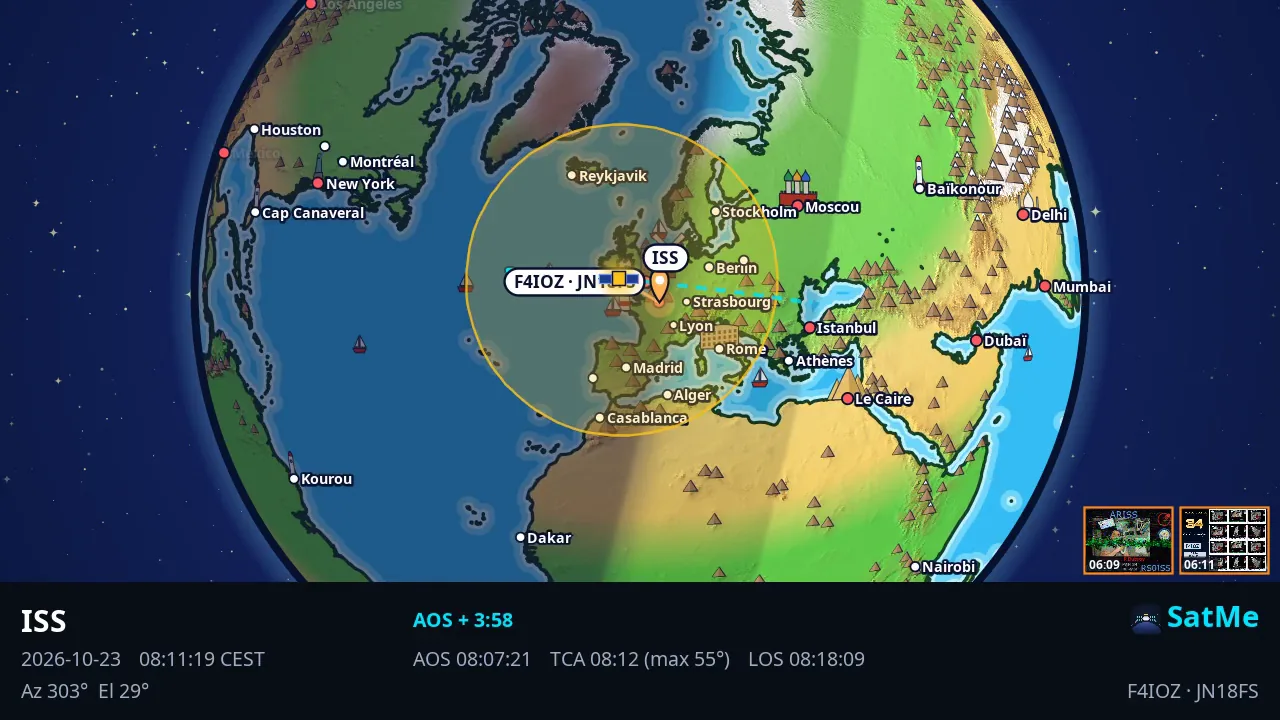
- Orbites: the view from the satellite (the Earth seen from above, its footprint, your station in it or not), 📺 the ISS live (NASA's video beside SatMe's own calculation), stronger tracks, and in Vitrine the globe beside the cards — no "come and listen" by default.
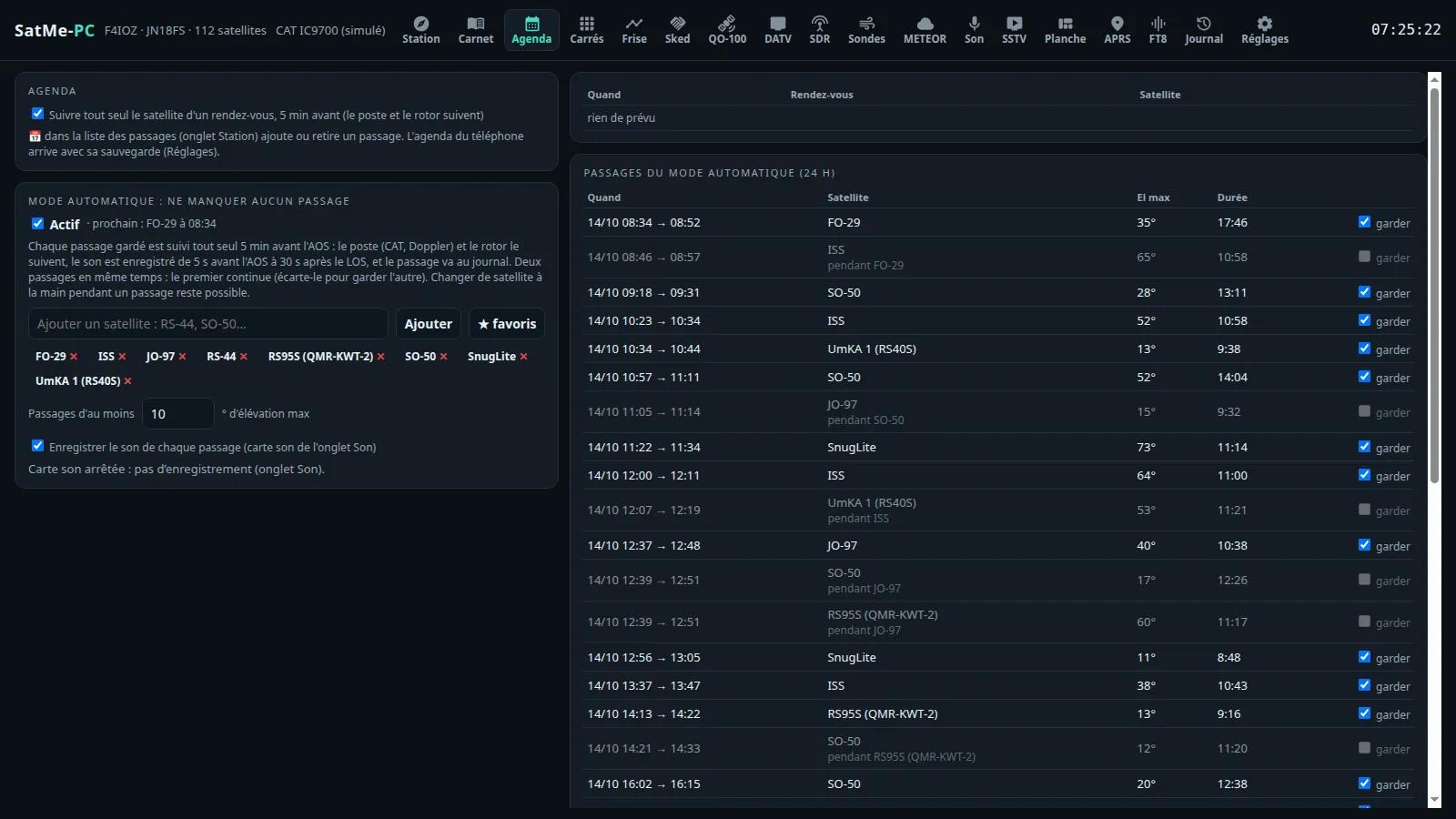
- Agenda: the awards (ARISS SSTV, AMSAT, VUCC, DXCC, WAS…) and where you stand from your gallery and your log, the request prepared — nothing is sent; Activer l'auto-pilote in one click on an announced SSTV activity.
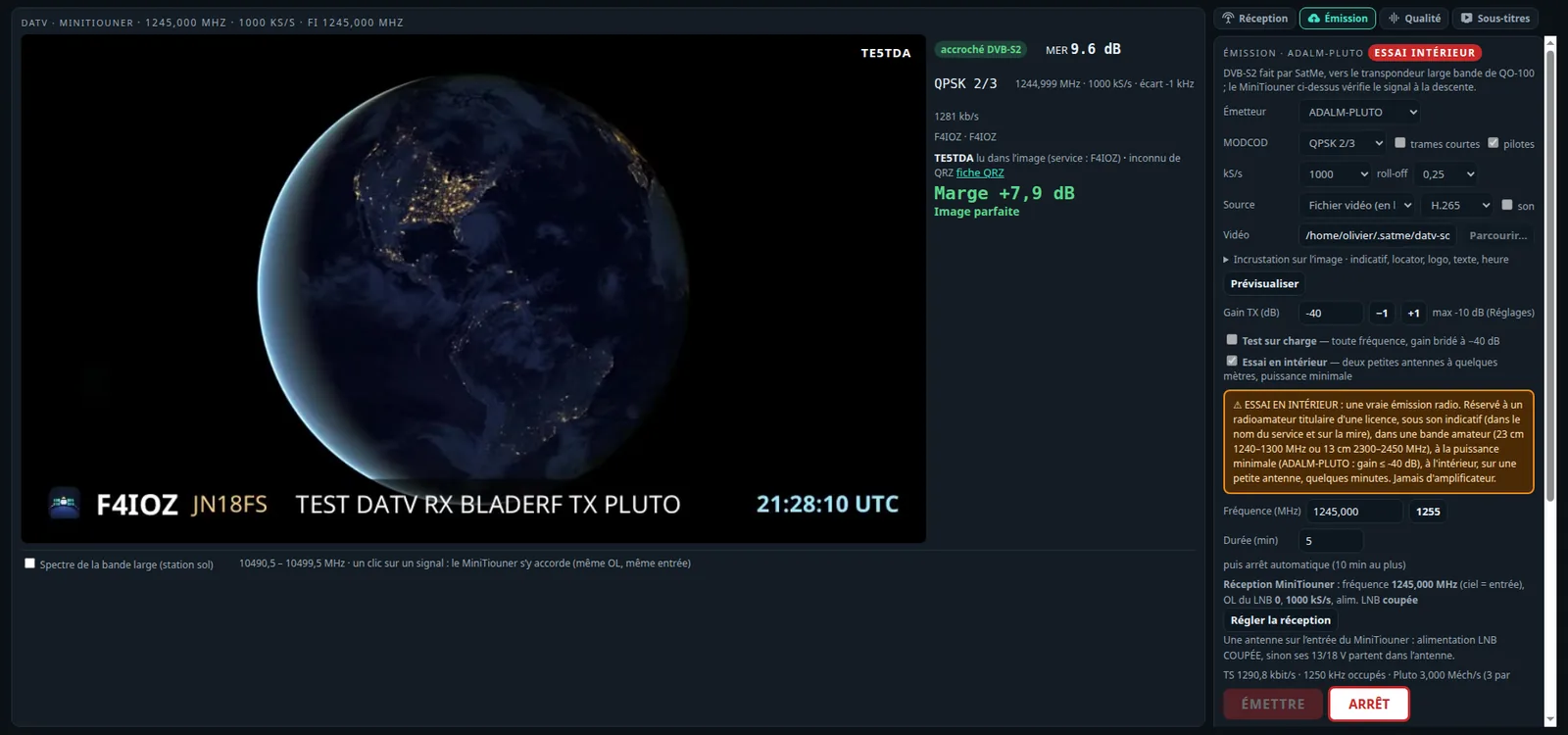
- DATV: a pointing screen readable from afar (huge MER, trend, tone), the reception history, the signal level, the beacon calibration, spoken translation and a summary of the station received; when transmitting, the free slots, the encoder test, a live clock and a gain ramp.
- SDR and station: a satellite scale over the waterfall (Doppler included, one click to follow), a converter and transverter table per band, Calibrer la clé SDR (ppm) and Aligner a transponder step by step; SSDV pictures completed over several passes.
Earlier this autumn:
Orbites, and its full-screen board. The Earth in 3D with your satellites on their orbits, their footprints and nearly 250 landmarks. ⛶ Tableau turns it into a wall display with six looks: Dessin animé (the globe turns by itself), Pédagogique (cards that explain, "did you know?"), and Vitrine for a club stand — big cards that rotate: "AO-91 passes over us at 15:29", the globe beside it, a satellite and its story, your club and its QR code.
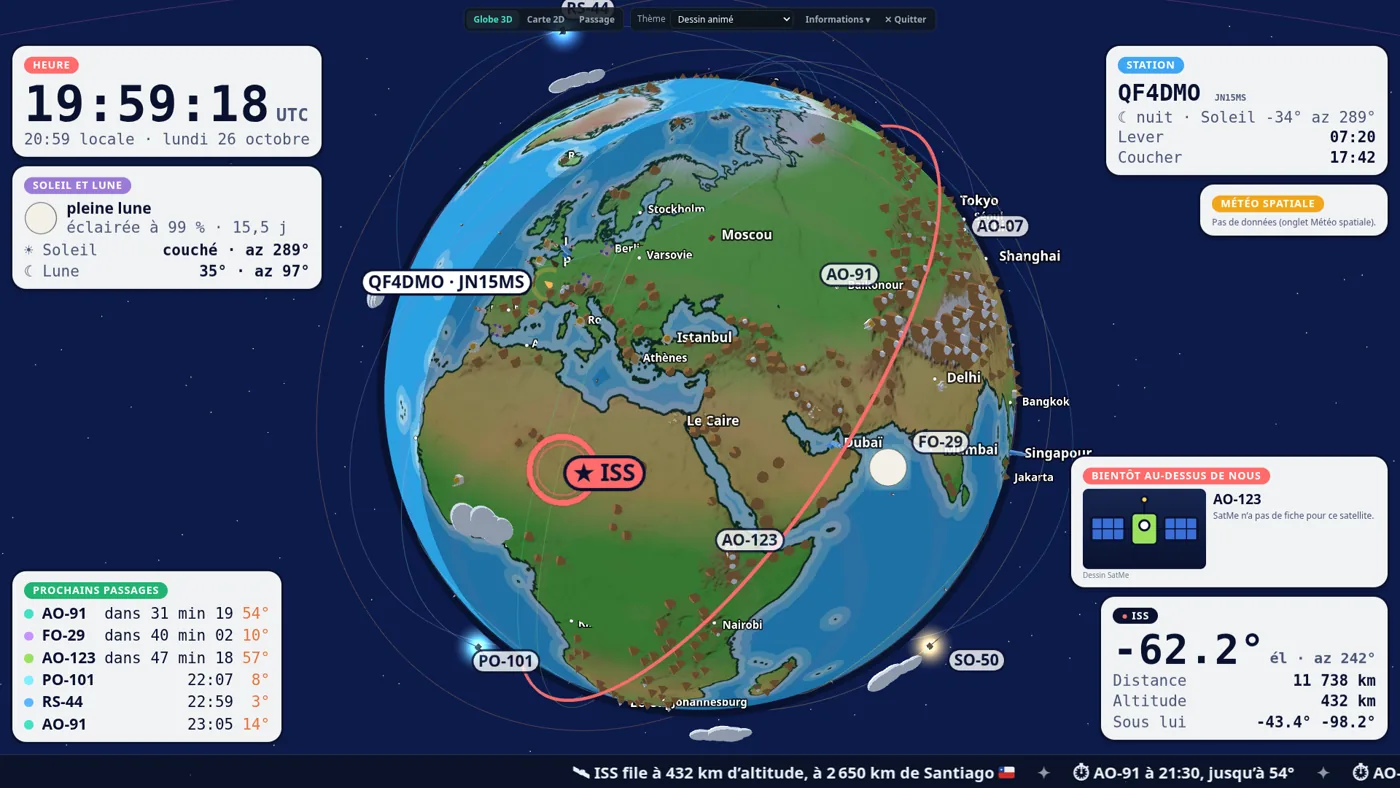
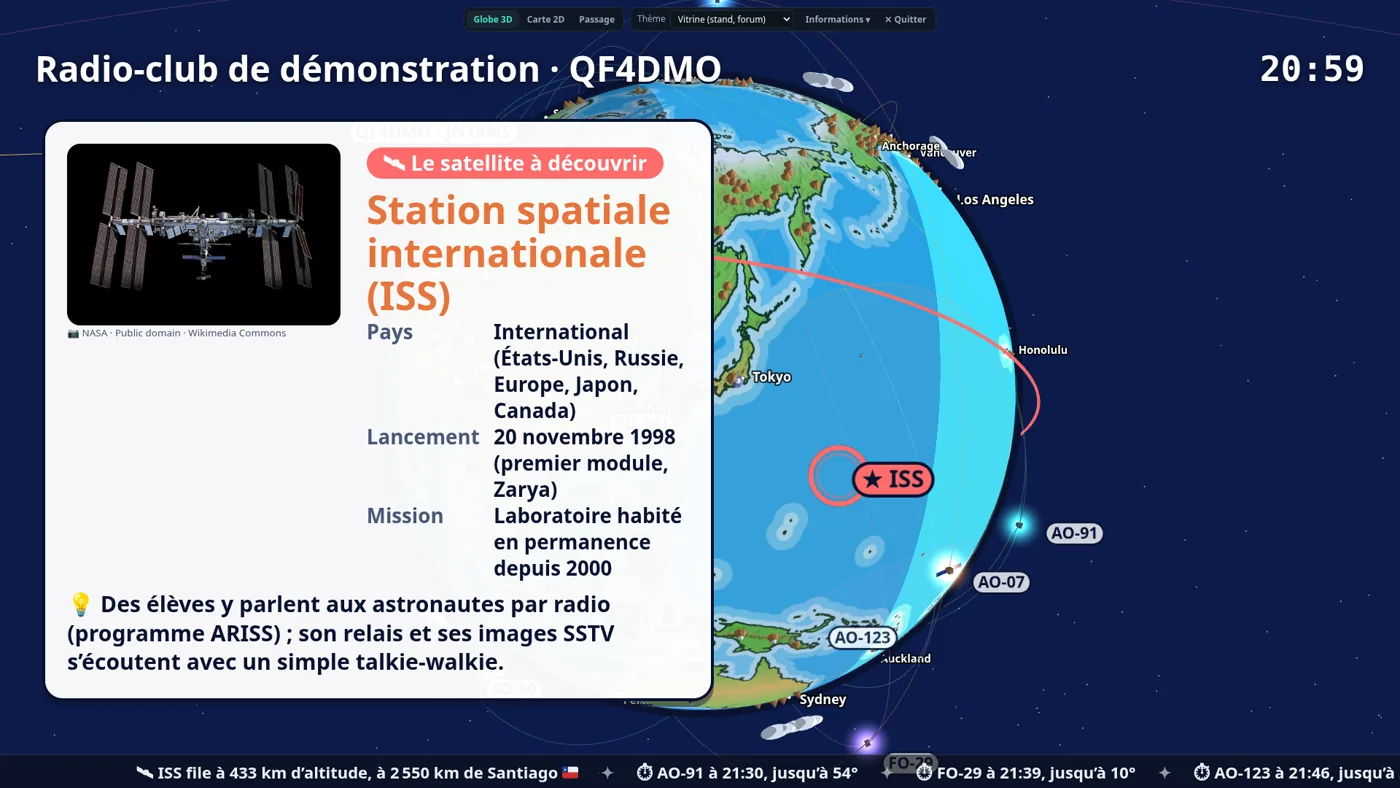
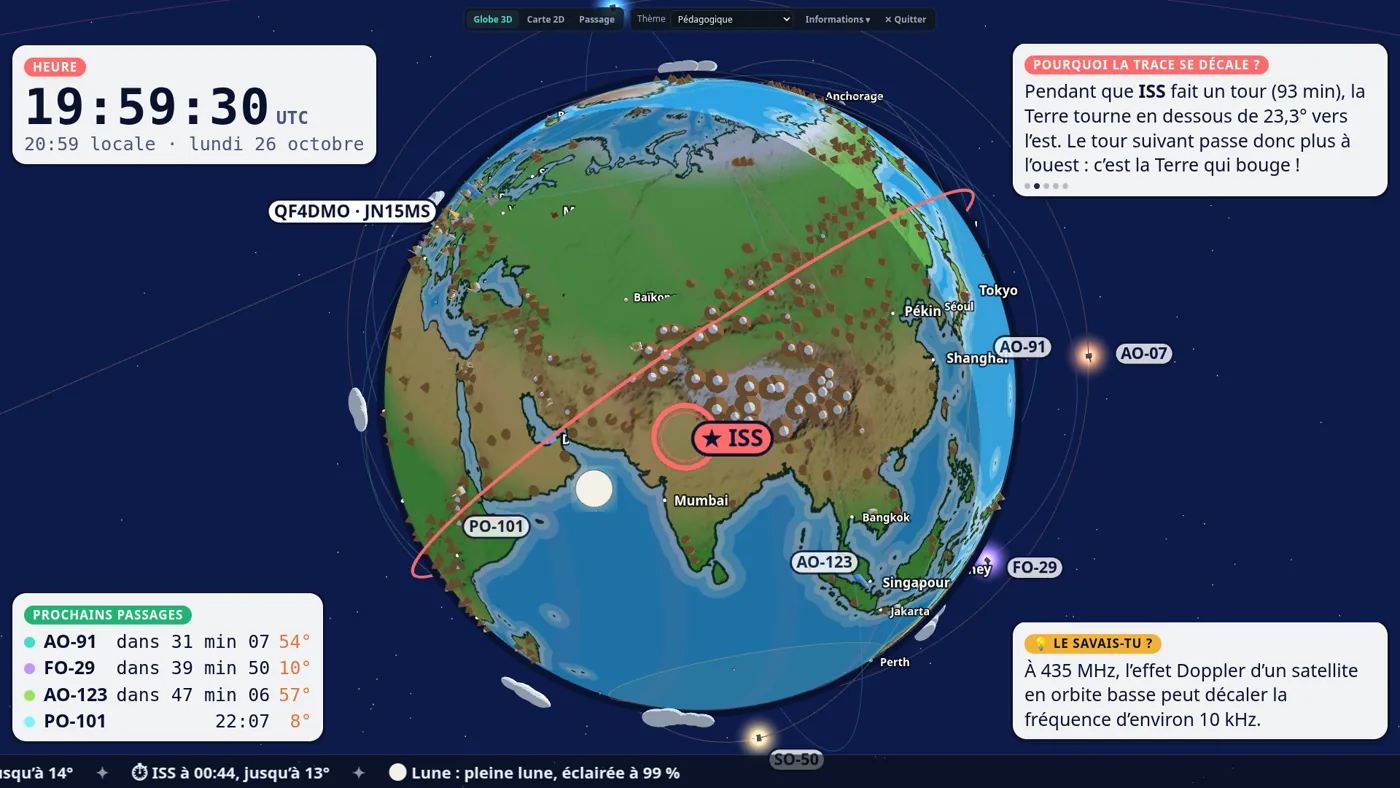
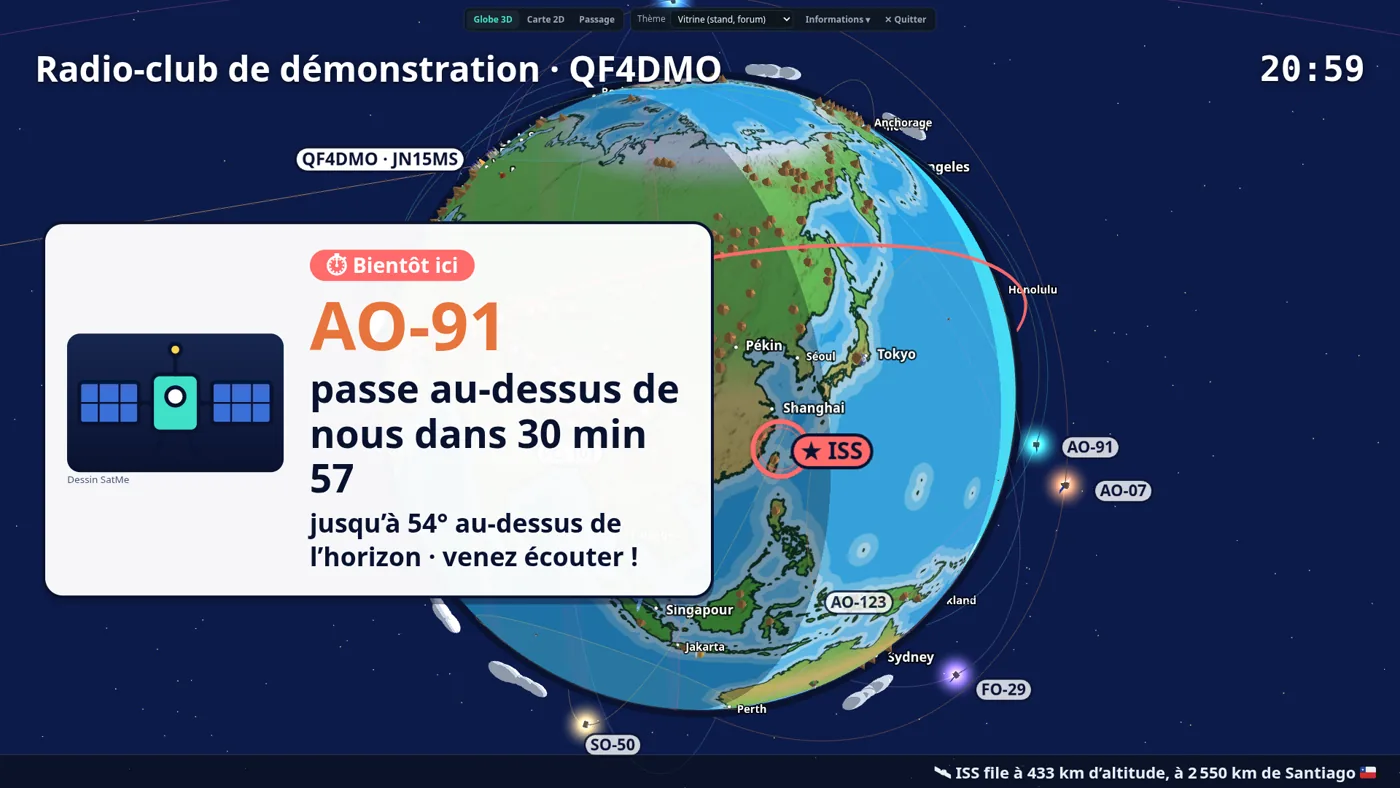
Satellite cards with real photos. Country, launch, mission, orbit, a story, the amateur frequencies and the Wikipedia summary. The photo is a free one from Wikimedia Commons (author and licence shown), fetched once and kept; without the Internet, a SatMe drawing.
The Journal is a small video editor. One editor for one pass or a whole session of several. Choose the 16:9 screen or 9:16 phone frame, place the SSTV picture and the overlays with the mouse, start a few minutes before AOS to see the satellite coming. Export an MP4 with the contacts' sound, a GIF, a picture, the WAV or a ZIP. In 16:9 the caption is now a slim three-column band (about 19 % of the picture): the view gets the room.
Antenna polarisation from the Suivi tab. An ESP32 box on USB drives a WiMo switch: vertical, horizontal, right or left circular. SatMe sets each satellite's polarisation at AOS, can probe H against V on the S-meter and learns, pass after pass, which one works best. It never switches the antenna that transmits, and the front-panel selector always has the last word. A virtual ESP32 lets you try it all before soldering.
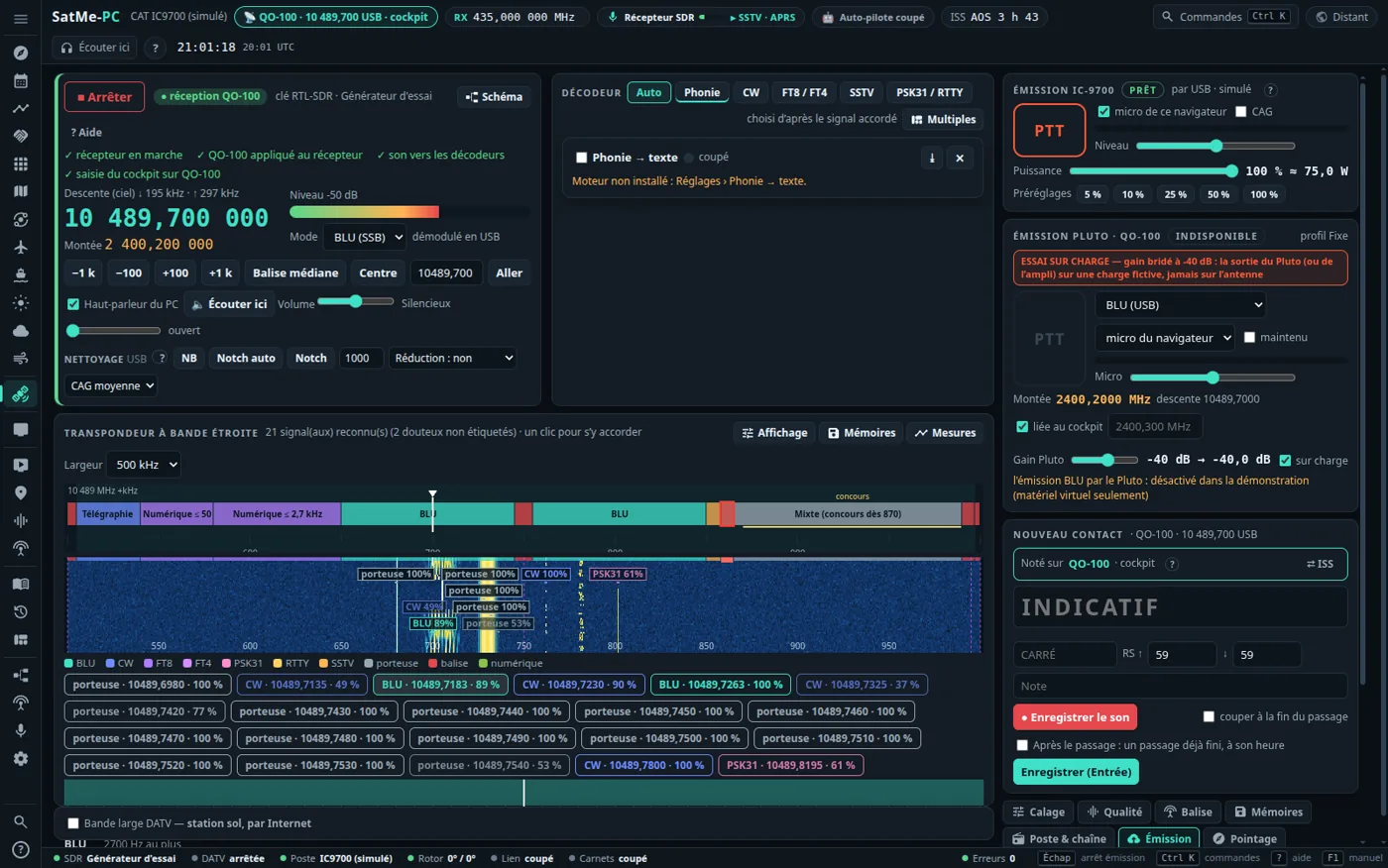
QO-100 narrow band, transmitting. The ADALM-PLUTO straight on 2.4 GHz (SSB from the browser's microphone, CW, FT8 through a sound card) or the IC-9700 with an up-converter. The AMSAT-DL band plan per mode, a dummy-load stage at every start, a 2 s watchdog, a cut as soon as LEILA is heard, and your signal compared with the beacon. Not yet tried on the air with real hardware.
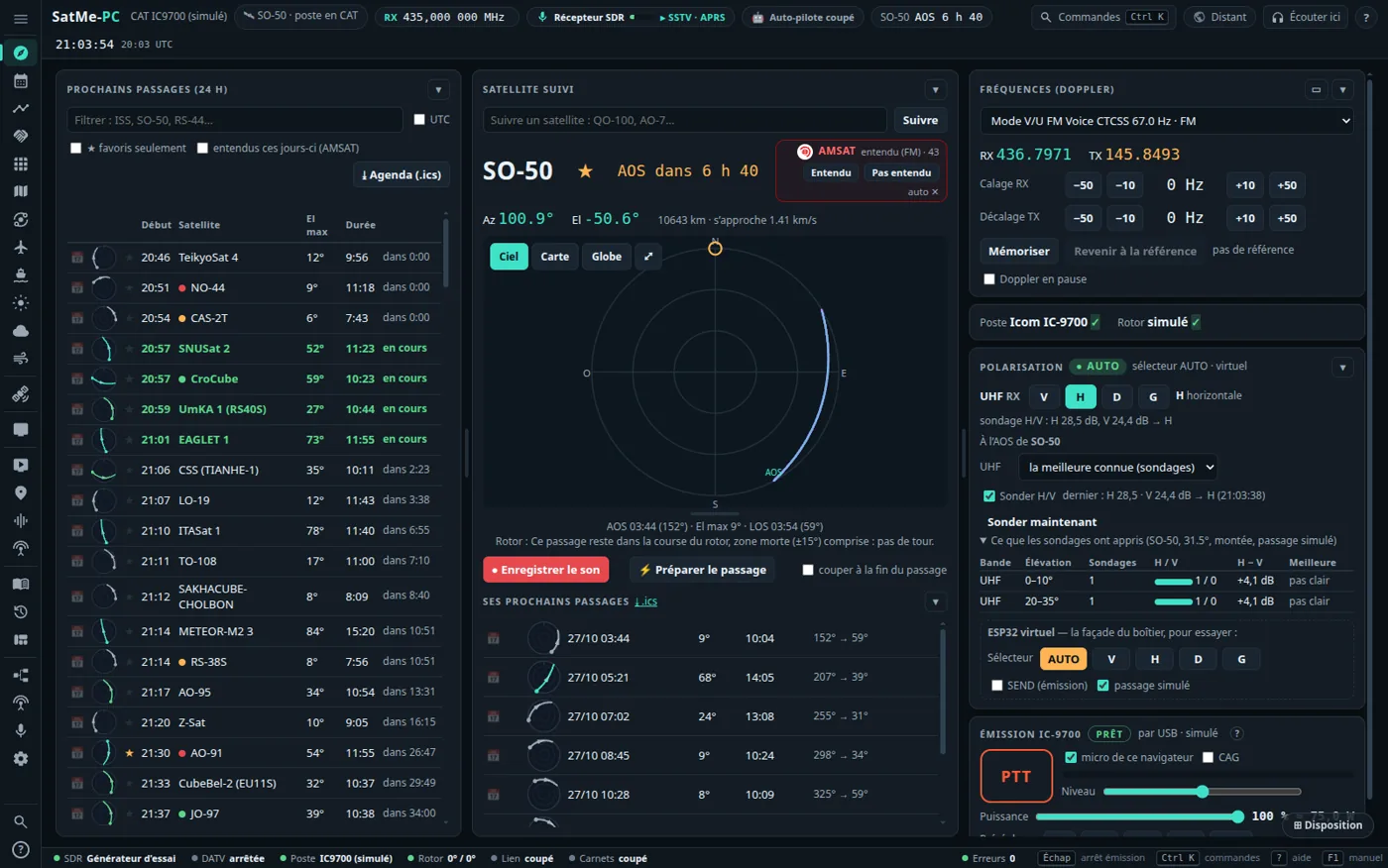
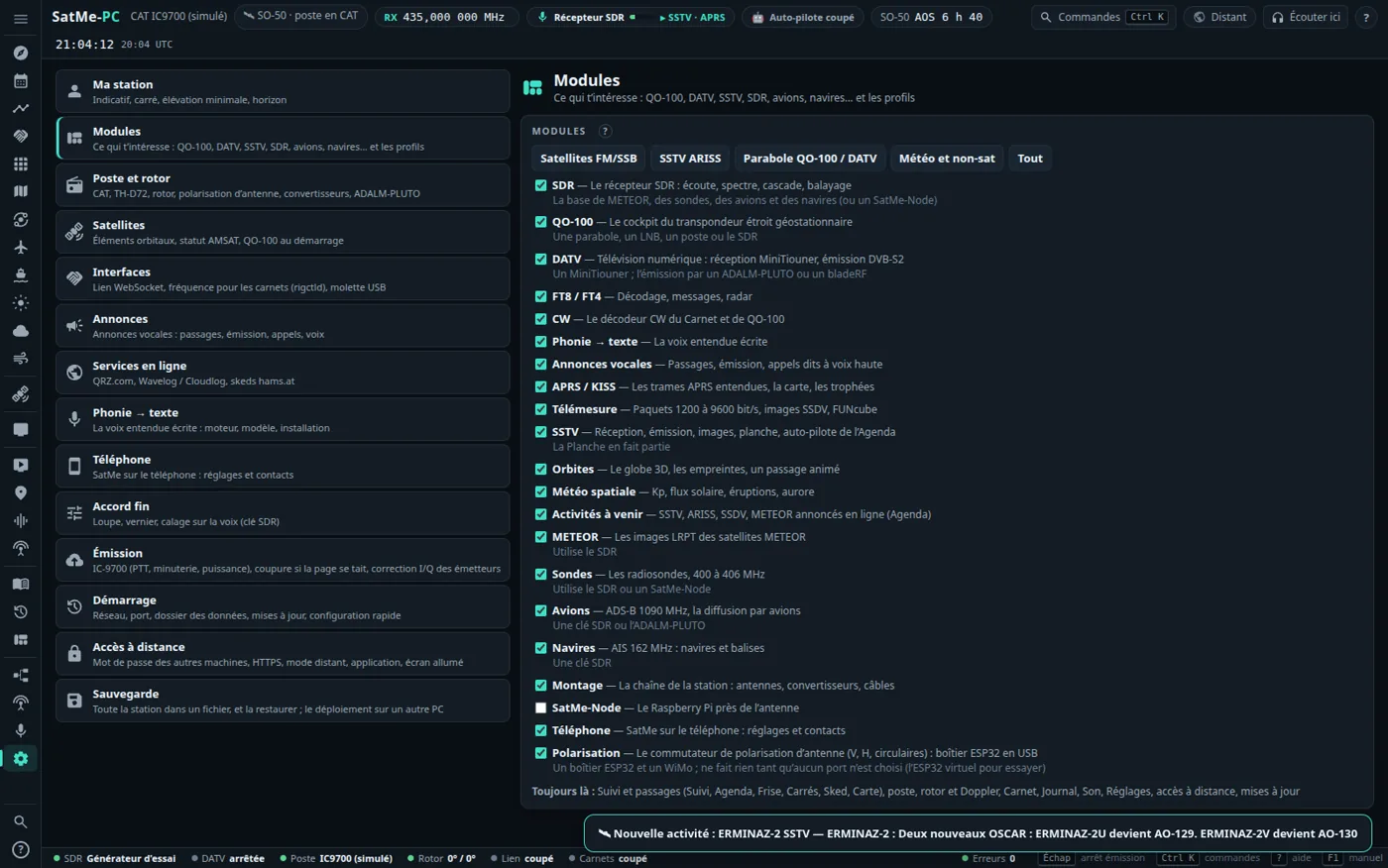
Your station, your layout. Réglages › Modules keeps only what you use (QO-100, DATV, SSTV, SDR, APRS, aircraft, ships…), or pick a profile. In Suivi, panels fold, columns widen with a handle, and ⊞ Disposition remembers it.
A demo to install anywhere. satme --demo runs a made-up station (callsign QF4DMO, every callsign in the Q series, nobody's) with a believable log, journal and SSTV pictures, always dated in the last few days, and virtual rig, rotator, SDR, aircraft and ships. Nothing real is opened, nothing transmits. For a club stand or to look around before installing: the satme-demo.tar.gz archive (./gradlew :pc:demoTar) and its installe-demo.sh put it on a Linux VM or a Raspberry Pi as a service. → Demonstration · the demo's notes
One station, three SatMe#
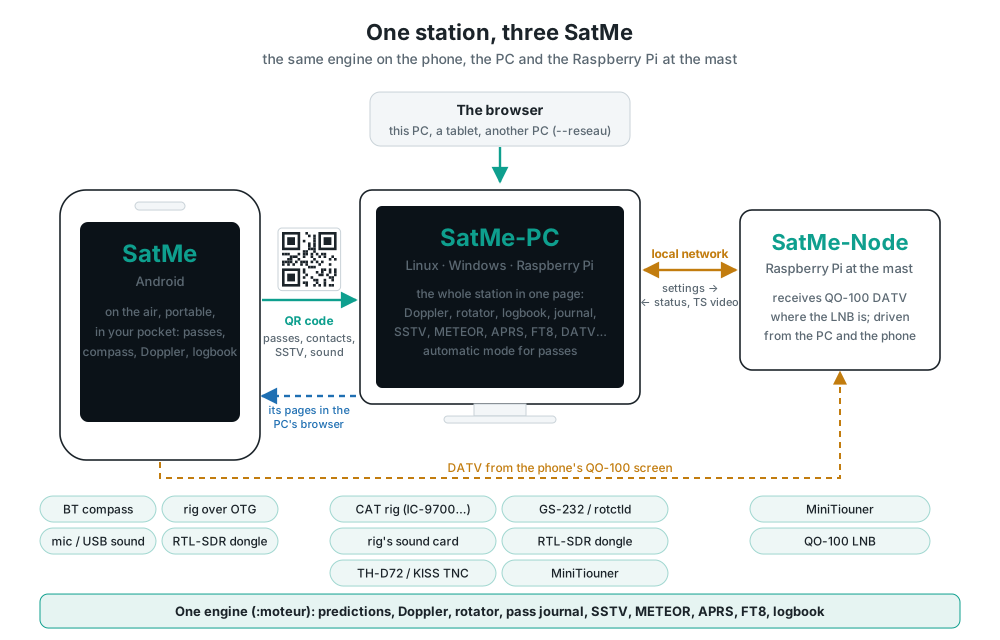
SatMe in your pocket to work satellites anywhere, SatMe-PC for the whole station in a browser, SatMe-Node on a Raspberry Pi at the mast. The same engine everywhere: what the PC does, the phone does too. Free, no account, no ads, free software.
Try it in two minutes, nothing plugged in: simulated rig and rotator, the real passes of the moment. ▶ Google Play · Linux PC or Raspberry Pi: curl -fsSL https://raw.githubusercontent.com/f4ioz/SatMe/main/installe-satme.sh -o installe-satme.sh && bash installe-satme.sh · Windows, all in one (.msi) · or the demo station on a VM or a Raspberry Pi
- 🛰 Never miss a pass again — the automatic mode follows every pass of the satellites you chose: rig and rotator in place 5 min before AOS, the sound recorded, the pass in the journal.
- 🎯 Doppler handled for you — IC-9700, IC-9100, IC-910H, TS-2000, FT-817 / IC-705, TH-D72; turn the knob, the rig follows the transponder.
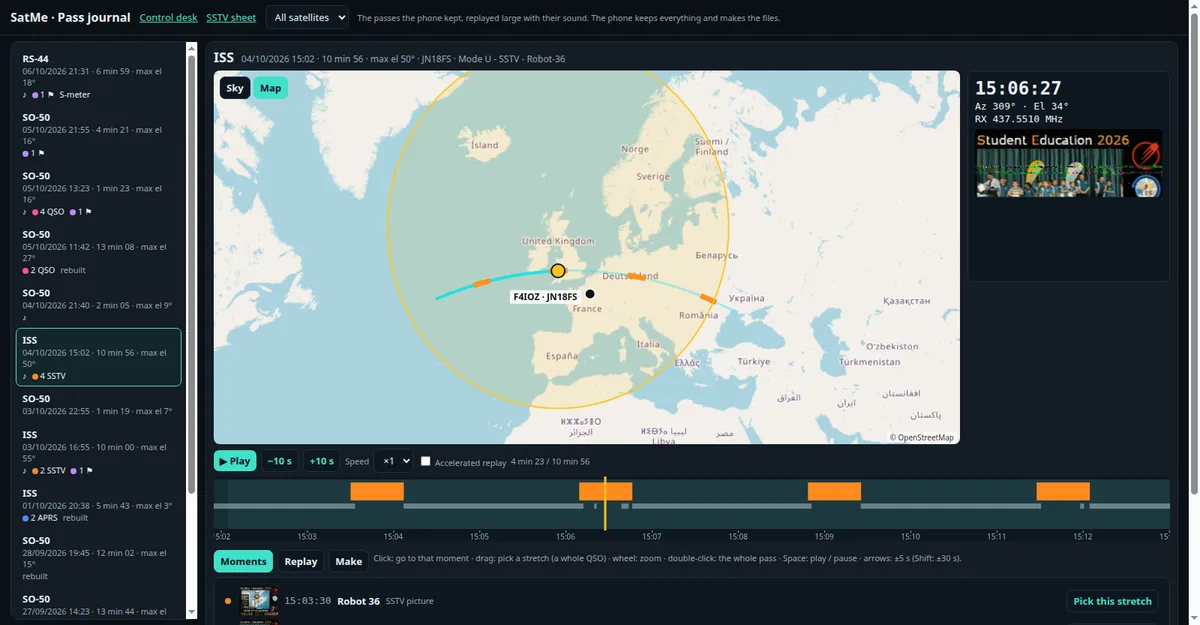
- 🎞 Every pass replayed — on the sky or the map, with its sound, the S-meter, contacts and SSTV pictures in their place; made into a video or a GIF to share.
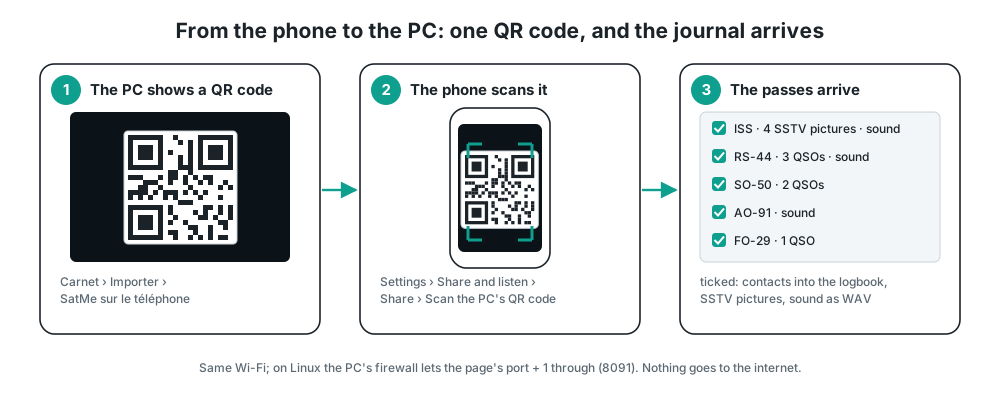
- 📲 From the phone to the PC with one QR code — passes worked portable land on the PC with their contacts, pictures and sound.
- 📡 And everything else — SSTV, METEOR, APRS (and KISS), FT8, radiosondes, a QO-100 cockpit that receives and transmits, DATV, antenna polarisation, voice to text, a log with QRZ and Wavelog / Cloudlog.
A real pass, as SatMe kept it#
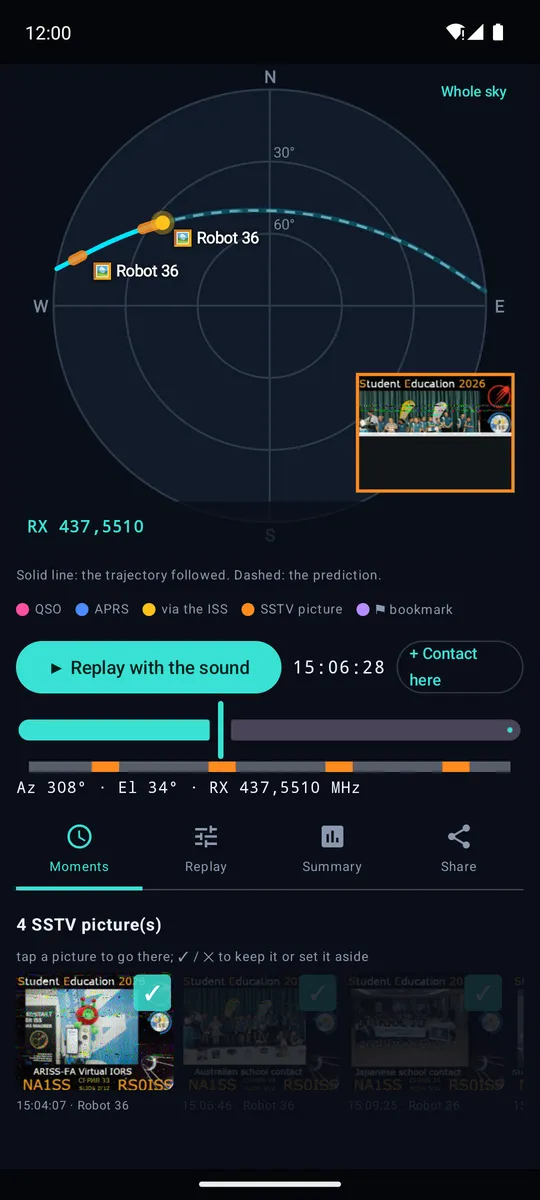
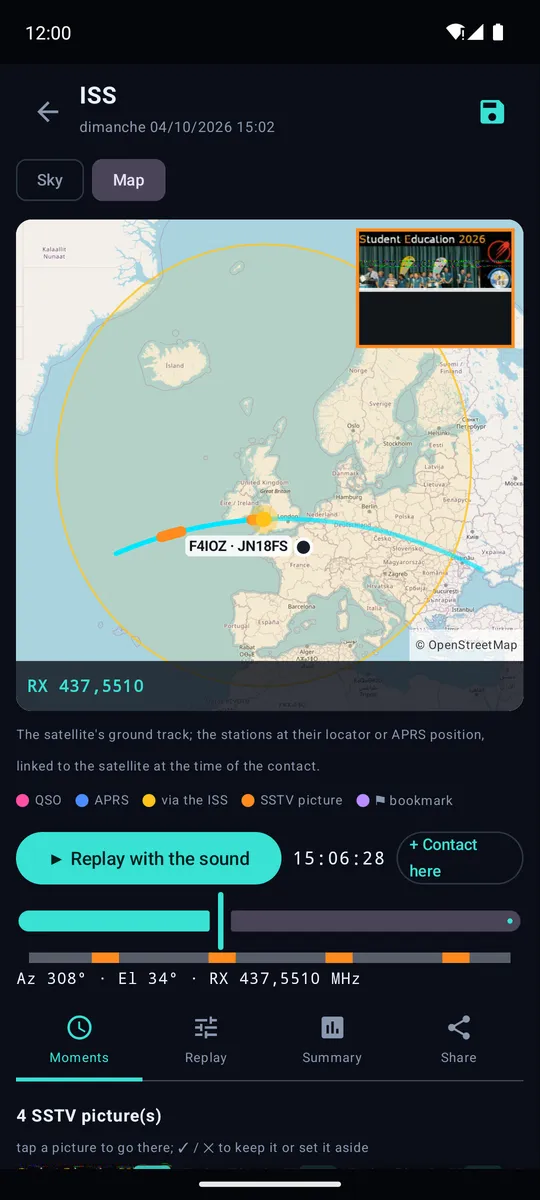
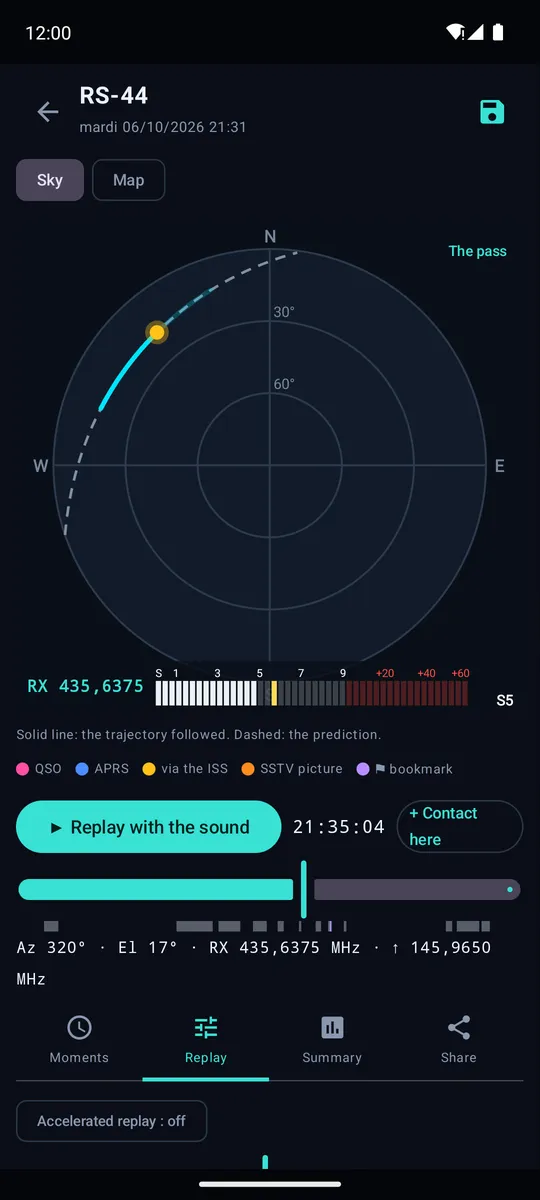
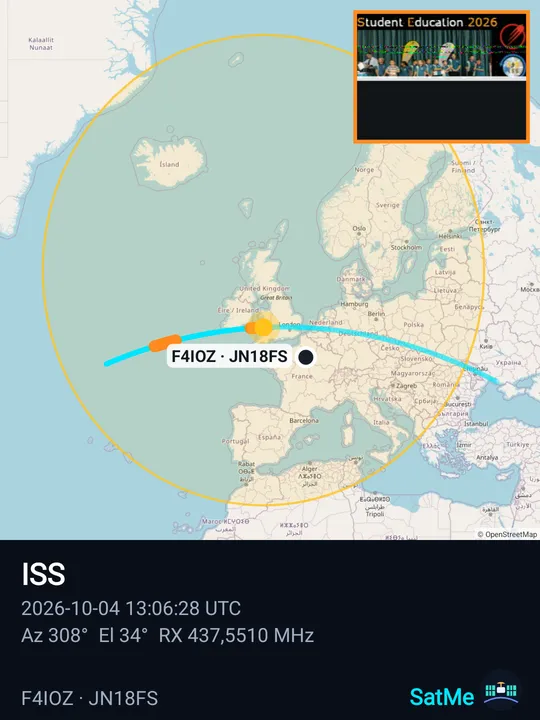
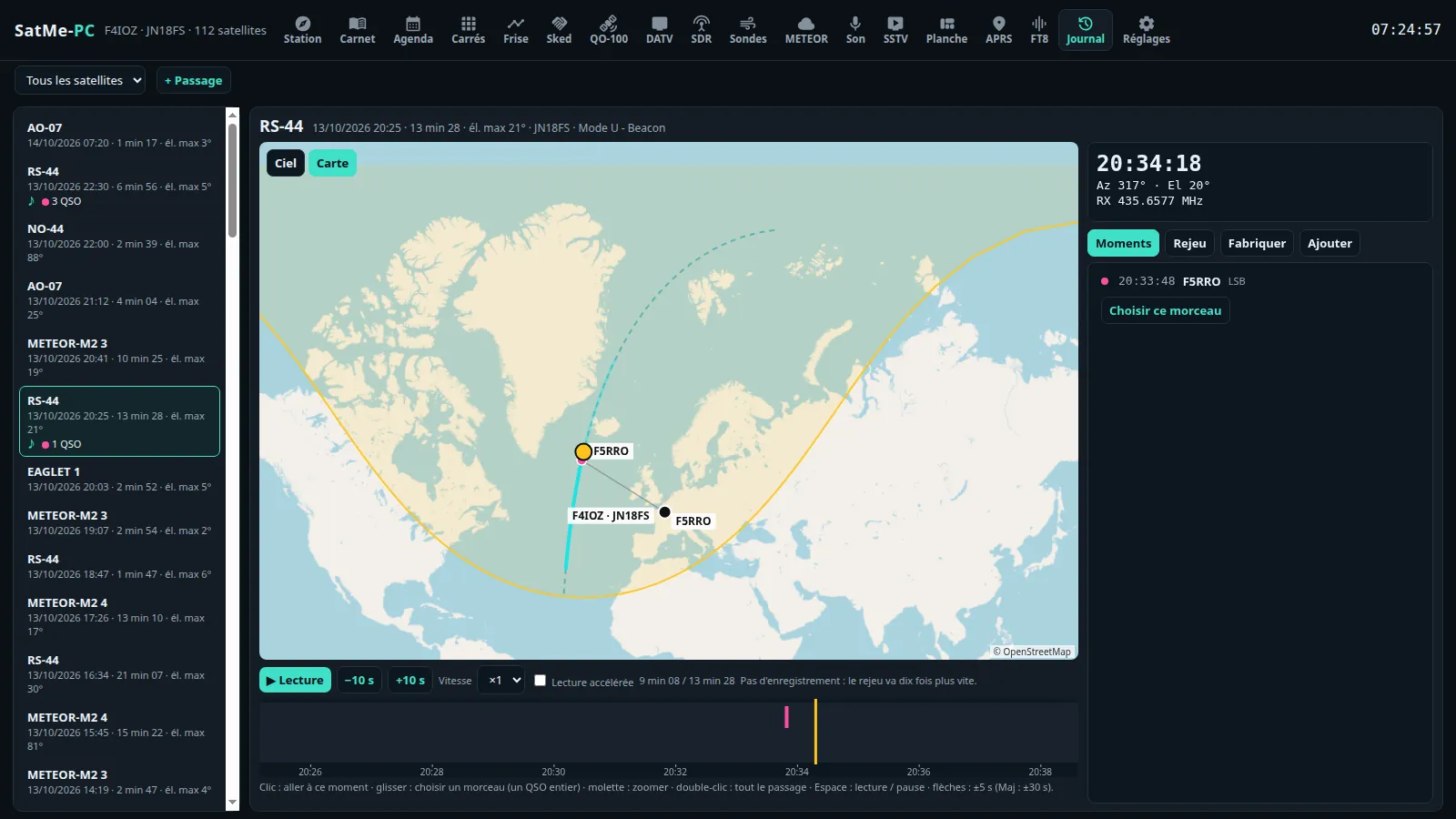
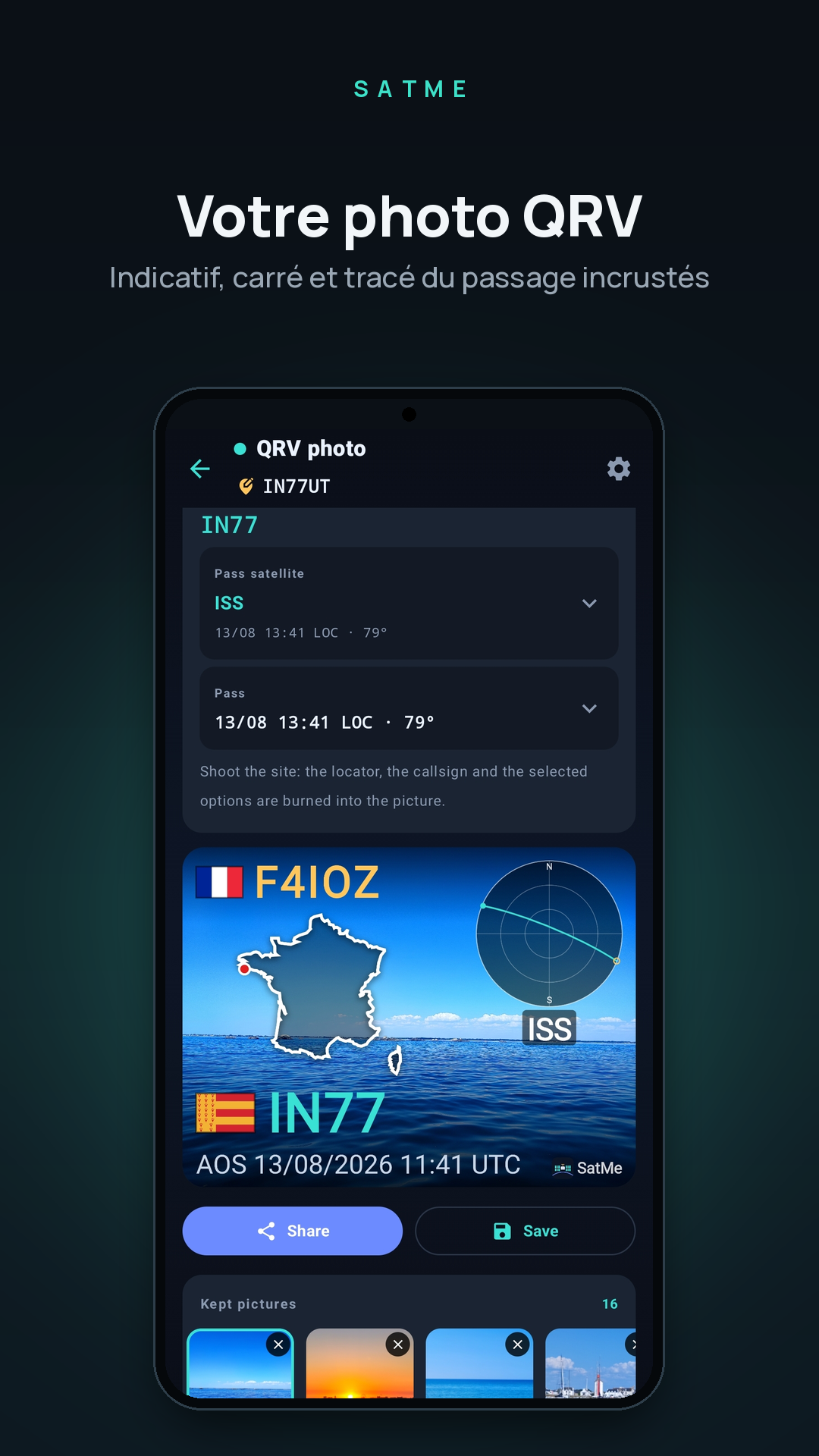
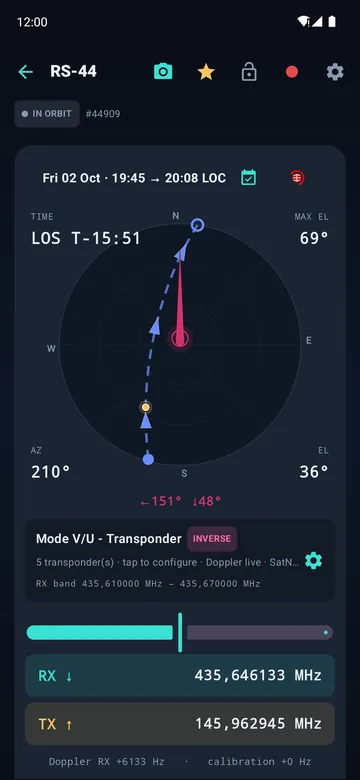
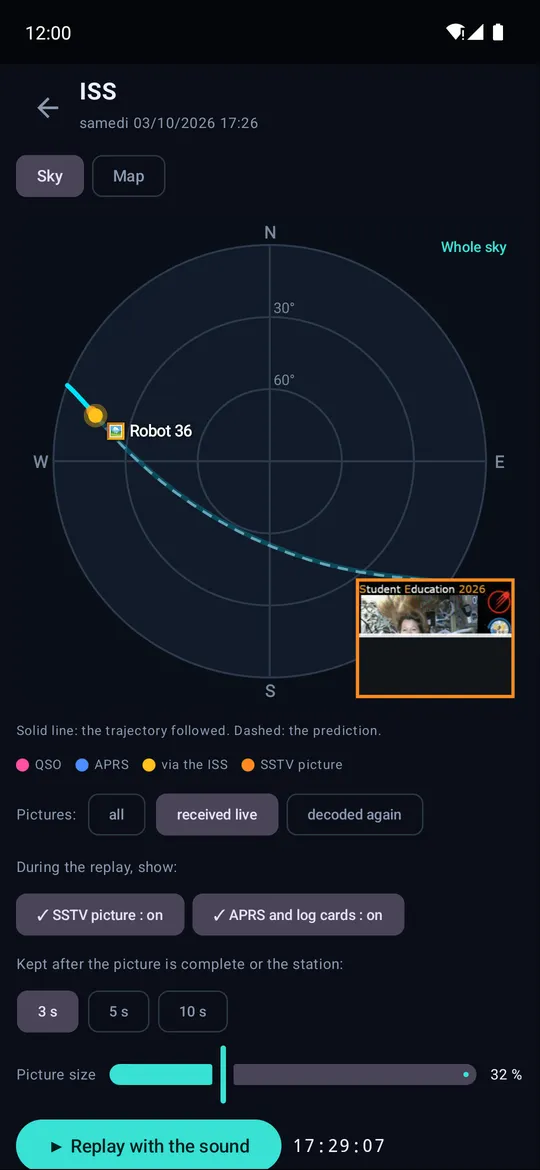
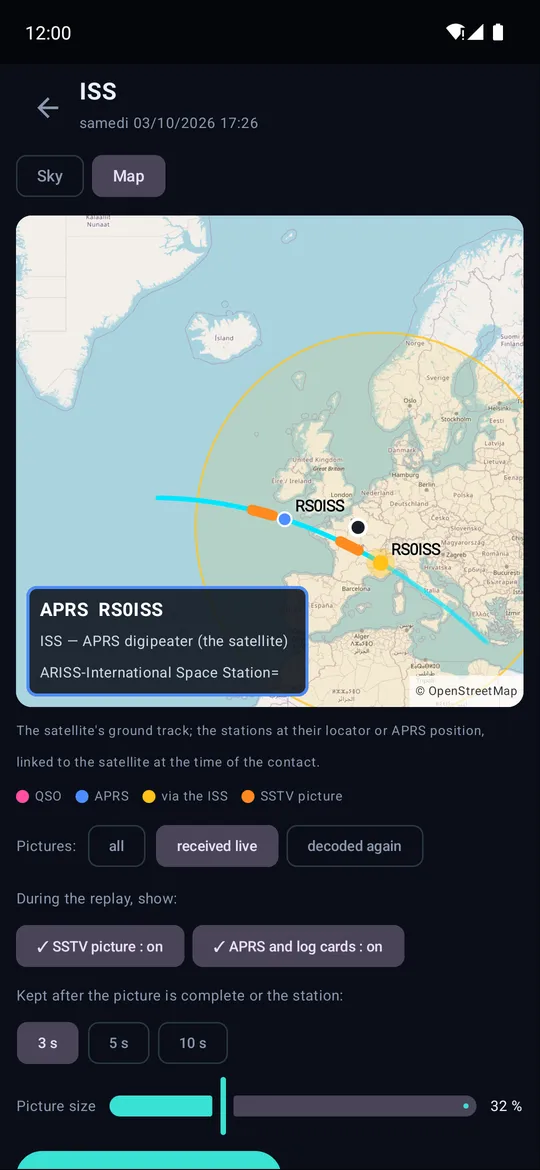
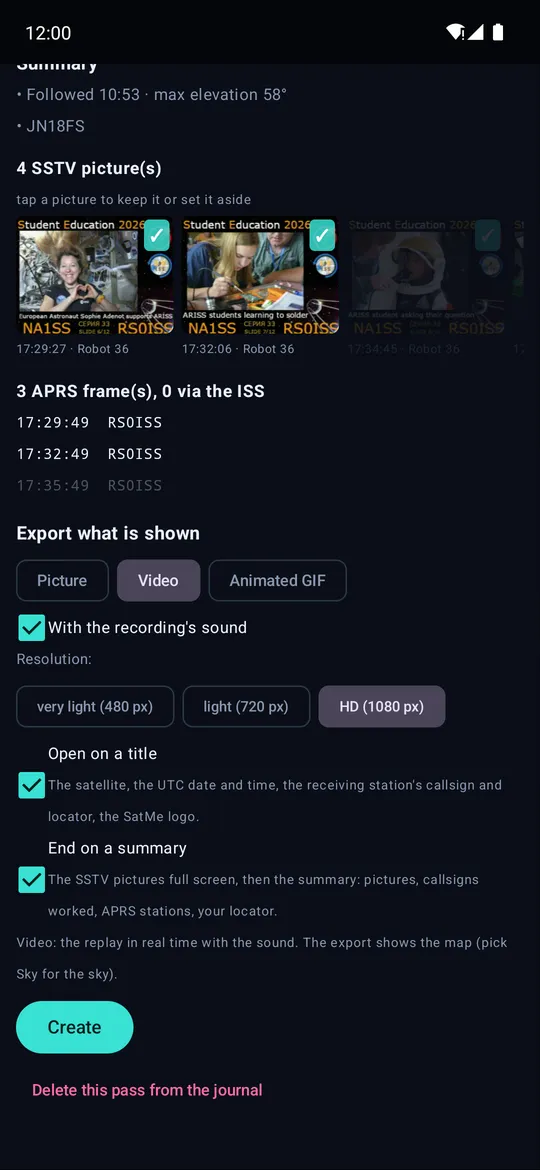
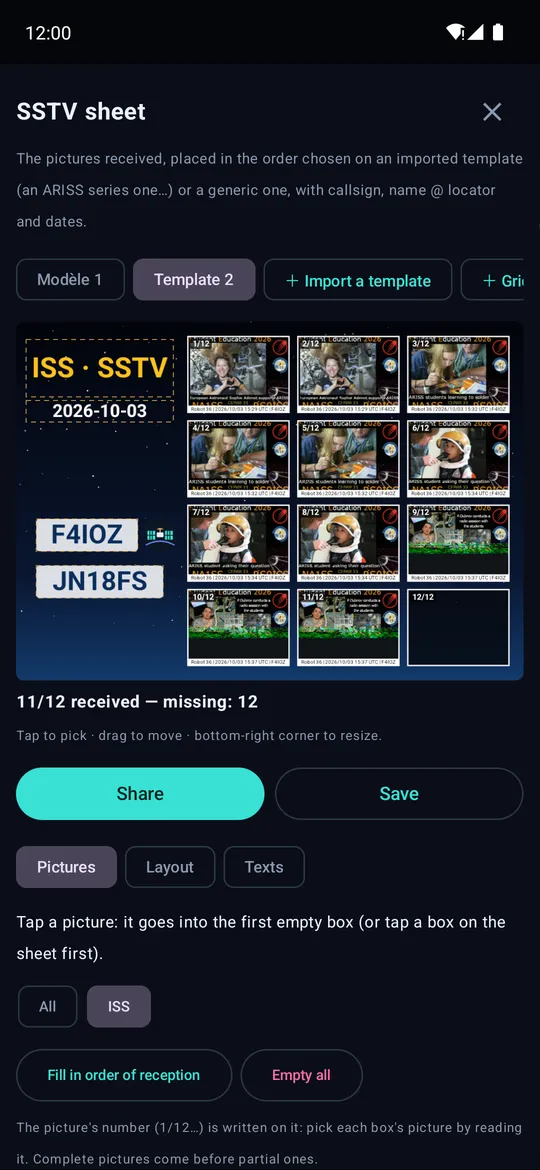
The ISS on 4 October: four school pictures in Robot 36, decoded as they arrived, each in its place on the trajectory — then RS-44 replayed with its S-meter and the frequency the rig was on, and the picture SatMe makes to share the moment.
SatMe-PC — the whole station in a browser#
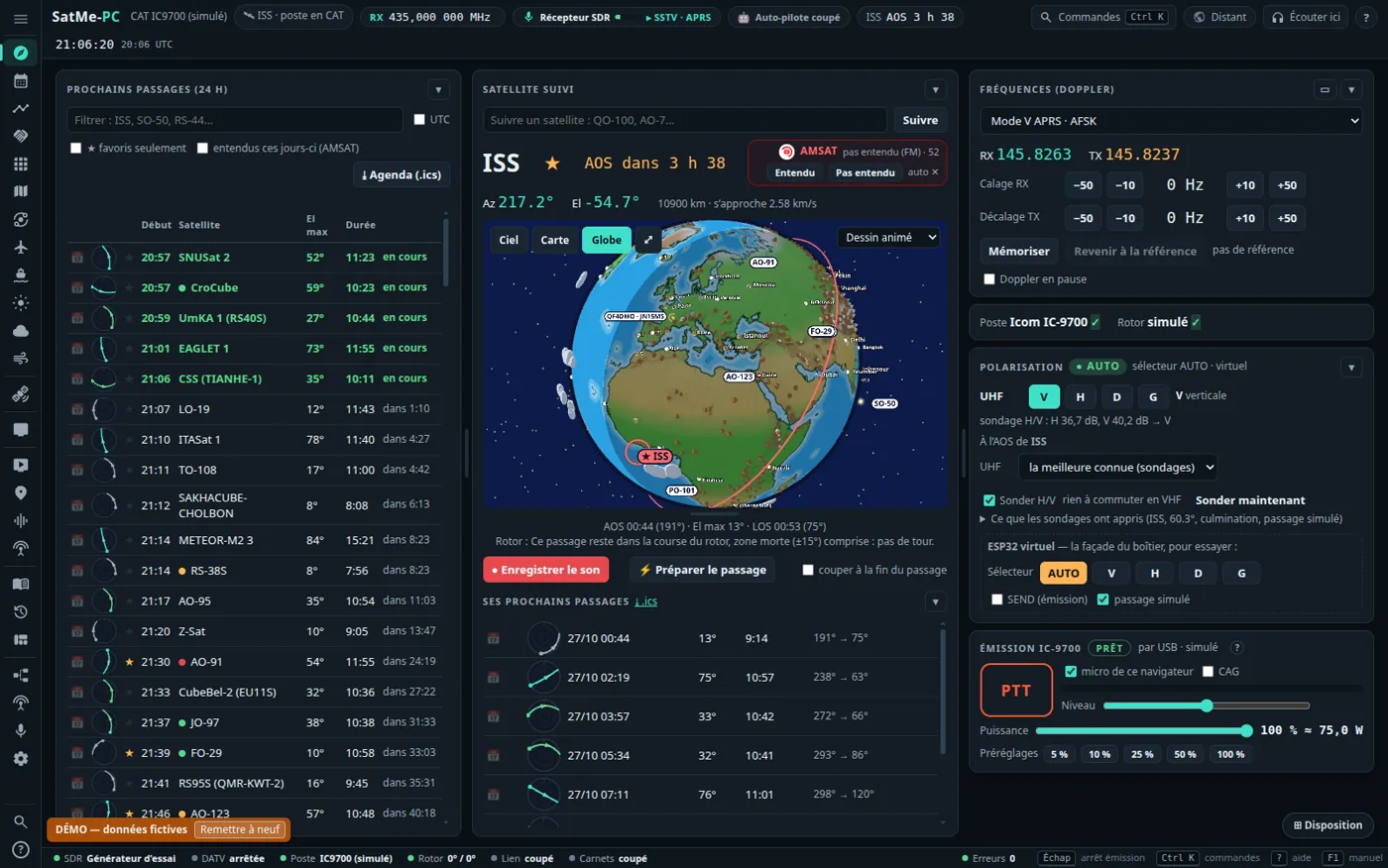
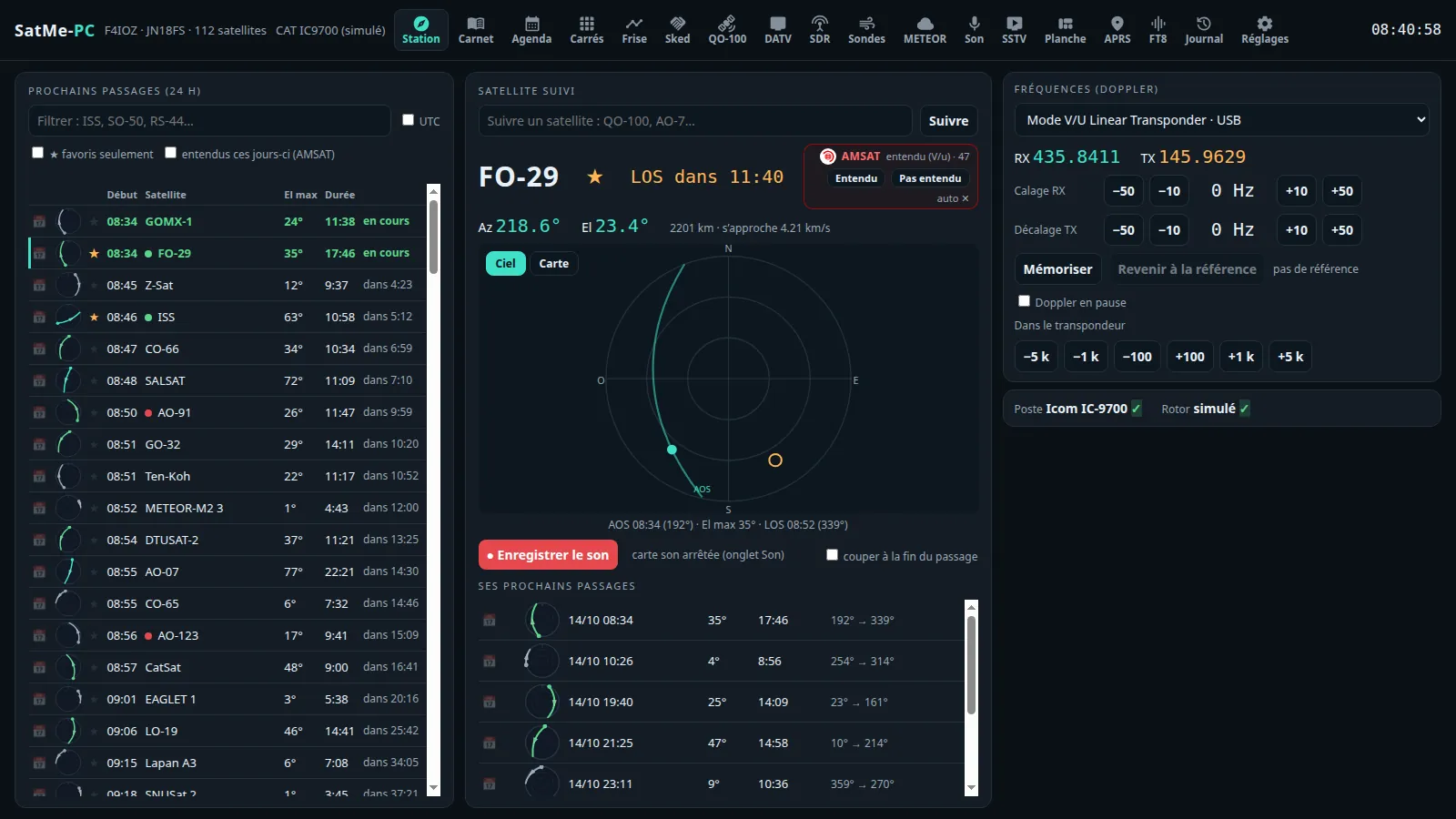
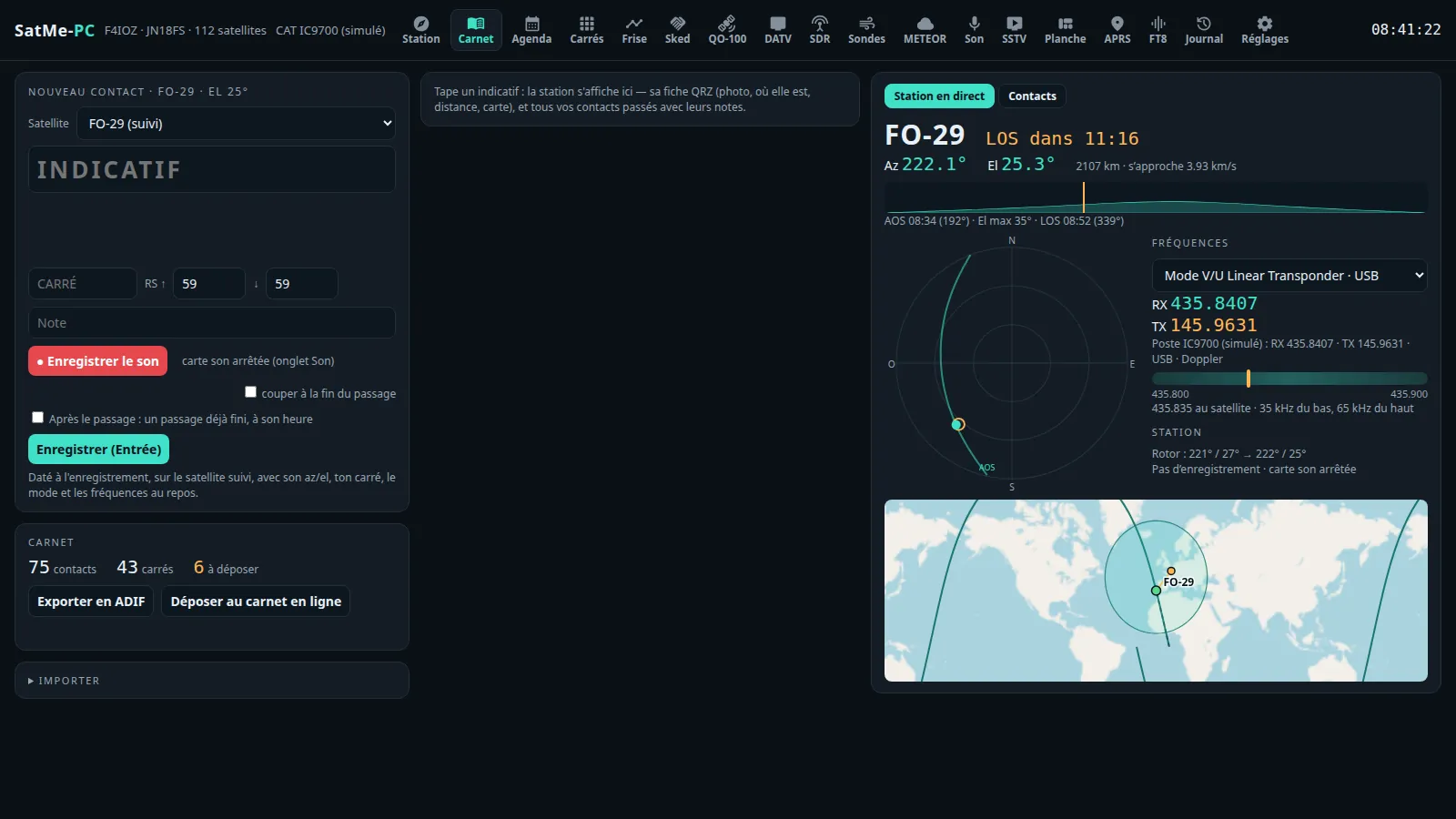
SatMe also runs on a PC (Linux, Windows, Raspberry Pi), with the phone's own engine: passes, Doppler, rig and rotator, antenna polarisation, the log with the station live beside it, skeds, the QO-100 cockpit (narrow band received and transmitted), Orbites and its full-screen board, DATV received and transmitted, SDR (RTL-SDR, ADALM-PLUTO, bladeRF 2.0), voice to text, radiosondes, METEOR, SSTV, APRS, FT8 / FT4 (receive and transmit), the pass journal — and SatMe on the phone joins it by scanning a QR code, its passes, pictures, sounds and contacts coming over. → SatMe-PC guide, every function and where to click (wiki, chapter by chapter)
Install, guided (it sees what is plugged in): curl -fsSL https://raw.githubusercontent.com/f4ioz/SatMe/main/installe-satme.sh -o installe-satme.sh && bash installe-satme.sh · SatMe-PC on Linux · SatMe-PC on Windows (all in one) · SatMe-Node on a Raspberry Pi 3 (the MiniTiouner next to the antenna) · downloads
From the phone to the PC: one QR code#
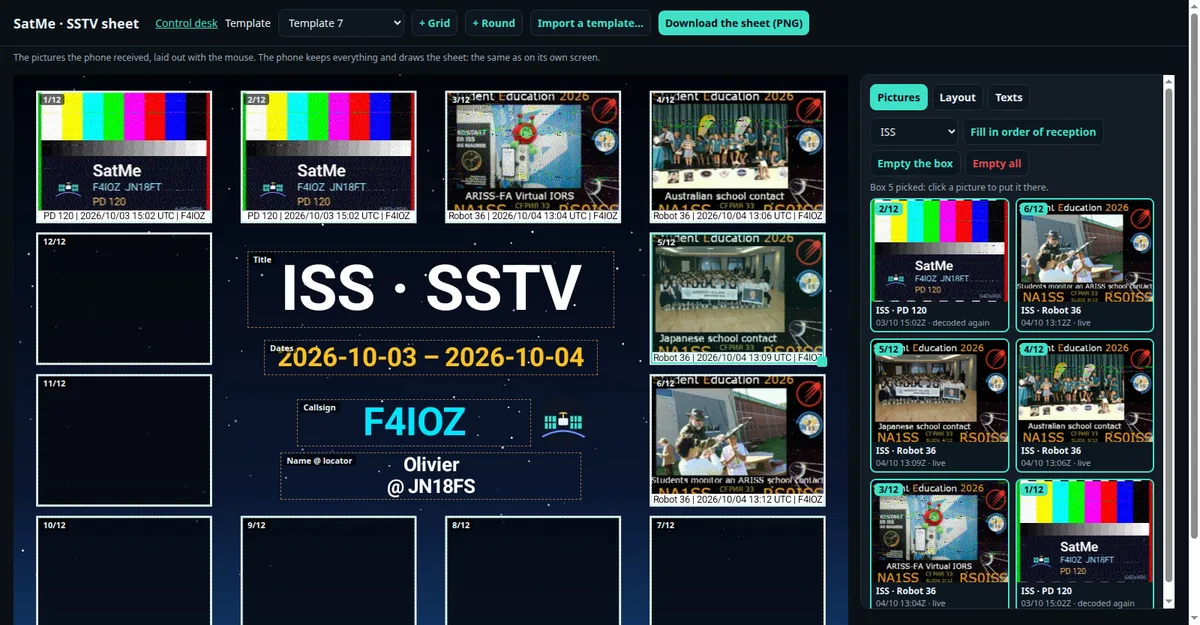
The phone also serves pages to the PC's browser (USB cable or Wi-Fi, nothing to install): the pass journal replayed large on a map with its sound, and the SSTV sheet laid out with the mouse.
In the journal's pictures and videos, each SSTV picture as received, corrected or fused (Auto: the best mark), and the SSTV report's elements — the montage, the slide grid, the pass's sky, the elevation, the figures, the sheet, the logo — laid over the replay with the mouse or as cards of their own.
▶ Get SatMe on Google Play — free, no account, no ads
SatMe-PC, feature by feature#
SatMe-PC grew from a satellite station into a whole station in a browser: QO-100 and DATV with its own DVB-S2 modem, an SDR receiver with every comfort, telemetry, aircraft and ships, the station drawn as it is wired. Everything below is detailed, tab by tab and button by button, in the wiki's SatMe-PC guide; the built-in guide also opens in SatMe-PC (F1).
🚀 Start-up — a quick setup at the first start (callsign, locator, time, network), what's new after each update, a discreet badge when a new version is published (nothing installed by itself), --reseau, --port and --dossier set in Réglages › Démarrage, and the settings deployed to another PC, without passwords. → details
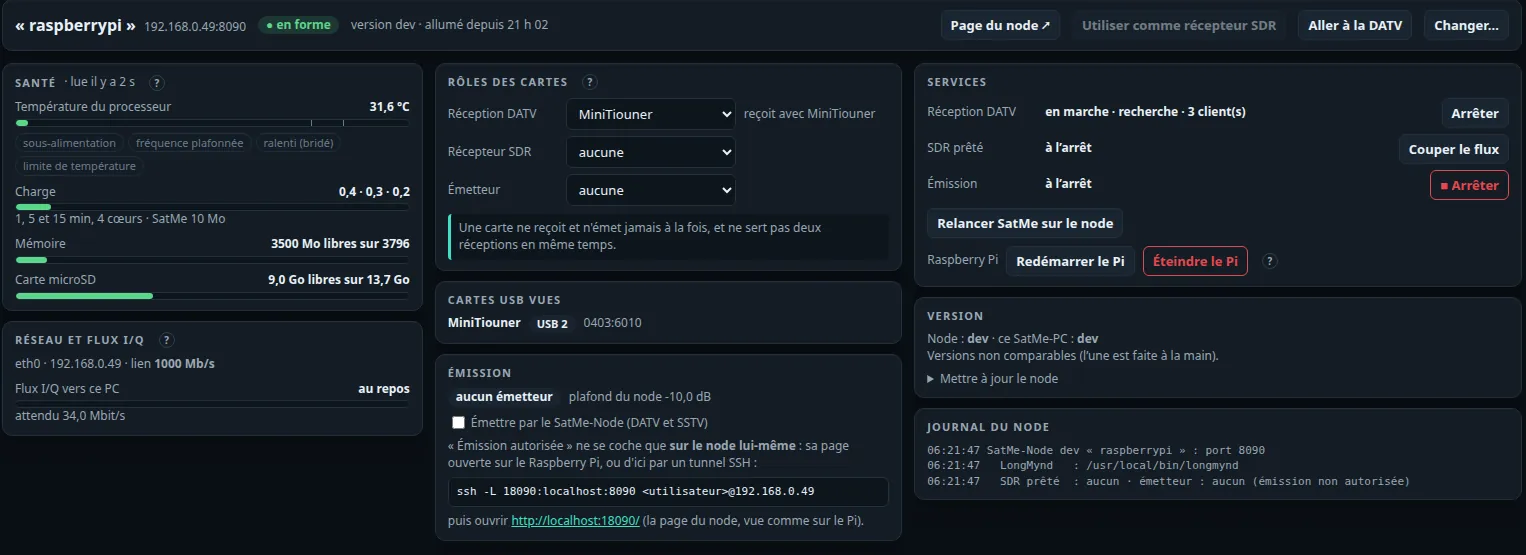
🔧 SatMe-Node from the page — Station › SatMe-Node: the Pi's health, each board's role (DATV receiver, SDR receiver, transmitter), services, version and log; restart or switch off the Pi after a confirmation. The node's LNB supply is kept when changing station, from the PC or the phone; a restarted SatMe-PC finds a receiving node by itself; the phone lists the wide band's stations to receive with a touch, the picture full screen. Installing SatMe-Node
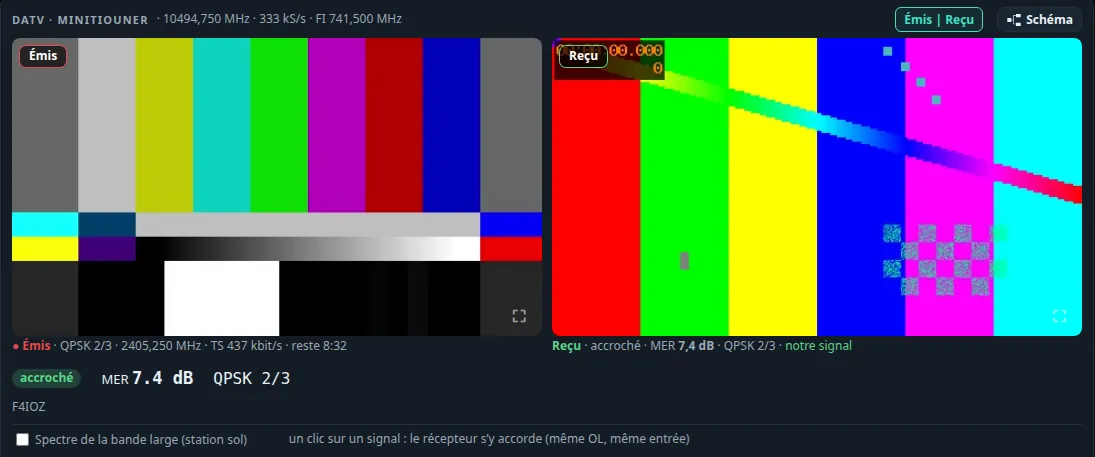
📺 Émis | Reçu — while transmitting DATV, the picture sent beside the picture received back from QO-100, each one enlarged with a click.
🎙 The IC-9700 transmitting — PTT held from the page (one client, 2 s watchdog, time-out), the browser's microphone to the rig through its USB sound card or the network, RF power capped; HTTPS for the page opened from another machine.
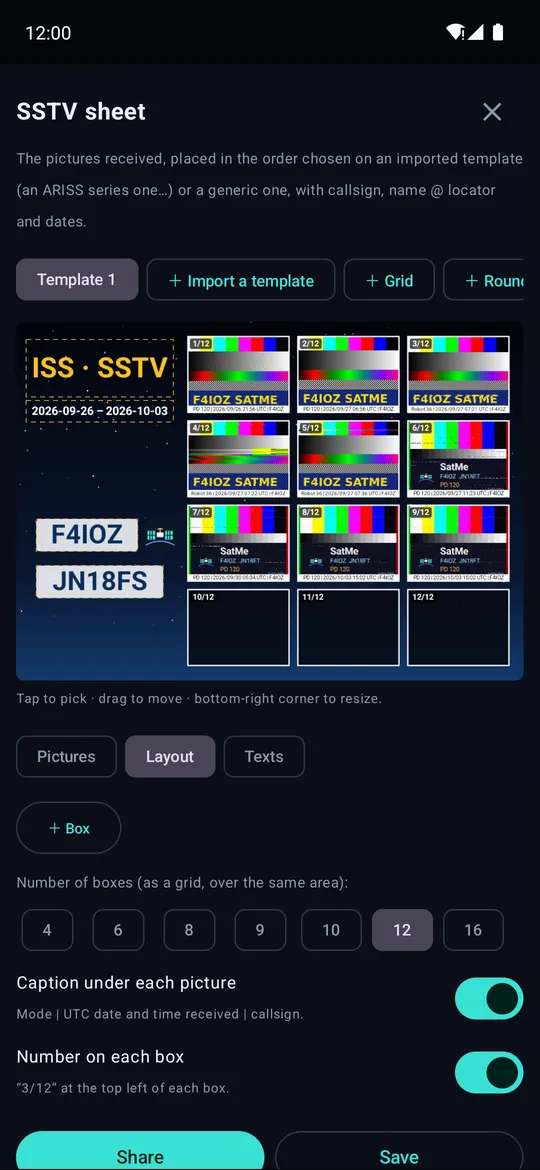
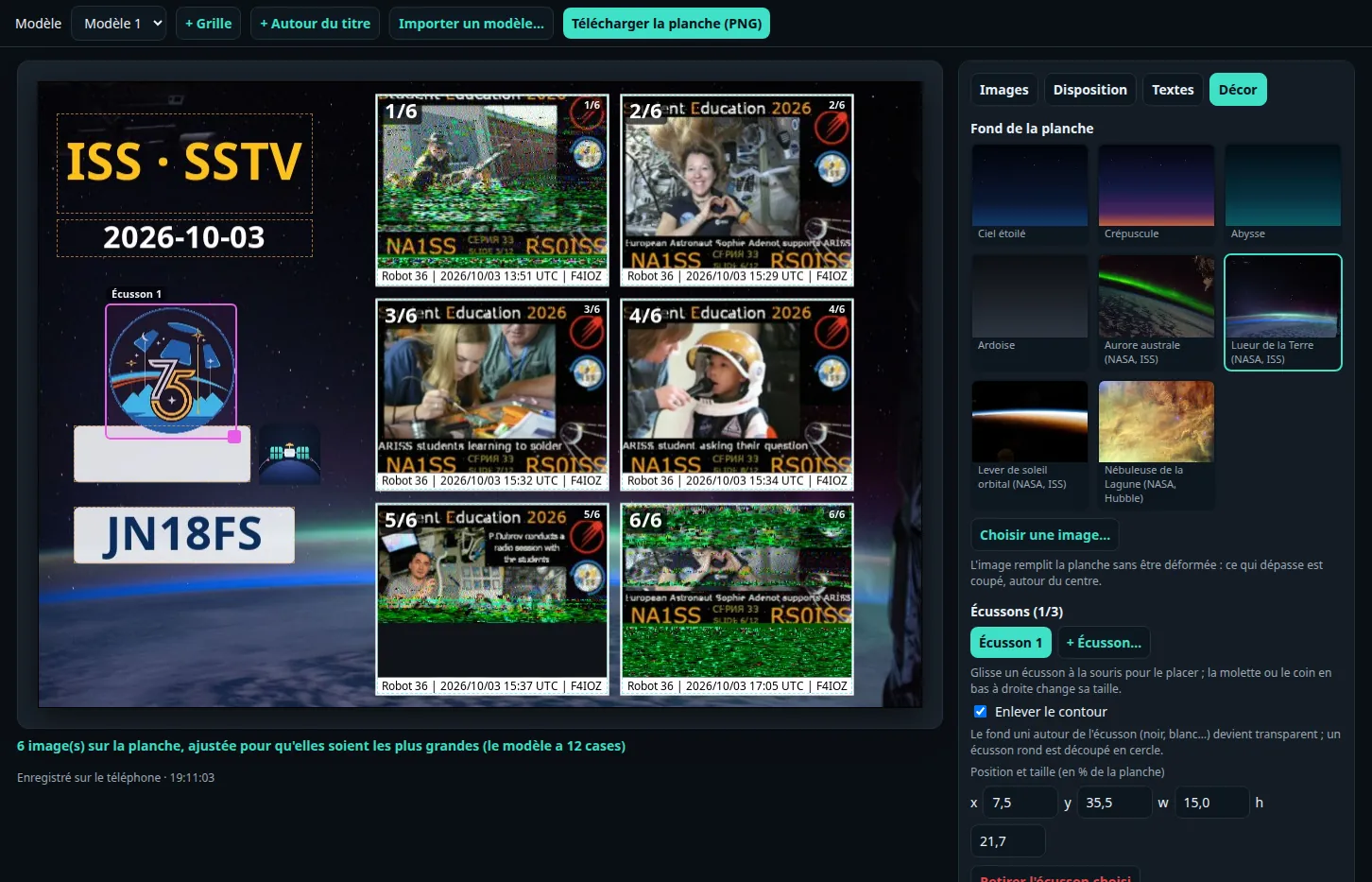
🖼 The SSTV sheet — fewer pictures than the template, laid out as large as can be, one copy of each slide (the best marked, the pictures sorted by slide); an ARISS series followed slide by slide: those missing, and the passes to wait for them on; a background (built in, NASA pictures or your own) and up to three mission patches, their plain surround removed. A template is exported as one .satme-planche file and imported on another phone or PC — without your pictures, the callsign and name filled by the station that imports it. The sheet has its event (campaign, announced activity or a series in the gallery), is filled by slide strictly in place (slide 5 missing: box 5 empty), chooses box by box the version shown (Auto, received, corrected, fused), and gives the event report — sheet, slides, passes and their sky, timetable — as a web page or an A4 PDF. A stylish sheet like an ARISS series poster: + ISS poster ready made, styled titles (chrome, neon, gold, the series' number from the event), a font (seven free fonts bundled) and an effect for each text, neon or rounded picture frames, seven more backgrounds.
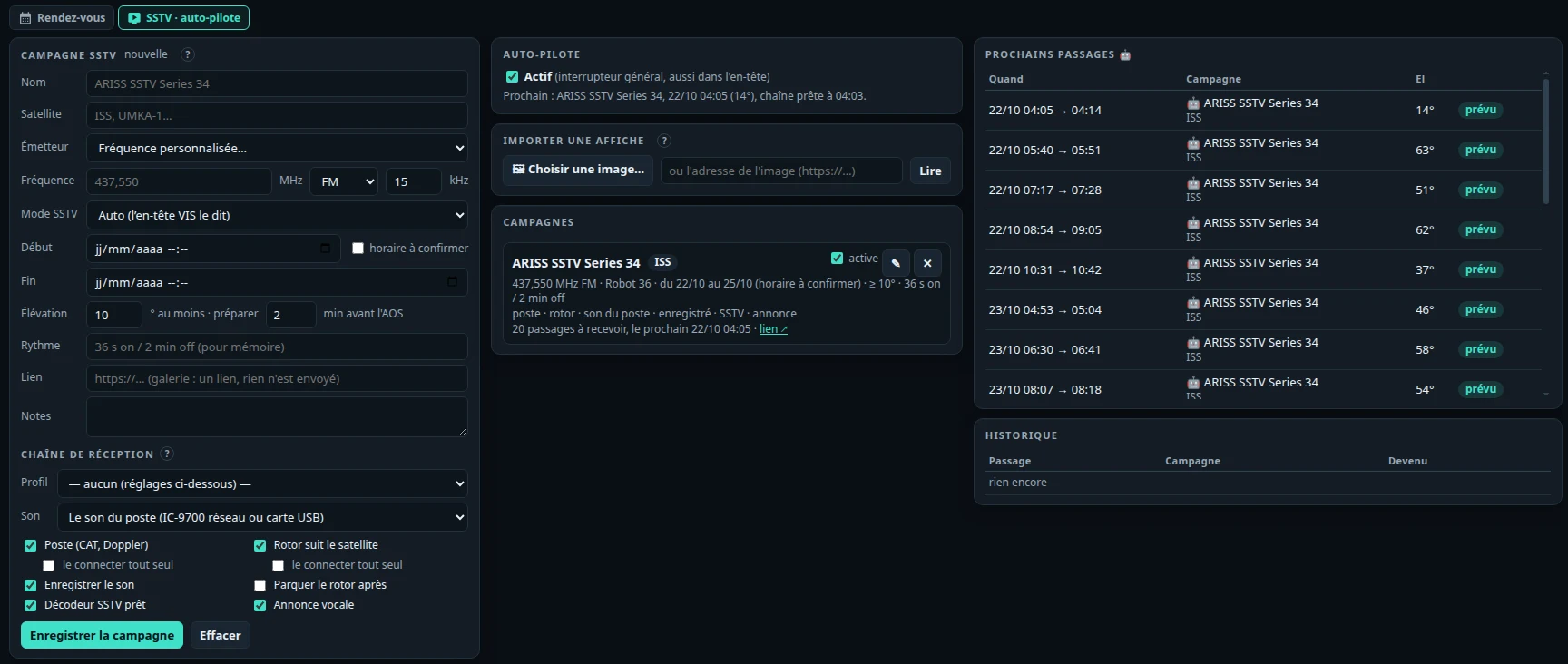
🤖 SSTV campaigns on auto-pilot — an ARISS series or a satellite sending pictures for a few days is entered like an appointment in the Agenda, or from the announcement's flyer read on the PC; the auto-pilot (off by default) prepares the rig, rotator, sound and decoder before each pass, records, keeps the pictures and puts everything back. Receive only, never transmits.
📣 Upcoming activities — in the Agenda, what the online sources announce that SatMe decodes: ISS SSTV (437.550 MHz, Robot 36 since 2026) and other satellites, ARISS contacts, SSDV, METEOR seen recently; your passes during them, a banner for each new one, "on the air now" from AMSAT reports, Préparer la campagne SSTV that fills in the auto-pilot, to check, or Activer l'auto-pilote in one click (receive only). On by default, each source can be turned off. And the Diplômes (awards): those the station can claim, matched with the gallery and the log, the request prepared (nothing is sent).
🖼 The SSTV gallery by slide — copies of the same slide together, a mark from 0 to 100 per picture, the number read at the bottom of ARISS slides, the series' timetable and the passes to wait for missing slides on; in the viewer, Brute | Corrigée | Fusion: the picture decoded again from its recording, its specks removed, its copies fused — the reception never changed.
🛰 SSTV options — a notice before a pass expected to send a slide still missing (or only received with a low mark): « Slide 5 expected at 04:32 UTC, 49° — ISS pass », once per pass, on the phone and SatMe-PC; the reception quality while a picture comes in (sound level, clipping, each line's sync and SNR, the mark the picture heads for); the sound of each SSTV pass recorded and linked to its pictures, kept as long as you choose (never a recording behind a picture on a sheet or marked kept); a QSL-style picture signed with your callsign, locator, UTC time, satellite, frequency, mode and slide; and an ARISS SSTV award pack (the original pictures, their QSL, a summary ready for the gallery's form — nothing is sent). → details
🧭 The rotator's plan — the whole pass planned before AOS: which side of the end stop, flipped at 180° over the zenith or a single unwind placed where the satellite is low; hidden zones (roof, tree); the plan drawn on the Suivi sky, and each logged contact's rotator path.
🎯 Rotator calibration — a step-by-step assistant: the controller's own calibrations (O2, F2, O, F, as the K3NG firmware does them), a check with inclinometer and compass, a per-axis software correction; STOP always on screen, nothing moves without a click.
🛰 QO-100 with a drifting LNB — the beacon calibration follows a drift of a few Hz/s, a beacon lock takes the jumps out of the whole transponder, and FT8 tolerates drift. This mitigates, it does not replace an LNB held by a GPSDO reference (how).
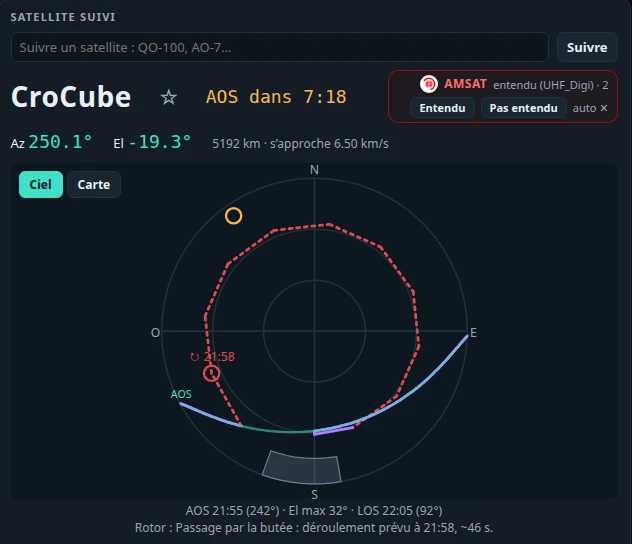
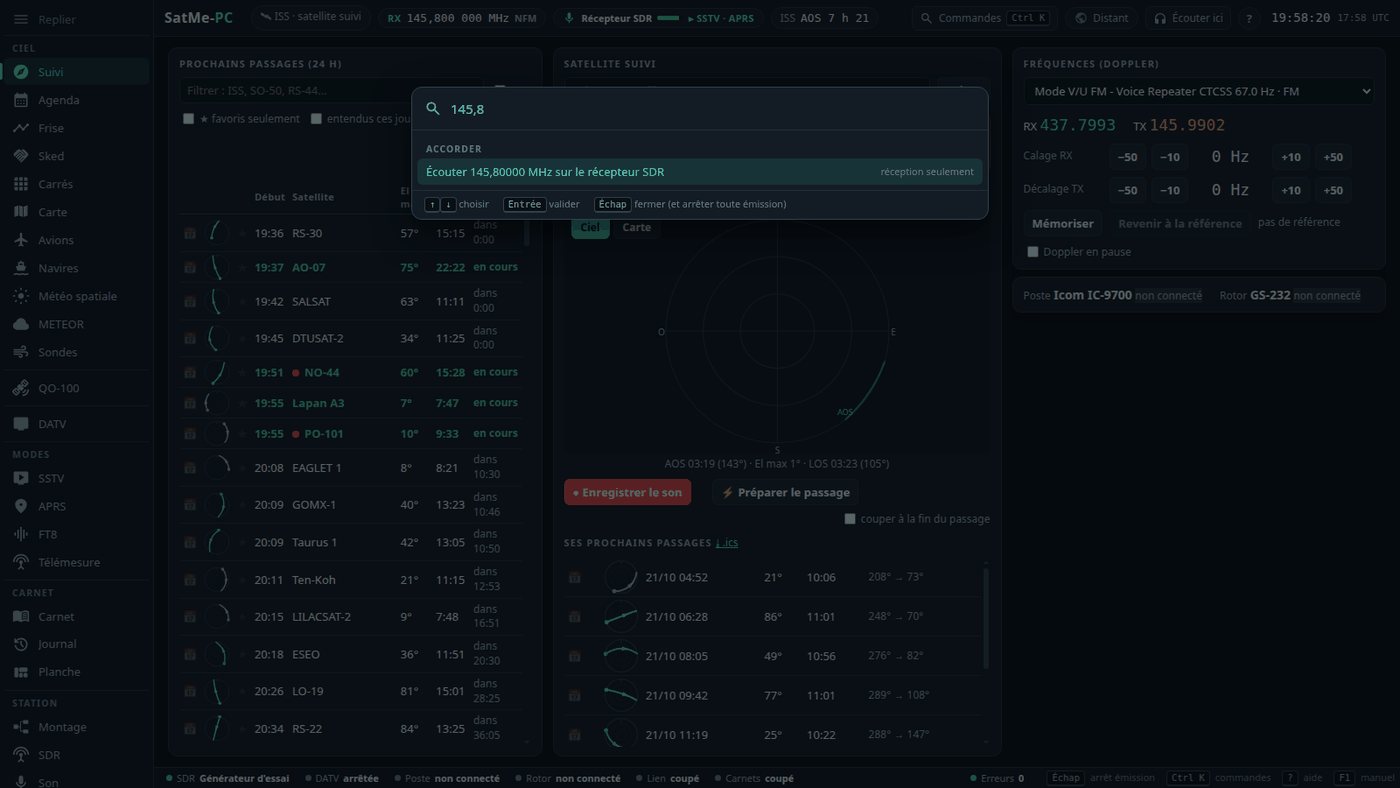
🧭 The page — six workspaces in a side rail (Ciel, QO-100, DATV, Modes, Carnet, Station; keys 1–6), a header strip (what is followed, the active receiver, the next pass, a red TX light that only stops), a status bar, the Ctrl+K palette (a tab, a satellite, a callsign, a typed frequency), « ? » help on every card, the built-in manual (F1) with search, keyboard shortcuts. The header's « Son » chip: what the decoders hear, the rig's sound card recognised by name, one-key Prepare the pass and record. Modules: tick only what you use, the rest leaves the menu.
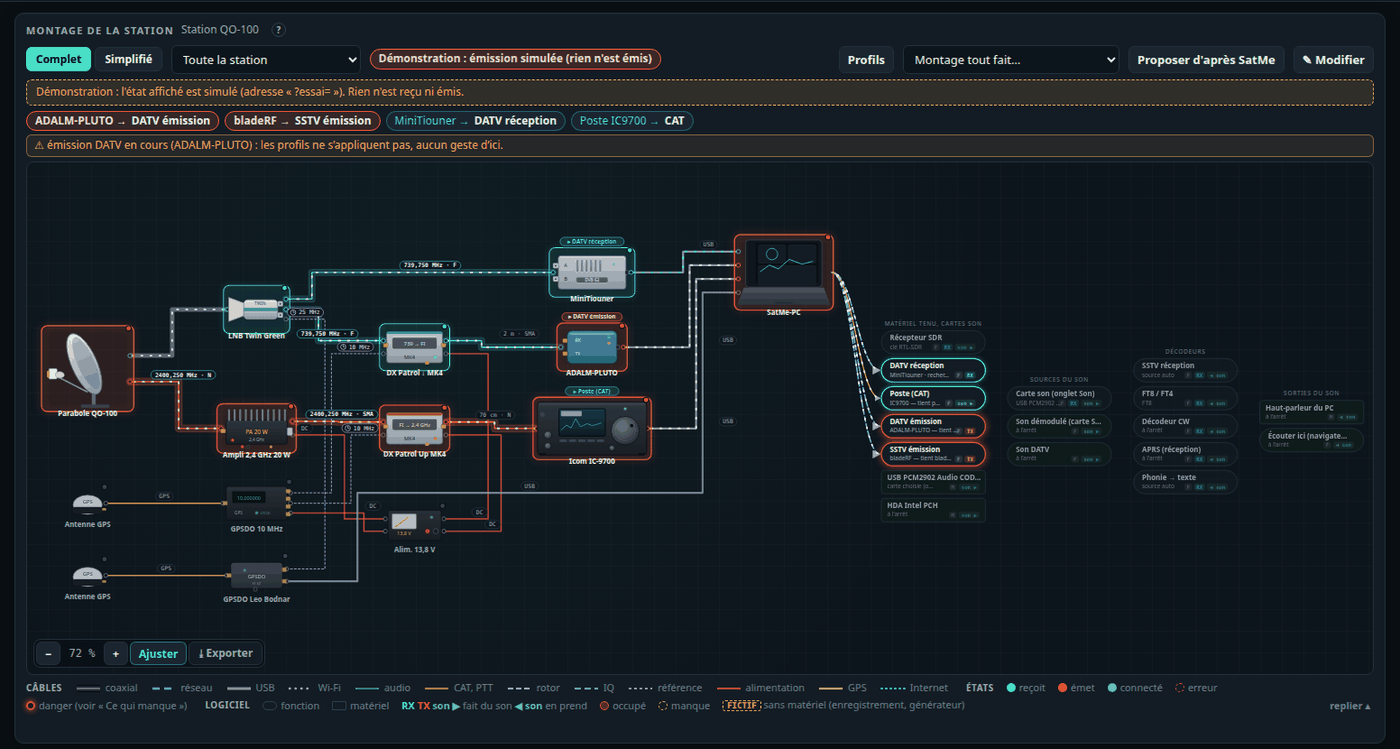
🔌 Montage: the station as it is wired — the station drawn from antenna to PC, lit live (cyan receives, red transmits, frequencies on the cables); drag-and-drop editing from a catalogue (dishes, LNBs, DX Patrol converters and PAs, GPSDOs including Leo Bodnar, bias-T, DC block…), photos cut out automatically, what is missing checked with dangers flagged (an LNB supply reaching an SDR board); which SatMe function holds which board, conflicts and how to free them, receive profiles applied in a safe order. Several plans of the same station, the plan of what is running shown by itself, the detected chain kept as a plan.
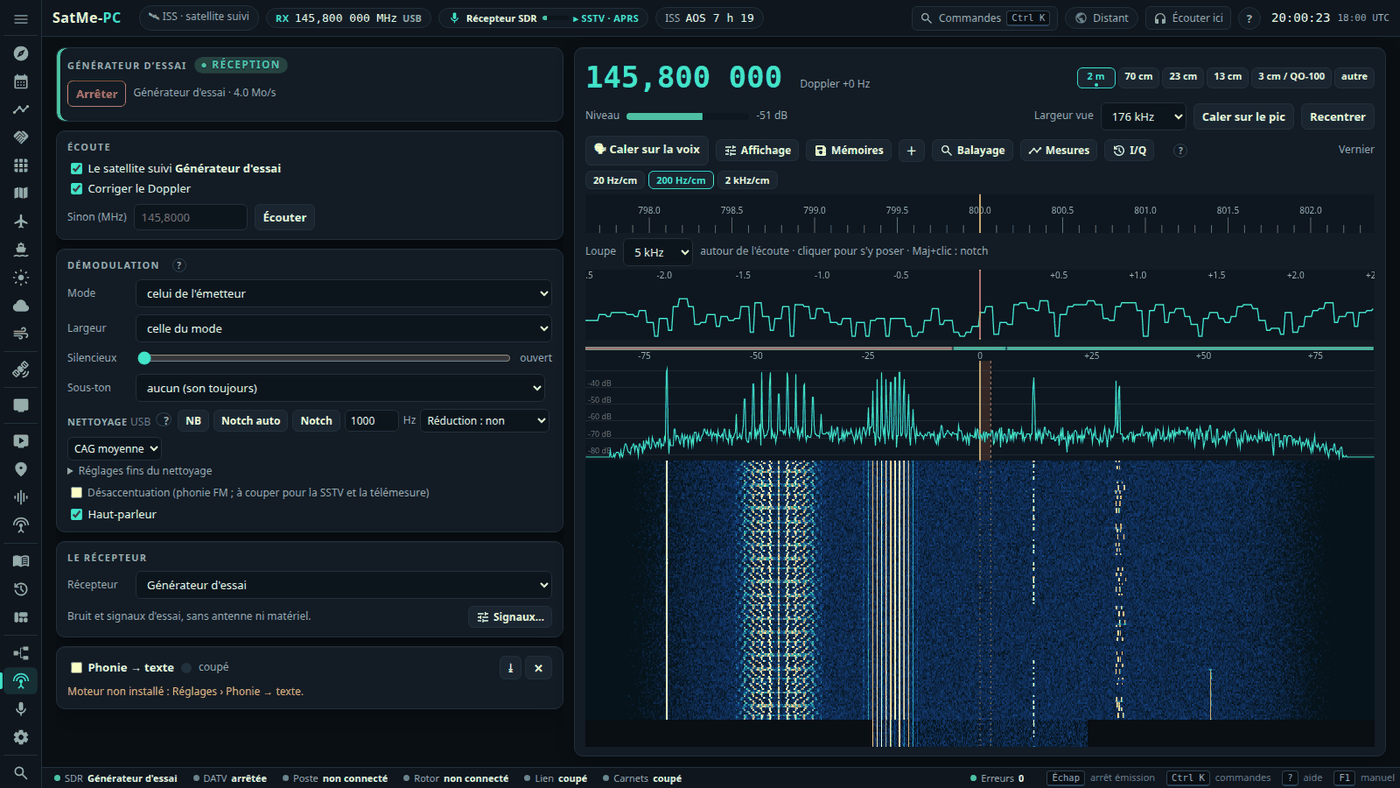
📻 SDR receiver — memories in folders with flags on the spectrum, band plans, band stack, receive-only scanning (memories, ranges, priority channel), display options (averaging, peak hold, seven palettes), sound cleaning (noise blanker, automatic and manual notch, noise reduction, AGC), CTCSS reading and tone squelch, I/Q « back in time », SigMF recording and replay, a test generator with no hardware, measurements (level over time, Sun noise, the QO-100 beacon over 24 h). A satellite scale over the waterfall, a converter and transverter table, the dongle's calibration in ppm. Receivers: RTL-SDR, ADALM-PLUTO, bladeRF 2.0 — and the IC-9700's IF demodulated by SatMe.
📡 IC-9700 over the network — CAT and receive audio through the rig's LAN (Network Control ON), no USB cable; receive only, every transmit command refused; AF or IF output; the coded credentials learnt from a capture of your own login.
📡 QO-100 cockpit — the waterfall names each signal, a click tunes it and opens the right decoder; up to four decoders at once (FT8, FT4, CW, SSTV, voice, PSK31, RTTY, beacon); the band plan and an emergency frequency guard, beacon calibration and beacon lock, LEILA flagged; the middle beacon's BPSK telemetry decoded.
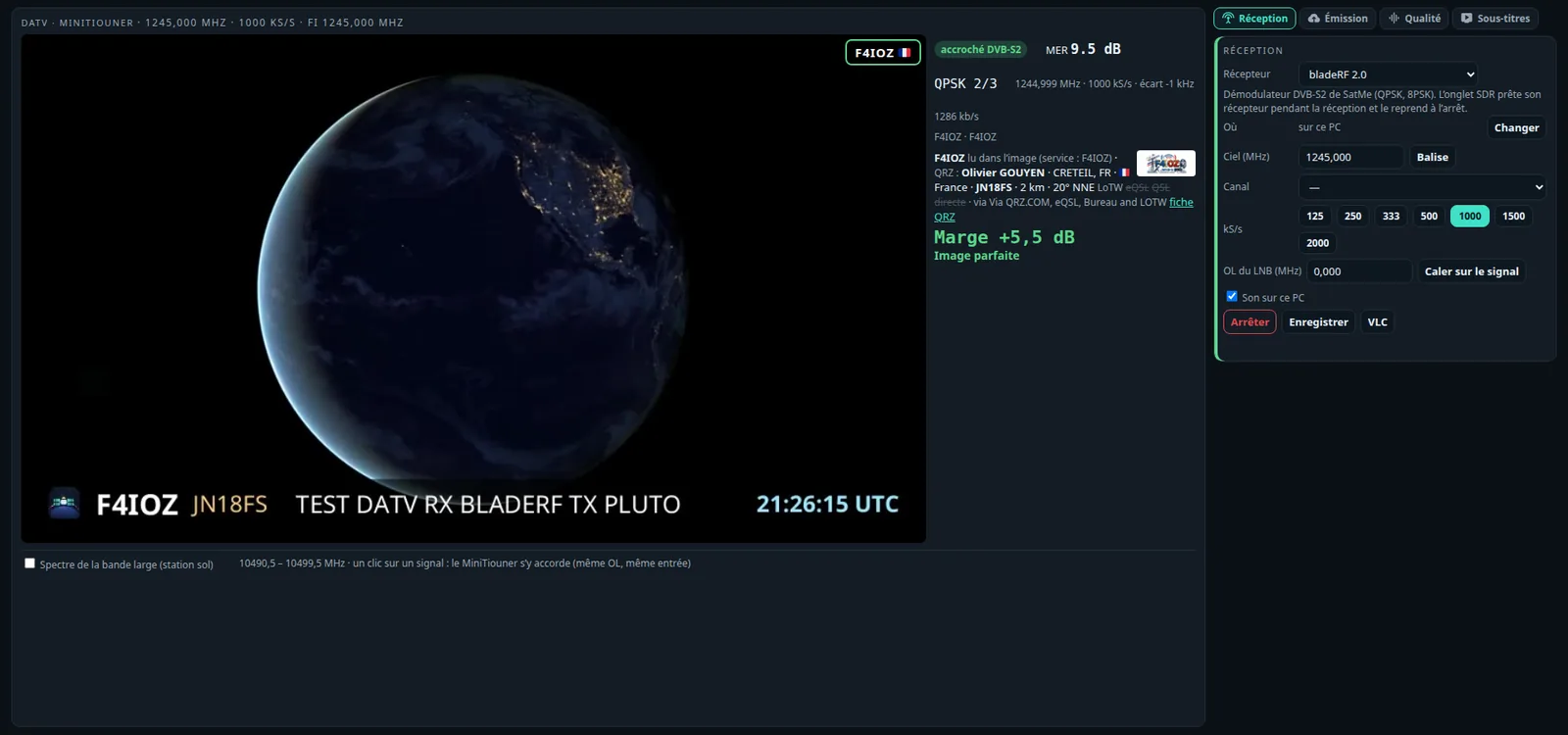
📺 DATV — MiniTiouner, SatMe-Node or SatMe's own DVB-S2 demodulator (Pluto, bladeRF); quality in plain words, the wide band at a glance, a pointing screen, the history, subtitles and spoken translation, callsigns read in the picture, the summary of the station received; transmission in DVB-S2 or DVB-S (free slots, encoder test, ramp) with every safety rule in the code, indoor and dummy-load tests, per-board I/Q correction.
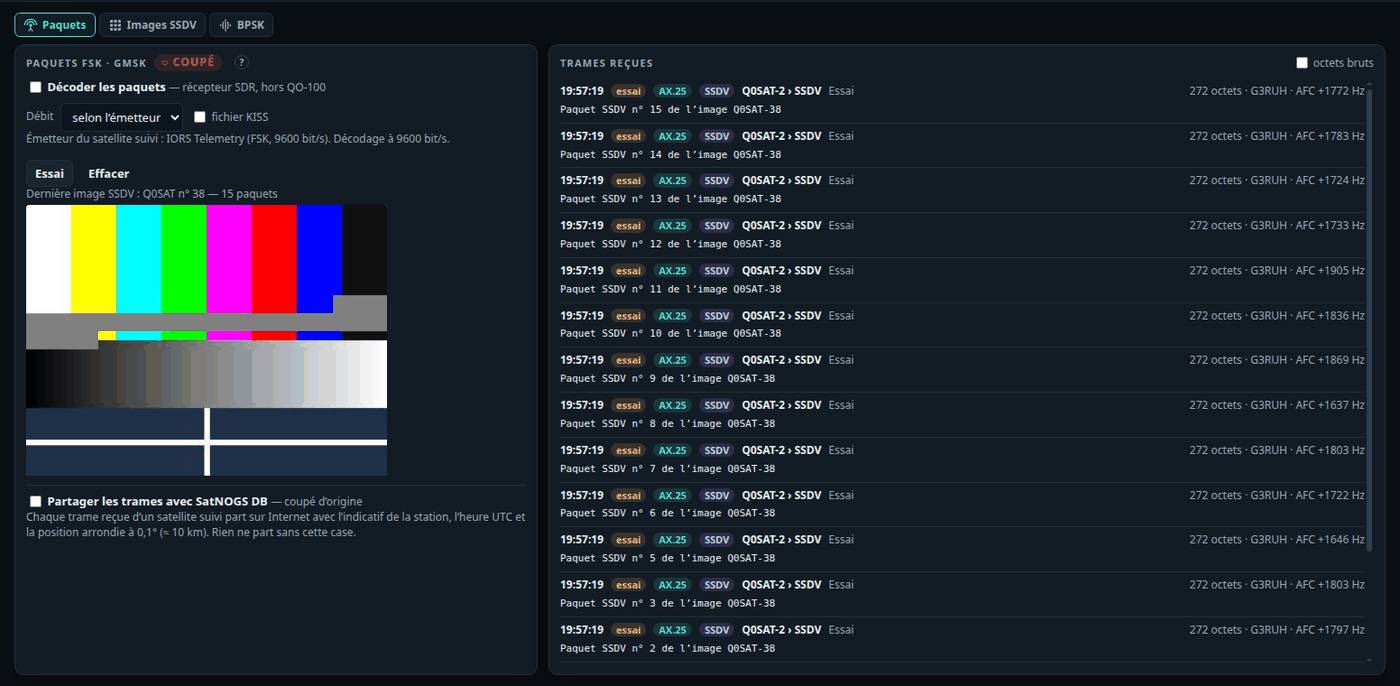
🛰 Telemetry — 1200–9600 bit/s FSK / GMSK packets (G3RUH, AX.25), SSDV pictures rebuilt, over several passes when needed, FUNcube real-time values; optional sharing with SatNOGS DB (off by default).
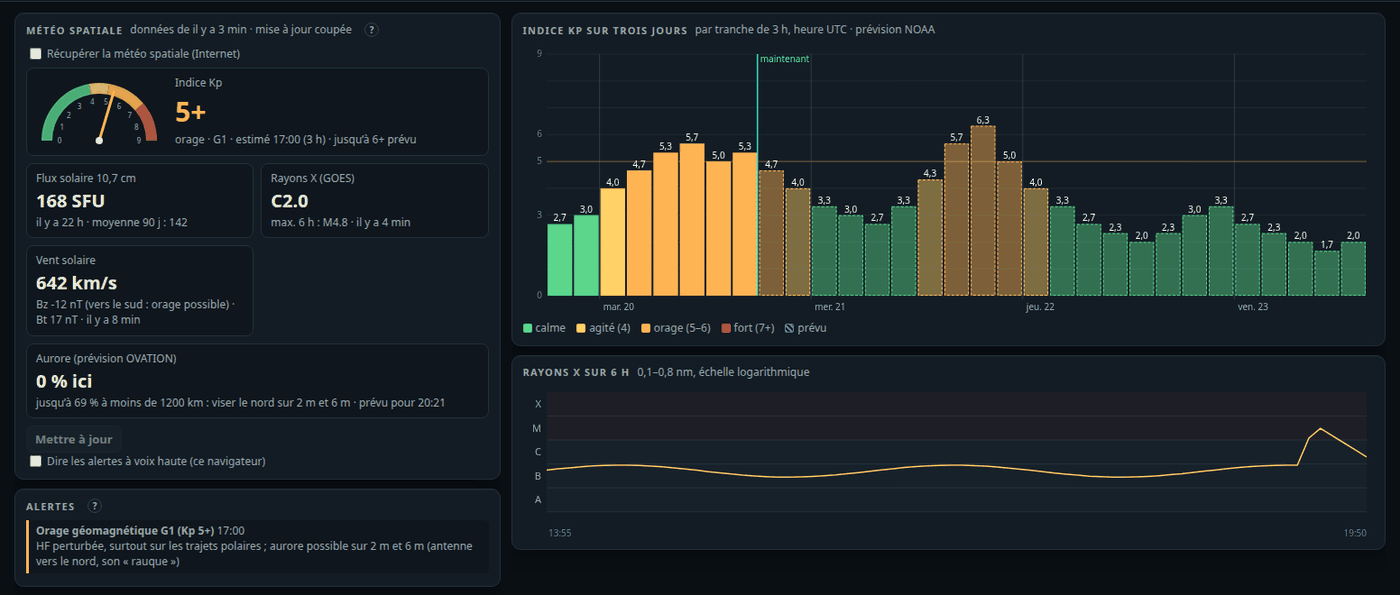
✈ Aircraft, ships, space weather — ADS-B at 1090 MHz with aircraft scatter windows, AIS at 162 MHz, both on a shared offline map with the forecast aurora; space weather (Kp, flux, X-rays, solar wind, aurora, alerts), downloaded only when ticked.
📒 Log and journal — the contact goes on the satellite the rig works; date, time and satellite editable; compound callsigns (EA3/M5JFS) with their country and flag, the locator of the callsign as typed, the map following the entry; a pass report per pass (Doppler-followed waterfall, level, decodes, contacts) as one HTML file.
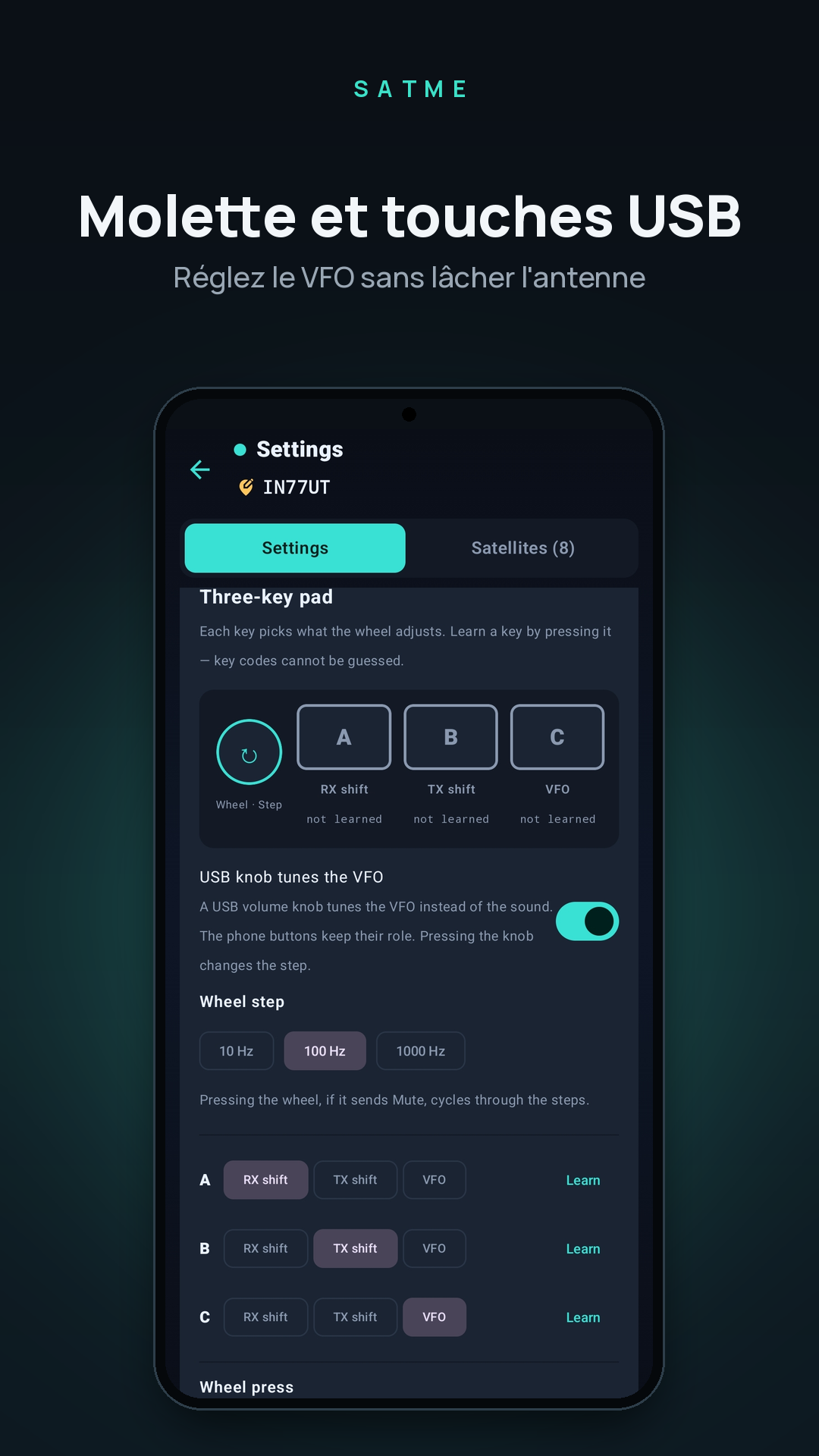
🔗 Interfaces — a rigctld server for logging programs (receive only, PTT refused), the USB volume knob as a VFO (Linux), spoken announcements (passes, transmissions, your call decoded…), spoken translation of voice to text, a WebSocket link, CAT that follows the satellite change at once and, if chosen, tunes the rig even when the satellite is not visible.
🌐 Web publishing (optional module, off by default) — SatMe-PC sends over HTTPS what you choose — SSTV and SSDV pictures, planches, reports, contacts, the journal's videos, FT8 / FT4 passes, and as an option live data — to an address of your site, which receives them as it likes (PHP, WordPress, a small Python server…), or writes them into a folder (static site, Nextcloud, Syncthing). Each kind at a click (the default), automatic or never; a queue on disk, tried again; nothing opened on the station. The format is a documented API, with ready-to-use receivers in PHP and Python.
🔒 Remote — the page behind a password for other machines, installable as an app, a remote mode with low-latency audio for a VPN link. From afar, only the IC-9700's transmitting goes through (PTT and microphone over HTTPS), after a confirmation.
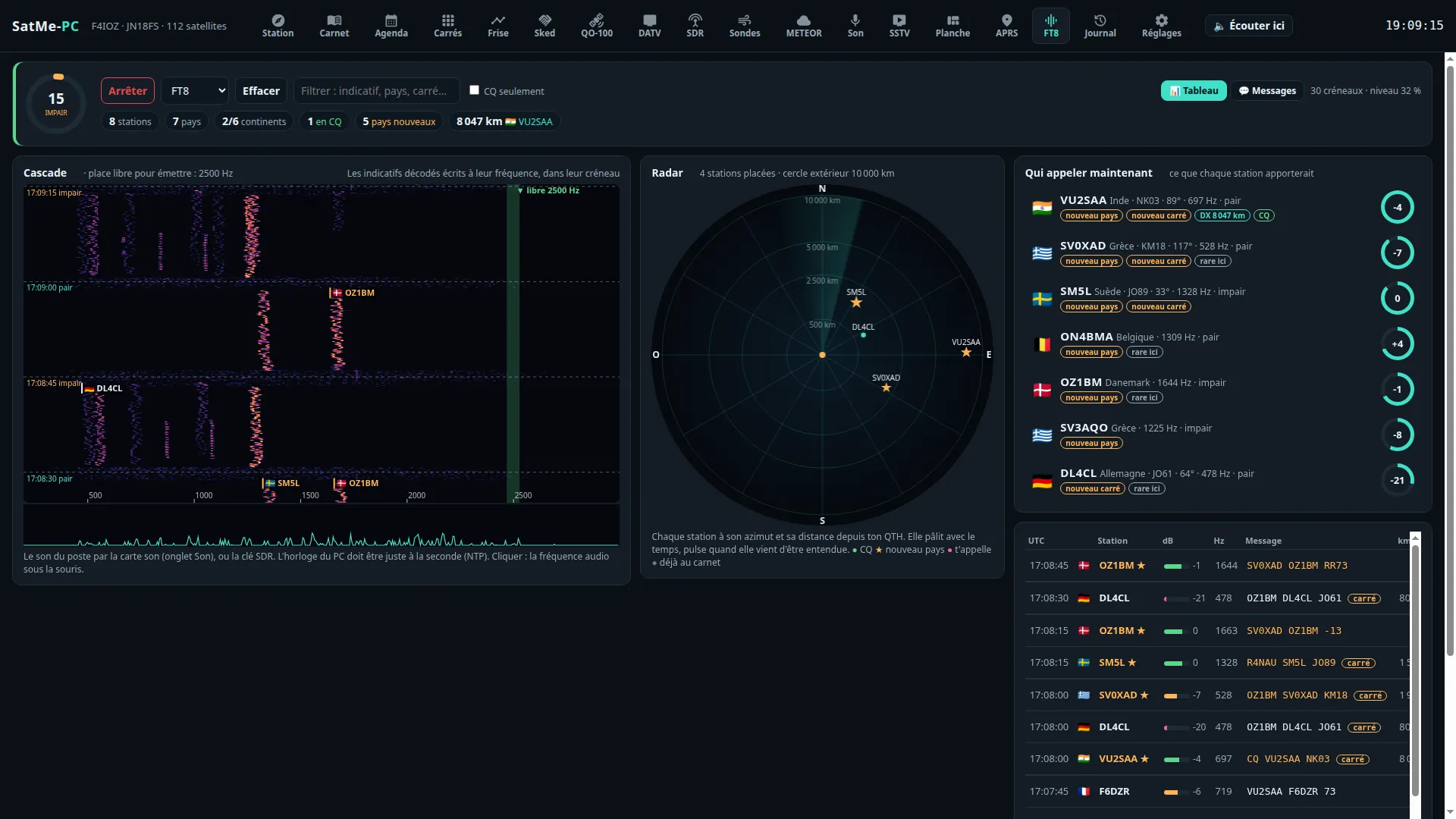
📶 FT8 / FT4 — the waterfall that writes each callsign at its frequency, the radar, "who to call now", a decoder that follows the Doppler; transmitting through the IC-9700, answer with a double-click or call CQ, automatic sequence, never unattended.
The phone app, version by version#
20.83#
- CAT: the rig moves to the new satellite at once (linear or FM).
- Rotator: the pass planned before AOS, a 180° flip instead of a full turn.
- Log: the satellite taken from the rig; satellite, date and time editable; compound calls (EA3/M5JFS) and flags.
- QO-100: the beacon calibration follows a drifting LNB; FT8 tolerates drift.
- SSTV: the live decoder no longer gets trapped on a wrong line length after a noisy stretch or a jump in the sound, and each picture is decoded again at its end from its own sound, in the background (SSTV › Réglages › Décodage on the PC, Options SSTV on the phone, on by default), its corrected version kept when it marks better — over 42 ISS pictures, mean mark 82.8 → 90.2.
20.82#
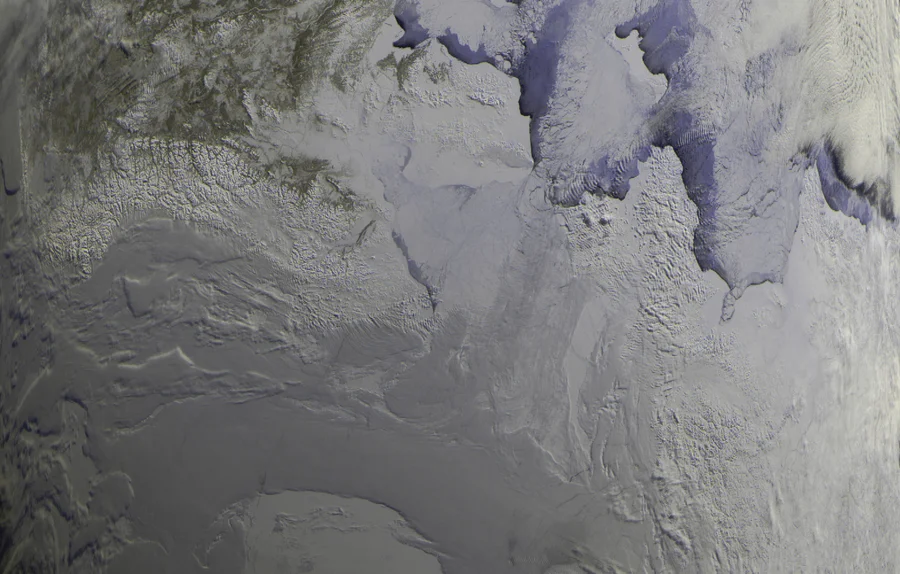
- METEOR weather pictures (LRPT), beta: METEOR-M2-3 and M2-4 decoded on the phone from an RTL-SDR dongle and a 137 MHz antenna — colour by day and infrared, north up, a preview while the pass comes in; started by hand or by itself before each pass; a raw I/Q WAV recording decoded too. Coastlines and borders drawn from the orbit. On the satellite's page, one button: Receive the pictures. Checked on the recording of a real pass, not yet live.
- Icom IC-910H and IC-9100 in satellite mode, beside the IC-9700: their own CI-V address and speed (19,200 baud), and the IC-910H's own satellite-mode command. Bench-tested, not yet on the real rigs.
- Rotator: no more endless relay clicking — one axis at a time, the mast a little ahead of the satellite, at most one command every 6 s, and never the same one again while the mast stays where the controller left it; a command the controller did not take goes out again after 10 s.
- Fixed: a recording stopped by hand while the rotator was connected could stay shown as running.
Older versions: the wiki's release notes.
Features#
Passes and prediction#
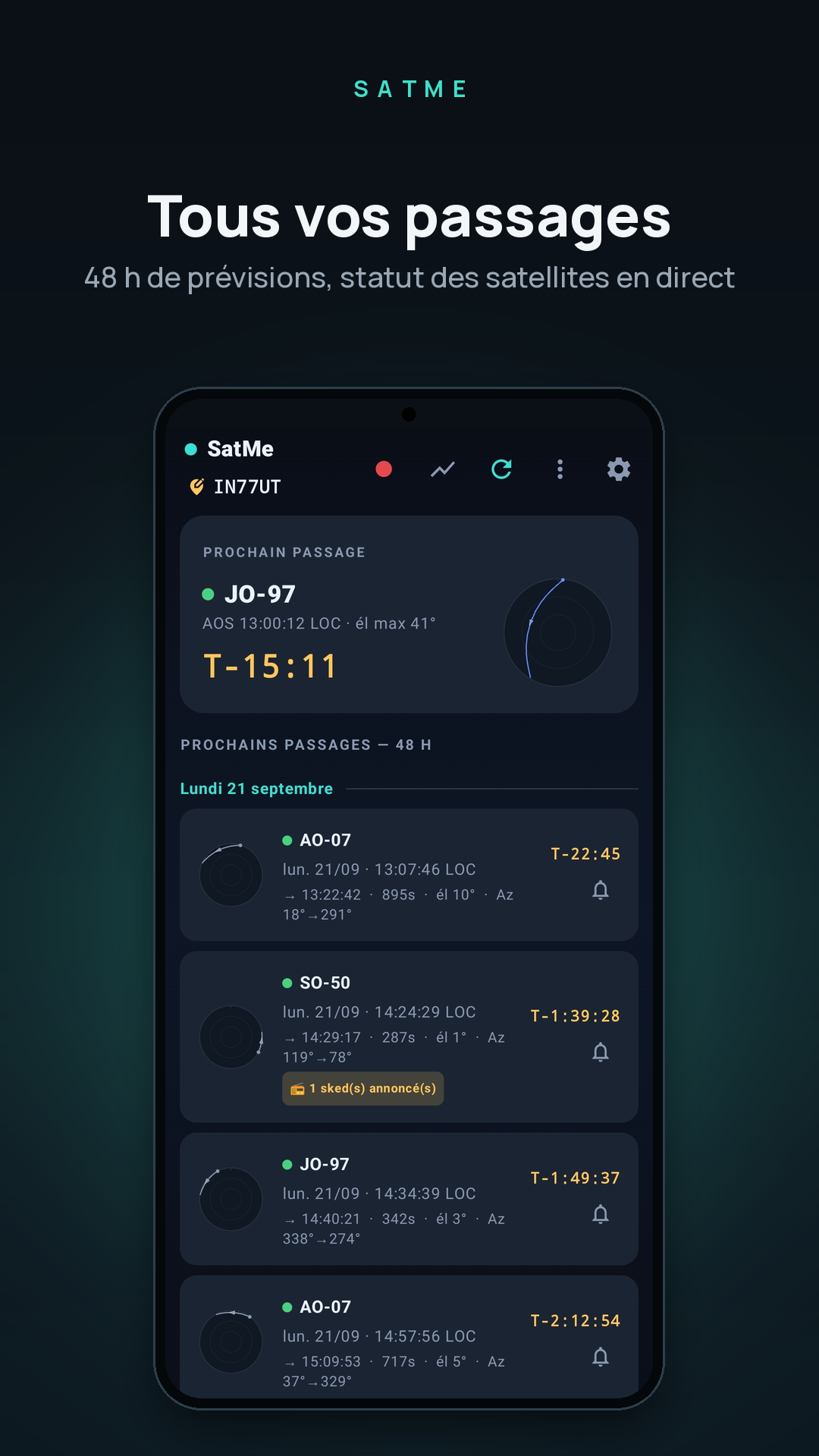
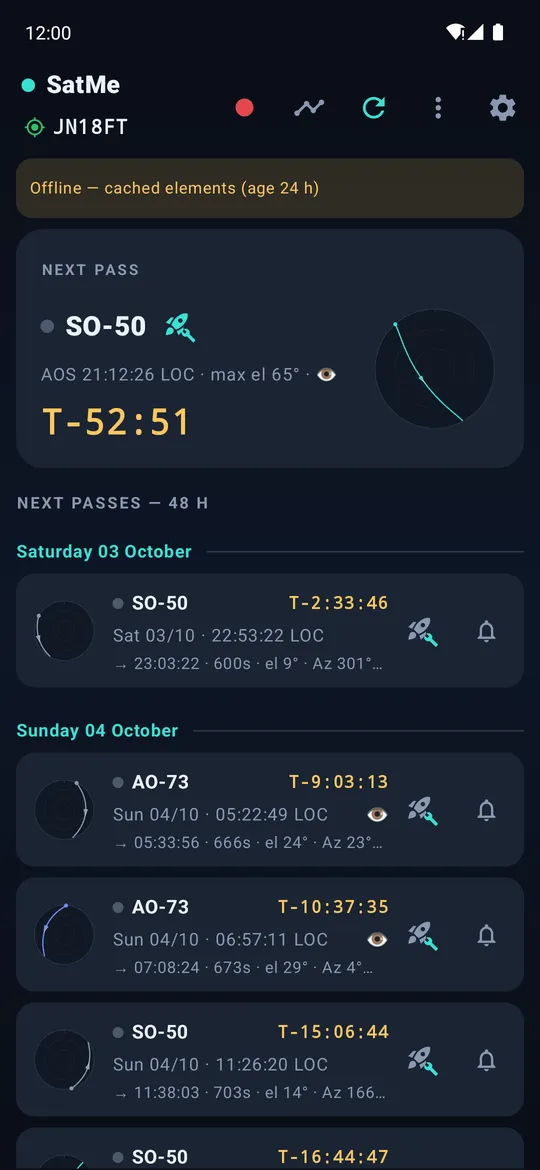
- Offline SGP4/SDP4 predictions: AOS, LOS, maximum elevation, azimuths, duration, and a polar plot of every pass.
- Alerts before AOS, and a pass added to the phone's calendar in one tap.
- Upcoming activities (menu, and from the SSTV and METEOR pages): ISS and other satellites' SSTV, ARISS contacts (FM voice), SSDV and METEOR LRPT as announced by online sources (ARISS calendar, AMSAT-UK, AMSAT-F, SatNOGS, AMSAT reports), each read at its own pace and kept offline; by day, with the frequency, the mode and your passes during them. A notification for a new activity, before each useful pass and when it is "on the air now" — each can be turned off, as each source. Prepare the SSTV campaign opens the agenda on a filled entry to check.
- Printable PDF pass sheets: tick the satellites' passes, then choose how many coming passes of each to print (up to 20, two weeks ahead).
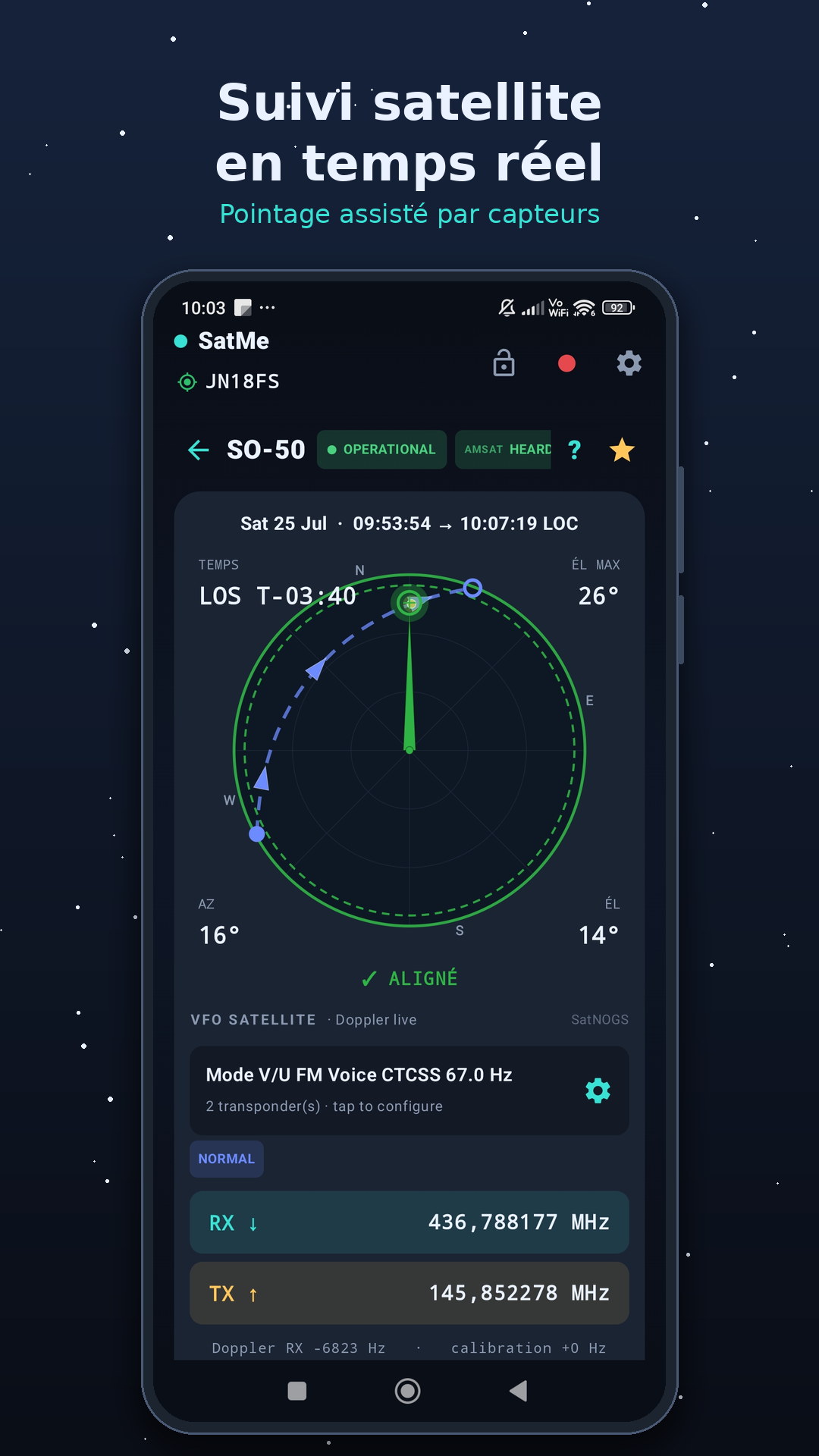
- Live tracking: elevation, azimuth, Doppler and countdown, on a screen readable at arm's length.
- Pass journal: every pass followed kept on the phone (real trajectory, rig frequencies, antennas, recording), on the sky or an OpenStreetMap map with the footprint; contacts, APRS stations and SSTV pictures in place; replayed with its sound, with cards for the stations; exported as a picture, a video, a GIF or a sound. Bookmarks, the IC-9700's S-meter, an accelerated replay, contacts entered from the replay. Past passes found again from the log, the pictures, the recordings and Wavelog / Cloudlog; a pass given to another station in one file.
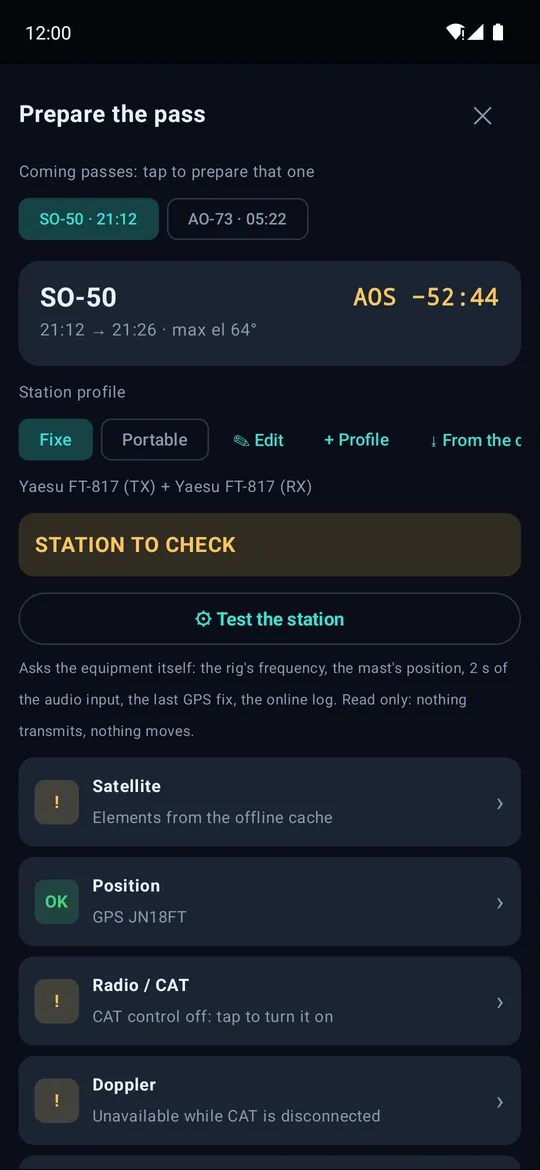
- Prepare the pass: from the icon on any pass, nine lights check the station against your profiles (Home, Portable…, each with its rigs, compass and audio source), each leading to what fixes it. A read-only station test asks the equipment itself; with CAT connected, the rig goes to the satellite prepared. Simultaneous passes are marked.
- Globe with ground tracks, timeline of the coming passes, and mutual skeds — the windows when a satellite is visible both from you and from another station.
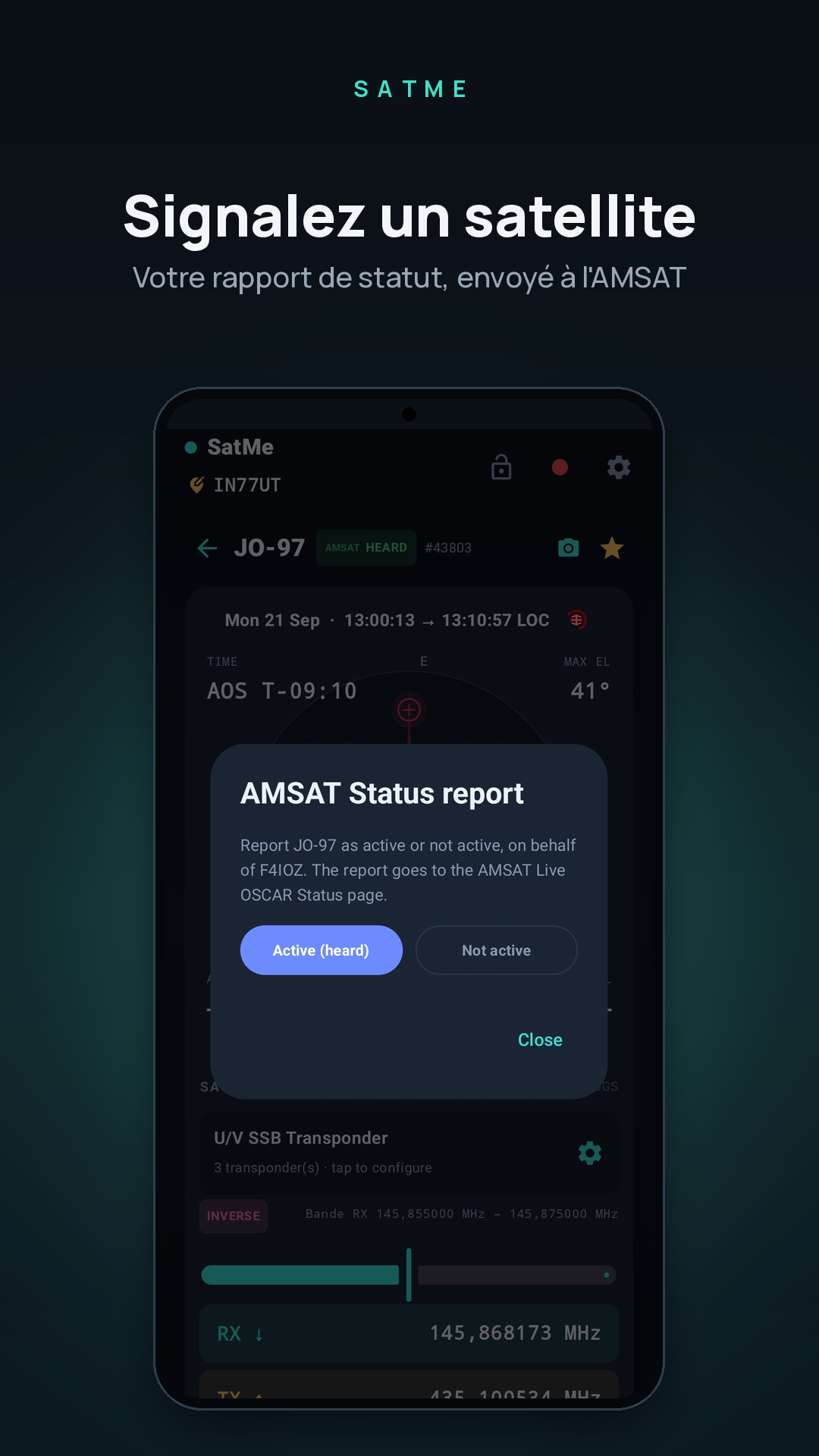
- AMSAT and SatNOGS status for each satellite, AMSAT report in a few taps; silent satellites kept out of the list. Satellites carry their short AMSAT name ("AO-07", "ISS") and their AMSAT status whatever the element source.
- Orbital elements from AMSAT, CelesTrak and SatNOGS (about 1,700 satellites), or through a SatMe GP server; kept on the phone for use offline. When sources disagree, the freshest elements for now win.
Pointing#
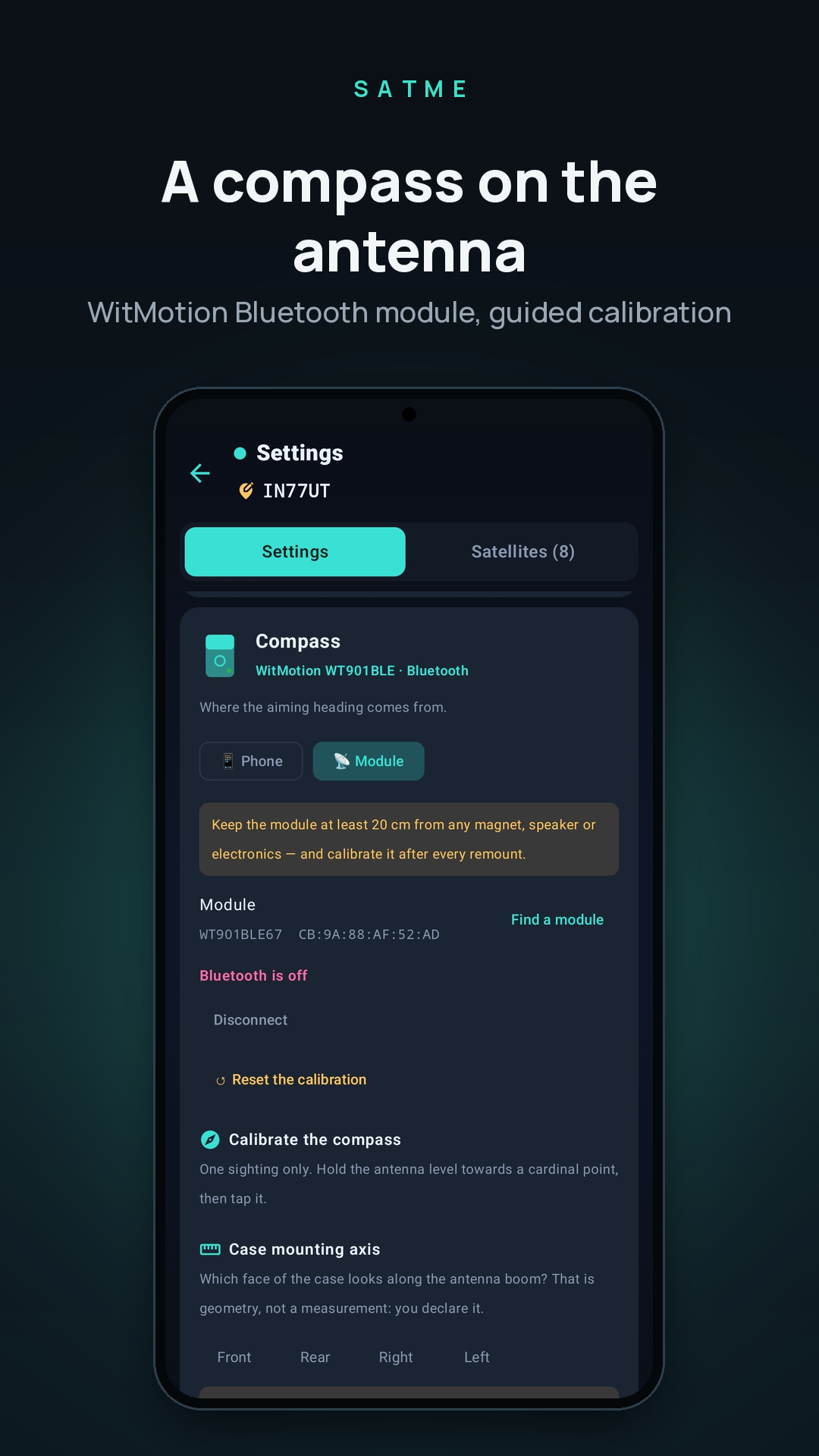
- Phone compass with guided calibration, or a WitMotion Bluetooth module fixed on the antenna boom.
- Rotators: Yaesu GS-232 over USB serial, Hamlib rotctld over the network. A pass over the end stop planned before it (far side of the zenith, over the top, a turn only when worth it), the path shown on the compass. Flip over the zenith, park after the pass, a calibration assistant (the controller's own O2/F2/O/F, a verification table, a software correction per axis), and simulated antennas to watch the tracking before moving the real ones.
Rig control and Doppler#
- RX and TX Doppler correction, linear transponders (inverting or not) and FM, with a calibration kept per satellite.
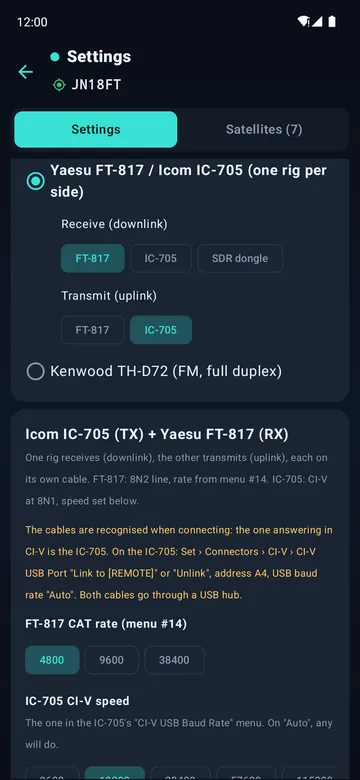
- CAT: Icom IC-9700 in satellite mode, Kenwood TS-2000 in SAT mode, Kenwood TH-D72 in full duplex with its own panel, a Yaesu FT-817 or Icom IC-705 on each side (two FT-817, two IC-705, or one of each), or one of them transmitting while an RTL-SDR dongle receives.
- The rig is tuned before AOS, ready as the satellite rises. A USB knob or keypad can drive it, its keys learned by pressing them.
- The CTCSS tone is picked from the transponder's name (SO-50, ISS…), or set by hand.
- A test bench in the CAT settings: a simulated rig that refuses what the real one refuses, the frames exchanged decoded in plain words, and the pass-start sequence replayed with no radio plugged in.
- QO-100: the geostationary narrowband transponder with your converters, and the error of each oscillator measured against a reference.
Logging#
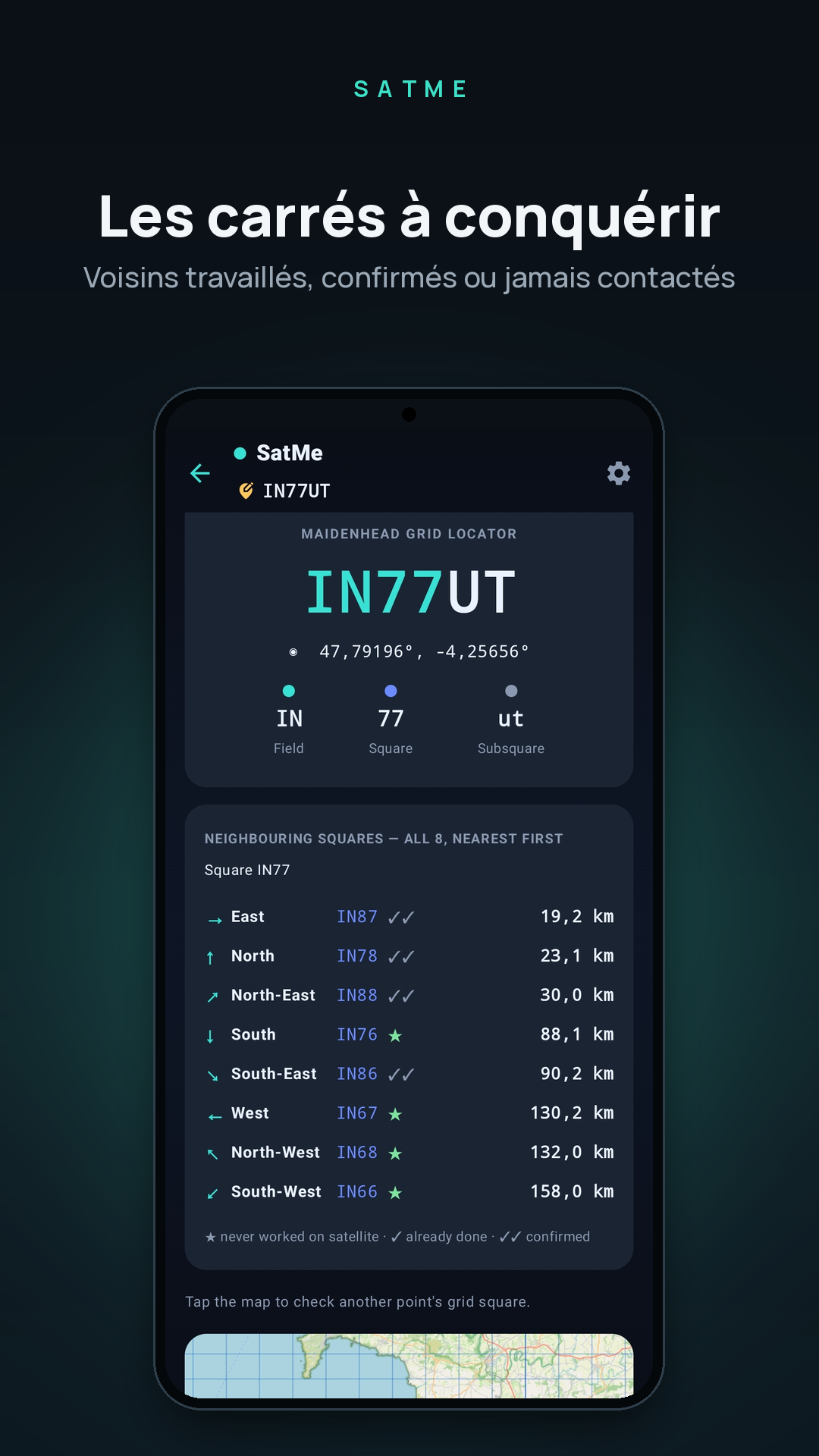
- One-handed callsign keypad, QRZ.com lookup, new locator and duplicate flagged while typing.
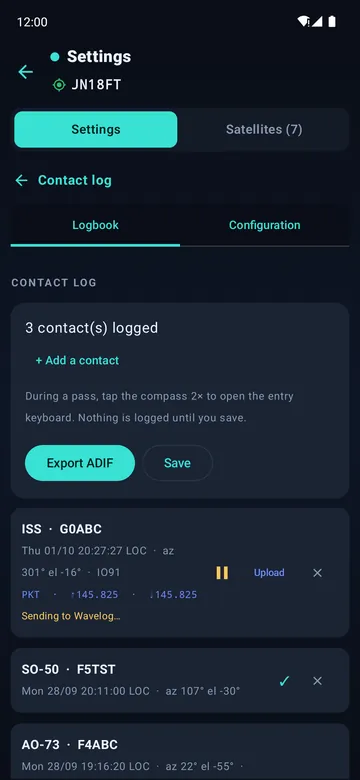
- Wavelog and Cloudlog: contacts uploaded, optionally by themselves a minute after entry, with your station profiles. SatMe also shows up as a radio in Wavelog and Cloudlog: satellite, mode and Doppler-corrected frequencies are filled in.
- LoTW confirmations, locator map, ADIF export, PDF QSL cards and activation sheets.
Recording and decoding#
- Every pass recorded to MP3 — phone microphone, Bluetooth hands-free or the rig's USB sound card — with a spoken header (satellite, UTC time, locator) and a copy in the folder of your choice.
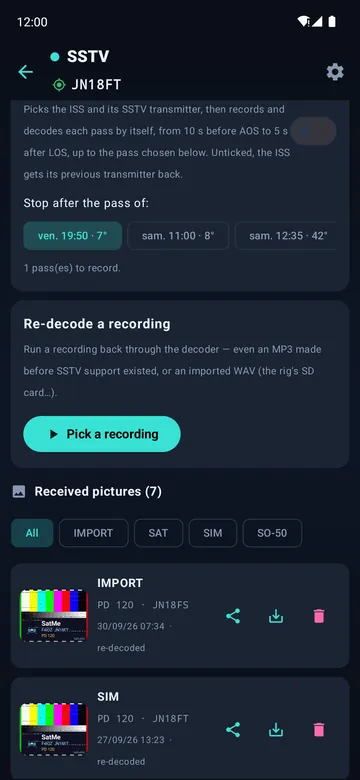
- SSTV decoded live while recording (Robot, Martin, Scottie, PD), or later from a recording or a WAV from the rig's SD card. Automatic SSTV: the ISS or a favourite satellite and its transmitter picked, each pass recorded and decoded by itself up to the pass you choose, screen off included. An SSTV test card to send, with simulated fading to check a decoder.
- Every pass recorded by itself while the rig is under CAT (option), 5 s before AOS to 5 s after LOS, the audio input checked when arming.
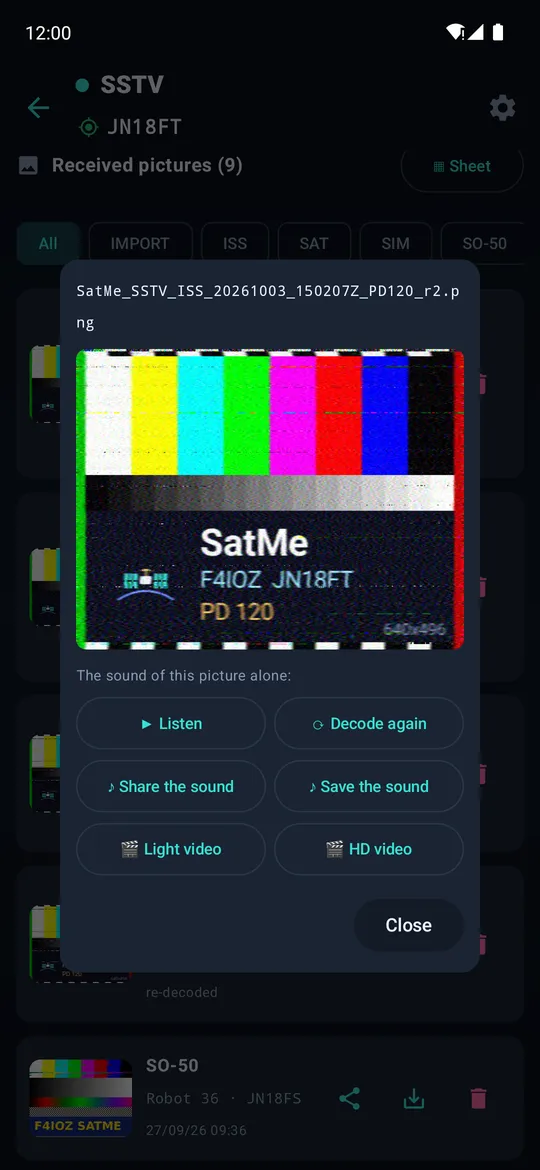
- Each SSTV picture keeps its own sound: listen, decode it again, share it, make a video of it arriving. The gallery sorts the pictures by slide, marks each one from 0 to 100 and keeps a corrected version beside the received one (decoded again from its sound, specks removed, copies fused — series 34: mean mark 91.6 → 95.8). For an ARISS series, a table of passes says when to listen for the missing slides.
- The SSTV sheet puts a series on a template (ARISS or a SatMe background) with callsign, logo and dates, slide n in box n; it belongs to an event, whose report (sheet, slides, passes and their sky, the receive chain) comes as an HTML page or an A4 PDF.
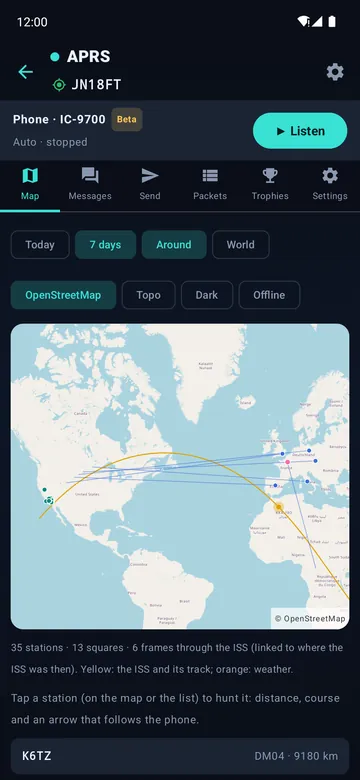
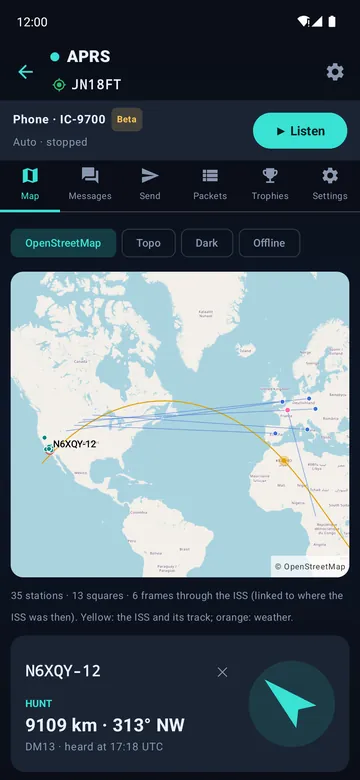
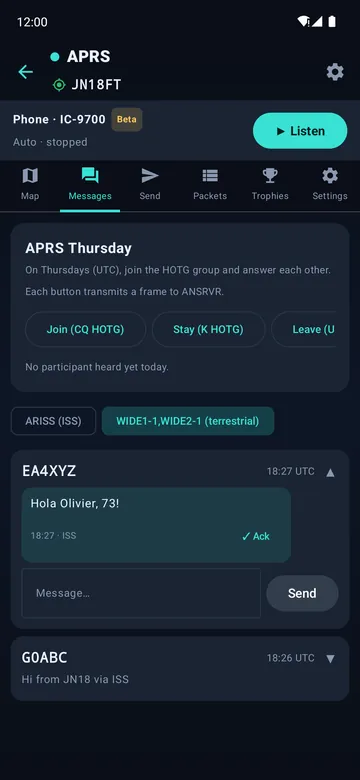
- APRS (beta): AFSK 1200 frames decoded while recording — the ISS digipeater on 145.825 MHz — or received through a KISS radio, and the stations a Yaesu FT3D decodes. Positions (Mic-E included), messages, status. Transmit through the IC-9700 or a KISS radio such as the Kenwood TH-D72: APRS Thursday (HOTG) ready, acks shown. Works on the ISS (145.825 MHz, Doppler tracked) or on the terrestrial network (144.800 MHz, WIDE1-1,WIDE2-1) — or both, the ISS during its passes and terrestrial the rest of the time. One "Listen" button sets the IC-9700 up over CAT; a Kenwood is switched to KISS and tuned by SatMe itself. Your position can go out approximate (a fixed offset under 500 m).
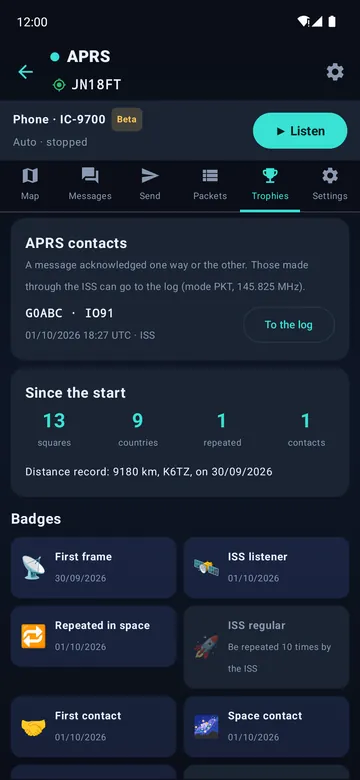
- APRS for fun: when the ISS repeats your own frame, SatMe cheers (banner, buzz, notification) and tells who else was on that pass. A map over OpenStreetMap tiles (pinch and drag) with the stations heard, the ISS track, and each station linked to where the ISS was when it was heard. Messages as conversations, acked both ways, with one-tap APRS Thursday buttons and today's participants. Hunt a station with distance, course and an arrow that follows the phone. The day's tally as a picture to share, APRS contacts through the ISS straight into the log, records and 14 badges. Weather stations decoded, and an optional beacon as the ISS passes (off by default).
- METEOR-M2-3 / M2-4 weather pictures (LRPT, beta) from an RTL-SDR dongle: colour and infrared, live, by themselves on each pass, or from a raw I/Q recording.
- FT8 / FT4 decoding, weather radiosondes, and an RTL-SDR dongle with its spectrum.
Sharing#
- Live demonstration: the audience follows the pass on their own phones, joining with a QR code.
- Remote listening from a second phone on the same network.
- Pictures, videos, sounds, sheets and cards: shared, or saved on the phone.
- PC control desk: web pages served by the phone, by USB cable or Wi-Fi — keyboard entry, polar dial, recording, your station and the coming passes; the pass journal replayed large (map, S-meter, timeline, accelerated replay, videos made by the phone); the SSTV sheet laid out with the mouse — and an HTTP API for other clients.
- SatMe-PC joined by scanning its QR code: the phone's passes, SSTV pictures, recordings and contacts brought to the PC. Each new contact can go to Wavelog by itself after a delay of your choice, on the phone as on the PC.
French and English. Controls readable by screen readers.
Supported hardware#
| Type | Models |
|---|---|
| Radios | Icom IC-9700 (SatMe-PC: USB or the rig's network) · Icom IC-910H¹ · Icom IC-9100¹ · Kenwood TS-2000 (SAT mode; RigExpert Tiny tried) · Kenwood TH-D72 (FM, full duplex) · Yaesu FT-817 or Icom IC-705¹ on each side · FT-817 or IC-705¹ + SDR dongle |
| APRS | KISS radio over USB: Kenwood TH-D72 (tried); other KISS TNCs on a USB serial line¹ · Yaesu FT3D: stations it decodes (positions, WAY.P output) |
| SDR | RTL2832U (voice, SSTV, METEOR pictures with a 137 MHz antenna) · SatMe-PC also: ADALM-PLUTO (network), Nuand bladeRF 2.0 micro (USB 3, Linux) — receive, and transmit DATV and SSTV; the Pluto also on QO-100's narrow band (SSB, CW, FT8)² · HackRF One (test transmitter, indoor or dummy load only) · the IC-9700's IF · ADS-B and AIS on an RTL-SDR |
| DATV | MiniTiouner (through LongMynd, on the PC or a SatMe-Node) · ADALM-PLUTO or bladeRF 2.0 with SatMe's DVB-S2 demodulator |
| Compass | WitMotion WT901BLE, WT9011DCL-BT50 |
| Rotators | Yaesu GS-232 · Hamlib rotctld (network) |
| Polarisation | WiMo remote switches (UHF 18082 / 18083, VHF 18080 / 18081) or an H/V relay, through an ESP32 box on USB (SatMe-PC; firmware)² |
| USB serial | CP210x, FTDI, PL2303, CH340/341/9102, MCP2200/2221, CDC |
| Other | USB sound cards · USB knob/keypad (keys learned by pressing; SatMe-PC too, Linux) |
¹ Built and bench-tested, not yet tried on the real hardware. ² New: written and tried against simulators (virtual ESP32, dummy-load stage), not yet tried with the real hardware on the air.
Wiring#
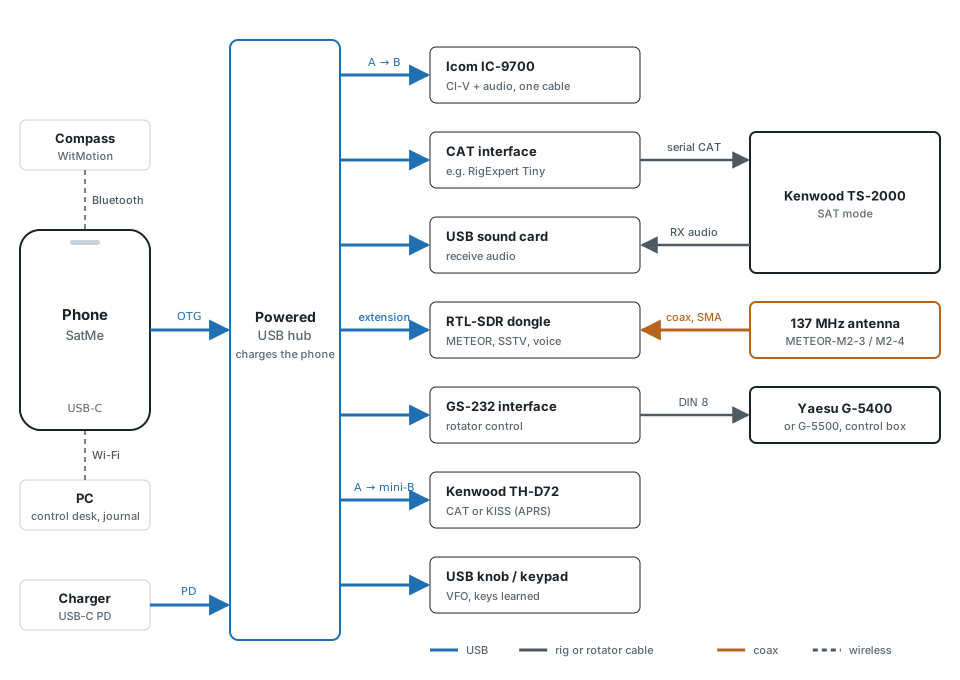
The phone has a single USB-C port. A powered hub behind it carries everything: rigs, sound card, SDR dongle, rotator interface, knob. Through its USB-C PD input it can also charge the phone during the pass. An RTL-SDR dongle alone draws about 300 mA, which is why the hub must be powered. The PC control desk then works over Wi-Fi.
Documentation#
- SatMe wiki: the full guide, step by step, with screenshots — installation, passes, CAT, recording, SSTV, APRS, logbook, FAQ
- SatMe-PC guide (wiki): every SatMe-PC function and where to click, chapter by chapter, with screenshots — also as a PDF manual
- SatMe-PC built-in guide: the manual's text SatMe-PC opens on F1 — also as a PDF, attached to every release
- The demonstration: a made-up station to install on a VM or a Raspberry Pi
- Polarisation box: the ESP32 firmware, its wiring and its USB dialogue
- Control desk API v1: HTTP protocol for third-party clients
- Web publishing: what SatMe-PC sends to your site (API v1) and ready-to-use receivers
- SatMe GP server: relays orbital elements (OMM/GP) to SatMe, to install on a Raspberry Pi, a Linux server or Proxmox
- Third-party components
- Privacy policy
Build#
JDK 21, Android SDK 36.
./gradlew testDebugUnitTest assembleDebugRelease signing reads keystore.properties at the root (not committed): storeFile, storePassword, keyAlias, keyPassword.
License#
GPL-2.0-or-later. Third-party licenses in THIRD-PARTY.md.
Credits#
- T. S. Kelso — SGP4/SDP4 models and CelesTrak (orbital elements)
- John Magliacane KD2BD — PREDICT
- Neoklis Kyriazis 5B4AZ — C translation of SGP4/SDP4, used by PREDICT
- David Johnson G4DPZ — predict4java (pass and Doppler computation)
- Kārlis Goba — ft8_lib (FT8/FT4 error-correcting code tables)
- K9AN, G4WJS and K1JT — FT8 and FT4 protocols (QEX article)
- Peter Goodhall MM9SQL — Cloudlog
- The Wavelog team — Wavelog, a Cloudlog fork
- IS0GRB — QO-100 WebSDR (frequency reference)
- John Morris G4ANB — Maidenhead locators
- AMSAT and SatNOGS — satellite status; SatNOGS DB — orbital elements
- Bob Bruninga WB4APR (SK) — APRS
- Stephen Smith WA8LMF — TNC test CD (APRS decoder testing)
- F6KMX radio club
73 de F4IOZ